This article provides a complete guide on how to develop an Apple Watch app, including watchOS app development, Swift programming, SwiftUI framework, Xcode setup, Apple Developer tools, app architecture, UI design, HealthKit integration, Watch Connectivity, testing, publishing process, development tools, best practices, challenges, and future trends in wearable app development.
Apple Watch has become one of the most powerful wearable devices in the world, helping millions of users track fitness, monitor health, manage tasks, receive notifications, and access important information directly from their wrist. Behind these smart experiences are well-designed Apple Watch applications built using modern technologies like Swift, SwiftUI, and watchOS SDK.
Unlike traditional mobile apps, Apple Watch apps focus on fast, simple, and personalized interactions. Developers need to create lightweight applications that deliver useful features within seconds while maintaining excellent performance and battery efficiency.
Whether you are a beginner who wants to build your first wearable app or a professional developer planning to create advanced health, fitness, productivity, or business applications, learning Apple Watch app development can help you enter the growing world of wearable technology.
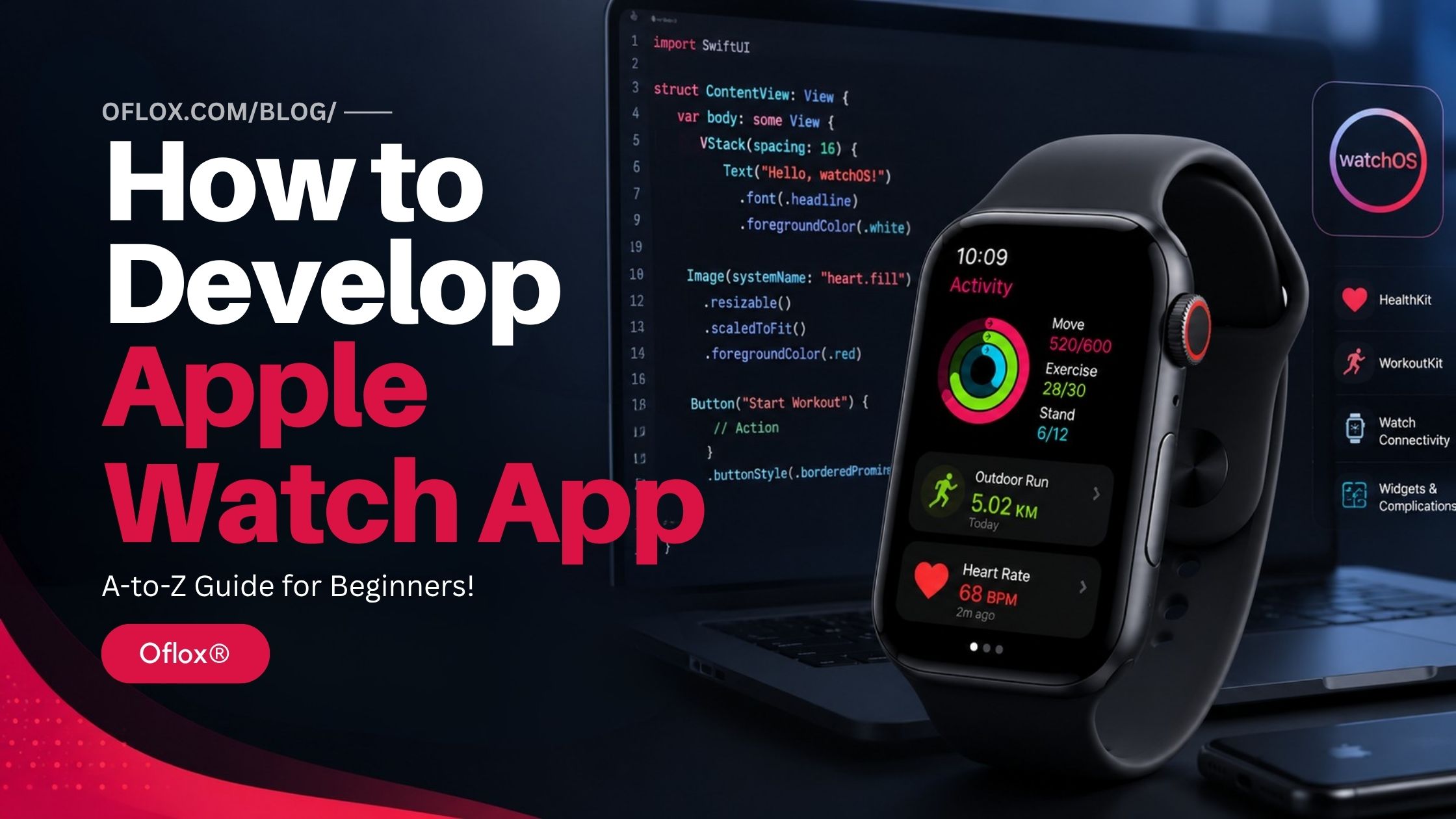
In this guide, we’ll explore Apple Watch app development from basics to advanced concepts, including required skills, tools, step-by-step development process, real-world examples, and expert practices to build successful watchOS applications.
Let’s explore it together.
Table of Contents
What Is Apple Watch App Development?
Apple Watch app development is the process of designing, building, testing, and publishing applications specifically for Apple’s smartwatch using the watchOS operating system.
These apps are developed primarily using:
| Technology | Purpose |
|---|---|
| Swift | Programming language |
| SwiftUI | User interface framework |
| WatchKit | Watch-specific APIs |
| Xcode | Development environment |
| watchOS SDK | Apple Watch development toolkit |
Apple Watch apps can either:
- Run independently on the watch
- Work alongside an iPhone companion app
- Synchronize data through Apple’s Watch Connectivity framework
Modern watchOS applications are lightweight, responsive, and optimized for quick user interactions while taking advantage of sensors such as GPS, heart rate monitors, accelerometers, gyroscopes, microphones, and speakers.
What Is watchOS?
watchOS is Apple’s operating system designed exclusively for Apple Watch devices. It provides developers with APIs and frameworks that allow applications to interact with the watch’s hardware and software features.
Some major capabilities include:
- Heart rate monitoring
- Workout tracking
- Sleep analysis
- GPS navigation
- Notifications
- Siri integration
- Apple Pay
- Smart Stack widgets
- Complications
- HealthKit
- Always-On Display
- Haptic feedback
Because watchOS is optimized for wearable devices, developers must design interfaces that are fast, glanceable, and easy to interact with on a small screen.
Evolution of Apple Watch App Development
Apple introduced the first Apple Watch in 2015. Initially, watch apps relied heavily on the paired iPhone for processing and data management. Over the years, Apple significantly improved both the hardware and the watchOS platform.
| Year | Major Development |
|---|---|
| 2015 | First Apple Watch launched |
| 2016 | Native watchOS apps introduced |
| 2017 | Improved performance with Series 3 and LTE support |
| 2019 | Always-On Display introduced |
| 2020 | SwiftUI became the preferred UI framework |
| 2022 | Enhanced HealthKit and Workout APIs |
| 2024 | Smart Stack and WidgetKit improvements |
| 2026 | AI-powered features, better performance, and deeper health integrations continue to expand the platform |
Today, Apple Watch apps can function independently, communicate with cloud services, and integrate deeply with the Apple ecosystem.
Why Should You Learn Apple Watch App Development?
The wearable app market is growing rapidly, and Apple Watch remains one of the leading smartwatch platforms worldwide. Learning Apple Watch development offers several advantages.
1. High Demand
Businesses increasingly want wearable apps for:
- Healthcare
- Fitness
- Banking
- Productivity
- Education
- Enterprise solutions
- Smart home automation
2. Less Competition
Compared to iPhone app development, there are fewer high-quality Apple Watch apps. This creates opportunities for developers to build unique products.
3. High-Paying Skill
Developers with expertise in:
- Swift
- SwiftUI
- watchOS
- HealthKit
- WidgetKitThey
are highly valued by startups, enterprises, and freelance clients.
4. Expand Your Apple Ecosystem Skills
Learning Apple Watch development also prepares you for building applications for:
- iPhone
- iPad
- Mac
- Apple TV
- Vision Pro
since Swift and SwiftUI are used across Apple’s platforms.
Types of Apple Watch Apps
Different types of applications serve different user needs. Understanding these categories helps you choose the right architecture and feature set for your project.
| App Type | Examples |
|---|---|
| Fitness | Workout tracker, step counter |
| Health | Heart rate monitor, medication reminders |
| Productivity | To-do lists, calendar apps |
| Finance | Expense tracker, stock updates |
| Travel | Boarding passes, navigation |
| Smart Home | Home automation controls |
| Shopping | Order tracking, digital wallets |
| Education | Flashcards, language learning |
| News | Headlines and alerts |
| Entertainment | Music controls, podcasts |
Each category requires different APIs and user experience considerations.
Apple Watch App Architecture
Understanding the architecture of a watchOS app is essential before you start coding.
A typical Apple Watch application includes:
- User Interface (SwiftUI): Displays screens and handles user interactions.
- Business Logic (Swift): Processes data and app functionality.
- WatchKit Framework: Provides watch-specific APIs and lifecycle management.
- HealthKit (Optional): Accesses health and fitness data.
- Watch Connectivity (Optional): Syncs data with an iPhone companion app.
- Cloud Services (Optional): Stores user data using services like CloudKit or Firebase.
This layered architecture keeps the app modular, maintainable, and scalable.
Essential Skills You Need
Before diving into Apple Watch development, having the following foundational skills will make your learning journey smoother.
1. Programming
You should understand:
- Variables
- Functions
- Loops
- Classes
- Structures
- Optionals
- Error handling
- Asynchronous programming
These concepts are central to writing clean and efficient Swift code.
2. Swift Programming Language
Swift is Apple’s official programming language and the primary language for watchOS development. Learning Swift allows you to build safe, fast, and modern applications for the Apple ecosystem.
Key Swift concepts include:
- Data types
- Closures
- Protocols
- Extensions
- Generics
- Property wrappers
- Concurrency with async/await
3. SwiftUI
SwiftUI is Apple’s modern framework for building user interfaces.
It enables developers to create responsive layouts with significantly less code than older frameworks.
You’ll commonly work with:
- Text
- Button
- Image
- List
- NavigationStack
- ScrollView
- VStack
- HStack
- ZStack
- Forms
- Charts
- Animations
4. Basic UI/UX Design Principles
Because the Apple Watch has a compact display, effective UI/UX design is crucial.
Keep these principles in mind:
- Use large, tappable controls.
- Minimize text input.
- Display only essential information.
- Design for quick interactions.
- Prioritize readability and accessibility.
Tools Required for Apple Watch App Development
Before writing your first line of code, you’ll need the right tools.
| Tool | Purpose |
|---|---|
| Mac | Development machine |
| Xcode | Official IDE |
| Swift | Programming language |
| SwiftUI | UI framework |
| watchOS SDK | App development kit |
| Apple Watch Simulator | Testing environment |
| Apple Developer Account | App publishing |
| Git | Version control |
| GitHub | Code hosting and collaboration |
These tools form the core development environment for creating, testing, and deploying Apple Watch apps.
Hardware and System Requirements
To develop Apple Watch apps efficiently, ensure your system meets these general requirements.
| Requirement | Recommendation |
|---|---|
| Operating System | Latest macOS |
| RAM | 16 GB or more |
| Storage | 256 GB SSD or higher |
| Processor | Apple Silicon (M-series) preferred |
| Xcode | Latest stable version |
| Apple Watch | Optional but recommended for real-device testing |
While the Apple Watch Simulator is useful, testing on a physical device provides more accurate insights into performance, sensors, battery usage, and user experience.
Setting Up Your Development Environment
Creating your development environment correctly is the first practical step toward building Apple Watch apps.
1. Install Xcode
Download and install the latest version of Xcode from the Mac App Store or Apple’s Developer website.
Xcode includes:
- Swift compiler
- SwiftUI framework
- watchOS SDK
- Interface preview
- Apple Watch Simulator
- Debugging tools
- Performance profiling tools
Installing Xcode gives you everything needed to start building watchOS applications.
2. Create an Apple ID
An Apple ID allows you to:
- Download Xcode updates
- Test apps on physical devices
- Access Apple Developer documentation
- Use development certificates
Creating an Apple ID is free and only takes a few minutes.
3. Join the Apple Developer Program (Optional)
If you plan to publish your app on the App Store, you’ll eventually need to enroll in the Apple Developer Program.
Benefits include:
- App Store distribution
- TestFlight beta testing
- Access to advanced capabilities
- CloudKit production services
- Push notifications
- App analytics
For beginners who are just learning, you can start developing and testing apps without immediately joining the paid program.
How to Develop Apple Watch App
1. Create a New watchOS Project in Xcode
Open Xcode and create a new project.
Follow these steps:
- Open Xcode
- Click Create a New Project
- Select watchOS
- Choose App
- Click Next
You’ll be asked to enter:
| Setting | Example |
|---|---|
| Product Name | Fitness Tracker |
| Organization Identifier | com.oflox |
| Interface | SwiftUI |
| Language | Swift |
| Testing | Enabled |
After clicking Create, Xcode generates the project structure automatically.
Understanding the Project Structure:
A watchOS project contains several important files and folders.
| Folder/File | Purpose |
|---|---|
| App.swift | Application entry point |
| ContentView.swift | Main screen |
| Assets.xcassets | Images and icons |
| Extensions | Business logic |
| Preview Content | SwiftUI previews |
| Info.plist | App configuration |
| Supporting Files | Resources and settings |
Understanding this structure makes it easier to organize your code as your application grows.
2. Learn SwiftUI Basics
SwiftUI is Apple’s declarative UI framework. Instead of manually updating the interface, you describe what the UI should look like, and SwiftUI automatically keeps it in sync with your data.
Some of the most commonly used UI components include:
| Component | Purpose |
|---|---|
| Text | Display text |
| Image | Show icons or pictures |
| Button | Trigger actions |
| Toggle | On/Off switch |
| List | Display multiple items |
| NavigationStack | Navigate between screens |
| VStack | Vertical layout |
| HStack | Horizontal layout |
| ZStack | Layer views |
| ScrollView | Scrollable content |
Using these building blocks, you can create clean and responsive interfaces optimized for the Apple Watch’s small display.
3. Design a Simple User Interface
Apple Watch screens are compact, so every element should serve a clear purpose.
Example Layout:
A fitness app might include:
- App title
- Today’s step count
- Start workout button
- Heart rate display
- Calories burned
Good watchOS interfaces are:
- Minimal
- Fast
- Easy to tap
- Easy to read
- Free from unnecessary distractions
Apple Watch Design Best Practices:
When designing for watchOS:
- Use large buttons
- Keep text short
- Avoid crowded layouts
- Prefer icons when appropriate
- Display only important information
- Minimize scrolling
- Support Dark Mode
Apple recommends designing for quick interactions that users can complete in just a few seconds.
4. Add Navigation
Most Apple Watch apps contain multiple screens.
Common examples include:
- Home
- Workout
- Settings
- Statistics
- Profile
SwiftUI’s NavigationStack makes it easy to move between these screens while maintaining a consistent user experience.
5. Manage Data with State
Interactive apps need to update their interface as data changes.
SwiftUI provides several property wrappers for state management.
| Property | Usage |
|---|---|
| @State | Local data |
| @Binding | Shared data |
| @ObservedObject | External object |
| @StateObject | Persistent object |
| @EnvironmentObject | Global shared data |
Proper state management keeps your app responsive and easier to maintain.
6. Build Reusable Components
As your application grows, avoid repeating the same UI code.
Examples of reusable components include:
- Workout card
- Heart rate indicator
- Progress ring
- Custom button
- Settings row
Benefits include:
- Cleaner code
- Easier maintenance
- Faster development
- Better scalability
7. Access Apple Watch Sensors
One of the biggest advantages of Apple Watch development is access to built-in sensors.
Common sensors include:
| Sensor | Usage |
|---|---|
| Heart Rate | Fitness apps |
| Accelerometer | Motion detection |
| Gyroscope | Orientation |
| GPS | Running and cycling |
| Compass | Navigation |
| Altimeter | Elevation tracking |
| Microphone | Voice recording |
These sensors enable powerful health, navigation, and activity-based applications.
1. Using HealthKit
HealthKit allows apps to securely read and write health-related information with the user’s permission.
Examples include:
- Heart rate
- Walking distance
- Step count
- Calories burned
- Sleep analysis
- Blood oxygen
- Workout sessions
Always request only the permissions your app genuinely needs and explain why they’re required.
2. WorkoutKit:
WorkoutKit simplifies the creation of workout-focused applications.
Supported workout types include:
- Running
- Walking
- Cycling
- Swimming
- Hiking
- Yoga
- Strength training
- HIIT
WorkoutKit also integrates with the Apple Fitness ecosystem.
8. Implement Watch Connectivity
Many Apple Watch apps work alongside an iPhone app.
Watch Connectivity allows the two devices to exchange data efficiently.
Typical use cases:
- Sync user profiles
- Transfer workout data
- Share settings
- Send notifications
- Update preferences
- Download content
This keeps the user experience consistent across devices.
9. Work with Notifications
Notifications are one of the most frequently used features on Apple Watch.
Types include:
- Local notifications
- Push notifications
- Reminder alerts
- Calendar notifications
- Health reminders
- Medication reminders
Good notifications should be:
- Short
- Relevant
- Timely
- Actionable
Avoid sending unnecessary or excessive alerts, as they can negatively affect the user experience.
10. Add Widgets and Complications
Widgets and complications let users access information without opening your app.
Examples:
| Widget | Example |
|---|---|
| Weather | Current temperature |
| Finance | Stock price |
| Fitness | Daily steps |
| Calendar | Upcoming events |
| Battery | Device status |
Complications appear directly on supported watch faces and should display concise, glanceable information.
11. Store User Data
Depending on your app’s requirements, you can store data locally or in the cloud.
Popular storage options include:
| Storage | Best For |
|---|---|
| UserDefaults | Preferences |
| SwiftData | Modern local storage |
| Core Data | Complex local databases |
| CloudKit | Apple cloud sync |
| Firebase | Cross-platform backend |
Choose the storage method that best fits your app’s complexity and synchronization needs.
12. Integrate Cloud Services
Cloud services help users access their data across multiple devices.
Popular options include:
- CloudKit
- Firebase
- Supabase
- AWS
- Azure
Cloud integration enables features such as:
- User accounts
- Data backup
- Cross-device synchronization
- Leaderboards
- Real-time updates
13. Test Your Apple Watch App
Testing is essential before publishing. You can use the Apple Watch Simulator.
The simulator lets you:
- Test layouts
- Verify navigation
- Check animations
- Validate interactions
- Inspect accessibility
After this test on a Real Apple Watch and a physical device, you need to verify:
- Performance
- Battery consumption
- GPS accuracy
- Heart rate integration
- Haptic feedback
- Notification behavior
Real-device testing often reveals issues that aren’t visible in the simulator.
Debugging Your App
Xcode includes powerful debugging tools.
Useful tools include:
- Console logs
- Breakpoints
- Memory Graph
- Instruments
- Performance Profiler
- Thread Inspector
Regular debugging helps identify crashes, memory leaks, and performance bottlenecks early in development.
Performance Optimization
Because Apple Watch has limited resources compared to an iPhone, optimization is critical.
Best Practices:
- Keep screens lightweight.
- Load data only when necessary.
- Reduce network requests.
- Cache frequently used information.
- Compress images.
- Avoid unnecessary animations.
- Use efficient algorithms.
- Limit background activity.
A responsive app improves battery life and provides a smoother user experience.
Improve Battery Efficiency
Battery life is one of the most important considerations for wearable apps.
Tips include:
- Avoid constant GPS usage.
- Reduce background updates.
- Minimize sensor polling.
- Optimize network calls.
- Stop inactive timers.
- Release unused resources.
Efficient apps earn better user reviews and are more likely to meet Apple’s quality expectations.
Security Best Practices
Security should be part of your development process from the beginning.
Protect user data by:
- Using HTTPS
- Encrypting sensitive information
- Leveraging Keychain for credentials
- Requesting only necessary permissions
- Validating user input
- Following Apple’s privacy guidelines
If your app handles health or financial data, security becomes even more important.
Accessibility Guidelines
Accessible apps reach a wider audience and align with Apple’s inclusive design principles.
Consider supporting:
- VoiceOver
- Dynamic Type
- High Contrast
- Reduced Motion
- Larger tap targets
- Clear color contrast
Accessibility isn’t just a requirement—it improves usability for everyone.
Real-World Apple Watch App Examples
Studying successful apps can inspire your own projects.
| Category | Example Features |
|---|---|
| Fitness | Workout tracking, heart rate monitoring |
| Health | Medication reminders, sleep tracking |
| Banking | Balance checks, transaction alerts |
| Productivity | Task lists, calendar events |
| Travel | Boarding passes, navigation |
| Smart Home | Lights, cameras, door locks |
| Retail | Order tracking, loyalty cards |
| Education | Language practice, quizzes |
These apps demonstrate how short, focused interactions create meaningful user experiences.
Best Practices for Apple Watch App Development
Following proven best practices improves quality, performance, and maintainability.
1. Design
- Keep interfaces simple.
- Prioritize glanceable content.
- Use consistent spacing.
- Follow Apple’s Human Interface Guidelines.
2. Development
- Write modular code.
- Reuse components.
- Handle errors gracefully.
- Use asynchronous programming for network tasks.
3. Performance
- Optimize battery usage.
- Reduce memory consumption.
- Test on multiple watch models.
4. User Experience
- Keep interactions under a few seconds.
- Display clear feedback for user actions.
- Avoid overwhelming users with options.
Practical Example: Building a Fitness Tracker
Imagine you’re developing a basic fitness app.
Your app could include:
- Home dashboard
- Daily step counter
- Workout start/stop
- Heart rate monitor
- Calories burned
- Weekly progress chart
- Achievement badges
- Settings screen
- Cloud synchronization
- iPhone companion app
This project combines many core watchOS concepts—SwiftUI layouts, HealthKit, Watch Connectivity, notifications, and local data storage—making it an excellent learning exercise for beginners.
Key Features of Apple Watch Apps
Apple Watch applications are designed to provide quick, meaningful interactions while leveraging the device’s advanced sensors and seamless integration with the Apple ecosystem. Below are some of the most valuable features developers can include.
| Feature | Description |
|---|---|
| Health Monitoring | Access heart rate, ECG, sleep, blood oxygen, and activity data through HealthKit. |
| Workout Tracking | Track running, cycling, swimming, yoga, HIIT, and other workouts using WorkoutKit. |
| GPS Navigation | Provide real-time location and route guidance for outdoor activities. |
| Notifications | Send timely alerts, reminders, and updates directly to the watch. |
| Siri Integration | Enable voice commands and shortcuts for hands-free interactions. |
| Widgets & Complications | Display glanceable information on watch faces for quick access. |
| Apple Pay | Support secure contactless payments within your app. |
| Haptic Feedback | Improve user experience with subtle vibration cues. |
| Cloud Sync | Keep user data synchronized across Apple devices using CloudKit or other cloud services. |
| Accessibility | Support VoiceOver, Dynamic Type, and other accessibility features to make your app inclusive. |
These features help create engaging, practical, and user-friendly Apple Watch applications.
Benefits of Developing an Apple Watch App
Developing for Apple Watch offers numerous advantages for developers, startups, and businesses.
- Enhanced User Convenience: Apple Watch allows users to complete common tasks without taking out their iPhone. Quick interactions increase user satisfaction and engagement.
- Growing Wearable Market: The wearable technology industry continues to expand rapidly, creating opportunities for innovative watchOS applications in healthcare, fitness, finance, education, retail, and enterprise solutions.
- Strong Apple Ecosystem Integration: Apple Watch apps can seamlessly integrate with: iPhone,iPad, Mac, Apple TV, Vision Pro, iCloud, HealthKit, Apple Pay, and Siri. This interconnected ecosystem enhances the overall user experience.
- Premium User Base: Apple Watch users are generally highly engaged and willing to invest in premium applications, subscriptions, and in-app purchases.
- Career Opportunities: Learning Apple Watch development opens doors to: iOS Developer, watchOS Developer, SwiftUI Developer, Freelance Mobile Developer, and Apple Platform Engineer.
Professionals with these skills are in demand across startups, product companies, and enterprise organizations.
Challenges in Apple Watch App Development
While Apple Watch development is rewarding, it also comes with unique challenges.
- Small Screen Size: Designing intuitive interfaces for a compact display requires careful planning and simplicity.
- Limited Battery: Apps must be optimized to minimize battery consumption and background activity.
- Performance Constraints: The Apple Watch has fewer resources than an iPhone, making efficient code and lightweight interfaces essential.
- Connectivity: Some apps rely on communication with an iPhone or cloud services, requiring robust synchronization and offline handling.
- App Review Guidelines: Apple enforces strict quality, privacy, and design standards. Understanding the App Store Review Guidelines is essential for successful publication.
Essential Tools for Apple Watch App Development
Using the right tools can significantly improve productivity and code quality.
| Tool | Purpose |
|---|---|
| Xcode | Official IDE for Apple platform development |
| Swift | Programming language |
| SwiftUI | Modern UI framework |
| WatchKit | watchOS APIs |
| Instruments | Performance analysis |
| TestFlight | Beta testing |
| Git | Version control |
| GitHub | Collaboration and code hosting |
| CloudKit | Apple cloud services |
| Firebase | Backend services (optional) |
Estimated Cost of Developing an Apple Watch App
The cost depends on the app’s complexity, features, and development approach.
| App Type | Estimated Cost |
|---|---|
| Basic Utility App | ₹2,00,000 – ₹5,00,000 |
| Fitness or Health App | ₹5,00,000 – ₹15,00,000 |
| Business/Productivity App | ₹8,00,000 – ₹20,00,000 |
| Enterprise Solution | ₹20,00,000+ |
Additional expenses may include:
- Apple Developer Program membership
- UI/UX design
- Backend development
- Cloud hosting
- Maintenance and updates
Real-World Apple Watch App Examples
Many leading brands have successfully adopted watchOS to enhance user experiences.
| Industry | Example Use Cases |
|---|---|
| Fitness | Workout tracking, activity goals |
| Healthcare | Heart monitoring, medication reminders |
| Banking | Transaction alerts, account balance |
| Travel | Boarding passes, navigation |
| Retail | Order tracking, loyalty cards |
| Smart Home | Lighting and security controls |
| Education | Flashcards and learning reminders |
| Sports | Live scores and match updates |
These examples demonstrate how Apple Watch apps provide value through quick, focused interactions.
Expert Tips for Successful Apple Watch App Development
Follow these expert recommendations to create high-quality watchOS applications.
- Keep It Simple: Design interfaces that users can understand at a glance.
- Focus on One Primary Task: Avoid trying to replicate a full iPhone app. Instead, identify the most important action users need on their wrist.
- Prioritize Performance: Optimize animations, network calls, and data loading to ensure smooth performance and better battery life.
- Test Frequently: Use both the Apple Watch Simulator and real devices to identify usability and performance issues.
- Respect User Privacy: Only request permissions that are necessary for your app’s functionality and clearly explain their purpose.
- Follow Apple’s Human Interface Guidelines: Consistent design improves usability and increases the likelihood of App Store approval.
Common Mistakes to Avoid
Avoiding these common pitfalls will improve your app’s quality and user experience.
- Overloading the interface with too much information.
- Using small buttons or text that are difficult to tap or read.
- Ignoring battery optimization.
- Failing to handle offline scenarios gracefully.
- Not testing on physical Apple Watch devices.
- Requesting unnecessary permissions.
- Skipping accessibility support.
- Overusing notifications.
- Ignoring Apple’s design guidelines.
- Neglecting regular updates and maintenance.
Best Practices
To build a professional Apple Watch app, follow these best practices.
| Design | Development | Testing | Security |
| Keep screens uncluttered. | Write modular, reusable code. | Test across multiple watch models. | Encrypt sensitive data. |
| Use intuitive navigation. | Use SwiftUI for modern interfaces. | Validate battery usage. | Use secure network communication. |
| Maintain visual consistency. | Handle errors gracefully. | Verify sensor functionality. | Follow Apple’s privacy guidelines. |
| Support Dark Mode. | Optimize asynchronous tasks. | Check accessibility features. | Protect user credentials with Keychain. |
FAQs:)
A. Swift is the official programming language recommended by Apple for watchOS development.
A. SwiftUI is Apple’s preferred framework for building modern watchOS interfaces, although older projects may still use WatchKit.
A. Yes. Xcode, the official development environment for Apple platforms, runs only on macOS.
A. Yes. Modern watchOS apps can run independently without requiring an iPhone companion app, depending on the app’s functionality.
A. You can start learning and testing without a paid account, but you’ll need an Apple Developer Program membership to publish your app on the App Store.
A. With consistent practice and basic programming knowledge, many beginners can build their first functional watchOS app within a few weeks.
A. While some integration is possible, native Swift and SwiftUI provide the best support, performance, and access to watchOS features.
A. You can use the Apple Watch Simulator in Xcode and, for the best results, test on a physical Apple Watch device.
Conclusion:)
Apple Watch app development is an exciting opportunity for developers who want to create innovative wearable experiences. By learning Swift, SwiftUI, Xcode, and watchOS, you can build fast, intuitive, and feature-rich applications that integrate seamlessly with Apple’s ecosystem.
Whether you’re developing a fitness tracker, productivity tool, healthcare solution, or smart home controller, following Apple’s best practices, optimizing for performance, and focusing on user experience will help you create successful applications that users enjoy.
As wearable technology continues to evolve, Apple Watch apps will play an increasingly important role in delivering personalized, convenient, and intelligent experiences. Now is an excellent time to start learning and building for watchOS.
“The future of technology is not just in our hands anymore; it is on our wrists, powered by innovation and intelligent apps.” — Mr Rahman, CEO Oflox®
Read also:)
- 5+ iOS App Development Software: A-to-Z Guide for Beginners!
- 10+ Best Mobile App Development Tools: A-to-Z Guide for Beginners!
- How to Create SaaS Application in Python: A Step-by-Step Guide!
Have you started building your first Apple Watch app? Share your experience or ask your questions in the comments below—we’d love to hear from you!