This article provides a complete guide on 5+ Best Chrome Extensions for Students. If you’re looking for smart ways to improve your productivity, learning speed, and focus, this detailed resource is for you.
Being a student in today’s digital-first world is both a blessing and a challenge. On one hand, you have access to unlimited information, free online courses, and digital tools. On the other hand, the internet can be distracting and overwhelming—switching between notes, research, assignments, and group projects often feels like juggling too many balls at once.
This is where Chrome extensions come in. With the right set of tools, you can boost productivity, stay focused, manage assignments better, and even simplify your research process. In fact, Chrome extensions can be your personal digital assistant—helping you write faster, take better notes, stay distraction-free, and save time.

We’re exploring “5+ Best Chrome Extensions for Students” in this article, with all the key information at your fingertips.
Let’s explore it together!
Table of Contents
5+ Best Chrome Extensions for Students
Here’s our handpicked list of the 5+ best Chrome extensions for students that can boost productivity, simplify learning, and make online studying much easier in 2025.
1. Pickora: All-in-One Color Picker Chrome Extension
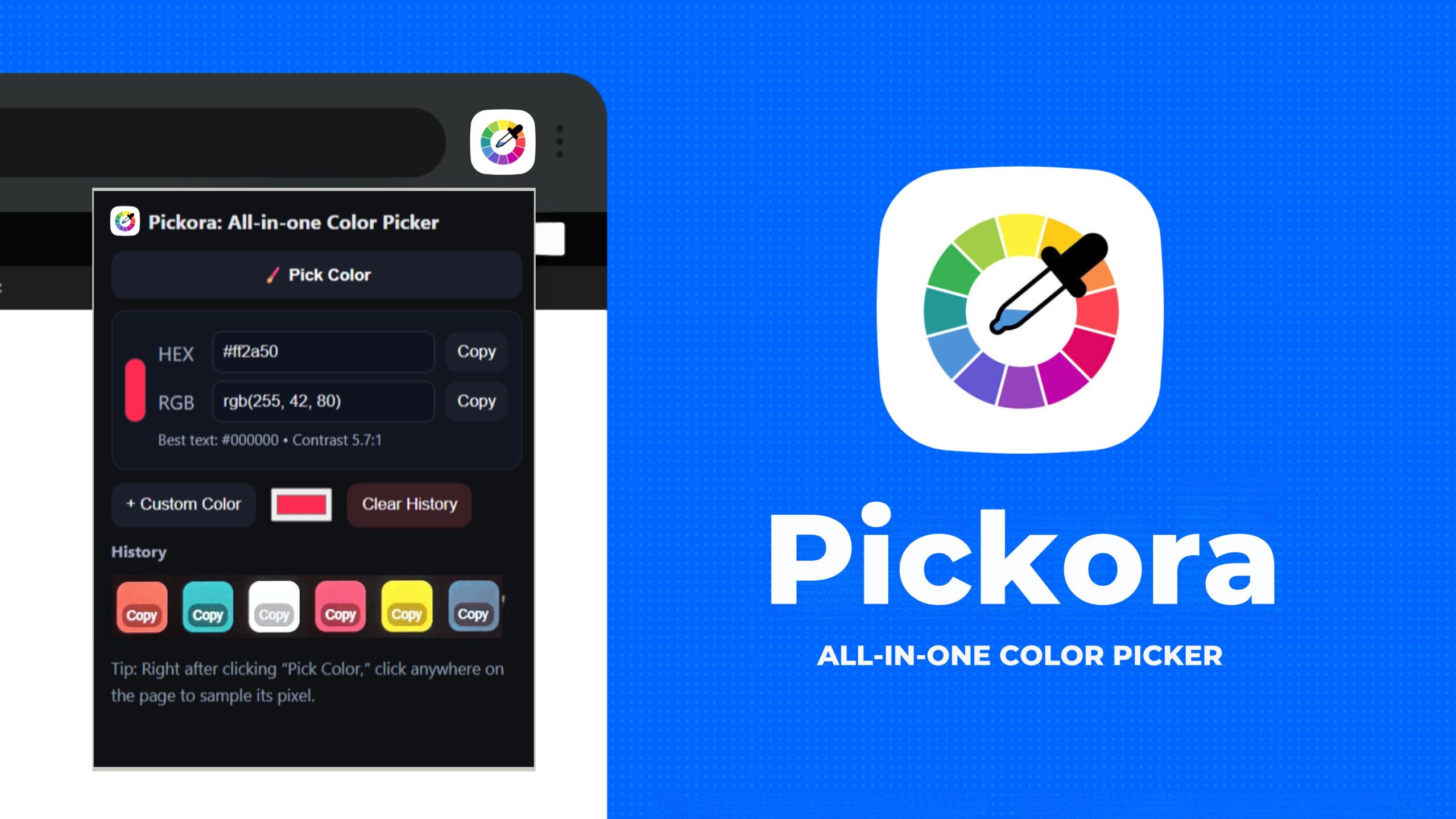
Imagine you’re a design student working on a college project. You need the exact color code from a reference website or a brand’s presentation. Normally, you would take screenshots, open Photoshop, or use an online tool. Time wasted!
With Pickora, you just click once—and boom—the exact HEX/RGB color code is copied to your clipboard.
This extension is built by Oflox®, India’s #1 trusted digital marketing company, and is designed for students, designers, and creative learners who need a fast, free, and reliable color-picking solution.
Key Features of Pickora:
- Pick any color instantly from any webpage.
- Copy HEX and RGB codes with one click.
- Lightweight—doesn’t slow down Chrome.
- No login or subscription required.
- Perfect for branding, UI/UX, presentations, and creative projects.
Example Use Case for Students:
- A graphic design student creating a presentation can instantly grab the exact colors used in Apple’s website.
- An architecture student can match color palettes from design references.
- A marketing student can ensure brand colors remain consistent in campaign assignments.
Best For:
Design students, creative professionals, architecture students, UI/UX learners, and digital marketing students.
Pros
- 100% free.
- No sign-ups, no hidden conditions.
- Very fast and accurate.
- Made by a trusted company (Oflox®).
Cons
- None. It’s flawless for its purpose.
👉 Learn more here: Pickora: All-in-One Color Picker Chrome Extension
2. Textara: Instant Text to Speech Chrome Extension
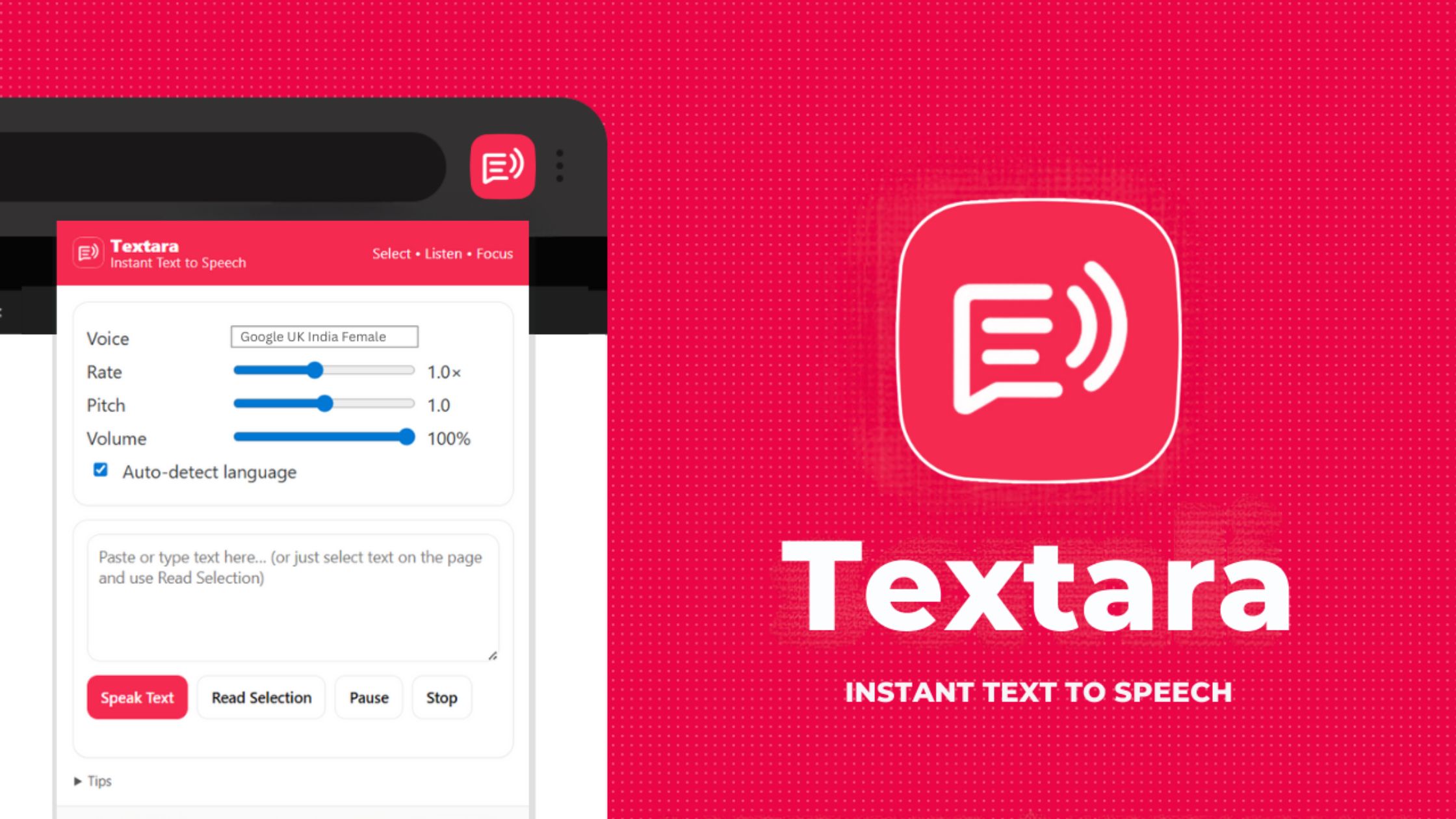
Long hours of reading PDFs, research papers, or blogs can tire your eyes. Textara solves this by turning text into natural-sounding speech instantly.
Instead of reading for hours, you can listen to your notes while traveling, exercising, or relaxing. It’s like having your study material converted into a personal audiobook.
Key Features of Textara:
- Converts any text into clear speech.
- Multiple voice styles available.
- Adjustable speed (slow/fast playback).
- Works on articles, PDFs, eBooks, notes, and blogs.
Example Use Case for Students:
- A law student can listen to case studies while traveling.
- A medical student can revise notes hands-free.
- A language learner can improve pronunciation by hearing words.
Best For:
Students with heavy reading workloads, language learners, and visually impaired learners.
Pros
- Saves time while studying.
- Great for multitasking.
- Makes reading easy and engaging.
Cons
- Needs internet connection.
👉 Try it here: Textara: Instant Text to Speech Chrome Extension
3. Grammarly – Write Error-Free Assignments
Writing essays, reports, or even emails can be stressful when grammar and spelling mistakes keep creeping in. Grammarly acts like your personal writing assistant—it checks for grammar errors, spelling mistakes, and even suggests better words.
Key Features:
- Real-time grammar and spelling check.
- Advanced suggestions for clarity and tone.
- Works on Google Docs, emails, and even social media posts.
Best For:
Students writing essays, dissertations, or professional emails.
4. Google Keep – Quick Notes & Reminders
If you keep forgetting assignment deadlines or class notes, Google Keep is your solution. It helps you create quick notes, to-do lists, and reminders that sync across all devices.
Key Features:
- Create and organize notes easily.
- Voice notes and checklist features.
- Works offline.
Best For:
Organized students, multitaskers, and quick note-takers.
5. Forest – Stay Focused, Beat Procrastination
Online classes can easily lead to distractions—YouTube, Instagram, or gaming tabs calling for attention. Forest helps students stay focused by gamifying the process: plant a digital tree that grows as you focus and dies if you leave your work.
Key Features:
- Helps beat procrastination.
- Fun tree-growing gamification.
- Great for building focus habits.
Best For:
Students struggling with distractions and procrastination.
6. Kami – PDF & Assignment Annotator
Assignments often come as PDFs or research articles. Kami allows you to annotate, highlight, and collaborate on documents. It’s a lifesaver for group projects.
Key Features:
- Highlight and annotate PDFs.
- Add comments and collaborate.
- Works with Google Classroom.
Best For:
Students handling research papers, group assignments, or digital textbooks.
7. Noisli – Background Sounds for Better Focus
Ever felt more productive with music or café sounds in the background? Noisli provides relaxing background sounds (rain, forest, coffee shop) to help you stay focused and creative.
Key Features:
- Multiple background sound options.
- Customizable mix of sounds.
- Boosts focus and creativity.
Best For:
Students who study better with ambient sound.
Quick Comparison Table!
To help you choose the right tool faster, here’s a quick comparison table of the best Chrome extensions for students—highlighting their core purpose, best use case, and benefits at a glance.
| Extension | Best For | Key Features | Pricing |
|---|---|---|---|
| Pickora (Oflox®) | Design students & creatives | Color picker, HEX/RGB copy, lightweight, no login | Free |
| Textara | Reading & accessibility | Text-to-speech, multiple voices, speed control | Free |
| Grammarly | Writing & assignments | Grammar check, spelling, clarity & tone | Free / Premium |
| Google Keep | Notes & reminders | Quick notes, checklists, voice notes | Free |
| Forest | Focus & productivity | Gamified focus, distraction blocker | Paid (One-time) |
| Kami | PDF & collaboration | Annotate, highlight, comment on PDFs | Free / Premium |
| Noisli | Focus with background | Ambient sounds, custom mixes | Free / Premium |
FAQs:)
A. Pickora (for design) and Textara (for text-to-speech) are the top recommended.
A. Yes, but always install from the official Chrome Web Store.
A. Some do, but most are designed for desktop Chrome browsers.
A. Yes, Testara is perfect for assignments, research, and learning.
A. Most of the listed tools are free or have free versions.
Conclusion:)
Student life is full of challenges, but with the right tools, you can stay ahead, save time, and boost your productivity. From Pickora’s instant color picking to Textara’s voice-powered reading, these Chrome extensions can make studying smarter and easier.
“One extension can save you hours—choose wisely and let technology do the heavy lifting.” – Mr Rahman, CEO Oflox®
Read also:)
- Pickora: All-in-One Color Picker Chrome Extension!
- Textara: Instant Text to Speech Chrome Extension!
- 5+ Best Chrome Extensions for Designers (Quick Start Guide)
Have you tried any of these Chrome extensions for students? Share your experience or ask your questions in the comments below — we’d love to hear from you!