This article serves as a professional guide on What Is Botnet in Cyber Security and how this dangerous network attack works. Cyber threats are increasing rapidly as more devices connect to the internet, and botnets have become one of the most powerful tools used by hackers.
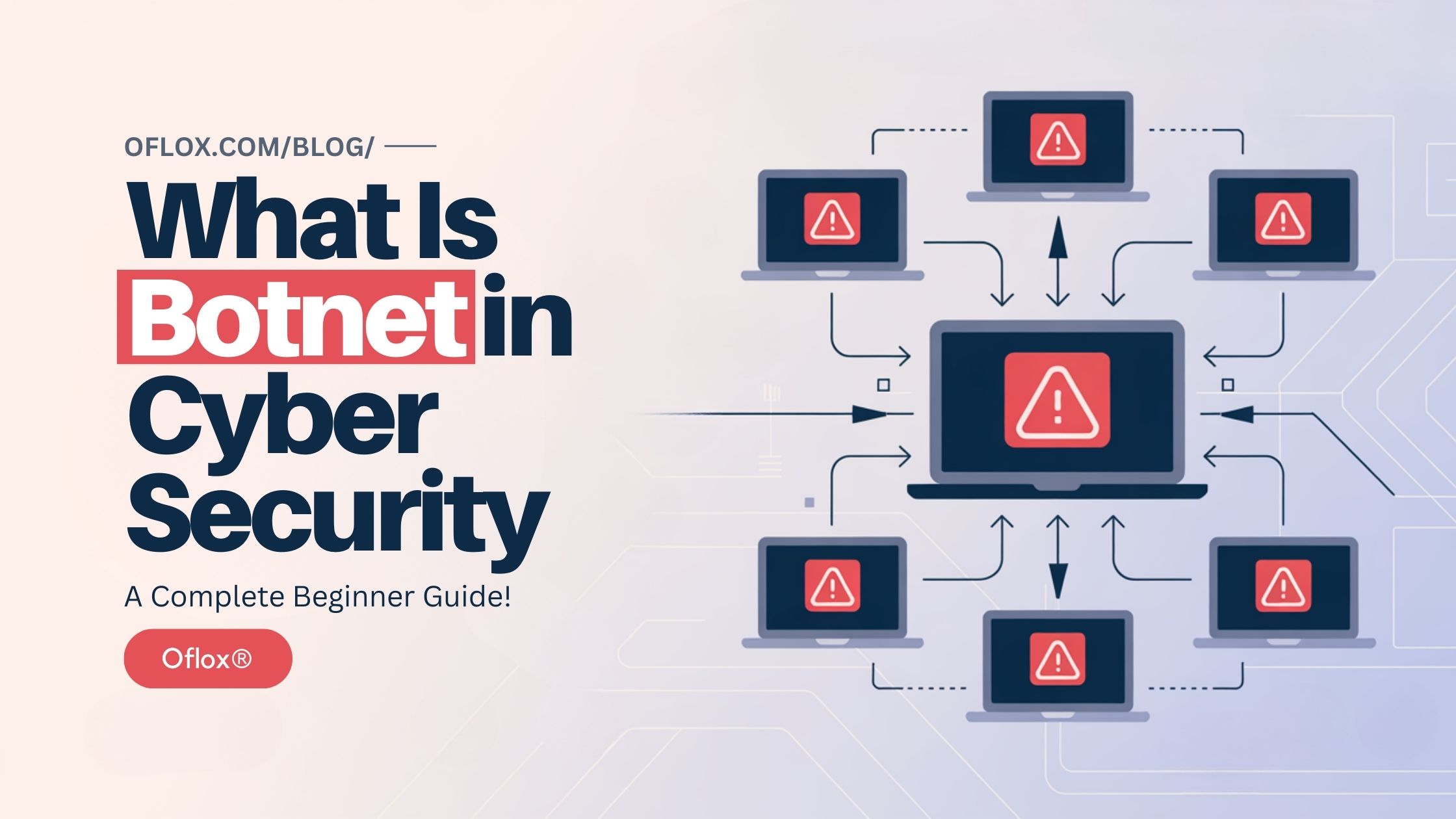
A botnet is a network of infected computers or devices that hackers control remotely. These infected devices work like robots and follow instructions from the attacker. Many users do not even realize that their devices are secretly being used in cyber attacks.
Botnets can involve thousands or even millions of compromised devices across the world. Hackers use these networks to launch massive cyber attacks such as DDoS attacks, spam campaigns, data theft, and cryptocurrency mining.
In this article, we will explain what botnets are, how they work, real-world botnet attacks, and how you can protect yourself from them. Whether you are a student, developer, or cybersecurity beginner, this guide will help you understand botnets clearly.
Let’s explore it together!
Table of Contents
What Is Botnet in Cyber Security
A botnet is a collection of internet-connected devices that have been infected with malware and are controlled by a hacker or cybercriminal.
The word botnet comes from two terms:
- Bot → Short for robot (an infected device controlled remotely)
- Net → Network of infected devices
Each infected device in a botnet is called a bot or zombie device.
Once a device becomes infected, the attacker can control it remotely through a Command and Control (C&C) server.
These infected devices may include:
- Computers
- Smartphones
- Servers
- Routers
- IoT devices
- Smart home devices
The attacker can send commands to thousands of devices at the same time to perform cyber attacks.
Botnet Meaning in Simple Words
In simple words, a botnet is like an army of hacked computers controlled by a hacker.
Imagine a hacker controlling 100,000 computers across the world. The hacker can order all these computers to:
- Send spam emails
- Attack a website
- Steal data
- Spread malware
These computers obey the hacker’s commands automatically.
That is exactly how a botnet works.
Why Botnets Are Dangerous
Botnets are extremely dangerous because they allow hackers to launch large-scale cyber attacks.
Some reasons why botnets are dangerous include:
- Massive Attack Power: When thousands of devices attack a target simultaneously, it can overwhelm even large websites.
- Hard to Detect: Since the attack comes from many devices across the world, it becomes difficult to identify the attacker.
- Global Impact: A botnet attack can affect organizations worldwide.
- Financial Damage: Botnets are used for fraud, identity theft, and cryptocurrency mining.
- Internet Disruption: Large botnet attacks can temporarily disable major websites or online services.
How Botnet Works (Step-by-Step)
Here’s how botnet networks operate, from malware infection to launching large-scale cyber attacks.
1. Malware Infection
The first step in creating a botnet is infecting devices with botnet malware. Hackers must compromise a large number of devices before they can launch powerful attacks.
Cybercriminals use several methods to spread botnet malware, including:
- Phishing emails: Attackers send emails with malicious links or attachments that install malware when opened.
- Malicious websites: Some websites contain hidden malware that automatically infects devices when users visit them.
- Infected software downloads: Users may unknowingly download malware disguised as free software, cracked programs, or pirated applications.
- Fake software updates: Hackers may trick users into installing fake system updates that secretly install botnet malware.
- Software vulnerabilities: Hackers exploit security weaknesses in outdated software or operating systems.
Once the malware successfully installs itself on a device, the device becomes compromised and ready to be controlled by the attacker.
In many cases, users do not notice the infection because the malware is designed to run quietly in the background.
2. Device Becomes a Bot
After infection, the compromised device becomes a bot, also known as a zombie computer.
A bot is a device that can be remotely controlled by the hacker without the owner’s knowledge.
The malware modifies the system so it can:
- Run automatically when the device starts
- Hide from antivirus software
- Communicate with hacker-controlled servers
- Receive commands from the attacker
At this stage, the device becomes part of a botnet network.
Thousands of infected devices together form a large network of controlled machines.
Examples of devices that can become bots include:
- Desktop computers
- Laptops
- Smartphones
- Servers
- Routers
- IoT devices such as smart cameras and smart TVs
Because many IoT devices have weak security, they are frequently targeted by botnet malware.
3. Connection to Command Server
Once the device becomes a bot, it connects to a Command and Control server (C&C server).
This server acts as the central control system for the entire botnet.
The infected device continuously communicates with the C&C server to receive instructions from the attacker.
The command server allows hackers to:
- Monitor infected devices
- Send commands to the botnet
- Update malware remotely
- Coordinate large-scale cyber attacks
In some modern botnets, hackers use multiple command servers or decentralized systems to avoid detection and shutdown.
This connection allows attackers to control thousands of devices from a single location anywhere in the world.
4. Hacker Controls the Botnet
Once a large number of devices are connected to the command server, the hacker can remotely control the entire botnet network.
The attacker sends commands through the command server, and all infected devices follow those instructions automatically.
These commands may include tasks such as:
- Sending millions of spam emails
- Attacking websites with traffic floods
- Stealing login credentials
- Collecting sensitive data
- Installing additional malware
- Mining cryptocurrency secretly
Because botnets contain thousands or millions of infected devices, the hacker gains enormous computing power.
This distributed network makes it very difficult for security systems to detect the attacker.
5. Launching Cyber Attacks
After building a botnet network, hackers use it to launch large-scale cyber attacks.
Since thousands of devices participate in the attack simultaneously, the attack becomes extremely powerful.
Common botnet attacks include:
- DDoS Attacks: Botnets flood a website or server with massive traffic, causing it to crash or become unavailable.
- Spam Email Campaigns: Botnets can send millions of spam emails in a short time.
- Credential Theft: Attackers use botnets to collect usernames, passwords, and financial information.
- Click Fraud: Botnets generate fake clicks on advertisements to earn illegal revenue.
- Cryptocurrency Mining: Some botnets secretly use infected devices to mine cryptocurrency for hackers.
Because these attacks are launched from many devices across different countries, it becomes extremely difficult to trace the real attacker.
How Hackers Create Botnets
Here’s how attackers spread malware across thousands of devices to create powerful botnets.
1. Phishing Emails
Phishing emails are one of the most common methods hackers use to spread botnet malware.
In this technique, attackers send emails that appear to come from trusted sources such as banks, companies, or online services. These emails usually contain:
- Malicious attachments
- Suspicious links
- Fake login pages
When the user clicks the link or downloads the attachment, the malware is secretly installed on the device.
For example, a phishing email may claim that the user needs to verify their bank account or download an invoice. When the user opens the file, the malware installs itself and connects the device to the botnet network.
Because phishing emails often look legitimate, many users fall victim to this technique.
2. Malicious Downloads
Another common technique is distributing malware through infected software downloads.
Hackers upload malicious files disguised as useful programs such as:
- Free software
- Cracked or pirated applications
- Games
- Browser extensions
- Fake utilities
When users download and install these programs, the botnet malware is installed along with the software.
Many victims do not realize that the program contains hidden malware because the application may still appear to work normally.
This method is especially effective on websites that offer free or pirated software downloads.
3. Software Vulnerabilities
Hackers also exploit security vulnerabilities in software to infect devices automatically.
A vulnerability is a weakness or flaw in software that attackers can use to gain unauthorized access.
Outdated software often contains security holes that hackers can exploit. If a device has not installed the latest security updates, attackers may be able to:
- Install malware remotely
- Gain control of the system
- Connect the device to a botnet network
Cybercriminals frequently scan the internet for devices running outdated software and exploit these weaknesses to build botnets quickly.
4. Infected Websites
Some hackers create or compromise websites to distribute malware.
These websites may appear legitimate but secretly contain malicious scripts or hidden malware downloads.
When a user visits the infected website, the malware may automatically download onto their device without their knowledge. This type of attack is often called a drive-by download attack.
In other cases, the website may trick users into downloading infected files disguised as:
- Software updates
- Video players
- Browser plugins
Once installed, the malware turns the device into part of the botnet network.
5. IoT Device Exploitation
In recent years, hackers have increasingly targeted Internet of Things (IoT) devices to build botnets.
IoT devices include smart devices connected to the internet, such as:
- Smart cameras
- Smart TVs
- Routers
- Smart home assistants
- Smart doorbells
- Smart thermostats
Many IoT devices have weak security settings and default passwords, making them easy targets for attackers.
Hackers can scan the internet for vulnerable IoT devices and infect them with malware automatically.
A famous example is the Mirai botnet, which infected thousands of IoT devices and launched massive cyber attacks.
Types of Botnet Attacks
Here’s a list of the most dangerous botnet attacks that threaten websites, networks, and online users.
1. DDoS Attacks
One of the most common uses of botnets is launching Distributed Denial of Service (DDoS) attacks.
In a DDoS attack, thousands or millions of infected devices send massive amounts of traffic to a target website or server simultaneously. The sudden flood of requests overwhelms the server, causing it to slow down or completely crash.
As a result, legitimate users cannot access the website or online service.
DDoS attacks can target:
- Websites
- Online gaming servers
- Banking systems
- Government portals
- E-commerce platforms
Some botnet-powered DDoS attacks have been powerful enough to take down major internet services across entire regions.
2. Spam Campaigns
Botnets are frequently used to send large volumes of spam emails across the internet.
Instead of sending emails from a single computer, hackers use thousands of infected devices to distribute spam messages. This makes it difficult for email providers to block the source of the attack.
Spam campaigns may contain:
- Phishing links
- Malware attachments
- Fake advertisements
- Fraudulent investment offers
- Scam messages
Botnets can send millions of emails within minutes, making them one of the largest sources of spam on the internet.
3. Credential Stuffing
Credential stuffing is another common botnet attack used to compromise online accounts.
In this attack, hackers use lists of stolen usernames and passwords obtained from previous data breaches. The botnet automatically tries these login combinations across many websites.
Because many users reuse the same password across multiple platforms, attackers can gain access to accounts such as:
- Email accounts
- Social media accounts
- Banking accounts
- Shopping platforms
Botnets allow attackers to test thousands of login attempts per second, increasing the chances of successful account takeovers.
4. Cryptocurrency Mining
Some hackers use botnets for cryptocurrency mining, a practice known as cryptojacking.
In this attack, malware secretly uses the processing power of infected devices to mine digital currencies such as Bitcoin or Monero.
Since cryptocurrency mining requires significant computing resources, hackers use botnets to distribute the workload across thousands of devices.
This allows attackers to earn cryptocurrency while the victims unknowingly pay the cost through:
- Increased electricity usage
- Slower device performance
- Hardware damage due to overheating
Because the mining process runs silently in the background, victims often do not realize their devices are being exploited.
5. Click Fraud
Botnets are also widely used for click fraud, which is a form of online advertising fraud.
In this attack, infected devices automatically click on online advertisements or interact with ads on websites. The purpose is to generate fake traffic and earn illegal advertising revenue.
Click fraud can cause serious problems for businesses because it leads to:
- Wasted advertising budgets
- Inaccurate marketing data
- Reduced campaign effectiveness
Advertisers may end up paying for thousands of fake clicks generated by botnets instead of real users.
Common Devices Targeted by Botnets
Botnets can infect almost any internet-connected device.
Common targets include:
- Desktop computers
- Laptops
- Smartphones
- Servers
- Routers
- IoT devices
- Smart cameras
- Smart home systems
IoT devices are particularly vulnerable because many of them have weak security.
Real-World Botnet Attack Examples
Several large botnet attacks have occurred globally.
1. Mirai Botnet
The Mirai botnet infected thousands of IoT devices.
It launched a massive DDoS attack that disrupted major websites including:
- Netflix
- GitHub
This attack showed how powerful botnets can be.
2. Zeus Botnet
The Zeus botnet targeted banking systems.
It stole financial credentials from thousands of victims worldwide.
3. GameOver Zeus
This botnet was used to steal banking data and distribute ransomware.
It caused millions of dollars in financial losses.
4. Storm Botnet
Storm was one of the largest spam botnets in history.
At its peak, it controlled millions of infected computers.
Signs Your Device Is Part of a Botnet
Botnet infections often go unnoticed, but some warning signs may appear.
- Slow Internet Connection: Network speed may drop due to hidden activity.
- Unusual Network Traffic: Your device may send data continuously.
- Device Overheating: Constant background activity may cause overheating.
- Unknown Programs Running: Suspicious processes may appear in the task manager.
- Increased Data Usage: Botnet malware may consume internet bandwidth.
How to Detect Botnet Infection
Detecting botnet infections requires monitoring device activity.
- Use Antivirus Software: Security software can detect botnet malware.
- Monitor Network Traffic: Network monitoring tools can identify suspicious traffic patterns.
- Intrusion Detection Systems: Organizations use IDS systems to detect abnormal behavior.
- System Scans: Regular malware scans help detect infections early.
How to Prevent Botnet Attacks
Following strong cyber security practices can reduce botnet risks.
- Use Strong Passwords: Weak passwords allow attackers to compromise devices easily.
- Install Security Updates: Always update operating systems and software.
- Avoid Suspicious Downloads: Download software only from trusted sources.
- Use Firewall Protection: Firewalls help block unauthorized access.
- Secure IoT Devices: Change default passwords and update firmware.
- Install Antivirus Software: Security software helps detect and remove malware.
5+ Best Tools to Protect Against Botnets
Here are some of the best tools used to protect against botnet attacks.
1. Cloudflare
Cloudflare is one of the most widely used website security and performance platforms in the world. It helps protect websites and online applications from various cyber threats, including botnet-based attacks.
Cloudflare provides several powerful security features, including:
- DDoS protection – Automatically detects and blocks large-scale botnet traffic trying to overwhelm websites.
- Web Application Firewall (WAF) – Filters malicious requests and prevents hackers from exploiting website vulnerabilities.
- Traffic filtering – Analyzes incoming traffic and blocks suspicious IP addresses or bot activity.
- Bot management – Identifies automated bots and prevents malicious bots from accessing websites.
Many major websites use Cloudflare to protect themselves from botnet-driven DDoS attacks and malicious traffic.
2. Snort
Snort is a powerful Intrusion Detection System (IDS) used to monitor and analyze network traffic in real time. It is widely used by cyber security professionals and organizations to detect malicious activities within a network.
Snort works by analyzing network packets and comparing them with a database of known attack signatures.
Key features of Snort include:
- Real-time traffic monitoring
- Detection of suspicious network activity
- Identification of botnet communication patterns
- Alert generation for security threats
- Prevention of unauthorized network access
Snort helps security teams detect devices that may be communicating with botnet command-and-control servers, making it an effective tool for identifying botnet infections.
3. Wireshark
Wireshark is a popular network protocol analyzer used to inspect and analyze network traffic in detail. It allows security professionals to monitor data packets traveling across a network and identify suspicious patterns.
This tool is commonly used in network troubleshooting, cyber security investigations, and malware analysis.
Wireshark provides several useful capabilities such as:
- Capturing network packets in real time
- Analyzing communication between devices
- Identifying abnormal traffic patterns
- Detecting suspicious connections to unknown servers
- Troubleshooting network issues
By analyzing network activity, security experts can detect botnet communication between infected devices and command servers.
4. Malwarebytes
Malwarebytes is a well-known anti-malware and security tool designed to detect and remove various types of malicious software.
It is widely used by both individuals and organizations to protect systems from malware infections, including botnet malware.
Malwarebytes offers several security features, including:
- Malware detection and removal
- Real-time threat protection
- Protection against malicious websites
- Ransomware protection
- Detection of hidden botnet malware
Regular scans with Malwarebytes help identify infected devices and remove malware before the device becomes part of a botnet network.
5. Bitdefender
Bitdefender is a leading cyber security solution known for its advanced malware detection capabilities. It uses artificial intelligence and behavioral analysis to detect emerging threats, including botnet malware.
Bitdefender offers comprehensive protection for both personal and enterprise systems.
Key features include:
- Advanced malware detection
- Real-time protection against cyber threats
- Ransomware protection
- Web threat protection
- Network attack defense
Bitdefender continuously monitors system behavior and can detect unusual activity that may indicate a botnet infection or unauthorized network communication.
6. Cisco Secure Firewall
Cisco Secure Firewall is an enterprise-level network security solution designed to protect large organizations from cyber threats.
This firewall provides advanced protection against various attacks, including botnet-based threats.
Important features of Cisco Secure Firewall include:
- Deep packet inspection
- Network traffic monitoring
- Intrusion prevention systems
- Botnet traffic detection
- Threat intelligence integration
Cisco security solutions are widely used by businesses and government organizations to protect their networks from large-scale cyber attacks and botnet activities.
Pros & Cons of Botnet Technology
Although botnets are mostly used for malicious purposes, studying them can help improve cybersecurity.
Pros
- Helps security researchers understand cyber threats
- Useful for penetration testing
- Improves network defense strategies
Cons
- Enables large-scale cyber attacks
- Causes financial losses
- Steals sensitive data
- Disrupts online services
Future of Botnet Threats
Botnet threats are expected to evolve with new technologies.
- AI-Powered Botnets: Hackers may use artificial intelligence to create smarter botnets.
- IoT Botnet Growth: As more smart devices connect to the internet, botnet networks may grow.
- Automated Cyber Attacks: Automation may allow botnets to launch attacks faster.
- Advanced Command Systems: Future botnets may use decentralized control systems.
Cybersecurity experts continue to develop new defenses to fight these threats.
FAQs:)
A. A botnet is a network of infected devices controlled remotely by hackers to perform cyber attacks.
A. Botnet attacks use thousands of infected devices to launch coordinated attacks such as DDoS attacks, spam campaigns, and data theft.
A. Yes. Smartphones can become part of botnets if they are infected with malware.
A. The Mirai botnet attack in 2016 was one of the largest, disrupting major websites worldwide.
A. Botnet infections can be prevented by installing updates, using antivirus software, and avoiding suspicious downloads.
Conclusion:)
Botnets are one of the most powerful cyber weapons used by hackers today. By infecting thousands of devices, attackers can launch large-scale cyber attacks, steal data, and disrupt online services. Understanding how botnets work is an important step toward improving cyber security awareness and protecting your devices from these threats.
“Cyber security awareness is the strongest firewall against modern digital threats.” – Mr Rahman, CEO Oflox®
Read also:)
- What Is DDoS Attack in Cyber Security: A-to-Z Guide for Beginners!
- What Is HTTPS Spoofing: A Complete Cyber Security Guide!
- What Is Man-in-the-Middle Attack: A-to-Z Cyber Security Guide!
Have you ever heard about botnet attacks or experienced suspicious device activity? Share your thoughts or questions in the comments below — we’d love to hear from you!