This article provides a complete guide on What Is a Progressive Web App (PWA), including its meaning, importance, history, working process, key components, features, benefits, challenges, popular development tools, real-world applications, expert tips, common mistakes, and more.
A Progressive Web App, commonly known as a PWA, is a web-based application that combines the accessibility of a traditional website with many useful features of a native mobile app. Users can open it through a browser, install it on a supported device, access selected content offline, receive permitted push notifications, and launch it from the home screen—often without downloading it through an app store.
PWAs use modern web technologies such as responsive design, HTTPS, web app manifests, service workers, caching, and browser APIs. Together, these technologies help businesses deliver a faster, more reliable, secure, and app-like digital experience through a single web-based solution.
From e-commerce stores and news portals to educational platforms, SaaS dashboards, booking systems, and business tools, Progressive Web Apps are being used across different industries to improve user engagement and reduce development complexity.
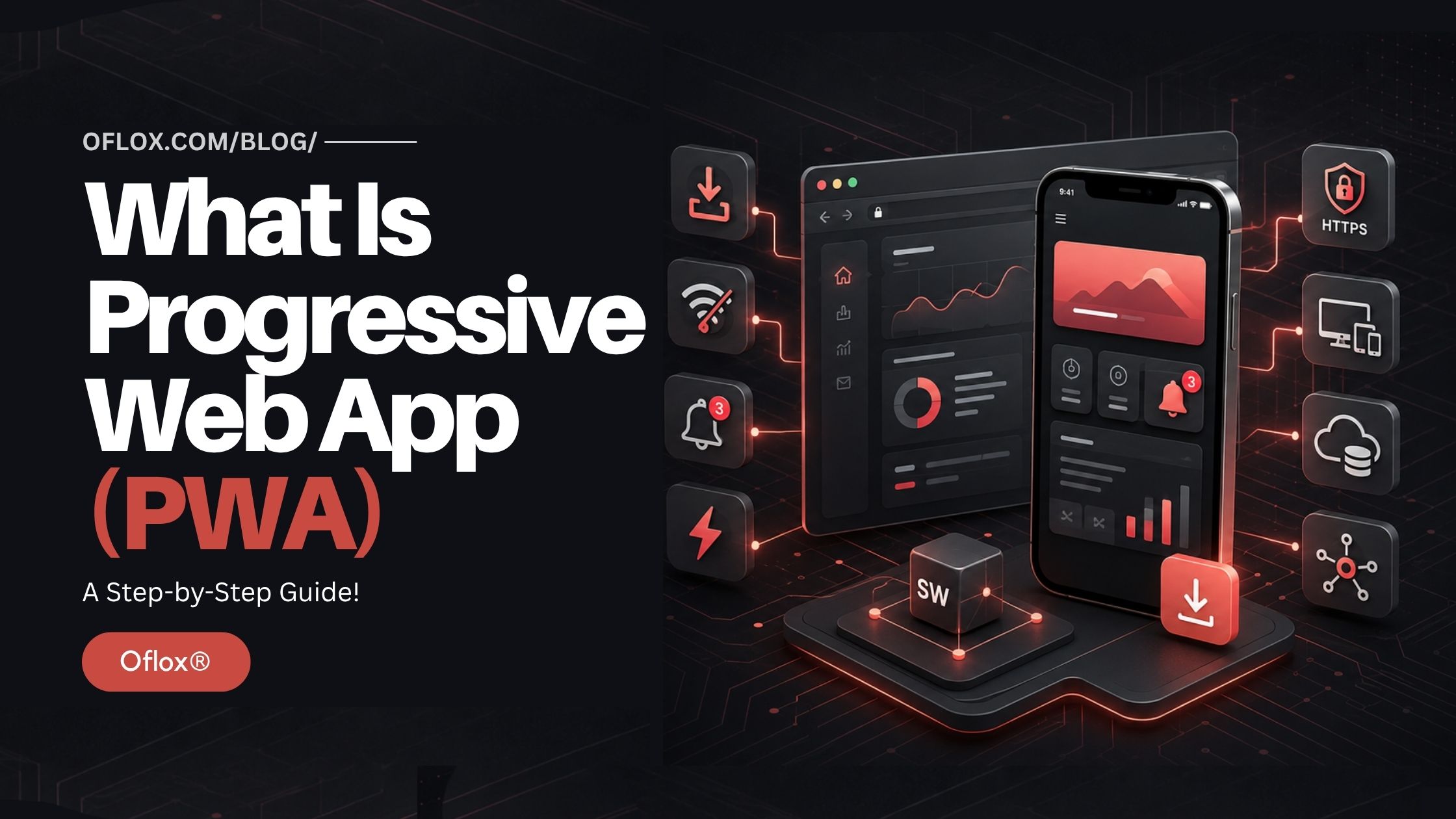
In this detailed article, we’ll explore what a Progressive Web App is, how it works, why it is important, its major features, benefits, limitations, development process, tools, real-world applications, common mistakes, and future trends in 2026 and beyond.
Let’s explore it together.
Table of Contents
What Is a Progressive Web App (PWA)?
A Progressive Web App is a web application built using standard web technologies such as HTML, CSS, and JavaScript but enhanced with modern browser capabilities to provide an app-like experience.
It can work inside a web browser like a normal website while also offering features such as:
- Installation on a home screen or desktop
- Standalone app-like display
- Offline or limited-connectivity support
- Fast loading through intelligent caching
- Push notifications on supported platforms
- Background data synchronisation
- Automatic updates
- Access through a normal web link
- Responsive design across different screen sizes
MDN describes a PWA as an application created with web platform technologies that provides an experience similar to a platform-specific application. A PWA is still fundamentally a web application—it does not automatically become a native Android or iOS app.
What Does “Progressive” Mean in PWA?
The word “progressive” refers to progressive enhancement.
Progressive enhancement means that the basic content and important functions of an application should work for as many users as possible. More advanced features are then provided when a user’s browser and device support them.
For example:
- A visitor using an older browser may receive a normal responsive website.
- A visitor using a modern browser may receive offline caching.
- A supported Android user may see an installation prompt.
- A supported device may allow push notifications or app shortcuts.
The website should not become completely unusable just because one advanced feature is unavailable.
This approach allows a business to serve a broad audience while gradually improving the experience for users with capable devices.
Why Are Progressive Web Apps Important?
People increasingly access websites through mobile devices, but mobile internet quality is not always consistent. This is particularly relevant in markets such as India, where users may move between fast Wi-Fi, mobile data, congested networks, and areas with unstable connectivity.
A slow or unreliable website can lead to:
- Higher bounce rates
- Abandoned shopping carts
- Fewer enquiries
- Poor customer satisfaction
- Lower engagement
- Reduced returning visitors
A properly developed PWA can minimise some of these problems through caching, performance optimisation, responsive interfaces, and reliable fallback experiences.
PWAs are also important for businesses that want an app-like experience but cannot justify maintaining multiple independent applications.
Instead of building and maintaining:
- A desktop website
- A mobile website
- An Android application
- An iOS application
A business may use a shared web technology stack to serve several platforms. This does not remove every platform-specific requirement, but it can reduce development duplication.
Brief History and Background of Progressive Web Apps
The foundation of PWAs developed gradually as browsers gained capabilities that previously belonged mainly to native applications.
1. Early Mobile Websites
The earliest mobile websites provided simplified versions of desktop pages. They were often slow, visually limited, and dependent on a constant internet connection.
Some businesses maintained separate mobile subdomains, such as m.example.com. This increased maintenance work and sometimes created duplicate content, inconsistent URLs, and SEO problems.
2. Growth of Responsive Web Design
Responsive web design allowed one website to adapt its layout according to the user’s screen size. It improved mobile usability but did not provide capabilities such as offline support, background processing, or installation.
3. Introduction of Service Workers
Service workers represented an important development in web application technology. They allowed browsers to run specialised scripts separately from a web page and intercept eligible network requests.
A service worker can choose whether to retrieve a resource from the network, serve it from a cache, or provide a fallback response. This capability made reliable offline and low-connectivity experiences practical.
4. The Term “Progressive Web App”
The term Progressive Web App became widely known around 2015. It described web experiences that were responsive, connectivity-independent where practical, secure, discoverable, installable, linkable, and capable of engaging users.
5. PWAs in the Modern Web
Today, PWA installation is available across several mobile and desktop environments, although the process and supported capabilities differ by browser and operating system.
For example, current MDN guidance notes that Android browsers including Chrome, Edge, Firefox, Opera, and Samsung Internet support PWA installation. Installation behaviour on Apple devices depends on the browser and operating-system version.
Therefore, developers should always verify individual features instead of assuming that every PWA function works identically on every platform.
How Does a Progressive Web App Work?
A PWA works by combining a normal web application with technologies that improve installation, reliability, performance, and device integration.
Its main technical building blocks usually include:
| Component | Main purpose |
|---|---|
| Responsive web application | Adapts the interface to different devices |
| HTTPS | Protects data and creates a secure environment |
| Web app manifest | Provides installation and display information |
| Service worker | Controls caching, network requests, and selected background functions |
| Cache Storage | Stores selected resources for faster or offline access |
| Application shell | Provides the basic interface quickly |
| Web APIs | Enable features such as notifications, sharing, or device access |
| IndexedDB | Stores structured application data in the browser |
Let us understand each component.
1. Responsive Web Application
A PWA must offer a usable experience across appropriate screen sizes. Its buttons, menus, forms, text, and navigation should adapt to mobile, tablet, laptop, and desktop screens.
Responsive design is normally implemented through:
- Flexible layouts
- CSS media queries
- Responsive images
- Touch-friendly controls
- Fluid typography
- Accessible navigation
A PWA that can technically be installed but is difficult to use on a small screen does not provide a good app-like experience.
2. Secure HTTPS Connection
A production PWA should be delivered through HTTPS.
Service workers have considerable control over requests and cached responses. Browsers therefore restrict them to secure contexts, with limited development exceptions such as localhost.
HTTPS helps prevent unauthorised parties from modifying information while it travels between the application and the user. It also protects sensitive activities such as authentication and online transactions.
3. Web App Manifest
A web app manifest is generally a JSON file that tells the browser how an installed PWA should appear and behave.
It may define:
- Application name
- Short name
- Start URL
- App icon
- Background colour
- Theme colour
- Display mode
- Orientation
- Screenshots
- Shortcuts
- Application identity
The W3C specification describes the manifest as a central location for metadata such as an application’s name, icons, and preferred launch URL.
A simple manifest may look like this:
{
  "id": "/",
  "name": "Oflox Business Tools",
  "short_name": "Oflox Tools",
  "start_url": "/?source=pwa",
  "display": "standalone",
  "background_color": "#2e3234",
  "theme_color": "#f52a50",
  "description": "Useful online business and marketing tools.",
  "icons": [
    {
      "src": "/icons/icon-192.png",
      "sizes": "192x192",
      "type": "image/png"
    },
    {
      "src": "/icons/icon-512.png",
      "sizes": "512x512",
      "type": "image/png",
      "purpose": "any maskable"
    }
  ]
}
The manifest is linked inside the HTML document:
<link rel="manifest" href="/app.webmanifest">
A manifest provides essential installation metadata, but its presence alone does not guarantee that every browser will install the application. Browser-specific criteria and user settings can also affect installability.
4. Service Worker
A service worker is a JavaScript file that operates separately from the main webpage. It can act as a controlled intermediary between the PWA, browser, cache, and network.
When the application requests a file, a service worker may:
- Return a previously cached version
- Fetch a fresh version from the server
- Update the cache in the background
- Display an offline fallback
- Queue an eligible failed request for later
- Process a permitted push event
Google’s PWA guidance explains that a service worker can intercept covered requests and decide whether to respond using cached content, the network, or locally generated logic.
Basic registration can look like this:
if ("serviceWorker" in navigator) {
  window.addEventListener("load", () => {
    navigator.serviceWorker
      .register("/service-worker.js")
      .catch(error => console.error("Registration failed:", error));
  });
}
Service workers are powerful but must be managed carefully. Incorrect caching rules can show outdated content or break important functions.
5. Caching Strategy
Caching is not simply a matter of saving the entire website. Different types of resources require different strategies.
| Strategy | How it works | Suitable use |
|---|---|---|
| Cache first | Checks cache before network | Fonts, icons, stable images |
| Network first | Tries network before cache | Frequently updated pages |
| Stale-while-revalidate | Shows cache and refreshes it | Articles and product listings |
| Network only | Always requires the server | Sensitive live transactions |
| Cache only | Uses pre-cached content | Fixed application-shell files |
For example, an e-commerce PWA might cache the logo and CSS files but request payment confirmation directly from the server.
Caching a payment status or private account balance without suitable controls could show misleading or sensitive information.
6. Application Shell
The application shell is the basic structure needed to display the interface.
It may include:
- Header
- Navigation bar
- Loading interface
- Core CSS
- Essential JavaScript
- Offline message
- Basic icons
The shell can be cached so that the application interface appears quickly. Dynamic content can then be loaded from the server or local storage.
7. Browser Storage
A PWA may use different storage systems depending on its requirements.
- Cache Storage: Stores request and response objects.
- IndexedDB: Stores larger quantities of structured data.
- Local Storage: Suitable for limited, simple key-value information.
- Cookies: Commonly used for sessions, preferences, and server communication.
Sensitive data should not be stored without proper security planning.
How to Build a Progressive Web App Step by Step
The exact process depends on the project, but the following workflow provides a practical foundation.
1. Identify the Business Requirement
Do not build a PWA merely because the term sounds modern.
First determine:
- Who will use it?
- Which user problem will it solve?
- Does the audience need installation?
- Which features should work offline?
- Are notifications genuinely useful?
- What data must remain live?
- Which devices and browsers are important?
An online learning platform may benefit from downloadable lessons, while a live trading platform must be extremely careful about cached financial information.
2. Audit the Existing Website
If an existing website will be converted into a PWA, evaluate:
- Mobile responsiveness
- Page speed
- Core Web Vitals
- JavaScript errors
- Navigation
- Accessibility
- URL structure
- HTTPS configuration
- Authentication
- API performance
Adding a manifest to a slow and confusing website will not transform it into a good PWA.
3. Make the Core Experience Responsive
Design the application mobile-first and test it at various widths.
Pay attention to:
- Tap target size
- Form usability
- Keyboard behaviour
- Colour contrast
- Screen-reader labels
- Loading states
- Error messages
- Portrait and landscape modes
4. Configure HTTPS
Install and maintain a valid TLS certificate. Redirect HTTP traffic to HTTPS and ensure internal resources do not create mixed-content warnings.
APIs used by the PWA should also be securely configured.
5. Create the Web App Manifest
Add accurate names, icons, colours, application ID, start URL, and display settings.
The preferred .webmanifest extension should generally be served using an appropriate JSON-compatible content type. Browsers can ignore unsupported manifest members without making the entire manifest invalid.
6. Develop the Service Worker
Decide which files should be pre-cached and which should be cached during normal use.
Common candidates for pre-caching include:
- Essential CSS
- Main interface JavaScript
- Brand icons
- Offline page
- Important fonts
Avoid pre-caching hundreds of unnecessary files because it increases bandwidth usage and makes updates harder.
7. Create an Offline Experience
A PWA does not need to perform every operation offline. It should, however, communicate clearly when a network-dependent activity is unavailable.
Possible offline behaviour includes:
- Showing saved articles
- Displaying previously loaded products
- Allowing a draft form to be completed
- Saving notes locally
- Showing a branded offline page
- Queuing an eligible non-sensitive action
Never falsely display an action as successful when it has not reached the server.
8. Add Installation Support
Provide a useful install explanation instead of immediately interrupting first-time visitors.
A contextual message might say:
Install Oflox Tools for quicker access from your home screen and continued access to selected tools during weak connectivity.
Installation interfaces differ across browsers, so include platform-specific guidance where necessary.
9. Add Optional Capabilities
Depending on business requirements and platform support, developers may add:
- Push notifications
- Background sync
- Web Share API
- App shortcuts
- File handling
- Camera access
- Location access
- Badging
- Payment capabilities
Each permission should be requested only after the user understands its purpose.
10. Test Across Real Devices
Test on multiple combinations, including:
- Android with Chrome
- Android with Samsung Internet
- Windows with Chrome or Edge
- macOS
- iPhone and iPad
- Slow mobile network
- Offline mode
- Fresh installation
- Returning session
- Service-worker update
- Low-storage environment
Emulators are useful, but they cannot replace testing on real devices.
11. Monitor and Improve
Track meaningful performance indicators such as:
- Successful installations
- Active installed users
- Repeat visits
- Offline fallback usage
- Notification opt-in rate
- Service-worker errors
- Conversion rate
- Uninstallation signals where measurable
- Core Web Vitals
Use this information to improve the experience rather than treating the PWA as a one-time project.
Key Features of a Progressive Web App
A well-developed Progressive Web App uses the following features to provide users with better speed, convenience, security, and cross-platform accessibility.
- Installable Experience: A supported browser can allow users to install the application. Its icon may appear on the device’s home screen, app launcher, dock, or taskbar.
- Standalone Display: The installed PWA can open without the normal browser address bar when an appropriate display mode is supported.
- Offline or Low-Connectivity Support: Important static resources and previously accessed content can be cached. The exact offline experience depends on what the developers intentionally implement.
- Fast Loading: Caching reduces repeated network requests for selected assets. However, a PWA is not automatically fast; poorly written JavaScript or oversized media can still make it slow.
- Automatic Updates: Unlike traditional applications that may require a complete manual download, PWA assets can be updated through the web and service-worker lifecycle. Developers must manage this carefully so that users are not trapped on an outdated version or interrupted during important work.
- Push Notifications: On supported platforms, PWAs can use push messages and system notifications to re-engage users. Notifications must be permission-based and genuinely useful.
- Search Engine Discoverability: Because a PWA is web-based, its public pages can generally be crawled and indexed like other websites when technical SEO is correctly implemented.
- Linkable Content: Users can open or share specific URLs. This makes discovery and content sharing easier than in many closed native-app journeys.
Benefits of Progressive Web Apps
Progressive Web Apps offer several valuable advantages when their capabilities match the business requirement.
1. One Broadly Accessible Codebase
Developers can use web technologies across multiple devices, reducing the need to duplicate every feature separately.
Platform-specific testing and adaptation are still required, but the overall codebase can be easier to manage.
2. Lower Entry Barrier for Users
Visitors can access a PWA through a link without completing an app-store installation first.
This is useful for users who:
- Have limited phone storage
- Need the service only occasionally
- Do not want a long installation process
- Discover the business through Google
- Prefer trying a product before installing it
3. Better Performance on Repeat Visits
Cached application assets can load quickly during future visits, especially when the network is slow.
4. Improved Reliability
A carefully designed offline fallback prevents users from seeing only a generic browser error when connectivity disappears.
5. Reduced Development and Maintenance Cost
A PWA can be more economical than creating and maintaining separate native applications, particularly for start-ups, publishers, internal tools, SaaS dashboards, and small businesses.
Cost depends on application complexity; PWA development is not automatically cheap.
6. Direct Updates
Businesses can publish many web updates without waiting for every user to download a new full application package.
7. SEO Opportunity
Public, indexable PWA pages can attract organic traffic through search engines.
Developers should still implement:
- Crawlable URLs
- Server-rendered or appropriately rendered content
- Canonical tags
- Metadata
- Structured data
- Internal links
- XML sitemap
- Fast server responses
- Accessible navigation
8. User Re-engagement
Installability, app shortcuts, and responsibly used notifications can make it easier for customers to return.
PWA vs Native App vs Traditional Website
| Factor | Traditional website | Progressive Web App | Native mobile app |
|---|---|---|---|
| Access through URL | Yes | Yes | Usually through store/deep link |
| Installation required | No | Optional | Usually yes |
| App-like interface | Limited | Yes | Yes |
| Offline support | Usually limited | Can be implemented | Commonly available |
| Search discoverability | Strong | Strong when SEO-friendly | Limited app-store discovery |
| Device API access | Limited | Growing but platform-dependent | Broad |
| App-store approval | No | Usually not required | Normally required |
| Automatic web updates | Yes | Yes | Store/update process may apply |
| Cross-platform code | Yes | Largely possible | Often platform-specific |
| Performance ceiling | Suitable for many uses | Suitable for many uses | Best for highly intensive tasks |
| Background execution | Limited | Restricted by platform | More extensive |
| Initial development cost | Usually lower | Moderate | Often higher |
When Should You Choose a PWA?
A PWA can be a strong choice for:
- News and media platforms
- E-commerce stores
- Business directories
- Educational platforms
- Booking systems
- SaaS dashboards
- Internal business tools
- Event applications
- Restaurant ordering
- Customer portals
- Content platforms
When Might a Native App Be Better?
A native application may be more suitable when the product depends heavily on:
- Advanced Bluetooth operations
- Continuous background processing
- High-performance 3D graphics
- Complex hardware integrations
- Platform-specific widgets
- Intensive augmented reality
- Precise operating-system integration
- Features unavailable through target browsers
Some businesses use both: a discoverable PWA for broad access and a native application for advanced users.
Popular Tools and Technologies for PWA Development
| Tool or technology | Main use |
|---|---|
| Lighthouse | Auditing performance, accessibility and selected PWA factors |
| Chrome DevTools | Inspecting service workers, storage and manifests |
| Workbox | Simplifying service-worker routing and caching |
| PWA Builder | Evaluating and packaging PWA projects |
| Vite PWA Plugin | Adding PWA support to Vite projects |
| Next.js integrations | Building React-based web applications |
| Angular service worker | PWA functionality for Angular projects |
| Vue/Nuxt PWA modules | PWA support for Vue ecosystems |
| IndexedDB | Client-side structured storage |
| Firebase Cloud Messaging | Messaging and notification infrastructure |
| WebPageTest | Detailed performance analysis |
| PageSpeed Insights | Field and laboratory performance guidance |
Workbox is a collection of production-oriented service-worker libraries and tools maintained by the Chrome team. It helps simplify common activities such as precaching, routing, cache expiration, and background sync.
Real-World Examples and Use Cases of PWAs
Specific implementations change over time, but the following scenarios explain how PWAs can be used practically.
1. E-commerce Store
An e-commerce PWA can provide:
- Fast category navigation
- Cached product images
- Home-screen installation
- Cart preservation
- Price-drop notifications
- Offline browsing of previously opened products
Checkout and live inventory should still verify information through the server.
2. Online Learning Platform
Students may be able to:
- Install the learning portal
- Save selected lessons
- Continue reading during weak connectivity
- Store incomplete answers as drafts
- Receive course reminders
- Synchronise progress later
3. News Publication
A publisher can cache recent articles, provide reading shortcuts, and notify opted-in readers about important updates.
4. Restaurant Ordering System
Customers can scan a QR code, open the menu, add the app to their home screen, save a favourite order, and return without searching for the website again.
5. Internal Sales Dashboard
A company may provide employees with an installable dashboard that works across approved devices while using the same central web deployment.
Challenges and Limitations of Progressive Web Apps
PWAs provide significant benefits, but they are not a universal replacement for native applications.
- Browser and Platform Differences: A capability supported in one browser may be unavailable or behave differently in another. Developers must use feature detection and provide fallbacks.
- Limited Access to Certain Device Features: Web capabilities continue to improve, but native applications still have broader access to some hardware and operating-system functions.
- Service-Worker Complexity: Service workers have a separate lifecycle involving installation, waiting, activation, and control. Incorrect handling can produce Stale pages, Broken asset references, Conflicting application versions, Excessive storage, and failed offline requests.
- Storage Restrictions: Browsers control the amount and durability of storage. Cached data may be removed in some circumstances, so critical information should also be safely stored on the server.
- Installation Is Not Guaranteed: A browser may not show an installation prompt, and many users may not understand how to install a PWA manually.
- App-Store Visibility: A PWA accessed directly from the web may not receive the discovery benefits of a major app store. Packaging options exist for some stores, but requirements vary.
- Security and Privacy Responsibilities: Caching personal data, asking for notifications, or storing offline information introduces privacy and security responsibilities.
- SEO Challenges in JavaScript-Heavy PWAs: Client-side rendering can delay or complicate search-engine processing if implemented badly. Important content should be delivered in a crawlable and reliable form.
Common Progressive Web App Mistakes
Before launching a PWA, developers should identify and avoid the following mistakes that can negatively affect usability, performance, security, and user trust.
- Treating a Manifest as the Complete PWA: A manifest only provides metadata. It does not automatically create fast loading, offline reliability, good UX, or secure data handling.
- Caching Everything: Caching every page and API response wastes storage and can expose stale or sensitive information.
- Showing Outdated Business Data: Prices, inventory, bookings, account balances, and transaction status should be clearly verified before being presented as current.
- Requesting Notifications Immediately: Users are more likely to reject a permission request when they do not understand its value. Ask after a meaningful action, such as following a course or tracking an order.
- Ignoring iOS and Safari Testing: Testing only in Chrome can hide installation, storage, notification, and lifecycle differences.
- Forgetting the Offline State: Blank screens and endless loaders create confusion. Display a clear offline message and explain which actions remain available.
- Poor Update Management: Users should be informed when an important new version is available, especially if the current session contains unsaved work.
- Ignoring Accessibility: An app-like appearance does not excuse poor keyboard navigation, missing labels, weak contrast, or inaccessible dialogs.
- Assuming PWA Means Better SEO: Search visibility depends on content quality, rendering, site architecture, speed, links, and technical SEO—not on the PWA label.
- Measuring Installations Only: An installation has little business value if users do not return or complete meaningful actions.
Expert Tips for Building a Successful PWA
A high-quality PWA is created by carefully planning every element, from responsive design and caching to offline functionality, installation, and update management.
- Begin with the user problem: Decide what should become faster, installable, or available offline.
- Use progressive enhancement: Keep essential functions available when advanced APIs fail.
- Cache by content type: Use separate strategies for static assets, pages, images, and API data.
- Build an honest offline experience: Never confirm a server-dependent action before the server receives it.
- Control cache expiration: Remove old versions and limit cache size.
- Design for weak networks: Test under high latency, packet loss, and interrupted connections.
- Use meaningful install messaging: Explain what the user gains by installing.
- Request permissions contextually: Ask for camera, location, or notifications only when necessary.
- Monitor real-user performance: Laboratory scores alone cannot represent every user.
- Maintain semantic HTML: It improves accessibility, resilience, and search understanding.
- Secure stored information: Avoid unnecessarily caching confidential responses.
- Create an update plan: Test service-worker upgrades, rollbacks, and emergency removal.
Future of Progressive Web Apps in 2026 and Beyond
PWAs are expected to become more capable, but development will continue to focus on user control, security, interoperability, and reliable fallback behaviour.
- Better Operating-System Integration: Installed web applications are likely to receive deeper—but carefully permissioned—integration with file types, sharing, shortcuts, notifications, and desktop workflows.
- Improved Installation Experiences: Browsers may continue improving installation discovery, richer install dialogs, screenshots, descriptions, and contextual prompts.
- AI-Powered PWA Experiences: Businesses can integrate AI-powered search, assistants, recommendations, content summarisation, and customer support into PWAs. AI processing should not compromise page performance or user privacy.
- Growth of Offline-First Business Tools: Field-service tools, educational systems, healthcare workflows, and rural commerce applications may increasingly use offline-first approaches where connectivity is inconsistent.
- More Capable Web APIs: New and improved APIs may reduce the gap between web and native applications. However, availability will remain subject to security decisions and platform policies.
- Stronger Privacy Expectations: Users and regulators are increasingly concerned about tracking, notifications, stored data, and background behaviour. Successful PWAs will need transparent consent and minimal data collection.
- Continued Importance of Cross-Platform Testing: The W3C continues developing specifications related to web applications, but standards and real browser implementations do not always progress at the same speed. Developers must verify current support before depending on a feature.
- PWAs and Native Apps Will Coexist: PWAs are unlikely to eliminate native applications. Instead, businesses will select an approach based on audience, budget, performance, device access, and distribution requirements.
FAQs:)
A. PWA stands for Progressive Web App or Progressive Web Application.
A. A PWA is fundamentally a web application, but it can provide an installable and app-like experience using modern web capabilities.
A. Yes, selected content and features can work offline when developers implement appropriate service-worker caching and local storage. Not every feature must or should work offline.
A. A connection is usually required for the first visit and for live server data. Previously cached resources and specially designed offline functions may remain available without a connection.
A. Yes. Multiple Android browsers support installing PWAs, although exact behaviour can vary.
A. Yes, supported web applications can be added to an iPhone’s home screen. The installation method and available capabilities depend on the iOS version and browser.
A. No. Users can access and install many PWAs directly through a browser. Some businesses may additionally package or distribute them through supported app stores.
A. It can be SEO-friendly because it uses web URLs, but only if its content is crawlable, fast, accessible, internally linked, and technically optimised.
A. Modern definitions and browser criteria are evolving. A manifest is central to installability, while a service worker is commonly used to provide the reliability and offline behaviour associated with a strong PWA. Developers should evaluate current browser criteria rather than relying on an outdated checklist.
A. It can be more cost-effective because one web-based codebase can serve several platforms. The final cost depends on features, integrations, security, design, and testing requirements.
A. Yes. A WordPress website can be enhanced with PWA functionality through custom development or suitable plugins. Plugin installation alone does not guarantee good performance, caching, security, or offline UX.
A. PWAs use HTTPS and browser security controls, but overall security depends on application code, authentication, APIs, data storage, server configuration, and regular maintenance.
Conclusion:)
A Progressive Web App is a web application designed to provide a faster, more reliable, installable, and app-like user experience through modern browser technologies.
It combines the reach and linkability of the web with capabilities such as home-screen installation, intelligent caching, offline fallbacks, standalone display, notifications, and background operations where supported.
PWAs can be especially useful for e-commerce stores, publishers, educational platforms, SaaS products, booking systems, customer portals, and businesses that want to reach mobile and desktop users without maintaining completely separate applications.
However, simply adding a manifest or service worker is not enough. A successful PWA requires responsive design, secure delivery, careful caching, accessibility, clear offline behaviour, cross-browser testing, update management, and continuous performance monitoring.
The right question is therefore not only, “Should we build a PWA?” It is, “Which PWA capabilities will solve a genuine problem for our users?”
When built around that question, a Progressive Web App can provide meaningful business value while keeping the experience accessible through the open web.
“A Progressive Web App bridges the gap between the reach of a website and the experience of a mobile application.” — Mr Rahman, Founder & CEO of Oflox®
Read also:)
- What Is a Vector Database: A Complete Guide for Beginners!
- What is a Small Language Model (SLM)? A Complete Guide!
- Top 10 Payment Gateways in India: A Complete Comparison!
Have you used or installed a Progressive Web App before? Share your experience or questions in the comments below—we would love to hear from you!