This article provides a detailed guide about What Is a Content Hub? Including its structure, types, benefits, practical examples, and the steps to create one for your website.
Have you ever wondered how some websites make it easy to explore a topic while others leave you searching through dozens of unrelated articles?
Imagine a small business owner trying to improve their website’s SEO. They find your keyword research article but also need help with internal linking, technical audits, and reporting. Your website covers these subjects, yet the guides are scattered across older posts and different categories. A central resource that organises these guides could help them find the right information and continue learning.
Bringing related resources together in this way is the purpose of a content hub. It gives visitors a clear starting point and connects them with useful articles, videos, templates, and tools around a specific topic or goal.
However, creating a useful content hub requires more than collecting links on one page. The resources should answer connected questions, follow a logical structure, and remain accurate over time. Navigation, internal linking, accessibility, and content maintenance all matter.
Whether you run a blog, manage a digital marketing agency, operate an e-commerce store, or market a SaaS business, understanding content hubs can help you organise your knowledge and guide visitors towards relevant next steps.
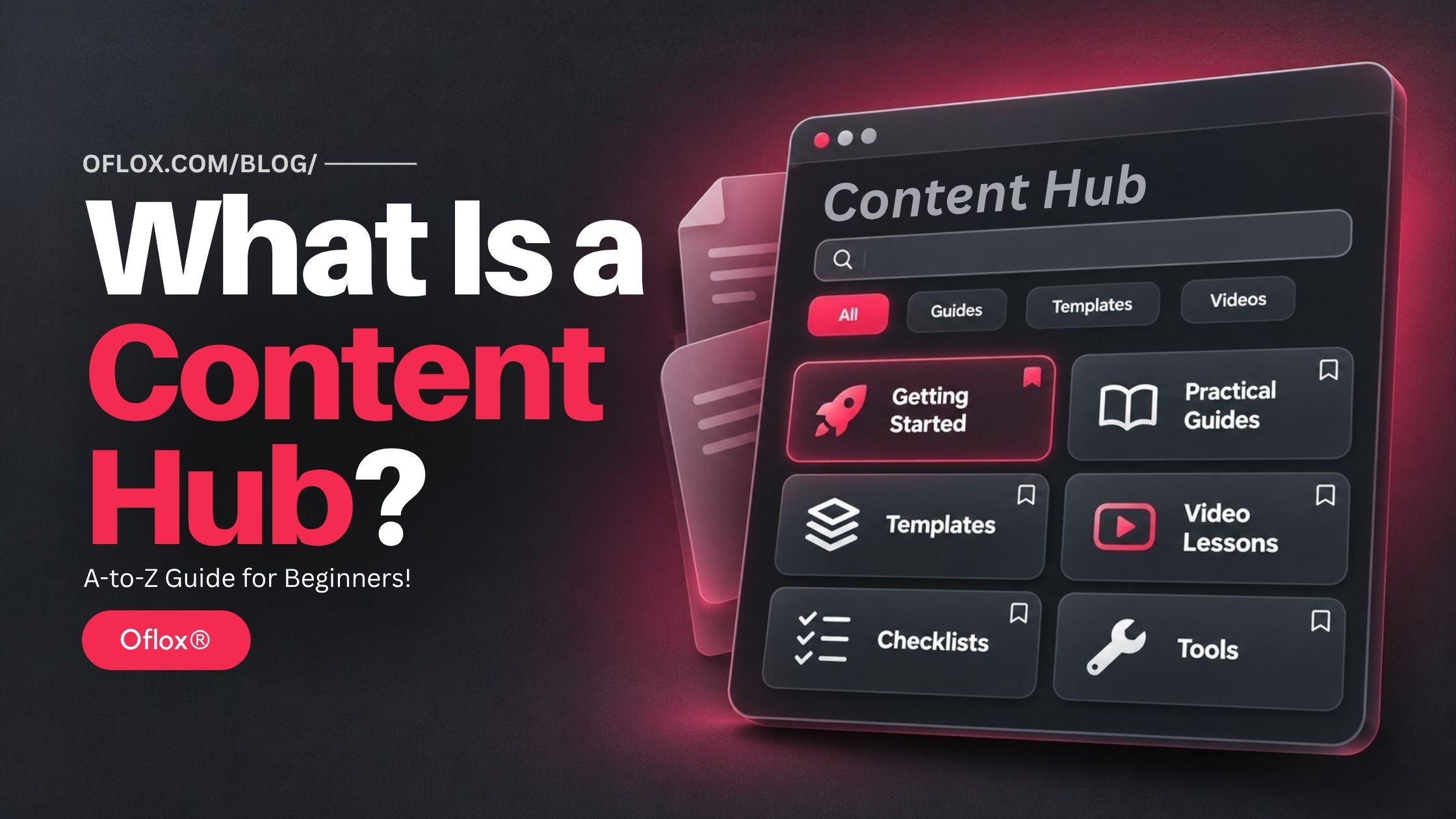
In this guide, we will explore how content hubs work, explain how they differ from blogs and pillar pages, and show you how to plan, build, maintain, and measure one for your business.
Let’s explore it together!
Table of Contents
What Is a Content Hub?
A content hub is an organised collection of related resources built around a specific topic, audience, or goal. It usually includes a central page that introduces the subject and links to supporting articles, videos, tools, templates, or guides, helping visitors find relevant information and take their next step.
For example, a small business SEO hub might contain:
- An introductory SEO guide.
- Keyword research tutorials.
- On-page optimisation checklists.
- Technical audit instructions.
- Local SEO examples.
- Reporting templates.
The central page explains where each resource fits. Supporting pages answer individual questions in greater detail.
The term describes an editorial and navigation approach. It does not require a particular software product, paid platform, or fixed number of pages.
A simple WordPress page can serve as a hub when its organisation helps visitors.
How Did Content Hubs Develop?
Content hubs grew from familiar publishing practices: grouping useful information, creating indexes, and guiding readers through related material.
Early business websites often separated information into blogs, downloads, FAQs, and support sections. As these collections expanded, visitors needed better ways to navigate them.
Content marketing encouraged businesses to connect educational resources with customer questions. Topic clusters, pillar pages, learning centres, and resource libraries became common approaches to organising that work.
Today, a hub may combine written guides, video lessons, calculators, research, and downloadable templates.
There is no single universal invention date. The underlying idea has developed alongside online publishing: make related knowledge easier to discover, understand, and maintain.
Content Hub vs Blog vs Pillar Page vs Topic Cluster
These terms overlap, but they describe different parts of a publishing strategy.
| Format | Main purpose | Typical structure | Example |
|---|---|---|---|
| Blog | Publish articles over time | Posts with dates, categories, and archives | A digital marketing blog |
| Content hub | Help an audience explore related resources | Central destination with organised pathways | Small business SEO learning centre |
| Pillar page | Explain a broad topic and guide deeper exploration | Substantial overview with supporting links | Complete guide to technical SEO |
| Topic cluster | Connect pages addressing related search needs | Main topic plus linked supporting pages | Technical SEO, crawling, indexing, and sitemaps |
| Knowledge base | Help users complete tasks and resolve problems | Searchable instructions and troubleshooting | Product setup and account support |
| Resource library | Make assets easy to browse | Collections organised by topic or format | Templates, reports, and webinars |
A blog can contain several content hubs. A hub can use a pillar page as its main entrance and include multiple topic clusters.
The terminology matters less than the experience. A visitor should understand what the collection covers, where to begin, and which page answers their question.
Why Is a Content Hub Important?
A content hub gives useful content a clearer role within your website.
1. It Reduces the Effort Needed to Find Answers
Readers should not have to search your entire archive to continue learning. A beginner can start with definitions, while an experienced professional can jump directly to an implementation guide or template.
For example, a visitor looking for an SEO reporting template should be able to find it without reading several introductory articles first.
2. It Connects Related Business Questions
Customers rarely make decisions after reading one explanation. Someone exploring website development may also need guidance on hosting, security, maintenance, and content management.
Connecting those resources supports a more informed decision and reduces the need to search elsewhere for basic context.
3. It Improves Content Management
A topic inventory makes missing explanations, overlapping articles, and outdated advice easier to identify.
Instead of commissioning another general introduction, your team may discover that readers need a practical checklist. This helps direct editorial effort towards useful improvements.
4. It Creates Opportunities for Useful Internal Links
Google explains that links help it discover pages and assess relevance. Descriptive internal links also help readers understand the destination before opening it.
A content hub gives those connections a practical structure.
5. It Supports Commercial Goals
A useful resource can lead naturally to a relevant next step:
- Downloading a worksheet.
- Joining a newsletter.
- Exploring a product.
- Requesting a consultation.
- Comparing service options.
The educational content should still fulfil its promise before asking visitors to act.
How Does a Content Hub Work?
A content hub works through three connected layers.
- The first layer is orientation: The main page explains the topic, identifies the intended audience, and presents clear routes through the collection.
- The second layer is depth: Supporting resources address individual needs, such as choosing a tool, following a process, or solving a problem.
- The third layer is progression: Relevant links help visitors continue learning or complete an action.
For example, a visitor may arrive directly on a keyword research tutorial from search. That tutorial links to the main SEO hub, a content planning template, and an explanation of search intent.
The visitor does not need to enter through the central page. Every resource should make sense independently while connecting to the wider collection.
This is why navigation, contextual links, and useful page content all matter.
Main Types of Content Hubs
Choose a format that matches your audience and the resources you can maintain.
1. Topic-Based Hub
This focuses on one subject, such as email marketing or website security. It suits businesses with several connected questions to answer within a clearly defined area.
Example: An email marketing hub containing guides on building subscriber lists, writing campaigns, automation, and performance measurement.
2. Learning Centre
This organises content into lessons, stages, or learning paths. For example, a beginner photography centre could move from camera settings to lighting, composition, and editing.
A learning centre is useful when understanding one concept helps readers complete the next task.
3. Resource Library
This helps visitors browse assets such as templates, research reports, videos, and checklists.
Filters become useful when the collection is large enough to justify them. For a small collection, clear headings and descriptive links may provide a simpler experience.
4. Audience-Based Hub
This gathers resources for a particular group, such as agency owners, teachers, or first-time online sellers.
Different topics can belong together when they support the same audience goal.
Example: A resource centre for new agency owners covering proposals, client onboarding, reporting, and project management.
5. Product Education Hub
This combines explanations, demonstrations, and practical workflows around a product or service.
Keep general educational guidance distinguishable from product-specific instructions so readers know what applies to them.
For example, an accounting software company could explain invoice management generally and then show how to complete that task in its software.
Essential Features of a Good Content Hub
A strong hub makes its purpose clear without forcing visitors to study the interface.
| Feature | What it helps readers do |
|---|---|
| Clear title and introduction | Understand the topic and intended audience |
| Start-here section | Find an appropriate first resource |
| Logical groups | Browse related questions together |
| Descriptive resource cards | Judge relevance before opening a page |
| Contextual internal links | Continue to a useful next explanation |
| Mobile-friendly layout | Read and navigate comfortably on a phone |
| Search or filters, when needed | Narrow a larger collection |
| Accurate authorship and review details | Assess responsibility and freshness |
| Relevant next actions | Apply knowledge or request suitable help |
Accessibility is part of this experience. Use readable text, descriptive links, visible keyboard focus, and meaningful image descriptions.
Avoid placing essential explanations only inside decorative images. Visitors should be able to read and use the core information as text.
A visually attractive hub should also be easy to understand when viewed on a small screen.
How to Create a Content Hub?
You can build your first hub by organising existing resources before investing in additional content.
1. Define One Audience and One Outcome
Write a short purpose statement:
“This hub helps small business owners understand and improve the SEO of their websites.”
This statement gives editors a practical filter. A resource belongs when it helps that audience achieve the stated outcome.
Avoid beginning with a subject as broad as “business”. Choose a scope your team can cover properly.
Ask yourself:
- Who will use this hub?
- What do they already understand?
- What are they trying to achieve?
- Which questions prevent them from progressing?
2. Audit Your Existing Content
Create a spreadsheet containing each relevant URL, title, purpose, main audience, content type, and last meaningful review date.
Also record whether the resource should be kept, updated, combined, or removed from the planned collection.
Two articles may cover the same topic while serving different needs. Compare their actual purpose before deciding to merge them.
Preserve useful existing URLs unless there is a clear reason to change them. An audit may reveal that you already have most of the content needed for a useful first version.
3. Research Connected Questions
Use customer conversations, support enquiries, site search, Search Console, and search results to identify information gaps.
For an SEO hub, questions might include:
- What should I check before starting SEO?
- How do I choose keywords for my services?
- Why are some pages missing from search?
- What should an SEO report include?
- Which tasks can I handle myself?
Group questions by the job the reader wants to complete. Similar wording does not always mean the same intent.
A person asking “What is an SEO audit?” may need an introduction. Someone asking “How do I audit a WordPress website?” needs a practical process.
4. Build a Topic and Intent Map
Create a small set of sections with clear responsibilities.
| Hub section | Reader need | Suggested resource |
|---|---|---|
| Understand | Learn the basics | SEO terminology guide |
| Plan | Choose priorities | Keyword research worksheet |
| Implement | Complete practical tasks | On-page SEO checklist |
| Diagnose | Investigate a problem | Website audit walkthrough |
| Measure | Assess progress | SEO reporting template |
Assign one main purpose to each planned page. This reduces repetitive content and gives writers a clearer brief.
Include different formats when they serve a useful purpose. A checklist may help someone act faster than a long article.
5. Design the Central Page
Start with a short explanation, followed by a recommended starting point and grouped resource links.
Each card should describe the resource accurately.
“Build a keyword list for a service business” tells readers more than “Ultimate SEO secrets”.
A small hub may need only a few sections. Add filters when readers have enough options to benefit from them.
Avoid presenting every resource with equal visual emphasis. Help visitors recognise introductory material, practical guides, and advanced resources.
6. Improve the Supporting Resources
Every supporting page should answer its own main question completely. Include practical examples, screenshots you have permission to use, limitations, sources, and instructions where relevant.
For a tool comparison, explain your evaluation method. For a workflow, show the expected output and common failure points.
Google’s people-first guidance encourages original value and clear information about who created content and how it was produced. Apply that through honest authorship and evidence readers can assess.
Do not claim first-hand testing when you have only reviewed product documentation.
7. Add Useful Internal Links
Link from the hub to its supporting resources, from supporting resources back to the hub, and between pages when the connection helps the reader.
Use concise anchor text such as SEO reporting template or how to check indexing.
Implement links as crawlable HTML anchors with valid destinations. Google does not prescribe a magical ideal number of links; relevance and usability should guide your choices.
Do not force every supporting page to link to every other page. A link should help readers understand something, complete a task, or decide what to explore next.
8. Check the Technical Setup
Before launch, check that important public pages:
- Return the intended HTTP status.
- Are accessible without an unintended login requirement.
- Have appropriate indexing directives and canonical URLs.
- Are reachable through navigation and internal links.
- Work on mobile screens and with a keyboard.
- Load essential content reliably.
Review pagination and filters carefully. Numerous combinations can create unnecessary duplicate URLs.
Folder consistency can help maintenance, but moving existing pages solely to create matching paths may introduce avoidable redirects and broken links.
9. Set Up Measurement
Decide what success means before publishing.
For an educational hub, it may mean readers reaching an implementation guide. For a commercial hub, it may include qualified enquiries or product adoption.
Define analytics events for meaningful actions and verify that they fire correctly. Avoid counting the same action twice. Record a baseline so you can compare performance after launch.
10. Launch and Maintain
Add the hub to suitable navigation, link to it from relevant existing articles, and introduce it through your normal marketing channels.
Assign an owner for the collection and review resources according to how quickly their information changes.
A software tutorial may need attention after an interface update. A stable definition may need less frequent review. Maintenance should respond to evidence, not just a calendar reminder.
Practical Content Hub Example for an Indian Business
Consider a hypothetical website development agency serving small businesses. Its hub is called Small Business Website Planning Centre.
The intended reader wants to understand what a website requires before requesting a quotation.
| Section | Example content | Helpful next action |
|---|---|---|
| Plan your website | Required pages and business goals | Download a planning worksheet |
| Understand costs | Factors affecting project scope | Prepare a project brief |
| Choose technology | CMS, hosting, and domain basics | Compare requirements |
| Prepare for launch | Content, forms, and testing | Use a launch checklist |
| Maintain your website | Backups, updates, and access management | Review maintenance responsibilities |
A reader may begin with cost questions and discover that their content and enquiry process need planning first.
The agency gains a better-informed conversation. The visitor gains a resource they can use regardless of whether they hire that agency.
This is an illustrative structure, not a claim about measured campaign results.
The same approach could support a school admissions resource centre, a software learning library, or an e-commerce seller education hub.
Real-World Content Hub Examples
These public resources show different ways to organise connected information. The observations below concern their structure rather than proving any particular SEO result.
- Ahrefs Academy: Ahrefs Academy groups courses and tutorials around SEO, marketing, and product workflows. Like a learning pathway, it helps visitors choose a starting point and continue into related lessons.
- Think with Google: Think with Google brings together marketing insights under themes including consumer insights and measurement. Like thematic navigation, it can make a broad editorial collection easier to explore.
- Shopify Blog: Shopify’s blog organises business education through categories and guides for starting and growing a business. Like an existing blog, it can provide hub-like pathways without moving everything to a separate platform.
Benefits and Limitations of Content Hubs for SEO
A content hub can make related pages easier to find and understand. It can also expose gaps that prevent readers from completing a task.
Covering connected questions gives your website opportunities to answer several relevant searches. However, every page still needs a useful purpose and adequate quality.
Terms such as topical authority describe a broader idea of recognised subject knowledge. They should not be treated as a guaranteed score that increases whenever another article is published.
Likewise, keyword cannibalisation is not an automatic penalty for mentioning the same term on several pages. The practical concern is whether overlapping pages confuse readers, compete for the same purpose, or divide useful information unnecessarily.
A hub cannot guarantee rankings, backlinks, indexing, or enquiries. Its direct value is organisational: better access to useful information and a clearer system for maintaining it.
Content Hubs for AI Search, GEO, and Voice Queries
A useful approach to AI search optimisation is to make information clear, verifiable, and easy to access.
Google states that its AI search features build on established SEO practices; its guidance does not require special AI markup or separate optimisation tricks. This guidance concerns Google and should not be assumed to describe every AI service.
For your content hub:
- State definitions directly before adding detail.
- Use descriptive headings based on genuine questions.
- Keep names, terminology, and factual claims consistent.
- Include original examples and explain research methods.
- Make important information available as readable text.
- Link to supporting evidence where it helps verification.
For conversational queries, write questions naturally:
“How is a content hub different from a blog?”
Then answer plainly before adding examples.
These practices improve clarity. They do not guarantee a featured snippet, voice answer, AI citation, or recommendation.
Avoid treating “NLP SEO” as a requirement to insert a fixed list of related words. Cover concepts because readers need them, and explain unfamiliar terms in context.
5+ Tools for Planning & Managing a Content Hub
Start with the tools your team already understands.
The table describes roles, not a ranking or a requirement to purchase every product.
| Tool or category | Useful role | Practical caution |
|---|---|---|
| Google Sheets or Excel | Content inventory and ownership | Keep URLs and statuses current |
| WordPress or another CMS | Publish the central page and resources | Review templates and navigation |
| Google Search Console | Inspect search performance and indexing | Search data covers only part of the journey |
| Google Analytics 4 or another analytics platform | Measure selected on-site actions | Tracking needs configuration and validation |
| Site crawler, such as Screaming Frog | Review links and technical patterns | Interpret findings before changing pages |
| Keyword research platform | Explore questions and search demand | Estimates are directional |
| Notion, Trello, or another project tracker | Assign production and review work | Give every task a responsible owner |
Feature availability, limits, and pricing can change. Check current documentation before choosing a paid plan. A spreadsheet, your CMS, and reliable measurement are enough to begin a small hub.
How to Measure Content Hub Performance
Use a balanced set of measures rather than judging success through page views alone.
1. Discovery
Track relevant search impressions, clicks, referral visits, and direct entry to supporting pages. Review individual resources as well as the central page. Many visitors will arrive through a specific question.
A hub’s landing page can receive modest traffic while its supporting resources attract useful visits.
2. Navigation and Usefulness
Measure clicks to recommended resources, template use, and progression to practical guides.
A short visit can still be successful when someone finds a quick answer. A long visit can indicate either interest or confusion. Use reader feedback to understand what the numbers cannot explain.
3. Business Outcomes
Track relevant enquiries, subscriptions, trial starts, or other actions connected to your actual goal.
Compare lead quality as well as quantity. Downloads alone do not establish commercial value. Where possible, distinguish an educational interaction from a qualified commercial enquiry.
4. Content Health
Monitor broken links, outdated resources, missing ownership, and important pages with no useful internal entry point.
For a simple navigation measure:
Hub resource click-through rate = sessions with a tracked resource click ÷ hub-page sessions × 100.
If 80 out of 400 hub-page sessions include such a click, the rate is 20%. This is an illustrative calculation, not a benchmark.
Compare similar periods and account for campaigns, seasonality, tracking changes, and wider site updates before attributing an improvement to the hub.
Common Challenges and Practical Solutions
Even a well-designed hub needs editorial decisions and regular maintenance.
| Challenge | Likely issue | Practical response |
|---|---|---|
| Visitors cannot choose a starting point | Too many equal-looking options | Add clear beginner and task-based routes |
| Articles repeat each other | Unclear page responsibilities | Map intent and consolidate where appropriate |
| Strong content receives little attention | Weak discoverability | Improve navigation and contextual links |
| Traffic grows but enquiries remain weak | Audience or offer mismatch | Review relevance and next actions |
| Resources become outdated | No review ownership | Assign owners and change triggers |
| Mobile navigation feels crowded | Excessive interface complexity | Simplify groups and test on real devices |
A common budget mistake is building an elaborate interface before confirming which resources people need. Start with a useful collection, observe how visitors use it, and improve the experience through evidence.
If users repeatedly search for the same missing topic, investigate whether it deserves a new resource or a clearer explanation within an existing one.
Expert Tips and Common Mistakes
The following practices can help you create a hub that stays useful as it grows.
- Give Every Resource a Clear Job: A definition, comparison, tutorial, and checklist can serve the same topic without repeating the same content. Specify the intended outcome before writing. For example, a definition explains what something means. A checklist helps readers verify whether they have completed the necessary work.
- Use the Language Customers Use: Organise around recognisable problems instead of internal department names. “Plan your first website” is often easier to understand than a category named after your internal delivery team.
- Add Evidence of Experience: Show real workflows, permission-cleared examples, and explanations of what was tested. Do not invent case studies, quotations, credentials, or results. Clear limitations make advice easier to assess.
- Review Before Expanding: Updating one important guide may help readers more than publishing several weak additions. Check whether an existing page already addresses the need before commissioning another article.
- Keep Valuable Learning Accessible: A downloadable template can be optional while the core explanation remains available on the page. Visitors should understand what they will receive before submitting their details.
Common Mistakes to Avoid:
- Stuffing keywords into headings and anchor text.
- Creating empty category pages.
- Changing URLs unnecessarily.
- Hiding important resources behind fragile navigation.
- Publishing several pages with nearly identical purposes.
- Expecting design alone to create authority.
- Changing review dates without checking the information.
A fresh-looking timestamp should reflect meaningful editorial work.
A Practical 30-Day Content Hub Launch Plan
This is a suggested workflow for a small existing content collection rather than a delivery guarantee.
| Period | Main work | Expected output |
|---|---|---|
| Days 1–7 | Define audience, audit resources, gather questions | Approved topic and content inventory |
| Days 8–14 | Map intent, select resources, outline missing content | Hub structure and editorial briefs |
| Days 15–21 | Improve priority resources and build the central page | Reviewable hub draft |
| Days 22–30 | Test links, accessibility, tracking, and mobile experience | Published hub with assigned ownership |
If the subject requires expert review or original research, allow more time. The aim is a useful starting collection with a maintenance process.
A smaller hub that answers important questions properly provides a stronger foundation for expansion.
FAQs:)
A. A content hub is a central place that organises related information and guides people to useful resources about a topic or goal.
A. A blog usually publishes posts over time. A content hub organises related resources into a clearer learning or task pathway. One blog can contain several hubs.
A. There is no fixed minimum. Begin with enough useful resources to support a meaningful journey. Add pages when an unanswered need justifies them.
A. Yes. You can use a central page, existing posts, relevant categories, and internal links. A small hub does not necessarily require a dedicated plugin
A. It can support discoverability, internal linking, and content organisation. Search performance also depends on relevance, quality, technical accessibility, competition, and other factors.
A. For public education and discovery, accessible core resources are useful. Paid courses or optional downloads can exist alongside them when their purpose is clear.
A. Review according to information volatility, business changes, reader feedback, and performance signals. Fix broken links and inaccurate instructions when identified.
A. Cost depends on existing content, research, design, development, and review needs. Define the required resources and responsibilities before requesting quotations.
Conclusion:)
Understanding what a content hub is helps you turn scattered information into a resource people can navigate with confidence.
Start with a clear audience and a practical goal. Review your existing content, organise related questions, connect useful resources, and measure whether visitors can complete the tasks that brought them to your website.
At Oflox®, the practical lesson is straightforward: a content hub earns its value through the clarity, usefulness, and reliability of the information it brings together.
“A useful content hub connects the answer someone needs today with the knowledge that helps them take the next step.” — Mr Rahman, Oflox®
Read also:)
- 5+ Best SEO Reporting Tools for Agencies: A Complete Guide!
- 5+ Best SEO Chrome Extensions: A-to-Z Guide for Beginners!
- 10+ Best Backlink Monitoring Tools: A-to-Z Guide for Beginners!
Have you created a content hub for your website? Share your experience and the biggest challenge you faced when organising related content in the comments below.