This article provides a professional guide on “What is Advanced Persistent Threat (APT)”, including its meaning, how it works, real-life examples, tools, and prevention strategies.
An Advanced Persistent Threat (APT) is a long-term cyber attack where hackers secretly enter a system and stay there for a long time to steal important data. Unlike normal hacking attacks, APT attacks are slow, planned, and very dangerous.
Today, cyber attacks are increasing in India and across the world. From banks to government systems, no one is fully safe. That’s why understanding APT is very important for students, businesses, and IT professionals.
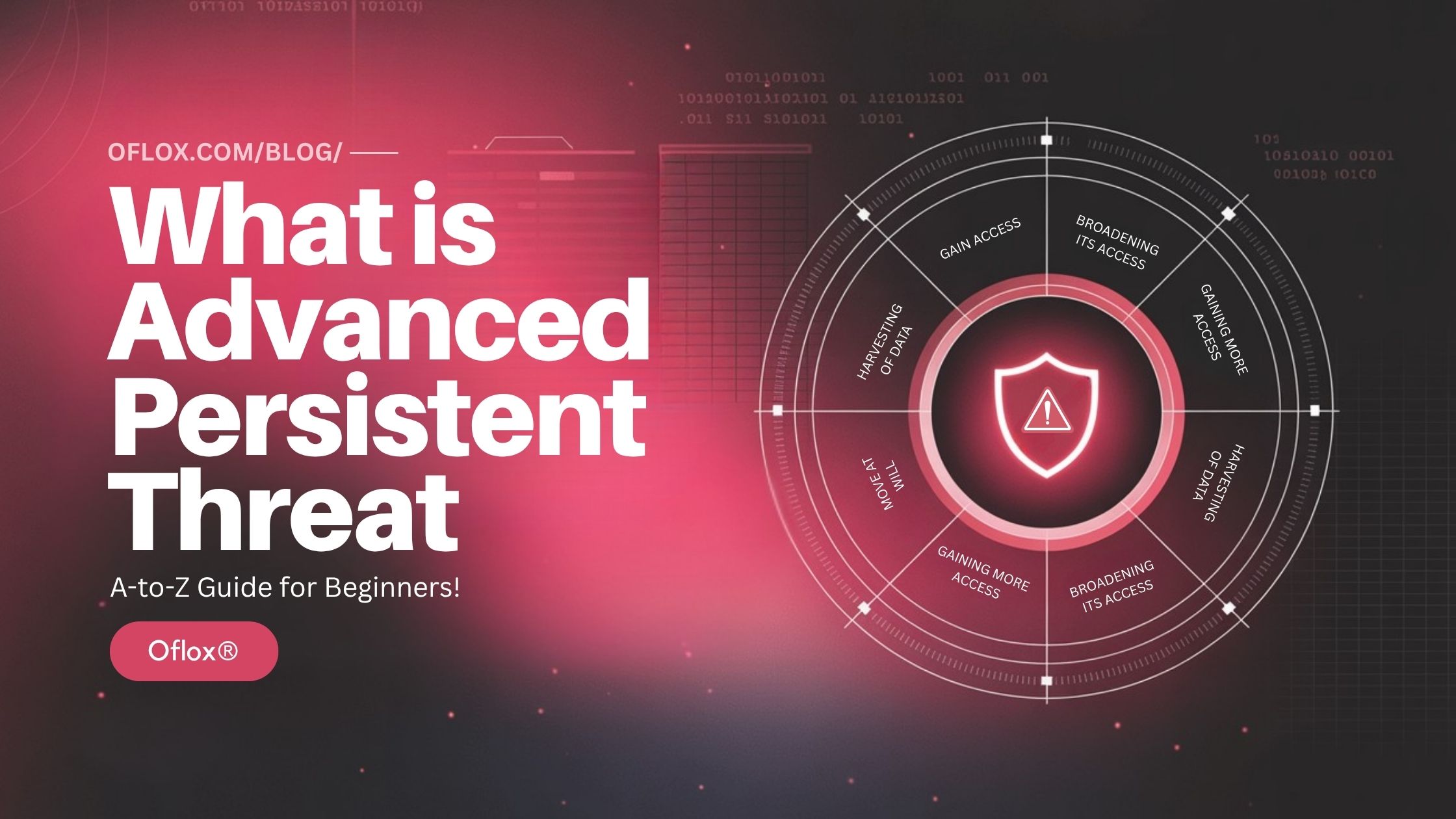
In this article, we will explore everything about APT in a simple way — step by step with examples and practical tips.
Let’s explore it together!
Table of Contents
What is Advanced Persistent Threat (APT)?
An Advanced Persistent Threat (APT) is a type of cyber attack where hackers:
- Enter a system secretly
- Stay inside for a long time
- Continuously collect sensitive data
- Avoid detection
Unlike normal cyber attacks (which are fast), APT attacks are:
- Slow
- Hidden
- Targeted
- Highly dangerous
Simple Example:
Imagine a thief enters your house quietly and hides inside for weeks.
Instead of stealing everything at once, he slowly takes valuable items daily without you noticing.
That is exactly how an APT attack works.
APT Full Form
APT stands for:
- Advanced → Uses highly skilled techniques
- Persistent → Stays in system for long time
- Threat → Dangerous cyber attack
So, APT means a smart, long-term, and hidden cyber attack.
Key Characteristics of Advanced Persistent Threat
Here are the key features that define an APT attack:
1. Long-Term Access
Hackers stay in the system for weeks, months, or even years.
2. Targeted Attack
APT attacks are not random. They target:
- Government systems
- Banks
- Big companies
3. Stealthy Behavior
Attackers avoid detection using advanced techniques.
4. Skilled Hackers
APT is usually done by:
- Professional hackers
- Cybercriminal groups
- Nation-state attackers
5. Data Theft Focus
The main goal is to steal:
- Financial data
- Personal data
- Business secrets
How Advanced Persistent Threat Works
Here is a complete breakdown of how APT works:
1. Initial Access (Entry Point)
This is the first and most critical stage, where hackers try to enter the target system.
Common Methods Used:
- Phishing Emails → Fake emails that look real (bank, company, HR)
- Malicious Links → Clicking unsafe URLs
- Infected Attachments → PDF, Word, or ZIP files with malware
- Exploiting Vulnerabilities → Weak or outdated software
Real Example:
An employee receives an email like: “Your salary slip is attached — please download.”
When the employee opens it, malware gets installed, and hackers gain access.
Why This Works:
- Human error (most common reason)
- Lack of cyber awareness
- Weak email security systems
2. Establish Foothold (Stay Inside the System)
Once inside, attackers ensure they can stay in the system for a long time.
What Hackers Do:
- Install backdoors (hidden access points)
- Use remote access tools (RATs)
- Create fake admin accounts
- Modify system settings to avoid detection
Example:
Even if the system is restarted or password is changed, hackers can still log in using hidden access.
Key Goal: Maintain persistent access without being noticed.
3. Privilege Escalation (Gain More Power)
Now hackers try to increase their access level inside the system.
How They Do It:
- Exploit system vulnerabilities
- Use stolen credentials
- Crack weak passwords
- Access admin-level permissions
Example:
A hacker enters as a normal employee user → then upgrades access → becomes system administrator
Why It’s Dangerous:
- Admin access = full control of system
- Ability to disable security tools
- Access to all sensitive data
4. Lateral Movement (Explore the Network)
After gaining control, hackers start moving inside the organization’s network.
What Happens Here:
- Hackers scan connected devices
- Move from one system to another
- Search for valuable data locations
Example:
Laptop → Office server → Database → Cloud storage
Tools Used:
- Remote desktop tools
- Network scanning tools
- Credential harvesting
This step helps attackers map the entire system.
5. Data Collection (Gather Valuable Information)
Now attackers focus on collecting important data.
Types of Data Targeted:
- Login credentials
- Customer databases
- Financial records
- Business secrets
- Emails and internal communications
Example:
- Stealing customer credit card details
- Copying company confidential files
Important Point:
Hackers do not rush — they collect data slowly to avoid suspicion.
6. Data Exfiltration (Send Data Outside)
This is the final stage where hackers transfer stolen data out of the system.
How It Is Done:
- Upload data to external servers
- Use encrypted communication
- Hide data in normal traffic
Example:
Sensitive data is sent to a hacker’s server at night when activity is low.
Why It’s Hard to Detect:
- Data is transferred in small amounts
- Looks like normal internet traffic
- Uses encryption
Stages of Advanced Persistent Threat Lifecycle
APT attacks follow a structured lifecycle:
- Reconnaissance: Collect information about the target
- Initial Intrusion: Enter the system using vulnerabilities
- Backdoor Creation: Create hidden access
- Lateral Movement: Explore the internal network
- Data Extraction: Steal valuable data
- Maintain Access: Stay hidden for future attacks
Types of Advanced Persistent Threat Attacks
APT attacks can happen in multiple ways depending on the target:
- Spear Phishing: Targeted fake emails to employees
- Malware Injection: Installing harmful software
- Zero-Day Exploit: Using unknown software vulnerabilities
- Supply Chain Attack: Attacking through third-party software
- Insider Threat: Employee intentionally or unintentionally leaks data
Real-Life Examples of Advanced Persistent Threat
These examples clearly show that APT attacks are not just theoretical — they are real, powerful, and highly damaging cyber threats used by skilled attackers.
1. Stuxnet Attack (World’s First Cyber Weapon)
Iran’s nuclear program (industrial control systems)
How the Attack Happened:
- The malware was spread through infected USB devices
- It targeted SCADA systems used in nuclear plants
- It secretly changed machine instructions without detection
Result:
- Nuclear centrifuges were physically damaged
- Systems continued to show normal readings (stealth attack)
- Iran’s nuclear program was delayed significantly
Why It Was Dangerous:
- First attack to cause physical destruction using software
- Extremely advanced and highly targeted
- Remained hidden for a long time
This proved that cyber attacks can damage real-world infrastructure.
2. SolarWinds Attack (Supply Chain APT)
US government agencies and major companies (Microsoft, Intel, etc.)
How the Attack Happened:
- Hackers compromised SolarWinds software updates
- Thousands of companies installed the infected update unknowingly
- This gave attackers access to multiple networks
Result:
- Data theft from sensitive government systems
- Access to emails and confidential files
- One of the biggest cyber espionage attacks in history
Why It Was Dangerous:
- It was a supply chain attack (trusted software was used)
- Affected 18,000+ organizations globally
- Stayed undetected for months
This shows how attackers can exploit trusted systems.
3. Banking APT Attack (Financial Cyber Crime)
Banks and financial institutions
How the Attack Happens:
- Hackers gain access through phishing or malware
- Stay inside banking systems silently
- Monitor transactions and internal processes
Result:
- Millions of rupees/dollars stolen
- Fake transactions created
- ATM systems manipulated
Real Scenario:
Hackers observe how bank employees process transactions → then create similar fake transactions without being noticed.
Why It’s Dangerous:
- Financial loss is immediate and high
- Hard to detect because attackers behave like real users
- Can damage trust in banking systems
Industries Targeted by APT
Here are the major industries that are most commonly targeted by APT attacks due to their critical data and systems.
1. Banking & Financial Sector
APT attackers target banks to steal money and financial data.
What Hackers Target:
- Customer bank accounts
- Credit/debit card details
- Transaction systems
- Internal financial data
How APT Attacks Work Here:
Hackers enter the banking system and observe transactions for weeks or months. Once they understand the process, they create fake transactions that look real.
Risks:
- Huge financial loss
- Fraud transactions
- Loss of customer trust
Example: Hackers transferring money secretly to offshore accounts.
2. Healthcare Industry
Hackers focus on hospitals for personal and insurance information.
What Hackers Target:
- Patient medical records
- Hospital databases
- Insurance details
- Research data
Why Healthcare is a Target:
Healthcare data is very valuable because it contains:
- Personal identity
- Medical history
- Financial details
Risks:
- Data leakage
- Blackmail (ransomware attacks)
- Life-threatening system failures
Example: Hospital systems getting locked and asking for ransom.
3. Government & Defense Sector
National security data makes this sector a prime APT target.
What Hackers Target:
- National security data
- Military systems
- Confidential government files
- Citizen databases
Why It’s Critical:
APT attacks on government systems are often done by:
- Nation-state hackers
- Cyber espionage groups
Risks:
- National security threats
- Political instability
- Sensitive data leaks
Example: Spying on government emails and defense strategies.
4. IT Companies & Tech Industry
Tech industry is a prime target due to valuable digital assets.
What Hackers Target:
- Software source code
- Cloud systems
- Customer data
- Intellectual property
Why IT Companies Are Targeted:
They manage large amounts of data and provide services to other businesses.
If one IT company is attacked, many other companies can also be affected.
Risks:
- Data breaches
- Service downtime
- Loss of business secrets
Example: Hackers stealing a company’s product code or AI model.
5. E-commerce & Online Platforms
APT attackers target e-commerce platforms to steal customer and payment data.
What Hackers Target:
- Customer details
- Payment information
- Order history
- Login credentials
How APT Works Here:
Hackers stay hidden and collect user data slowly over time.
Risks:
- Identity theft
- Financial fraud
- Loss of customer trust
Example: Stealing thousands of customer credit card details.
5+ Best Tools to Detect Advanced Persistent Threat
Here are some of the best tools used by companies, enterprises, and governments to detect APT attacks:
1. CrowdStrike Falcon
CrowdStrike Falcon is a cloud-based endpoint security platform that uses AI to detect threats instantly.
Key Features:
- AI-based threat detection
- Real-time monitoring of devices
- Behavioral analysis (detects unusual activity)
- Threat intelligence updates
Use Case:
If a hacker tries to access a system secretly, CrowdStrike detects abnormal behavior and alerts immediately.
2. Microsoft Defender for Endpoint
This is a powerful security solution by Microsoft designed for enterprise-level protection.
Key Features:
- Behavior-based threat detection
- Integration with Windows systems
- Automated investigation and response
- Endpoint protection (laptops, servers)
Use Case:
Detects suspicious actions like unauthorized login attempts or malware execution inside corporate systems.
3. Splunk
Splunk is a log analysis and monitoring tool used to track and analyze system data.
Key Features:
- Real-time log monitoring
- Data analysis from multiple sources
- Security alerts and dashboards
- Incident detection
Use Case:
If unusual login activity or system behavior occurs, Splunk detects patterns and alerts security teams.
4. FireEye (Now Mandiant)
FireEye is known for advanced threat intelligence and incident response services.
Key Features:
- Detects advanced cyber attacks
- Threat intelligence reports
- Incident investigation tools
- Network security monitoring
Use Case:
Used by governments and large enterprises to detect complex APT attacks and respond quickly.
5. Darktrace
Darktrace uses Artificial Intelligence (AI) to detect cyber threats automatically.
Key Features:
- Self-learning AI system
- Detects unknown threats (zero-day attacks)
- Real-time anomaly detection
- Autonomous response system
Use Case:
If a system behaves differently than usual, Darktrace immediately flags it as suspicious.
6. IBM QRadar
IBM QRadar is a SIEM (Security Information and Event Management) tool used for security analytics.
Key Features:
- Collects and analyzes security data
- Detects threats using correlation rules
- Risk scoring system
- Centralized security management
Use Case:
Helps security teams identify hidden threats by analyzing large amounts of network data.
How to Prevent Advanced Persistent Threat
Here are the most effective ways to protect your systems from APT attacks.
1. Use Zero Trust Security Model
“Never trust, always verify.”
How It Works:
- Every user and device must be verified
- Even internal employees are not trusted automatically
- Continuous authentication is required
Practical Tips:
- Use identity verification systems
- Limit access based on roles
- Monitor every login attempt
Benefit:
Even if hackers enter the system, they cannot move freely.
2. Network Monitoring (Real-Time Tracking)
Continuously track all network activities.
What to Monitor:
- Login attempts
- Data transfers
- System behavior
- Unusual traffic
Tools Used:
- SIEM tools (like Splunk, QRadar)
- AI-based monitoring systems
Benefit:
Detect suspicious activity early before damage happens.
3. Employee Training & Awareness
Most APT attacks start with human error.
What to Teach Employees:
- Identify phishing emails
- Avoid clicking on unknown links
- Use secure passwords
- Report suspicious activity
Example:
An employee who understands phishing will not open fake emails.
Benefit:
Reduces the biggest entry point for hackers.
4. Patch Management (Regular Updates)
Keep all software updated to fix security vulnerabilities.
What to Update:
- Operating systems
- Applications
- Security software
Practical Tips:
- Enable automatic updates
- Regularly scan for vulnerabilities
Benefit:
Prevents hackers from exploiting known weaknesses.
5. Strong Authentication
Use strong methods to verify user identity.
Best Practices:
- 2FA (Two-Factor Authentication)
- OTP + Password
- Fingerprint + PIN
- Strong Passwords
- Use long and complex passwords
- Avoid common passwords like “123456”
Benefit:
Even if password is stolen, attacker cannot access account easily.
6. Endpoint Security
Protect all devices connected to the network.
Devices Include:
- Laptops
- Mobile phones
- Servers
- Workstations
Tools Used:
- Antivirus software
- Endpoint detection tools (EDR)
Benefit:
Stops malware from spreading across devices.
7. Data Encryption
Convert data into secure code so unauthorized users cannot read it.
Where to Use:
- Data storage
- Data transfer (emails, cloud)
Example:
Even if hackers steal encrypted data, they cannot understand it.
Benefit:
Protects sensitive information from misuse.
8. Incident Response Plan
Prepare a plan to handle cyber attacks quickly.
What Should Be Included:
- Detection process
- Immediate action steps
- Communication plan
- Recovery strategy
Example:
If a system is hacked → immediately isolate it → stop spread → recover data
Benefit:
Reduces damage and recovery time during an attack.
Pros & Cons of Advanced Persistent Threat
Here are the key advantages and disadvantages of Advanced Persistent Threat attacks (for learning purposes).
Pros
- Long-term access
- High-value data theft
- Hard to detect
- Massive financial gain
Cons
- Huge financial loss
- Data breach
- Reputation damage
- Legal issues
- Business shutdown risk
Future of Advanced Persistent Threat
The future of APT attacks is becoming more advanced and dangerous:
- AI-Based Attacks: Hackers will use AI to automate attacks
- Cloud Targeting: Cloud systems will be major targets
- Advanced Security Bypass: Better hacking techniques
- Automated Attacks: Faster and smarter cyber attacks
FAQs:)
A. APT is a long-term cyber attack where hackers stay hidden and steal data.
A. Yes. Malware is a tool, while APT is a full strategy.
A. It can last months or years.
A. Hackers, Cybercriminal groups & Governments
A. Use security tools, monitoring systems, and Alerts
Conclusion:)
Advanced Persistent Threat (APT) is one of the most dangerous cyber attacks in today’s digital world. It is not just a simple attack but a long-term strategy used by skilled hackers to steal valuable data secretly. Understanding how APT works and how to prevent it is very important for individuals and businesses.
“Cyber security is not just protection — it is preparation against invisible threats.” – Mr Rahman, CEO Oflox®
Read also:)
- What Is Session Hijacking: A Complete Cyber Security Guide!
- What Is SolarWinds Attack: A-to-Z Cyber Security Guide!
- What is Zeus Trojan: A-to-Z Cyber Security Guide!
Have you ever faced or learned about cyber attacks like APT? Share your experience or ask your questions in the comments below — we’d love to hear from you!