This article provides a professional guide on What Is Session Hijacking, one of the most serious threats in modern web security. Many websites rely on sessions to keep users logged in, but attackers can exploit this mechanism to gain unauthorized access to accounts.
A session is created when you log into a website. The server generates a unique session ID that allows the website to recognize you without asking for your password repeatedly. While this system improves user experience, it can also become a major security risk if attackers steal or manipulate session tokens.
Cybercriminals use session hijacking attacks to take control of a user’s active session. Instead of hacking the password, they simply steal the session ID and impersonate the user. This can lead to account takeover, financial fraud, and sensitive data theft.
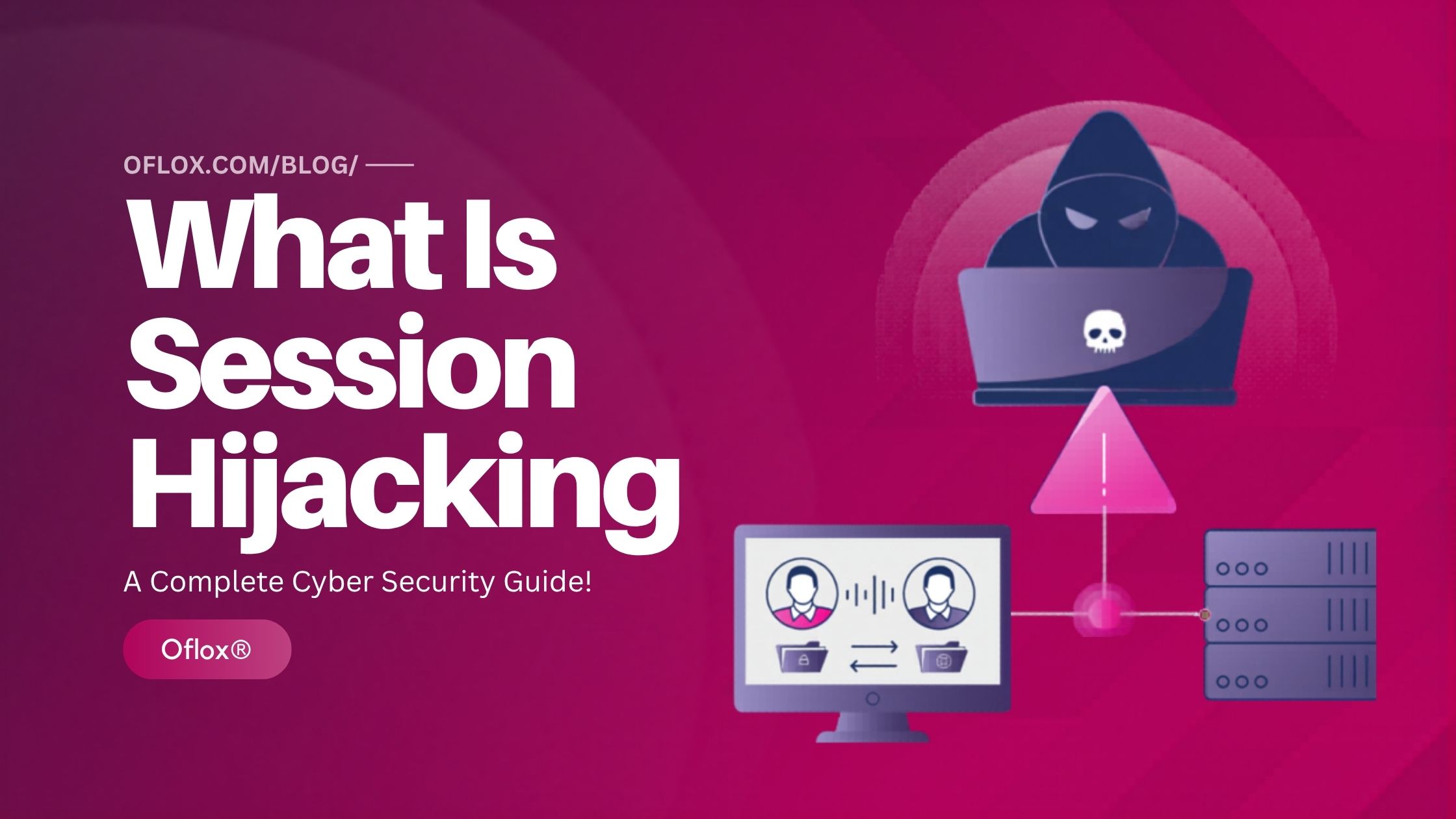
In this guide, you will learn what session hijacking is, how it works, types of session hijacking, real-world examples, tools used by attackers, and how to prevent these attacks.
Let’s explore it together!
Table of Contents
What Is Session Hijacking
Session hijacking is a cyber attack where a hacker steals or takes control of a user’s active login session to gain unauthorized access to an account.
When a user logs into a website, the server creates a session ID. This ID is stored in the browser as a session cookie and used to identify the user during the session.
If an attacker obtains this session ID, they can impersonate the user without needing the password.
Simple Example:
Imagine you log into your bank account. The website creates a session that keeps you logged in.
If a hacker steals the session cookie, they can use it to access your account as if they were you.
This is known as session hijacking.
Why Session Hijacking Is Dangerous
Session hijacking is dangerous because it bypasses authentication. Hackers do not need the password; they simply take control of the active session.
Major risks include:
• Unauthorized account access
• Financial fraud
• Identity theft
• Confidential data exposure
• Unauthorized transactions
• Corporate data breaches
For example:
If a hacker hijacks a session on an online banking platform, they could transfer money without the user knowing.
Similarly, hijacking a social media session could allow attackers to spread malware or scams.
How Web Sessions Work
Understanding the session creation process helps explain how websites keep users logged in while they browse different pages.
1. User Login
The process begins when a user visits a website and enters their login credentials, such as a username and password.
For example, when you log into:
- An email account
- A social media platform
- An online banking website
- An e-commerce store
you provide authentication information that proves your identity.
The browser sends this login information to the web server through a secure request, usually using HTTPS encryption to protect the data during transmission.
2. Server Authentication
Once the login request reaches the server, the website verifies the credentials.
The server checks the submitted username and password against its database of registered users. If the information matches the stored records, the server confirms that the user is legitimate.
During this process, the server may also perform additional security checks such as:
- Verifying CAPTCHA
- Checking login location
- Validating two-factor authentication
- Analyzing suspicious behavior
If all checks pass successfully, the server allows the user to access the account.
3. Session Creation
After authentication is successful, the server creates a session for that user.
A session is identified by a unique session ID, which is a random string of characters generated by the server. This ID acts like a digital pass that identifies the user during the browsing session.
For example, a session ID may look like this:
9F3A7D2E81C4B7F6
The session ID is stored temporarily on the server along with important session data such as:
- User identity
- Login time
- Activity status
- Security permissions
This session ID becomes the key that allows the server to recognize the user.
4. Session Storage
After the session is created, the session ID must be stored in the user’s browser so it can be used in future requests.
Most websites store the session ID inside a browser cookie, commonly called a session cookie.
A cookie is a small piece of data saved in the browser that contains information about the user’s session.
The cookie typically includes:
- Session ID
- Expiration time
- Domain information
- Security flags
This cookie is automatically sent by the browser whenever the user interacts with the website.
5. Session Communication
Once the session cookie is stored in the browser, every request sent to the website automatically includes the session ID.
For example, when a user:
- Opens another page
- Refreshes the website
- Adds items to a shopping cart
- Updates account settings
The browser sends the session ID along with the request.
The web server reads the session ID and checks its database to identify the user associated with that session.
If the session ID is valid, the server recognizes the user and allows them to continue using the website without logging in again.
This system creates a smooth and convenient browsing experience because users remain logged in throughout their visit.
However, this mechanism also introduces a security risk. If an attacker manages to steal the session ID, they can impersonate the user and gain unauthorized access to the account. This is exactly how session hijacking attacks occur.
How Session Hijacking Works
Session hijacking occurs when attackers intercept or steal the session ID.
Once they obtain the session token, they can send requests to the server pretending to be the legitimate user.
This allows the attacker to:
- Access user accounts
- Modify account settings
- Perform financial transactions
- Steal sensitive data
Since the session is already authenticated, the server assumes the attacker is the real user.
Types of Session Hijacking
Session hijacking attacks can occur in several ways.
- Active Session Hijacking: In this method, the attacker actively takes over the session and disconnects the legitimate user.
- Passive Session Hijacking: The attacker secretly monitors session data without interrupting the user.
- TCP Session Hijacking: Attackers exploit vulnerabilities in TCP communication to intercept session packets.
- Cookie Hijacking: This attack focuses on stealing session cookies stored in the browser.
- Man-in-the-Middle Session Hijacking: The attacker positions themselves between the user and the server to intercept session data.
How Session Hijacking Works (Step-by-Step)
Here is the typical step-by-step process of a session hijacking attack.
1. User Logs Into Website
The process begins when a user logs into a website by entering their username and password.
For example, a user may log into:
- An online banking platform
- A social media account
- An email service
- An e-commerce website
Once the login credentials are submitted, the website verifies the information and grants access to the account.
At this point, the user is successfully authenticated and the system allows them to interact with the website normally.
2. Server Generates Session ID
After successful authentication, the web server creates a session ID for the user.
A session ID is a unique string of characters that acts as a temporary identification token. It allows the website to recognize the user during the browsing session without requiring them to log in again on every page.
The server stores this session information in its database along with details such as:
- User identity
- Login time
- Session expiration time
- Security permissions
This session ID becomes the key element that keeps the user logged into the system.
3. Session ID Stored in Browser
Once the session ID is created, the website sends it to the user’s browser.
The browser usually stores the session ID in the form of a session cookie. Cookies are small data files saved in the browser that help websites remember user information.
Every time the user interacts with the website, the browser automatically sends this cookie back to the server.
This allows the server to recognize the user and maintain the active session without asking for login credentials again.
For example, when the user:
- Opens a new page
- Adds items to a shopping cart
- Checks notifications
- Updates account settings
The browser sends the session ID along with the request.
4. Attacker Intercepts the Session
At this stage, attackers attempt to capture or steal the session ID.
Hackers use different techniques to intercept the session token during communication between the browser and the server.
Common techniques include:
- Packet Sniffing: Attackers monitor network traffic using tools like Wireshark to capture session cookies transmitted over insecure connections.
- Cross-Site Scripting (XSS): Malicious scripts are injected into a vulnerable website to steal cookies from the user’s browser.
- Malware Infection: Malicious software installed on the victim’s device can capture browser cookies and send them to the attacker.
- Unsecured Public WiFi Networks: Hackers often target public WiFi networks in places like cafés, airports, and hotels where network traffic may not be properly encrypted.
Once the attacker obtains the session ID, they can attempt to use it to impersonate the legitimate user.
5. Attacker Uses the Session Token
After successfully stealing the session ID, the attacker uses it to send requests to the web server.
Since the session ID is valid and already authenticated, the server assumes that the requests are coming from the legitimate user.
This allows the attacker to perform actions such as:
- Accessing personal data
- Changing account settings
- Viewing private messages
- Initiating financial transactions
- Downloading sensitive information
Because the session token acts as proof of authentication, the attacker can bypass the login process entirely.
6. Account Takeover
In the final stage, the attacker effectively takes control of the victim’s account.
The web server recognizes the stolen session ID and treats the attacker as the authenticated user.
This allows the attacker to fully operate the account without needing the password.
Depending on the type of website, this can lead to serious consequences such as:
- Identity theft
- Financial fraud
- Confidential data leaks
- Unauthorized transactions
- Corporate security breaches
This is why session hijacking is considered one of the most dangerous web security attacks.
Understanding this process helps developers implement stronger protections such as HTTPS encryption, secure cookies, session expiration policies, and multi-factor authentication to reduce the risk of session hijacking.
Real-World Examples of Session Hijacking
Several real-world incidents demonstrate the seriousness of session hijacking.
1. Firesheep Attack
A famous Firefox extension called Firesheep allowed attackers to capture session cookies on public WiFi networks.
Hackers could hijack accounts from websites like Facebook and Twitter.
2. Public WiFi Attacks
Many attackers target unsecured public WiFi networks in cafes, airports, and hotels.
Using packet sniffing tools, they intercept session cookies.
3. Sidejacking
Sidejacking refers to stealing cookies from encrypted websites when certain elements remain unencrypted.
These examples highlight the importance of strong session security.
5+ Best Tools Used in Session Hijacking Attacks
Here are some commonly known tools associated with session hijacking and network interception.
1. Wireshark
Wireshark is one of the most widely used network packet analyzers in the world. It allows users to capture and analyze data packets traveling across a network in real time.
Security professionals use Wireshark to troubleshoot network issues, analyze traffic patterns, and detect suspicious activities. However, attackers may misuse this tool to monitor network traffic and capture sensitive information.
For example, if a user connects to an unsecured public WiFi network, a hacker using Wireshark may be able to view network packets and extract session cookies or authentication tokens.
Key features of Wireshark include:
- Real-time packet capture
- Deep network protocol inspection
- Traffic analysis and monitoring
- Detection of unusual network activity
Because of its powerful analysis capabilities, Wireshark is commonly used in both cyber security research and network attacks.
2. Ettercap
Ettercap is a powerful network security tool designed primarily for Man-in-the-Middle (MITM) attacks. It allows attackers to intercept communication between two devices on a network.
Using techniques such as ARP spoofing, Ettercap can redirect network traffic through the attacker’s device. Once the traffic passes through the attacker, they can monitor, modify, or capture sensitive data.
In session hijacking attacks, Ettercap can be used to capture:
- Session cookies
- Login credentials
- Authentication tokens
- Web traffic information
Security professionals often use Ettercap in penetration testing to identify weaknesses in network security configurations.
3. Burp Suite
Burp Suite is a professional web application security testing platform used by penetration testers and ethical hackers.
It is widely used to analyze how web applications handle requests, responses, cookies, and session tokens. While Burp Suite is designed for legitimate security testing, attackers may misuse it to exploit vulnerabilities in poorly secured websites.
Burp Suite allows users to:
- Intercept HTTP and HTTPS requests
- Modify web traffic between browser and server
- Analyze session management vulnerabilities
- Identify cross-site scripting and other security flaws
Because of its advanced features, Burp Suite is considered one of the most powerful tools for web application security analysis.
4. Cain & Abel
Cain & Abel is a well-known password recovery and network analysis tool that has been used for many years in cyber security research.
The software is capable of capturing and decoding network protocols, which allows attackers to extract login credentials and session information.
Cain & Abel supports techniques such as:
- Packet sniffing
- Password cracking
- Network credential interception
- ARP poisoning attacks
Although it was originally designed for password recovery and system administration, it has also been used in various network-based attacks, including session hijacking.
5. Bettercap
Bettercap is a modern and highly advanced network attack framework used for network monitoring, penetration testing, and security research.
It provides powerful features for intercepting and manipulating network traffic. Cyber security professionals use Bettercap to test network defenses and detect vulnerabilities in web applications.
Some of its capabilities include:
- Network packet sniffing
- HTTPS traffic analysis
- Session hijacking simulation
- DNS spoofing
- Wireless network monitoring
Bettercap is considered a versatile tool because it supports both wired and wireless network attacks.
6. SSLStrip
SSLStrip is a tool used to downgrade secure HTTPS connections into insecure HTTP connections. This allows attackers to intercept communication that would normally be encrypted.
When a user tries to connect to a secure website, SSLStrip tricks the browser into using an unencrypted connection, allowing attackers to capture sensitive information such as:
- Session cookies
- Login credentials
- Authentication tokens
- Personal data
This technique is often used in Man-in-the-Middle attacks and can enable session hijacking if proper HTTPS security is not enforced.
Signs of a Session Hijacking Attack
Users and administrators should watch for suspicious behavior.
Common signs include:
- Sudden logout from accounts
- Login activity from unknown locations
- Unauthorized account changes
- Unusual session timeouts
- Unexpected account actions
Monitoring these indicators can help detect attacks early.
How to Detect Session Hijacking
Here are some commonly used methods to detect session hijacking attacks.
1. Session Monitoring
Session monitoring is one of the most effective ways to detect suspicious session activity. Organizations track and analyze all active sessions on their websites or applications.
Security systems monitor several session parameters, such as:
- Session start time
- Session duration
- User activity patterns
- Login location
- Device information
If the system detects unusual behavior, such as multiple actions from different locations within a short period, it may indicate that the session has been hijacked.
For example, if a user logs in from India and suddenly the same session sends requests from another country within minutes, the system may flag this as suspicious activity.
Modern security systems can automatically terminate such sessions and notify administrators.
2. IP Address Analysis
Another important detection method is IP address analysis. Every device connected to the internet has an IP address, which can help identify the location of the user.
Web servers track the IP address associated with each session. If the IP address suddenly changes during an active session, it may suggest that someone else is using the session ID.
For example:
- A user logs in from a home network
- The session later continues from a completely different IP address
- Both activities occur within a short time period
This behavior can indicate a possible session hijacking attempt.
Many websites implement IP binding, which ties the session to the original IP address to prevent unauthorized access.
3. Behavioral Analysis
Advanced security systems use behavioral analysis to detect abnormal user activity.
Every user has a typical behavior pattern when interacting with a website. For example, users usually:
- Navigate pages in a predictable sequence
- Spend a certain amount of time on pages
- Interact with specific features
Artificial intelligence and machine learning systems analyze these patterns to identify anomalies.
If a session suddenly shows unusual behavior, such as:
- Extremely fast navigation between pages
- Accessing restricted areas quickly
- Performing actions not typical for the user
The system may classify the activity as suspicious.
Behavioral analysis is widely used in banking systems and financial platforms to prevent account takeovers.
4. Intrusion Detection Systems (IDS)
Intrusion Detection Systems (IDS) are specialized security tools designed to monitor network traffic and detect potential cyber attacks.
IDS solutions analyze network packets and look for patterns that indicate malicious activity.
They can detect threats such as:
- Unauthorized session access
- Unusual network traffic patterns
- Packet manipulation attempts
- Suspicious login behavior
For example, if the system detects multiple requests using the same session ID from different devices, it may raise a security alert.
Many organizations deploy network-based IDS or host-based IDS to monitor system activity and identify security threats in real time.
How to Prevent Session Hijacking
Here are some of the most effective methods used to prevent session hijacking attacks.
1. Use HTTPS Encryption
One of the most important protections against session hijacking is the use of HTTPS encryption.
HTTPS encrypts the communication between the user’s browser and the web server using SSL/TLS protocols. This ensures that sensitive data such as login credentials, session cookies, and authentication tokens cannot be easily intercepted by attackers.
Without HTTPS, data travels across the network in plain text, which means hackers can capture it using packet sniffing tools.
HTTPS provides several security benefits, including:
- Encrypting data transmission
- Protecting session cookies
- Preventing packet sniffing attacks
- Increasing website trust and security
For this reason, modern websites enforce HTTPS-only connections to protect users from network-based attacks.
2. Secure Cookies
Session IDs are typically stored in browser cookies, which means protecting cookies is critical for preventing session hijacking.
Developers can strengthen cookie security by using special attributes that restrict how cookies behave.
Important cookie security attributes include:
- HttpOnly: This attribute prevents client-side scripts, such as JavaScript, from accessing the cookie. It helps protect cookies from cross-site scripting (XSS) attacks.
- Secure: The Secure attribute ensures that cookies are only transmitted over HTTPS connections, preventing them from being exposed on unsecured networks.
- SameSite: This attribute helps prevent cross-site request forgery (CSRF) attacks by controlling how cookies are sent in cross-site requests.
Using these security settings helps protect session tokens from being stolen by attackers.
3. Session Timeout
Another important security practice is implementing session expiration policies.
A session should not remain active indefinitely. If a user remains inactive for a certain period, the system should automatically terminate the session.
For example, many websites automatically log users out after 10–30 minutes of inactivity.
Session timeouts reduce the risk of attackers using stolen session tokens because the session will expire quickly.
Web applications typically use two types of session expiration:
- Idle Timeout: The session expires if the user remains inactive for a specific period.
- Absolute Timeout: The session expires after a fixed amount of time, regardless of activity.
Both methods help improve session security.
4. Two-Factor Authentication
Two-Factor Authentication (2FA) adds an extra layer of security during the login process.
In addition to the username and password, the user must provide another verification factor, such as:
- A one-time password (OTP)
- An authentication app code
- Biometric verification
- A security key
Even if attackers manage to steal a session token or login credentials, the additional verification step makes it much harder for them to gain access to the account.
Many major platforms such as banking services, email providers, and social networks use multi-factor authentication to protect user accounts.
5. Regenerate Session IDs
Another important protection method is session ID regeneration.
When a user logs in or performs sensitive actions, the server should generate a new session ID instead of continuing to use the previous one.
This prevents attackers from exploiting known session identifiers.
Session IDs should be regenerated in situations such as:
- After successful login
- After password changes
- During privilege upgrades
- After sensitive transactions
Regenerating session IDs ensures that attackers cannot reuse previously captured session tokens.
Best Security Practices to Stop Session Hijacking
Users and developers should follow these security practices.
- Avoid public WiFi networks
- Always log out from shared devices
- Use strong authentication methods
- Enable multi-factor authentication
- Keep browsers updated
- Implement secure coding practices
Developers should also perform regular security testing to detect vulnerabilities.
Session Hijacking vs Man-in-the-Middle Attack
| Feature | Session Hijacking | MITM Attack |
|---|---|---|
| Target | Session ID | Network traffic |
| Goal | Account takeover | Data interception |
| Method | Cookie theft | Traffic interception |
| Complexity | Moderate | High |
Both attacks threaten web security but use different techniques.
Pros & Cons of Session Technology
Before implementing session management systems, it is important to understand both their strengths and weaknesses.
Pros
- Improves user convenience
- Reduces repeated login requests
- Enables personalized experiences
Cons
- Vulnerable to session hijacking
- Session tokens can be stolen
- Requires strong security implementation
5+ Best Tools to Protect Against Session Hijacking
Here are some widely used tools that help protect systems against session hijacking and other cyber threats.
1. Cloudflare
Cloudflare is one of the most popular website security platforms used by millions of websites worldwide. It provides multiple security features designed to protect websites from cyber attacks.
One of its most important features is the Web Application Firewall (WAF), which monitors incoming traffic and blocks suspicious requests before they reach the server.
Cloudflare security features include:
- Web Application Firewall (WAF)
- DDoS protection
- Traffic filtering and threat detection
- Bot protection systems
- Secure SSL encryption
By filtering malicious traffic and enforcing strong encryption, Cloudflare helps reduce the risk of session hijacking attacks.
2. ModSecurity
ModSecurity is an open-source web application firewall (WAF) that protects web servers from various cyber threats.
It works by analyzing incoming HTTP requests and applying security rules to detect malicious behavior.
Key capabilities of ModSecurity include:
- Rule-based request filtering
- Detection of suspicious web traffic
- Protection against injection attacks
- Prevention of session manipulation
Many organizations integrate ModSecurity with web servers such as Apache, Nginx, and IIS to strengthen application security.
3. OWASP ZAP
OWASP ZAP (Zed Attack Proxy) is a popular open-source security testing tool used by developers and penetration testers.
It helps identify vulnerabilities in web applications before attackers can exploit them.
OWASP ZAP can detect issues related to:
- Session management vulnerabilities
- Cross-site scripting (XSS)
- Insecure authentication mechanisms
- Weak security configurations
By identifying these weaknesses early, developers can fix security issues that might otherwise allow session hijacking attacks.
4. Snort
Snort is a powerful network intrusion detection and prevention system (IDS/IPS) used to monitor network traffic for suspicious behavior.
It analyzes packets traveling across the network and compares them with known attack signatures.
Snort capabilities include:
- Real-time traffic monitoring
- Detection of unusual network patterns
- Identification of malicious packets
- Intrusion prevention mechanisms
If suspicious activity is detected, Snort can alert administrators or automatically block malicious traffic.
5. Imperva WAF
Imperva Web Application Firewall is a professional security solution designed to protect websites and online services from cyber attacks.
It monitors all incoming web traffic and blocks requests that appear malicious or suspicious.
Imperva security features include:
- Advanced bot protection
- Traffic monitoring and filtering
- Protection against web vulnerabilities
- Prevention of session hijacking attempts
Many large enterprises rely on Imperva to secure their web applications and sensitive user data.
6. Akamai Security
Akamai Security is an enterprise-level cybersecurity platform used by large organizations to protect digital infrastructure.
It provides powerful security solutions that help defend against complex cyber attacks targeting web applications.
Akamai offers protection features such as:
- Web application firewall protection
- Advanced threat detection
- API security protection
- Bot management systems
- Network traffic monitoring
Because Akamai operates one of the largest global content delivery networks, it can detect and block attacks before they impact websites.
Future of Web Session Security
Web security is continuously evolving to prevent session hijacking.
Future technologies include:
- Token-based authentication
- Secure identity management
- AI-powered threat detection
- Zero-trust security models
- Biometric authentication
These technologies help reduce the risk of session theft.
FAQs:)
A. Session hijacking is a cyber attack where hackers steal a user’s session ID to gain unauthorized access to an account.
A. Hackers may steal cookies using packet sniffing, malware, cross-site scripting, or insecure networks.
A. HTTPS greatly reduces the risk by encrypting communication, but additional security measures are still required.
A. Yes. Unauthorized access to computer systems or accounts is illegal in most countries.
A. Cookie hijacking is a type of session hijacking where attackers steal browser cookies that contain session IDs.
Conclusion:)
Session hijacking is one of the most serious threats in web security because it allows attackers to bypass authentication and take control of user accounts. Instead of stealing passwords, hackers simply steal session tokens, making the attack difficult to detect.
Understanding how session hijacking works and implementing strong security measures such as HTTPS encryption, secure cookies, session expiration, and multi-factor authentication can significantly reduce the risk of such attacks.
“Cyber security is not just about protecting systems; it is about protecting trust in the digital world.” – Mr Rahman, CEO Oflox®
Read also:)
- What Is Digital Arrest in India: A-to-Z Cyber Safety Guide!
- What is IP Spoofing in Cyber Security: A Step-by-Step Guide!
- What Is Pegasus Software: The World’s Most Dangerous Spyware!
Have you ever experienced suspicious login activity or a security issue on your account? Share your experience or ask your questions in the comments below — we’d love to hear from you!