This article provides a complete beginner-friendly guide to What Is xSpeed Cache, including how it works, its main features, the difference between Free and Pro, pricing, and the steps to install it. We will also look at where its AI and multi-site tools may be useful, so you can decide whether it is a good fit for your WordPress website.
A new plugin has been added to the WordPress ecosystem, and it’s turning heads for a genuinely different idea: an AI assistant that runs the plugin for you, connected once through xSpeed Hub to manage speed across every WordPress site you run, not just one.
The plugin is called xSpeed Cache, built by WPDeveloper, the team already known in the WordPress space for Essential Addons for Elementor, BetterDocs, EmbedPress, etc. For businesses, freelancers, and marketers who have ever watched a slow-loading page quietly cost them rankings, ad spend, or a sale, this launch is worth a closer look.
This guide breaks down what xSpeed Cache actually is, how it works, what comes free versus what sits behind the paid tiers, how it stacks up against established names like WP Rocket and W3 Total Cache, and why a growing number of site owners are switching to it early.
Let’s explore xSpeed Cache in detail!
Table of Contents
Why Website Speed Is a Business Problem
Every extra second a page takes to load is a measurable cost. Studies on user behavior have shown that visitors abandon slow pages within a few seconds, and search engines factor page speed and Core Web Vitals directly into ranking decisions. For a business running paid ads, a slow landing page also tends to hurt Quality Score, which quietly raises the cost per click. None of this is news to anyone running a website professionally, but the usual fix, installing a caching plugin, has historically meant picking through settings that assume a level of technical comfort most site owners simply do not have.
That gap between “speed matters enormously” and “the tools to fix it are intimidating” is exactly where xSpeed Cache positions itself.
What Is xSpeed Cache?
xSpeed Cache is a free, all-in-one WordPress caching and performance plugin. Instead of following the usual approach where a cached page is still processed through PHP before being served, xSpeed Cache uses what is known as static-first delivery: the plugin generates a plain static HTML snapshot of a page and serves that snapshot directly, before WordPress or PHP even load.
The practical effect, according to the numbers xSpeed Cache publishes, is a cache hit served in roughly 5 to 15 milliseconds, compared with around 200 milliseconds for a typical PHP-served cache, described as up to 17 times faster on a cached hit. On the xSpeed Cache website, the company shows a documented example of a page improving from a PageSpeed score of 45 to a perfect 100, with load time dropping from 4.1 seconds to 0.9 seconds after activation.
These are the vendor’s own benchmark figures rather than a guarantee for every hosting environment, but the underlying architecture, skipping PHP entirely for anonymous visitors, is a legitimate and well-understood approach to speeding up a site.
The plugin runs on WordPress 6.0 and above, requires PHP 7.4 or newer, and works across Apache, Nginx, LiteSpeed, and IIS. On Apache, the static rewrite rules are written for you automatically. On Nginx, the plugin generates a server-config snippet you install once. On LiteSpeed, hits are served through the plugin’s PHP drop-in by design, so the cache stays visible in your headers and hit ratio.
The Part That Makes xSpeed Cache Different: A Free Hub for Running Every Site From One Place
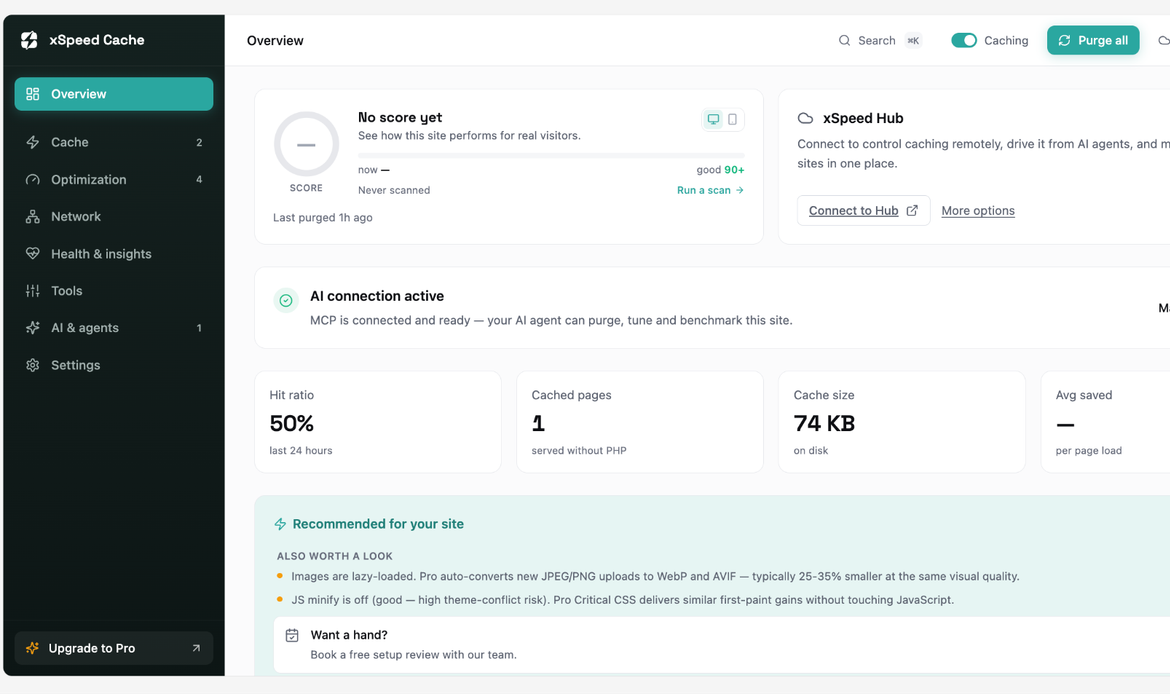
This is the part drawing the most attention since launch. Every installation of xSpeed Cache includes a direct connection that lets an AI assistant such as Claude or ChatGPT read a site’s performance settings and, with permission, act on them: checking cache status, running a speed benchmark, turning on whatever optimization is switched off, warming the cache, and confirming the improvement, all inside one conversation instead of a multi-step manual process in the WordPress dashboard.
What actually sets xSpeed Cache apart, though, is what that connection is bundled with. The same free plan includes xSpeed Hub, a centralized dashboard that lets a single AI connection reach every WordPress site under one account rather than just the one it happens to be installed on. For a business running more than one property, or an agency managing sites for several clients, that turns a one-site convenience into a way of running an entire portfolio: one conversation, one dashboard, and every connected site’s cache status, benchmarks, and settings changes handled together instead of logging into each site’s wp-admin separately.
A few other details make the connection easier to trust rather than just convenient. Every action the AI takes is logged in an activity log inside the WordPress dashboard, so nothing changes silently. The connection itself can be limited to read-only access or granted full read-and-write control, letting a cautious site owner see what the AI would do before ever letting it touch a live setting. And none of this sits behind a paywall: the AI connection and xSpeed Hub are both part of the free plan, not a Pro upsell, which is unusual for a capability this new.
xSpeed Hub: Managing Every Website From One Place
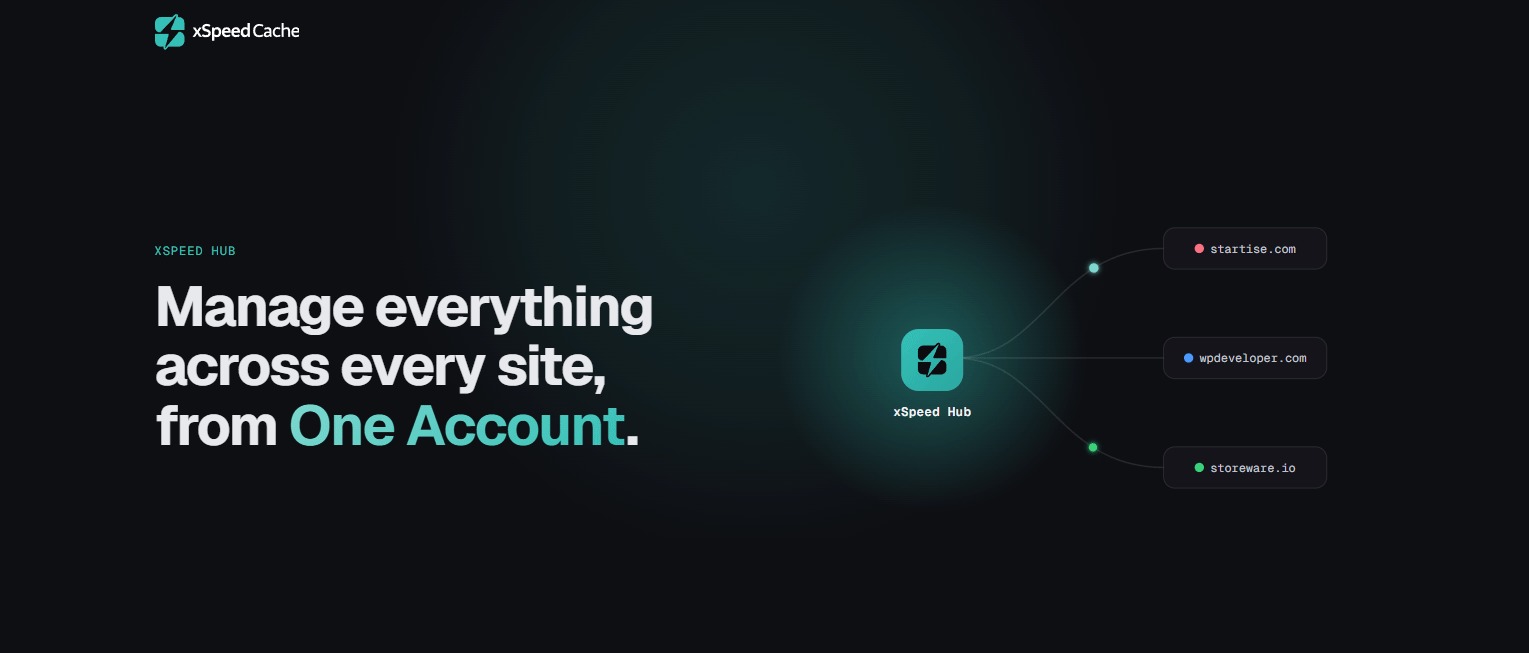
For anyone managing more than one WordPress site, whether that is an agency, a freelancer with several client builds, or a business running multiple properties, xSpeed Cache adds a second layer worth knowing about: xSpeed Hub. Hub is a free, centralized dashboard that connects every WordPress site under one account, allowing a single AI connection to reach the entire portfolio at once rather than logging into each site’s dashboard separately.
Through Hub, a benchmark, an audit, or a settings change can be applied across many connected sites in one workflow, with daily monitoring, team roles, and scoped credentials so different team members or clients can be given the right level of access. Combined with the MCP server, this positions xSpeed Cache and its Hub feature as a genuinely new category: multi-site management running entirely through an AI connection, bundled free into the plugin itself regardless of hosting provider, something no other caching plugin currently offers in one product.
xSpeed Cache Feature Breakdown
The free plugin is described as a complete toolkit rather than a limited trial, and the feature list backs that up:
Included free:
- Page and mobile caching with per-post rules, custom expiry windows, and automatic purge on publish or update
- Object cache support for Redis and Memcached
- Minify, combine, and defer CSS and JavaScript, with a safe-minify mode that avoids breaking a page
- GZIP compression, auto-configured on Apache and LiteSpeed
- Lazy loading for images, iframes, and video, with an automatic fix for layout shift
- Font optimization using font-display swap and preloading
- CDN and Cloudflare zone connection with automatic purge on publish
- Database cleanup and scheduled auto-cleanup
- Bloat and Heartbeat control to disable unused WordPress features
- A built-in importer to bring settings over from another caching plugin
- The MCP server and xSpeed Hub connection described above
Added in Pro:
- An AI recommendations engine that suggests and applies one-click fixes
- Choice of AI provider, bringing your own OpenAI, Anthropic, Gemini, or OpenRouter key, with model selection and usage tracking
- Self-healing cache that automatically resolves conflicts with other plugins
- Critical CSS generation and Remove Unused CSS
- Brotli compression alongside the free GZIP option
- WebP and AVIF image conversion
- Real-user monitoring and PageSpeed dashboard tracking over time
- White-label branding and a multisite network dashboard, aimed squarely at agencies
- Priority support is included with every Pro plan
xSpeed Scan: A Free Speed Check Without Installing Anything
Alongside the plugin itself, WPDeveloper runs a separate, free tool called xSpeed Scan. It requires no plugin install and no account, just a URL. Entering one triggers a Lighthouse-based audit combined with server-side probes, and a report returns in roughly 20 to 60 seconds: an overall score from 0 to 100, broken into four separate performance dimensions, with each contributing issue named specifically rather than folded into a single vague number.
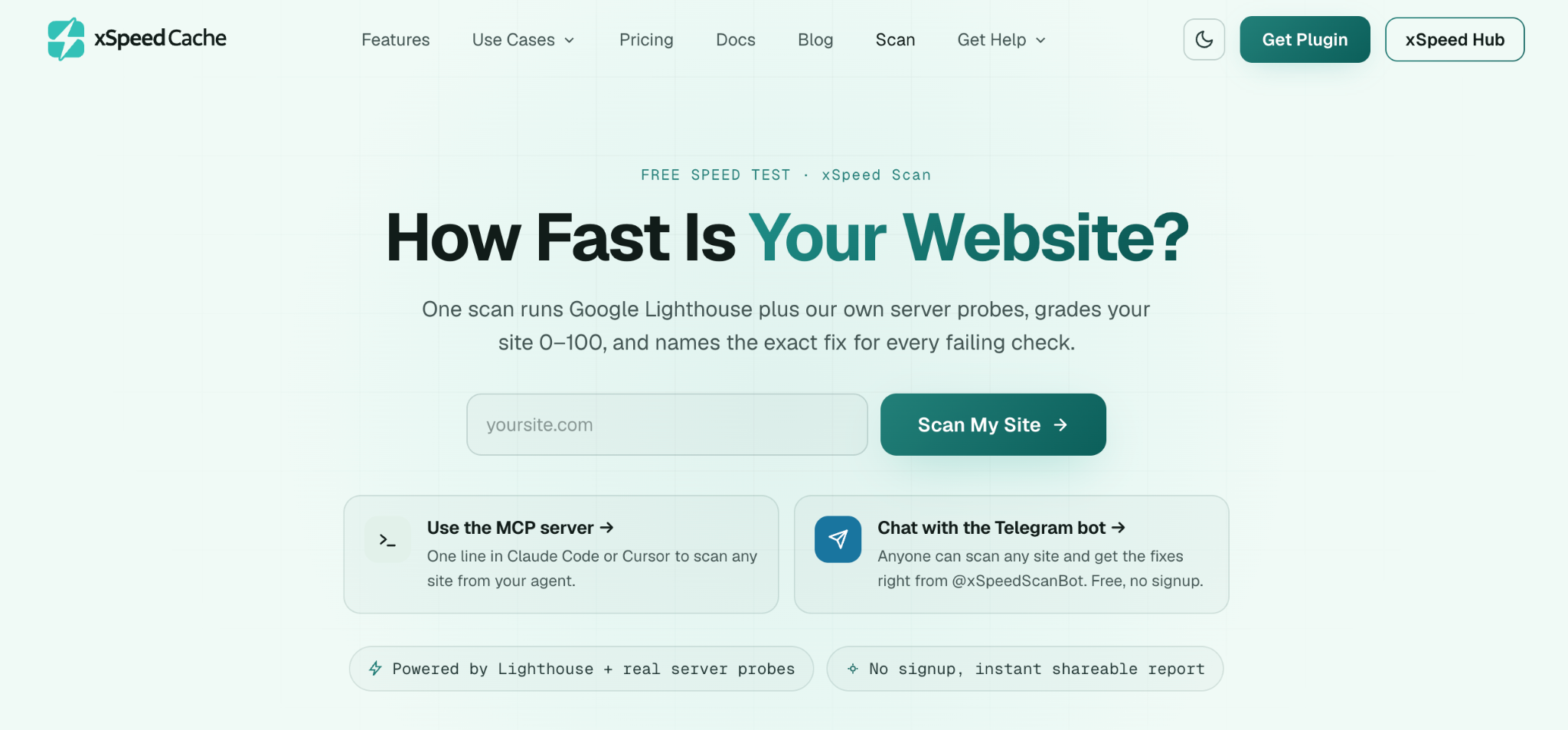
The report itself is shareable and useful as a quick before-and-after record on its own. If the scanned site already runs xSpeed Cache with its MCP server connected, the report goes a step further, mapping each finding to a specific AI prompt that can act on it directly, turning the scan from a static diagnostic into something an AI assistant can work from immediately.
Who Actually Benefits From xSpeed Cache
A content publisher or blog chasing better Core Web Vitals gets the biggest wins from the static-first engine, lazy loading, and font optimization alone. A WooCommerce store gains speed without the usual risk, since logged-in shopper traffic and checkout pages are excluded from caching automatically. A digital agency or freelancer managing several client sites gets a genuinely different operating model through xSpeed Hub, replacing repeated manual maintenance with one AI-driven workflow across the whole portfolio.
A non-technical business owner, someone who has never wanted to learn what “critical CSS” means, gets to simply ask an AI assistant to make the site faster and let it handle the rest. And a developer or technical team retains full control, with a complete WP-CLI command set and granular per-post caching rules available for anyone who prefers scripting configuration directly. A closer look at how these use cases play out in practice is available on the xSpeed Cache use cases page.
How xSpeed Cache Compares to WP Rocket and W3 Total Cache
Two names dominate most conversations about WordPress caching: WP Rocket and W3 Total Cache. WP Rocket is well regarded and easy to set up, but it has no free version at all, starting at $59.95 a year for a single site with no way to try it without paying first. W3 Total Cache is free and highly capable but has a reputation for being difficult to configure correctly without technical help, which makes it a demanding starting point for a business owner without a developer on hand.
xSpeed Cache sits in an interesting middle ground: a free tier that is genuinely comparable in depth to W3 Total Cache, paired with a setup experience closer to WP Rocket’s simplicity. Layered on top of both is the multi-site management angle that neither competitor currently offers. On the underlying caching mechanism, xSpeed Cache and WP Rocket’s paid tiers both serve pages statically before PHP loads, while W3 Total Cache’s approach still routes more of the request through PHP. For a full breakdown covering roughly 80 individual capabilities across both products, xSpeed Cache maintains a detailed comparison page worth reviewing before making a final call, especially for anyone currently paying for one of the alternatives.
Installing xSpeed Cache and Migrating From Another Plugin
Getting started is straightforward: search for xSpeed Cache under Plugins, Add New inside the WordPress dashboard, install and activate it, then follow the built-in setup wizard, which enables page caching, minification, and lazy loading with sensible defaults already selected.
For anyone switching from an existing caching plugin, a few precautions matter. The current caching plugin should be fully deactivated, not merely switched off, and its cached files cleared before xSpeed Cache takes over, since leftover rewrite rules from a previous plugin are a common source of post-migration issues. xSpeed Cache’s built-in importer can bring over relevant settings automatically where available.
Sites running WooCommerce should double-check that cart, checkout, and account pages are excluded from caching, and sites hosted on LiteSpeed servers should note that xSpeed Cache automatically detects LiteSpeed Cache’s own server-level module and steps back to avoid double-caching. Running the built-in preloader afterward ensures the very first visitors after the switch are not served a cold, unoptimized page.
Full setup and migration documentation is available in the xSpeed Cache documentation.
xSpeed Cache Pricing and the Current Launch Deal
The free plugin remains free indefinitely and is not a trial. For businesses or agencies wanting the full intelligence layer, Pro is sold per number of site activations, available as a yearly subscription or a one-time lifetime license. xSpeed Cache is currently running a founding-customer launch promotion offering 50% off every paid plan for the first six months on yearly billing and one-time on lifetime licenses, described as limited-time launch pricing before it increases.
| Plan | Sites | Yearly (launch price) | Yearly (regular price) | Lifetime (launch price) |
| Personal | 1 | $29/year | $58/year | $79 once |
| Business | 5 | $49/year | $98/year | $149 once |
| Agency | 25 | $99/year | $198/year | $249 once |
| Enterprise | Unlimited | $199/year | $398/year | $399 once |
Every paid plan includes a 14-day, no-questions money-back guarantee. Since launch pricing is explicitly time-limited, the current numbers should be confirmed directly on the xSpeed Cache pricing page before purchasing.
FAQs:)
A. The free version of xSpeed Cache is a complete toolkit, not a limited trial. It includes page and mobile caching, minification, lazy loading, font optimization, CDN support, database cleanup, the built-in MCP server, and xSpeed Hub, and it remains free indefinitely.
A. MCP stands for Model Context Protocol, an open standard that lets an AI assistant such as Claude, ChatGPT or any other MCP-supported AI tool connect directly to an application and operate it through plain-language instructions. Inside xSpeed Cache, the MCP server allows an AI assistant to check cache status, run benchmarks, adjust settings, and warm the cache without anyone navigating the WordPress dashboard manually.
A. Yes. Logged-in shopper sessions, cart pages, and checkout pages are automatically excluded from caching, which avoids the common problem of a cached page showing a customer someone else’s cart contents.
A. xSpeed Cache offers a free tier comparable in depth to W3 Total Cache, combined with a setup experience closer to WP Rocket’s simplicity. xSpeed Hub adds a further layer on top: a free, centralized dashboard that manages an entire portfolio of sites through one AI connection, rather than logging into each site individually. A full feature-by-feature comparison is available on the xSpeed Cache comparison page.
A. xSpeed Hub is a free, centralized dashboard that connects every WordPress site under one account, allowing a single AI connection to manage an entire portfolio of sites instead of logging into each site’s dashboard individually. Hub is included in the free plan, not held back for Pro.
A. xSpeed Cache requires WordPress 6.0 or higher and PHP 7.4 or later, and it works across Apache, nginx, LiteSpeed, and IIS hosting environments, with automatic server-level configuration on Apache and LiteSpeed.
A. The built-in importer can bring over settings automatically from a previous caching plugin. The main precaution is fully deactivating and clearing the cache of the old plugin first, since leftover rewrite rules are the most common source of post-migration issues.
A. Yes. Every paid tier, from Personal through Enterprise, is available as either a yearly subscription or a one-time lifetime license, and every paid plan includes a 14-day money-back guarantee.
Conclusion:)
A caching plugin that quietly does its job well is easy to take for granted. And xSpeed Cache’s underlying engine, static-first delivery, automatically on Apache, and available on Nginx with a one-time config snippet, is exactly that kind of solid, unglamorous engineering. What makes this particular launch worth paying attention to is everything built on top of it: a genuinely complete free tier, a native connection that lets an AI assistant operate the plugin directly, and a free multi-site hub that extends that same control across an entire portfolio of websites. The free multi-site hub feature doesn’t exist anywhere else in the WordPress caching space, which is exactly why xSpeed Cache is worth a look for anyone managing more than one WordPress site.
xSpeed Cache is available now, free, from the WordPress.org plugin directory, with full details on Pro and the current launch deal at xspeedcache.com.
“A faster website creates a smoother experience for every visitor. The right tool makes that speed easier to maintain.” — Mr Rahman, Founder of Oflox®
Read also:)
- API Gateway vs Load Balancer: A Complete Beginner’s Guide!
- What Is JSON Web Token? A Complete Guide for Beginners!
- 5+ Branding Techniques That Deliver Results — from Esp, LLC
We hope this guide helped you understand what xSpeed Cache is and whether it is suitable for your WordPress website. Have a question or experience to share? Let us know in the comments below!