This article provides a detailed guide to What Is JSON Web Token, how JWT works, and how developers use it in authentication and API authorisation.
When you log in to a website, the application needs a way to recognise your later requests. Otherwise, you would have to enter your password whenever you opened a dashboard, checked an order or updated your profile.
Different applications solve this problem differently. Some maintain server-side sessions. Others use tokens that clients present when requesting protected resources.
One widely used token format is JSON Web Token, commonly called JWT.
You will find JWTs in discussions about SaaS platforms, mobile applications, APIs, microservices and single sign-on. However, popularity has also created confusion. A JWT is not automatically encrypted, does not replace every session system and cannot make an application secure on its own.
In this Oflox® guide, we will explain the technology in simple language, examine practical examples and explore the decisions that matter before implementation.
Let’s explore it together.
Table of Contents
What Is JSON Web Token?
JSON Web Token (JWT) is a standard format for representing claims as a compact string that applications can exchange. Claims describe information such as a subject, issuer, audience or expiry time. JWTs can be signed to protect integrity, encrypted to protect confidentiality, or both.
A claim is simply a statement represented as a name and value. For example, a token might state that its subject is customer user_204.
The JWT standard was published as RFC 7519 in May 2015. It defines a format; it does not define a complete login system.
For example:
Imagine a business conference where the reception desk checks your registration and issues a pass.
The pass identifies you and indicates which areas you may enter. Staff still need to check whether the pass is genuine, whether it belongs to this event and whether your access is still permitted.
A JWT can play a similar role inside an application. However, the analogy has one limitation: many access tokens are bearer credentials. Someone who steals one may be able to use it without proving they are the original holder.
Why Is JWT Important?
Consider an online learning business with a website, mobile app, course service and reporting API.
If these components use unrelated identity formats, every integration needs additional translation and special handling. A shared token format can make the boundaries between systems clearer.
JWTs are useful when different services need to interpret a limited set of trusted claims. Their value comes from consistency, not from the name of the technology.
For a business owner, the important questions are practical:
- Can the team identify which service issued a token?
- Can each API restrict tokens to its own audience?
- Can access be withdrawn when required?
- Can developers investigate failures without exposing credentials?
- Is the architecture manageable for the team maintaining it?
A well-designed authentication system should answer these questions whether it uses JWTs or another approach.
Background: How JWT Fits into Modern Identity
JWT belongs to the broader JSON Object Signing and Encryption ecosystem, often shortened to JOSE.
Related standards cover signatures, encryption, algorithms and key representation. This separation allows applications to use shared building blocks instead of inventing their own formats.
In 2020, RFC 8725 documented JWT security best practices, including algorithm verification and precautions against accepting a token in the wrong context.
Later profiles added more specific requirements. For example, RFC 9068 defines a JWT profile for OAuth 2.0 access tokens. It requires signed tokens and prohibits the none signing algorithm. These requirements apply to that profile; they should not be confused with every possible use of the base JWT format.
This history explains why copying an old tutorial is risky. Correct implementation depends on the token’s purpose and the current requirements of the system consuming it.
What Are the Parts of a JWT?
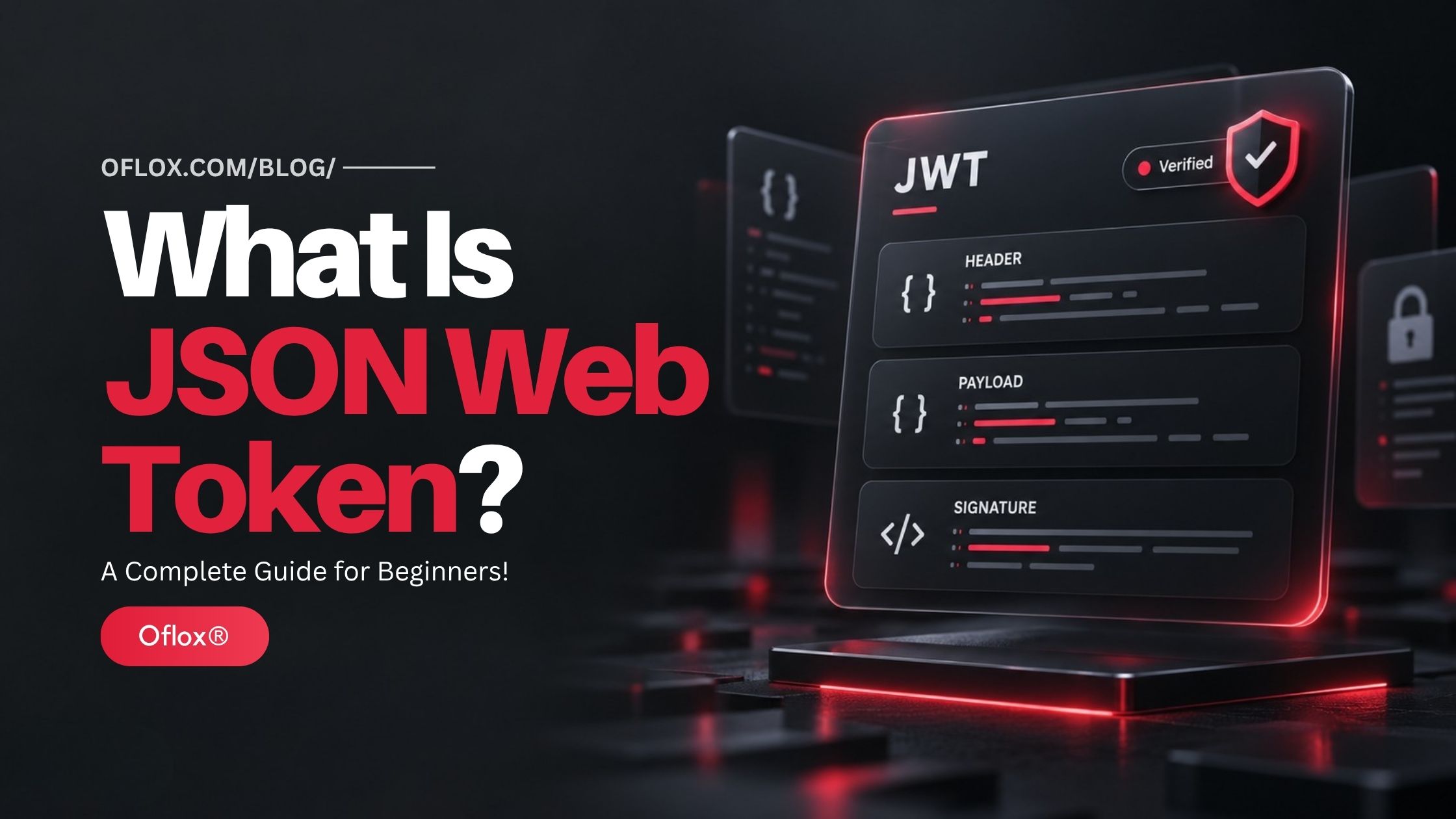
A commonly encountered signed JWT uses three sections:
encoded-header.encoded-payload.signatureThe sections are separated by full stops.
1. Header
The header describes how the token is protected. An illustrative header might contain:
{
  "alg": "RS256",
  "typ": "JWT",
  "kid": "signing-key-01"
}
Here, alg identifies the algorithm, typ identifies the declared token type and kid helps select a key.
These fields describe the token; they are not permission to trust an arbitrary algorithm or key supplied by an attacker.
2. Payload
The payload contains claims. An application-specific example could look like this:
{
  "sub": "user_204",
  "tenant_id": "company_18",
  "permissions": ["reports:read"]
}
This is an educational fragment, not a complete access-token profile.
3. Signature
The signature or message authentication code protects the encoded header and payload against undetected modification when verified with the correct trusted key. It does not conceal their contents. The three-part structure comes from JWS compact serialisation.
Are All JWTs Three Parts?
No. A JWT using JWE compact serialisation has five sections and encrypts its claims. Signing and encryption address different needs, and some designs combine them.
For the rest of this guide, “signed JWT” refers to the familiar three-part form.
Understanding JWT Claims
The following names are commonly encountered in JWTs:
| Claim | Meaning | Practical purpose |
|---|---|---|
| iss | Issuer | Identifies who issued the token |
| sub | Subject | Identifies the entity the token concerns |
| aud | Audience | Identifies intended recipients |
| exp | Expiration time | Sets the expiry boundary |
| nbf | Not before | Sets the earliest acceptance time |
| iat | Issued at | Records the issuance time |
| jti | JWT identifier | Identifies an individual token |
These names are registered in the IANA JWT claims registry. Application-specific fields such as tenant_id need a clearly documented meaning shared by issuer and verifier.
Time claims use seconds relative to the Unix epoch, not JavaScript milliseconds. Also, the base JWT specification does not make every registered claim mandatory; application profiles determine required claims.
For your own API, define a written contract. Specify required fields, data types, allowed issuers, intended audience and rules for missing or unexpected values.
That contract prevents two teams from interpreting the same field differently.
How Does JWT Authentication Work?
The following example describes a fictional project-management application.
1. The User Signs In
A customer submits credentials through HTTPS or completes an identity-provider login.
The authentication service checks the credentials and any required additional verification. JWT does not perform the password check itself.
2. The Issuer Creates a Token
After successful authentication, the issuer creates an access token containing the claims needed by the project API.
It might identify the customer, their organisation and the permitted operations.
The issuer should avoid turning the token into a copy of the customer’s entire database record.
3. The Client Receives the Token
Depending on the architecture, the token may be held by a backend, stored temporarily by a client or handled through a carefully designed cookie flow.
This decision affects exposure to browser attacks and how the application manages sessions.
4. The Client Requests a Resource
In a bearer-token API design, a request commonly includes:
GET /api/projects HTTP/1.1
Host: api.example.com
Authorization: Bearer <access-token>
HTTPS is necessary to protect authentication credentials while they travel between systems. A token signature does not replace transport security.
5. The API Validates the Token
The API verifies the cryptographic protection using trusted configuration, checks the expected issuer and audience, and enforces time and token-type requirements.
The verifier must restrict accepted algorithms rather than blindly follow the token’s alg value. Different token purposes should have distinct validation rules where needed.
6. The API Checks Permission
A valid token does not automatically grant access to every project.
The API still checks whether this customer may perform the requested action on this particular resource.
For example, permission to read projects in Company A must not allow access to Company B’s projects by changing an ID in the request.
7. The Application Handles Expiry
When the access token expires, the client follows the configured renewal or sign-in process.
The user experience should explain an expired session clearly and avoid repeated requests that continuously fail.
Authentication vs Authorisation
These terms answer different questions:
| Concept | Question | Example |
|---|---|---|
| Authentication | Who are you? | Confirming a customer’s identity |
| Authorisation | What may you do? | Allowing that customer to view a specific invoice |
Suppose two employees successfully log in to an accounting application. One can view invoices, while the other can approve refunds.
Both are authenticated. Their authorisation differs.
During development, test these cases separately. A login test proves little about whether object-level permission checks work correctly.
A particularly useful test is to sign in as an ordinary user and request a resource belonging to another user. The application should deny that request even if the token is genuine.
JWT vs Sessions, Cookies and OAuth
These technologies are often compared as if they perform the same job.
| Term | What it represents | Key distinction |
|---|---|---|
| JWT | A claims format | Describes token contents and protection |
| Server-side session | A session-management approach | Usually keeps session state on the server |
| Cookie | Browser storage and HTTP transport mechanism | Can carry a session ID or a token |
| OAuth 2.0 | An authorisation framework | Does not require every access token to be a JWT |
| OpenID Connect | An identity layer over OAuth 2.0 | Defines ID tokens for communicating authentication information |
OpenID Connect uses an ID token to convey authentication claims to a client. An API access token serves a different purpose, so developers should not casually substitute an ID token when calling a protected API.
1. When a Server Session May Be Simpler
For a small website with one backend and a browser interface, a server-side session can be easier to operate.
For example, an internal attendance portal may need immediate logout, a small number of users and straightforward administrative controls. Introducing a distributed token architecture could create more maintenance than value.
2. When JWT May Fit Better
JWT may fit a system where several independently deployed APIs need a common, verifiable claims format.
However, make the decision after examining revocation, privacy, network boundaries and operational ownership. “Our application is modern” is not an architectural requirement.
Key Features and Benefits of JWT
Here are the main features that can make JWT useful in a suitable architecture.
- Shared Format: A documented token contract helps teams working in different programming languages exchange identity-related information consistently. The practical benefit is fewer custom translation rules between services.
- Verifiable Claims: A correctly validated signed token gives a service a basis for trusting claims from its configured issuer. That trust remains limited to the issuer, token purpose and application policy.
- Local Validation: Some designs allow APIs to validate access tokens without contacting the issuer on every request. This can reduce a runtime dependency, although databases may still be needed for business data, current permissions or revocation checks.
- Clear Service Boundaries: Audience restrictions help define which API a token is intended for. A reporting token should not become a general-purpose credential accepted by unrelated services.
- Useful Diagnostic Context: Documented issuer, audience and expiry rules give developers concrete things to check when requests fail. The benefit is better troubleshooting, provided logs record safe metadata instead of complete tokens.
- Flexible Deployment: An organisation can centralise token issuance while distributing validation across services. This requires coordinated key management and consistent policy. Flexibility does not remove operational responsibility.
Challenges and Limitations of JWT
Before choosing JWT, understand the problems your implementation must solve.
- Token Theft: A stolen bearer access token can be useful to an attacker until it expires or is otherwise rejected. Treat tokens as credentials. Avoid placing them in screenshots, support tickets, analytics events or publicly shared debugging output.
- Revocation: A locally validated token may continue working after a user logs out unless the system has additional controls. Deleting a browser copy does not invalidate another copy that has already been stolen.
- Outdated Permissions: A token reflects information from its issuance time. If a staff member changes teams or loses administrative access, an older token may still carry earlier claims. Decide which operations require a current permission check.
- Token Size: Adding extensive profile data increases request size and creates unnecessary exposure. An API handling thousands of requests should not repeatedly receive a biography, address book or complete permissions catalogue when a few identifiers would suffice.
- Operational Complexity: Key rotation, clock differences, issuer outages and inconsistent configuration can break legitimate requests. These are manageable issues, but someone must own them. Document responsibility before the application reaches production.
Where Should JWTs Be Stored?
No storage answer fits every application.
OWASP advises protecting tokens in storage, avoiding insecure browser storage for sensitive credentials and using secure mechanisms appropriate to the client. It also recommends short token lifetimes, correct validation and secure transmission.
| Approach | Useful property | Main consideration |
|---|---|---|
| Browser memory | Avoids persistent browser storage | Active malicious JavaScript can still act within the application |
| localStorage | Simple persistence | JavaScript access exposes tokens during XSS |
| HttpOnly cookie | Prevents JavaScript from directly reading the cookie | Automatically attached cookies require CSRF protections |
| Backend-for-frontend | Keeps downstream tokens on the server | Adds a backend and its session-management responsibilities |
| Mobile secure storage | Uses platform storage controls | Requires correct platform-specific implementation |
An HttpOnly cookie does not make cross-site scripting harmless. Malicious code may still trigger actions through the user’s browser.
For cookie-authenticated requests, use appropriate SameSite settings, origin checks and anti-CSRF measures. OWASP explains that CSRF exploits a browser’s authenticated state to submit unwanted requests.
Choose storage as part of the overall threat model, not as a last-minute frontend convenience.
Access Tokens, Refresh Tokens and Logout
An access token is presented to a protected resource. A refresh token is used to obtain another access token through the authorisation server. Refresh tokens are not intended to be sent to ordinary resource APIs.
A hypothetical design might give access tokens a ten-minute lifetime while allowing a longer session through controlled refresh. Ten minutes is an example, not a universal recommendation.
For public clients, OAuth security guidance requires refresh-token replay detection through rotation or sender-constrained refresh tokens. With rotation, the previous refresh token becomes invalid and the server retains information needed to detect reuse.
Plan Logout Explicitly:
Decide what logout means for your product.
- End the current browser session.
- Revoke the current refresh-token family.
- End all sessions for the account.
- Block further sensitive operations immediately.
- Allow existing access tokens to expire within a documented window.
Different products need different guarantees.
For an ordinary reading dashboard, a short residual access window may be acceptable. For an administrative account performing sensitive changes, stronger immediate checks may be necessary.
Write this decision in product requirements so the interface does not promise more than the backend delivers.
Practical JWT Use Cases
The following are illustrative scenarios, not claims about specific companies.
- SaaS Reporting Platform: A business customer logs in and requests campaign reports. The reporting API checks the token and then verifies that the requested report belongs to the customer’s organisation. Tenant isolation remains a separate application responsibility.
- Mobile Learning Application: A learner opens a course on a mobile device. The application sends an access token to the course API, which checks both identity and current enrolment. Having a valid login does not automatically mean the course has been purchased.
- Internal Microservices: An order service calls an inventory service using credentials intended for that service relationship. The team defines whether the caller represents a workload, an end user or both. This avoids confusing machine permissions with customer permissions.
- Business Sign-In: An application uses OpenID Connect with an identity provider. Its ID-token checks follow the protocol’s requirements, including audience and applicable nonce validation. The application then manages its own session and API access appropriately.
Tools and Libraries for Working with JWT
Use an established library rather than writing your own parser and cryptography.
| Tool | Ecosystem | Typical use |
|---|---|---|
| jose | JavaScript and supported runtimes | JWT signing, verification and JOSE operations |
| PyJWT | Python | Encoding and verifying JWTs |
| PHP-JWT | PHP | JWT creation and validation |
The projects’ official documentation explains supported operations and configuration. Check compatibility and security updates before adopting a version.
A token decoder is useful for inspecting dummy data, but decoding does not prove authenticity.
When investigating a production issue, reproduce it with a test token where possible. Never paste live credentials or private signing keys into public tools.
A Beginner-Friendly Verification Example
The following pseudocode illustrates application responsibilities. It is not executable production code:
token = extract_bearer_token(request)

claims = verifier.verify(
    token,
    trusted_keys = configured_issuer_keys,
    allowed_algorithms = configured_allowlist,
    expected_issuer = configured_issuer,
    expected_audience = "reports-api",
    required_claims = ["iss", "sub", "aud", "exp"],
    enforce_expiry = true,
    enforce_not_before_if_present = true,
    expected_token_type = configured_type
)

subject = resolve_subject(claims.issuer, claims.subject)

if not policy.can_read(subject, requested_report):
    deny_request()

return requested_report
Your chosen library determines the actual API and which checks require explicit configuration.
Do not assume that a method called decode performs every check you need. For example, PyJWT documents separate options for requiring claim presence and verifying claim values.
The application must also handle errors safely. Return an appropriate authentication or permission response without exposing private keys, raw tokens or unnecessary internal details.
Expert Tips for a Reliable JWT Implementation
These practical steps make a token design easier to review and maintain.
- Write a Token Contract: Keep a short document describing each token’s issuer, audience, purpose, lifetime and claims. Include examples of rejected tokens, not only accepted ones.
- Separate Identity from Business State: A token can identify a customer, but a database may remain the correct source for current subscription status or payment approval. Avoid encoding fast-changing facts unless the application deliberately accepts the delay before they update.
- Plan Key Rotation: Document how a new signing key becomes available to verifiers and how an old key is retired. For normal rotation, allow a planned overlap. For suspected compromise, prepare a different emergency response that prioritises rejecting affected credentials.
- Protect the Signing Boundary: In an asymmetric design, signing authority stays with the private-key holder while other services use public keys for verification. With HMAC, parties holding the shared secret can generate valid MACs as well as verify them. Choose the arrangement that matches your trust boundaries.
Test Failure Cases & Use a test matrix:
| Test | Expected result |
|---|---|
| Expired access token | Rejected |
| Wrong audience | Rejected |
| Untrusted issuer | Rejected |
| Modified payload | Rejected |
| Missing required claim | Rejected |
| Valid token, unauthorised resource | Access denied |
| Old key during planned overlap | Handled according to rotation policy |
These tests check security decisions that a successful login test cannot cover.
Common JWT Mistakes to Avoid
Here are some common JWT mistakes to avoid when building secure authentication and API access systems.
- Treating Decoded Data as Trusted: A readable payload is not verified identity. Keep inspection tools separate from authentication decisions.
- Assuming Every JWT Is Encrypted: A normal signed JWT exposes its claims to anyone who possesses it. Use minimal data and apply an appropriate confidentiality design when needed.
- Choosing Excessively Long Lifetimes: Long-lived credentials increase the time available for misuse. Balance usability against the product’s access-removal requirements.
- Putting Authorisation Only in the Frontend: Hiding a button improves usability but does not protect the underlying endpoint. The API must enforce permissions even when requests come from outside your interface.
- Logging Complete Credentials: A debugging convenience can become a second credential store with broad staff access. Record safe error categories and request identifiers instead.
- Skipping Tenant Checks: A legitimate user can still request another organisation’s data. Check resource ownership and tenant boundaries consistently.
- Ignoring Recovery Behaviour: Test what happens after password changes, account suspension, lost devices and suspected theft. A secure design includes recovery, not just initial sign-in.
FAQs:)
A. JWT stands for JSON Web Token. It is a format for representing claims exchanged between applications.
A. No. It is a token format that authentication and authorisation systems may use.
A. They can generally read the header and payload of a signed, unencrypted JWT. Reading those fields does not let them create a valid signature.
A. Neither is universally better. Consider the number of services, client types, revocation requirements and maintenance capacity.
A. Only if the system implements controls that cause the relevant services to reject it. Removing a local copy alone is insufficient.
A. No. Tokens should not carry passwords or unnecessary secrets. They are credentials themselves and can be exposed during handling.
A. Yes. Applications commonly enforce the exp claim. Expiry must actually be checked by the verifier.
A. No. OAuth is an authorisation framework. JWT is one possible format used for tokens within an identity architecture.
A. No. A refresh token’s format depends on the issuer. It may be an opaque value instead.
A. Only where the system intentionally relies on token claims for those decisions. Current entitlements, resource ownership and sensitive changes may still require server-side checks.
Conclusion:)
We hope this article has helped you understand what JSON Web Token is, how JWT works, and where it fits in modern application security.
JWT provides a shared format for claims, but its success depends on decisions around validation, storage, permissions, expiry and key management.
Before adopting it, define what your application needs and what should happen when access changes. Start with a clear token contract, use maintained libraries and test rejected requests as carefully as successful ones.
For a small website, a conventional server session may meet the requirements well. For a distributed application, JWT may provide useful interoperability when the surrounding controls are designed properly.
“A JSON Web Token carries claims, but careful validation is what makes those claims trustworthy.” — Mr Rahman, Founder & CEO, Oflox®
Read also:)
- What Is Web Share API: A Complete Guide for Beginners!
- What Is HTTP Compression: A Complete Guide for Beginners!
- What Is Web Push Notification? A Complete Guide for Beginners!
Have questions or suggestions about JSON Web Tokens? Share them in the comments below and help other readers understand token-based authentication and API security.