This article provides a detailed guide about What Is API in Programming? how it works, and why it is important for connecting applications, sharing data, and automating tasks.
Have you ever wondered how a shopping website processes your payment or a weather app shows the latest temperature for your city? These applications often rely on other software to provide specific information or services.
Imagine you run an online store. Your website displays products, a payment provider handles transactions, and a courier service shares delivery updates. These separate systems need a reliable way to communicate so customers can complete their purchases and track their orders.
This is where an API (Application Programming Interface) comes into the picture. It defines how one software component can request information or use the functionality of another, without needing to understand its internal code.
APIs are not limited to online services. They also help developers work with browsers, software libraries, and operating systems, making them a fundamental part of programming.
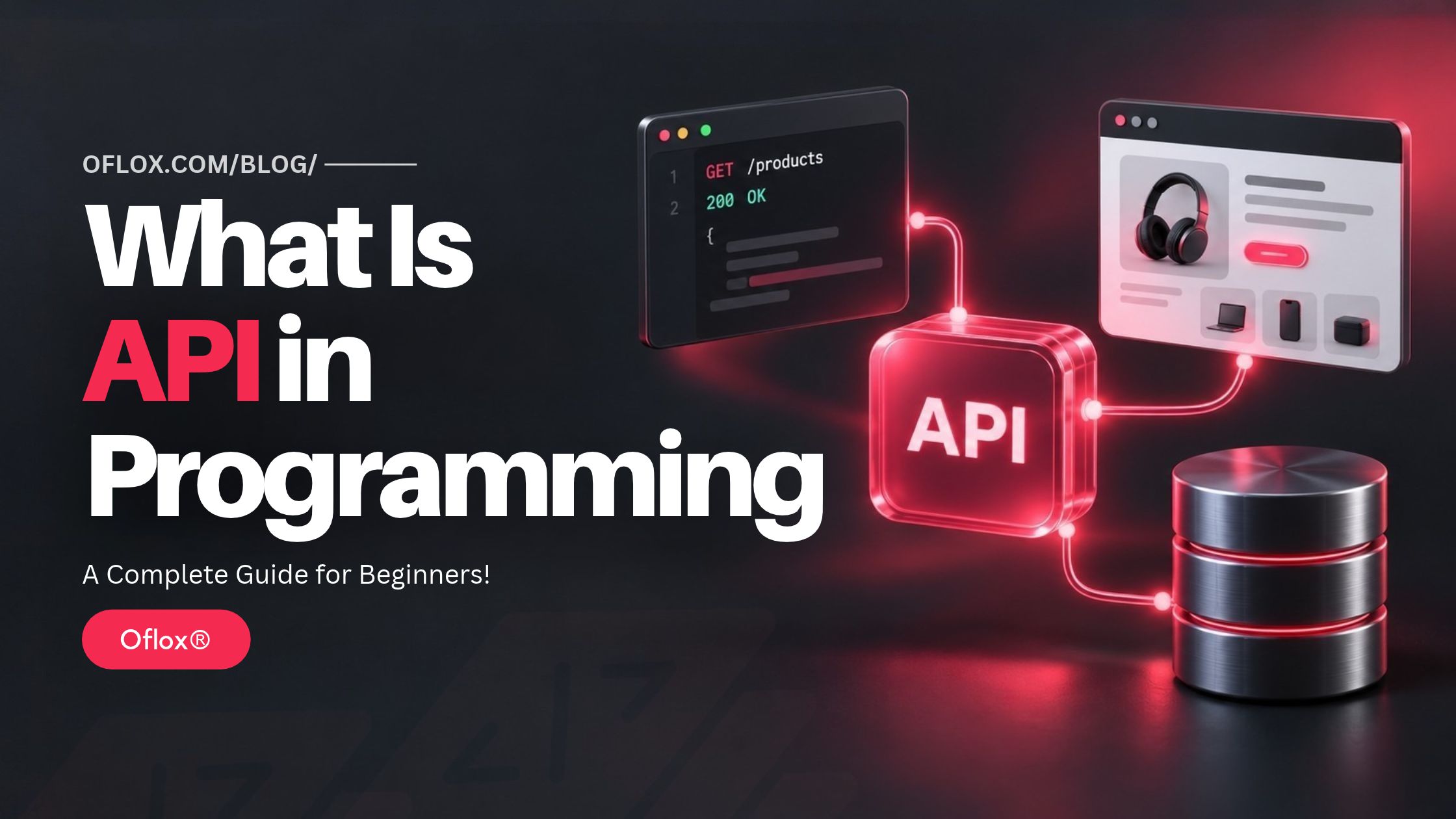
In this guide, we will explain how APIs work, their different types, practical examples, benefits, challenges, useful tools, and security best practices—in simple language for beginners and professionals.
Let’s explore how APIs help software work together.
Table of Contents
What Is API in Programming?
An API, or Application Programming Interface, is a defined set of rules and operations that allows one software component to use the capabilities of another. It specifies how to make requests, what information to provide, and what results or errors to expect.
In simple words, an API gives software a predictable way to interact with other software.
For example:
- A shopping application requests a product’s latest price.
- A browser API lets JavaScript update a webpage.
- A reporting tool retrieves campaign information.
- A file-handling API allows a program to read a document.
An API exposes selected capabilities while hiding unnecessary implementation details. Developers can use those capabilities without understanding every line of the underlying software.
What Is the Full Form of API?
API stands for Application Programming Interface.
| Word | Meaning |
|---|---|
| Application | The software or component offering functionality |
| Programming | Using that functionality through code |
| Interface | The defined boundary through which interaction happens |
An API is not a programming language. Developers can create or use APIs through languages such as JavaScript, Python, PHP, Java, and C#.
Why Are APIs Important in Programming?
APIs help developers build useful software without creating every capability from the beginning.
- They Enable Software Integration: A website, CRM, billing platform, and delivery service can exchange information through APIs. For example, a new website enquiry can become a CRM record automatically, reducing repeated data entry.
- They Support Reusable Functionality: A business can develop one product catalogue API and use it across its website, mobile app, and internal dashboard. The interfaces may look different, but the underlying product information remains consistent.
- They Separate Responsibilities: A frontend developer can focus on the user experience while a backend developer manages business rules and data access. An agreed API contract helps both teams work independently.
- They Enable Automation: APIs can support workflows such as, Creating invoices after approved orders, Updating stock after dispatch, Fetching reporting data, Synchronising contact information, Sending transactional notifications. Automation still needs error handling, monitoring, and clear ownership.
- They Support Business Expansion: A service with a well-designed API can become part of other products. For example, a logistics business can let approved merchants create shipments through their own order-management systems.
A Brief History of APIs
APIs existed before modern websites. Software libraries and operating systems already exposed interfaces that programs could use.
As networked computing developed, applications increasingly needed to call capabilities on other machines.
| Stage | Main development |
|---|---|
| Local software interfaces | Programs used library functions and operating-system services |
| Distributed systems | Remote calls connected software across machines |
| Web services | Internet technologies supported cross-company integrations |
| REST-oriented APIs | Web architecture influenced resource-based service design |
| Mobile and cloud platforms | Shared services supported many applications and devices |
| Modern integrations | APIs support automation, streaming, and AI-enabled workflows |
A major milestone was Roy Fielding’s description of Representational State Transfer, or REST, in his 2000 doctoral dissertation. REST describes architectural constraints for distributed hypermedia systems. It is not simply another name for any API returning JSON.
Today, different API approaches coexist because different applications have different requirements.
How Does an API Work? Step-by-Step!
Here’s a step-by-step explanation of how an API handles a request and returns a response, using a simple online shopping example.
1. The Client Initiates a Request
The client is the software requesting information. It could be a browser, mobile app, or another server.
A simplified request might look like this:
GET /api/products/101 HTTP/1.1
Host: shop.example.com
Accept: application/json
This asks for information about a product 101. The domain and endpoint here are illustrative.
2. The Server Receives the Request
The receiving system identifies the requested operation.
It may check:
- Whether the endpoint exists.
- Whether the input is valid.
- Whether credentials are required.
- Whether the caller has permission.
- Whether usage limits have been exceeded.
Not every API requires a login. Public product information may be accessible anonymously.
3. The Application Performs the Work
The application runs its business logic.
It may retrieve information from a database, read a cache, calculate a result, or contact another service.
An API does not have to access a database on every request.
4. The Server Returns a Response
A successful response could contain:
{
  "id": 101,
  "name": "Wireless Keyboard",
  "price": 1499,
  "currency": "INR",
  "in_stock": true
}
The response also includes an HTTP status code and headers.
5. The Client Uses the Result
The website displays the product name, price, and availability. If the request fails, it should show an appropriate message or recovery option.
This request-and-response explanation describes a common HTTP API workflow. APIs also exist locally, and some network interfaces use streaming or event-based communication. HTTP itself defines how clients and servers exchange requests and responses.
Essential API Terms Every Beginner Should Know
Understanding these terms makes API documentation easier to read.
| Term | Simple explanation |
|---|---|
| Client | Software requesting a capability |
| Server | Software handling a network request |
| Endpoint | An address through which an API operation is exposed |
| Request | Information sent to ask for an action or result |
| Response | Information returned after processing |
| Header | Metadata accompanying a request or response |
| Request body | Content submitted with a request |
| Parameter | An input that identifies or modifies a request |
| Schema | A definition of expected data structure |
| Authentication | Establishing the caller’s identity |
| Authorisation | Deciding what that caller may do |
| Rate limit | A restriction on request frequency or consumption |
| API contract | Agreed operations, inputs, outputs, and behaviour |
1. Path Parameters vs Query Parameters
Consider this illustrative endpoint:
/api/products/101?currency=INRHere:
- 101 is a path parameter identifying a product.
- currency=INR is a query parameter influencing the representation.
Query parameters commonly support filtering, sorting, and pagination.
What Is JSON?
JSON stands for JavaScript Object Notation.
It is a text format commonly used to exchange structured data.
Despite its name, JSON is used across many programming languages. APIs can also exchange XML, binary messages, files, or other formats.
What Is an API Key?
An API key is a credential commonly used to identify a calling application or project.
Its exact permissions depend on the provider.
A key does not automatically represent an individual user or provide complete access control. Some keys are designed for restricted public use; secret credentials must remain protected.
Types of APIs in Programming
APIs can be classified by where they operate and who can access them.
1. Types Based on Where They Operate
| Type | Purpose | Example |
|---|---|---|
| Library API | Exposes functionality within a software library | Image-resizing functions |
| Operating-system API | Gives programs access to system capabilities | File and process operations |
| Browser API | Exposes browser functionality | DOM, Fetch, and Canvas |
| Remote API | Enables interaction across a network | Inventory or payment services |
This distinction matters because not every API requires an internet connection.
A browser can use certain APIs locally, while a library API may operate entirely within one process.
2. Types Based on Access
- Public APIs: Available to external developers under published terms. Registration, approval, or payment may still be required.
- Private APIs: Intended for internal applications or teams.
- Partner APIs: Shared with approved business partners.
“Public API” describes availability. It does not mean all data is public or that every operation is unrestricted.
REST, SOAP, GraphQL, and gRPC Explained
These terms describe different approaches to building networked interfaces. They are not interchangeable labels.
| Approach | Main idea | Typical suitability |
|---|---|---|
| REST | Architectural style centred on resources and constraints | Web and mobile service interfaces |
| SOAP | Structured messaging protocol using XML | Contract-heavy enterprise integrations |
| GraphQL | Schema-based query language and execution system | Clients needing flexible data selection |
| gRPC | Remote procedure call framework | Typed service-to-service communication |
1. REST APIs
A REST-oriented API commonly exposes resources through URLs:
GET /products
GET /products/101
POST /orders
HTTP methods communicate the intended operation.
However, using these methods and returning JSON does not, by itself, satisfy every REST constraint.
2. SOAP APIs
SOAP uses structured XML messages and supports established messaging conventions.
It can be suitable where organisations require formal service contracts and compatibility with existing enterprise systems.
3. GraphQL APIs
GraphQL lets clients specify the fields they need within a defined schema.
For example, a product card may request only a name and price instead of a larger product representation.
This flexibility requires thoughtful schema design, permissions, and query-cost controls.
4. gRPC APIs
gRPC lets clients invoke methods on remote services using defined inputs and outputs.
It commonly uses Protocol Buffers and generated client code, making it useful for strongly typed communication between services.
Choose an approach based on your application, team, clients, and operational needs.
Common HTTP Methods Used in APIs
HTTP methods describe the intended meaning of a request.
| Method | Common purpose | Illustrative example |
|---|---|---|
| GET | Retrieve a representation | Read product details |
| POST | Submit data for processing | Create an order |
| PUT | Create or replace the target resource’s state | Replace a saved profile |
| PATCH | Apply partial modifications | Update a display name |
| DELETE | Request removal of the target resource | Remove a saved address |
| HEAD | Retrieve headers without response content | Check resource metadata |
| OPTIONS | Discover communication options | Support a browser preflight |
The API’s documentation defines its supported operations. For example, POST is not restricted to creating records.
Important API Status Codes
HTTP status codes help explain the result of a request.
| Code | Meaning | Typical interpretation |
|---|---|---|
| 200 | OK | Request succeeded |
| 201 | Created | A resource was created |
| 204 | No Content | Success without response content |
| 400 | Bad Request | Request cannot be processed as submitted |
| 401 | Unauthorized | Valid authentication credentials are missing |
| 403 | Forbidden | Access is refused |
| 404 | Not Found | Target resource was not found |
| 409 | Conflict | Request conflicts with current state |
| 429 | Too Many Requests | Request rate limit was exceeded |
| 500 | Internal Server Error | Server encountered an unexpected problem |
| 503 | Service Unavailable | Service is temporarily unavailable |
A status code should be interpreted alongside the response body and API documentation.
Practical example: If a customer submits an expired access token, repeatedly sending the same token will not solve the issue. The application needs the documented authentication recovery process.
How to Use an API in Programming
Here is a practical workflow for beginners.
1. Define the Requirement
Start with a specific objective:
“Display the latest five published blog posts.”
This is easier to implement and test than a vague requirement such as “connect the website.”
2. Read the Documentation
Check the endpoint, method, authentication requirements, parameters, response structure, limits, and error behaviour.
Also confirm whether you are working in a test or production environment.
3. Make One Small Request
Begin with a read-only operation.
Use an API client or command-line tool to inspect the actual response before adding interface code.
4. Add the Request to Your Application
The following browser JavaScript example assumes your own website provides a same-origin endpoint at /api/products/101:
async function loadProduct() {
  try {
    const response = await fetch("/api/products/101", {
      headers: {
        Accept: "application/json"
      }
    });

    if (!response.ok) {
      throw new Error(`Request failed: ${response.status}`);
    }

    const product = await response.json();

    if (typeof product.name !== "string") {
      throw new Error("Unexpected product response");
    }

    console.log(product.name);
  } catch (error) {
    console.error("Could not load product:", error.message);
  }
}

loadProduct();
This example will not work unless that endpoint exists.
The explicit status check matters: fetch() does not automatically reject its promise merely because the server returns a status such as 404.
5. Handle Real Conditions
Before release, test:
- Missing or malformed data.
- Expired credentials.
- Slow responses and timeouts.
- Empty results.
- Rate limits.
- Temporary service failures.
Add a useful loading state and avoid leaving the user with an endless spinner.
6. Monitor the Integration
Track failures, response times, and usage. An integration that worked during development can still fail later because of configuration changes, outages, or expired credentials.
Real-World Examples of APIs
Here are some real-world examples of APIs that show how applications connect and power everyday digital experiences.
- Payment Processing: An online store can ask a payment provider to create a transaction and later verify its status. The store should confirm payment through trusted server-side mechanisms before fulfilling an order. A successful browser redirect alone should not be treated as final payment proof.
- WordPress Content: The WordPress REST API exposes interfaces for content such as posts, pages, and taxonomies. A separate frontend can retrieve published content while WordPress remains the content-management system. Protected actions require appropriate authentication and permissions.
- Marketing Dashboards: A reporting application can retrieve authorised information from advertising, analytics, and CRM platforms. The important challenge is meaning: “conversion,” “revenue,” and reporting dates may differ across systems. Combining API responses does not automatically make those figures comparable.
- Delivery Tracking: A store can obtain shipment updates and display them on an order page. However, freshness depends on the courier’s updates, caching, and integration frequency.
- Browser Features: JavaScript uses browser interfaces to update page elements, draw graphics, and request resources. These examples show that APIs are part of everyday programming, even when no external business service is involved.
API vs SDK vs Webhook vs Database
These terms often appear together but describe different things.
| Term | What it is | Example |
|---|---|---|
| API | A defined interface for using functionality | An order-creation operation |
| SDK | A development toolkit that may wrap APIs | A provider’s PHP package |
| Webhook | An event-triggered request sent to a configured destination | Payment-status notification |
| Database | A system for storing and querying information | Product and order records |
| User interface | The part people interact with | Checkout form |
- API vs SDK: An SDK can simplify authentication, request construction, and response handling. The API defines the interaction; the SDK provides convenient tools for working with it.
- API vs Webhook: With polling, your application repeatedly asks whether something changed. With a webhook, another system sends a notification when a relevant event occurs. Webhook handlers should verify authenticity and account for repeat deliveries. Stripe’s documentation, for example, explains signature verification and duplicate-event handling.
- API vs Database: A database stores information. An application API can enforce rules around how that information is accessed or changed. For example, an API may allow customers to view their own orders without exposing the underlying database directly.
Important Features and Benefits of a Good API
A useful API combines clear behaviour with dependable operation.
- Predictable Inputs and Outputs: Consistent naming and data structures reduce guesswork. If one endpoint returns dates in one format and another uses an undocumented format, integrations become harder to maintain.
- Clear Documentation: Documentation should explain successful requests, failure cases, permissions, limits, and examples. A working example often saves more time than several paragraphs of vague descriptions.
- Controlled Data Exposure: An API should return what a caller needs and is permitted to see. A public product response should not accidentally include supplier credentials or internal purchasing notes.
- Compatibility: An API can connect systems written in different languages when they follow compatible protocols and data formats.
- Maintainable Contracts: Teams can change internal implementation while preserving agreed external behaviour. This separation helps products evolve, but only if compatibility is actively managed.
- Efficient Data Access: Filtering, pagination, and appropriate caching can reduce unnecessary processing and transfer. The goal is to deliver useful information without moving or calculating more than necessary.
5+ Useful Tools for Working with APIs
Here are some useful tools to help you explore, test, and troubleshoot APIs more easily.
- Postman: Postman supports sending requests, organising collections, and writing API tests. It is useful when you want to inspect an endpoint before integrating it into application code.
- curl: curl is a command-line tool for transferring data using URLs. Developers commonly use it to reproduce requests and investigate problems outside the browser.
- Swagger UI: Swagger UI presents interactive documentation from an OpenAPI description. It helps developers explore available operations and understand request and response structures.
- Chrome DevTools: The Network panel shows requests made by a webpage, including headers, status codes, responses, and timing. It is particularly useful when an integration fails inside the browser.
- OpenAPI-Based Validation Tools: OpenAPI provides a standard way to describe HTTP APIs. Compatible tools can use those descriptions for documentation, validation, and other development workflows. Tool support varies, so check compatibility with your chosen specification version. For a beginner, one request tool and browser developer tools are usually enough to start.
- Insomnia: Insomnia is an API client for sending requests, inspecting responses, and testing APIs. It supports REST, GraphQL, and gRPC, making it useful for debugging different types of integrations.
- Hoppscotch: Hoppscotch is an open-source API development tool with a browser-based interface. It lets you configure headers, parameters, and authentication, send requests, and inspect responses—useful for quickly exploring an API.
Challenges and Limitations of APIs
Here are some common challenges and limitations of APIs to consider when building reliable applications.
- External Dependencies: If a provider is unavailable, the connected feature may fail. Decide which parts of your application can continue working and what users should see during an outage.
- Usage Limits and Costs: Some APIs restrict requests, transferred data, or expensive operations. Estimate normal traffic and peak usage. A feature that makes several calls per page view can consume its allowance quickly.
- Slow Responses: An endpoint may wait on multiple downstream services. Measure response times and set timeouts instead of allowing requests to wait indefinitely.
- Breaking Changes: Renamed fields, changed data types, and removed operations can disrupt existing clients. Review provider notices and maintain a plan for upgrades.
- Data Quality: A successful response can still contain incomplete or outdated information. Validate important assumptions before using returned data in business decisions.
- Browser Restrictions: Cross-Origin Resource Sharing, or CORS, affects whether browser JavaScript can access responses from another origin. CORS is not a replacement for authentication or authorisation. If a request works in a desktop client but fails in a browser, inspect the browser’s error and network details.
API Security Best Practices
APIs need protection because they expose application capabilities.
OWASP’s API security guidance highlights risks including broken object-level authorisation, broken authentication, unrestricted resource consumption, and unsafe consumption of external APIs.
Build security into the implementation:
- Use HTTPS to protect network traffic in transit.
- Protect secret credentials using appropriate server-side storage.
- Check permissions on every sensitive operation.
- Validate input before processing it.
- Return only authorised fields.
- Limit expensive operations and abusive request patterns.
- Avoid sensitive data in logs.
- Track active endpoints and retire unused ones carefully.
Consider a customer-order endpoint:
/api/orders/5001Checking that someone is logged in is insufficient. The server must also confirm that the caller may access order 5001.
Likewise, an unpredictable order ID can reduce guessing but does not replace permission checks.
For third-party integrations, treat incoming responses as external input. Validate required fields and avoid trusting unexpected content simply because it arrived through an API.
Expert Tips and Common Mistakes
Here are some practical tips and common mistakes to keep in mind when working with APIs.
- Start with One Complete Workflow: Build one reliable interaction before connecting several platforms. For example, fetch a product, display it, handle failure, and monitor the request.
- Test Beyond Successful Responses: Check what happens when the service returns an empty list, a permission error, or an unexpected format. A useful test verifies behaviour that matters to users.
- Use Pagination: Avoid requesting thousands of records when the interface displays only a small selection. Choose pagination that suits the data and use stable ordering.
- Retry Carefully: A timeout does not prove that an operation failed on the server. For write operations, use documented idempotency support or another reliable reconciliation approach before retrying.
- Keep Integration Logic Organised: Centralise shared request handling where practical. This makes authentication changes, logging improvements, and error fixes easier to apply consistently.
More Common Mistakes to Avoid:
| Mistake | Better approach |
|---|---|
| Putting a secret key in frontend code | Keep secret operations on the backend |
| Assuming every response is JSON | Follow the documented content type |
| Treating every HTTP response as success | Check status and expected data |
| Retrying indefinitely | Use bounded, appropriate retries |
| Logging complete credentials | Redact sensitive information |
| Trusting submitted prices | Calculate trusted prices on the server |
| Assuming a sandbox equals production | Review production configuration separately |
FAQs:)
A. An API is a defined way for software to use another component’s functions or data. It explains what can be requested and how the interaction works.
A. No. An API is an interface. Languages such as Python, JavaScript, and PHP can implement or call APIs.
A. No. Library and operating-system APIs can work locally. Remote APIs require an appropriate network connection, which may be private rather than internet-facing.
A. No. REST is one architectural approach. APIs also include local interfaces, SOAP services, GraphQL interfaces, and RPC systems.
A. Some are free, some have limited free access, and others charge for usage or subscriptions. Access conditions depend on the provider.
A. Yes. Start with HTTP basics, JSON, and one read-only request. Then learn authentication, errors, pagination, and safe write operations.
A. Yes. Define the operations, implement the business logic, validate requests, enforce permissions, document behaviour, and test failure cases.
A. No. Security depends on implementation, permissions, credential handling, validation, configuration, and ongoing maintenance.
A. API integration means connecting software through APIs so the systems can exchange information or coordinate actions.
A. Study authentication, authorisation, caching, webhooks, versioning, testing, and monitoring. Build a small project that handles both successful and failed requests.
Conclusion:)
Understanding what an API is in programming helps you see how applications connect, share information, and perform tasks together. From processing payments to displaying delivery updates, APIs make many everyday digital experiences possible.
However, a successful API integration needs more than a working connection. Clear documentation, secure access, proper error handling, and regular monitoring help keep your application reliable as it grows.
“Connecting software is only the first step. The real value comes when that connection solves a problem for people.” — Mr Rahman, Founder of Oflox®
Read also:)
- What Is Pagination in Programming? A Complete Guide!
- What Is a Click Exchange Site? A Complete Guide for Beginners!
- What Is Vibe Coding? A Complete Guide for Beginners!
Have you ever used an API in your website, app, or business project? Share your experience or questions in the comments below.