This article provides a detailed guide to What Is IPv4 and IPv6, how they work, their key differences, and why they matter for modern internet connectivity.
Have you ever wondered how your smartphone opens the correct website or how information reaches your laptop when millions of devices are connected to the internet?
Imagine sending a parcel without a delivery address. The courier would not know where to deliver it. Similarly, devices need network addresses to send and receive information. These are called IP addresses, and IPv4 and IPv6 are the two versions of the Internet Protocol that provide this addressing system.
IPv4 has supported internet communication for decades. However, its limited address space created challenges as more devices came online. IPv6 was developed with a much larger address space to support continued growth.
For website owners, developers, and businesses, understanding these protocols can help with hosting decisions, network troubleshooting, and reliable access to online services.
In this guide, we will explain IPv4 and IPv6 in simple language, compare their features, explore practical examples, and show you how to check your own connectivity.
Let us understand this step by step.
Table of Contents
What Is IPv4 and IPv6?
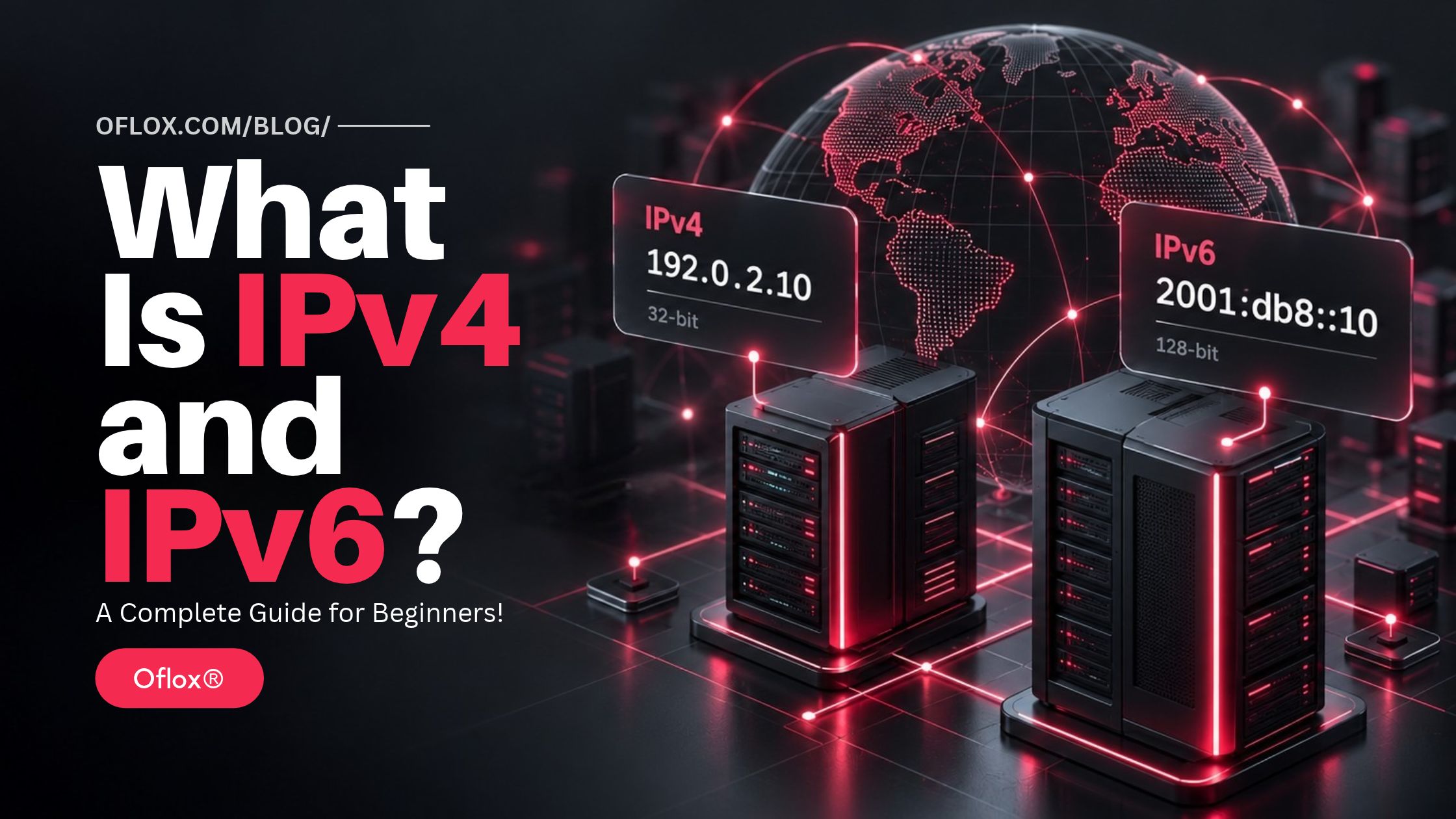
IPv4 and IPv6 are versions of the Internet Protocol, which provides addressing and routing for data travelling across networks. IPv4 uses 32-bit addresses, such as 192.0.2.10, while IPv6 uses 128-bit addresses, such as 2001:db8::10. IPv6 greatly expands the available address space.
Both protocols operate at the network layer. Their main purpose is to help packets travel from a source to a destination.
A packet is a small unit of data carrying information such as source and destination addresses.
For example, when you open an online store, your device exchanges packets with servers involved in delivering the website.
However, IP itself does not guarantee that every packet arrives or arrives in the correct order. Other protocols, such as TCP, provide additional delivery functions where required.
Before comparing IPv4 and IPv6, it helps to understand what an IP address represents.
What Is an IP Address?
An Internet Protocol address is an address assigned to a network interface. A network interface is a device’s connection to a network, such as Wi-Fi or Ethernet.
One device can have:
- Different addresses on different interfaces.
- Both IPv4 and IPv6 addresses.
- Multiple IPv6 addresses on the same interface.
- Addresses that change over time.
Therefore, an IP address is not necessarily a permanent identity for a person or device.
Example: Your laptop may use one address on your office Wi-Fi and another when connected through your mobile hotspot.
What Is IPv4?
IPv4 stands for Internet Protocol version 4. It uses a 32-bit address space.
An IPv4 address normally appears as four decimal numbers separated by dots:
192.0.2.10Each section is called an octet and can contain a value from 0 to 255.
Because IPv4 uses 32 bits, its theoretical address space contains:
2³² = 4,294,967,296 addressesThat is approximately 4.3 billion addresses.
However, not all these addresses are available for public internet use. Some ranges are reserved for private networks, testing, loopback, multicast, and other purposes. IPv4’s foundational specification is RFC 791, published in September 1981.
Public and Private IPv4 Addresses
- A public IPv4 address can be globally routed, subject to network policy and configuration.
- A private IPv4 address is used within private networks and is not globally routable.
The standard private IPv4 ranges are:
| Private range | CIDR notation | Typical use |
|---|---|---|
| 10.0.0.0–10.255.255.255 | 10.0.0.0/8 | Business and internal networks |
| 172.16.0.0–172.31.255.255 | 172.16.0.0/12 | Internal networks and cloud environments |
| 192.168.0.0–192.168.255.255 | 192.168.0.0/16 | Home and small-office networks |
An important detail: not every address beginning with 172 is private. Only the range shown above belongs to that private block. IANA maintains the official registry of special-purpose IPv4 addresses.
What Is NAT in IPv4?
Network Address Translation, or NAT, changes addressing information as packets move between networks.
In a typical home setup, NAT combined with port translation allows several devices to share one public IPv4 address.
For example:
| Device | Private IPv4 address |
|---|---|
| Laptop | 192.168.1.10 |
| Smartphone | 192.168.1.11 |
| Smart TV | 192.168.1.12 |
Your router tracks connections so replies reach the correct device.
Internet providers may also use Carrier-Grade NAT, or CGNAT, to share public IPv4 addresses across customers.
These approaches extend IPv4’s usefulness, but they can complicate incoming connections, hosting, troubleshooting, and some peer-to-peer applications.
What Is IPv6?
IPv6 stands for Internet Protocol version 6. It uses 128-bit addresses instead of IPv4’s 32-bit addresses.
An IPv6 address can look like this:
2001:0db8:0000:0000:0000:0000:0000:0010Its theoretical address space contains:
2¹²⁸ ≈ 3.4 × 10³⁸ addressesThis is often described as approximately 340 undecillion addresses.
IPv6 addresses are normally written using hexadecimal digits, which include numbers 0-9 and letters a-f.
A full address contains eight groups separated by colons. IPv6 supports unicast, anycast, and multicast addressing; it does not use broadcast addressing.
How IPv6 Address Shortening Works
IPv6 addresses can be shortened to make them easier to read.
First, remove leading zeros within each group:
2001:db8:0:0:0:0:0:10Then replace a consecutive sequence of zero groups with :::
2001:db8::10Important rules include:
- Use
::only once in an address. - Remove leading zeros, not meaningful trailing zeros.
- Prefer lowercase letters in normalised output.
- For canonical formatting, compress the longest zero sequence.
- If equal-length sequences exist, compress the first.
These conventions help avoid different-looking text representations of the same address.
Example note: The addresses 192.0.2.10 and 2001:db8::10 in this article are documentation examples. They are not public server addresses you should configure or test.
Why Was IPv6 Needed?
The main reason was the limited size of IPv4’s address space.
The internet expanded beyond its early academic and technical foundations to include smartphones, cloud platforms, connected appliances, industrial equipment, and large business networks.
IPv4 address-sharing techniques helped accommodate this growth. However, sharing addresses does not create a larger underlying address space.
IPv6 offers room for much larger addressing plans and reduces the need to conserve public addresses through widespread sharing.
For a business, this can support:
- Expansion across offices and networks.
- More connected systems and services.
- Clearer subnet planning.
- Less dependence on address translation.
- Compatibility with IPv6-enabled customers and partners.
However, an available address is only one part of connectivity. Routing, DNS, access controls, and application support must also work correctly.
A Brief History of IPv4 and IPv6
IPv4’s foundational specification was published in 1981.
IPv6 development began in the 1990s as the networking community planned for a larger internet. Its specifications evolved over time, with RFC 8200 published in 2017 as the IPv6 Internet Standard specification.
The transition has taken time because the internet is not a single centrally managed system. It consists of independently operated networks, devices, applications, and services.
A hosting company may support IPv6 while a customer’s office network does not. A mobile connection may support IPv6 while an older business application assumes every address is IPv4.
This uneven readiness explains why the two protocols continue to coexist. There is no universal date when every IPv4 network will switch off.
IPv4 vs IPv6: Key Differences
| Feature | IPv4 | IPv6 |
|---|---|---|
| Address size | 32 bits | 128 bits |
| Theoretical address space | Approximately 4.3 billion | Approximately 3.4 × 10³⁸ |
| Typical notation | Decimal numbers with dots | Hexadecimal groups with colons |
| Example | 192.0.2.10 | 2001:db8::10 |
| DNS address record | A | AAAA |
| Base header | Usually 20 bytes without options | Fixed 40 bytes |
| Broadcast | Supported | Not supported |
| Local neighbour discovery | ARP on typical Ethernet networks | IPv6 Neighbor Discovery |
| Address conservation | NAT is widely used | Address-sharing NAT generally unnecessary |
| Configuration | Manual configuration or DHCP commonly used | SLAAC, DHCPv6, or manual configuration |
| Header checksum | Present | No base-header checksum |
| Fragmentation | Sources and, when permitted, routers | Source nodes only |
| Automatic encryption | No | No |
| Direct interoperability | Requires compatible endpoints or transition support | Requires compatible endpoints or transition support |
IPv6’s header is more regular in structure, but it is not smaller than a basic IPv4 header. Additional IPv6 information can be carried in extension headers.
How IPv4 and IPv6 Work: Step by Step
Consider what happens when someone opens a business website.
1. The Device Connects to a Network
The device joins Wi-Fi, Ethernet, or a mobile network. It obtains the information needed to communicate, including suitable addresses and routes.
An IPv4 network commonly uses DHCP.
An IPv6 network may use Stateless Address Autoconfiguration, or SLAAC, which lets a host form addresses using information advertised by routers. DHCPv6 may also be used, depending on the network design.
2. DNS Finds the Website’s Addresses
The browser needs an address for the requested hostname.
DNS can provide:
- An A record for IPv4.
- An AAAA record for IPv6.
A website may publish either or both.
Importantly, DNS lookup transport and the returned address type are separate matters. Asking a DNS server over IPv4 does not prevent it from returning an IPv6 address. Google Public DNS, for example, supports AAAA responses and IPv6 connectivity.
3. The Client Selects a Connection
When both address families are available, the client considers its connectivity and connection-selection behaviour.
Many modern applications use techniques commonly called Happy Eyeballs to avoid long delays when one connection path is problematic.
Rather than assuming IPv6 will always work, these techniques attempt suitable alternatives with carefully controlled timing.
4. Packets Travel Through Routers
Packets carry source and destination addresses. Routers examine the destination and forward packets according to their routing information.
The journey may cross several networks before reaching the destination.
5. The Server Responds
The server receives the request and sends a response.
If HTTPS is used, TLS helps protect the communication. Switching between IPv4 and IPv6 does not replace the need for HTTPS.
6. The Browser Displays the Page
The browser processes the response and loads the page’s content. This may involve additional connections for images, scripts, stylesheets, fonts, or third-party services.
A working homepage does not automatically prove that every supporting service works over both protocols.
Important Features and Benefits of IPv6
Here are the key features and benefits of IPv6 that help networks accommodate more devices and support future growth.
- A Much Larger Address Space: IPv6 provides significantly more room for addressing networks and interfaces. This helps organisations plan growth without applying the same public-address conservation strategies used with IPv4. However, addresses still require structured allocation. A larger space does not remove the need for documentation.
- Automatic Address Configuration: With SLAAC, hosts can generate addresses using local information and router advertisements. Duplicate Address Detection helps check whether an address is already being used on the local link. This reduces some manual configuration work, although the network still needs a sound operational design.
- Reduced Dependence on NAT: IPv6 can provide globally routable addressing without making multiple devices share a single public address. This may simplify some communication patterns. However, global addressing does not mean every device should accept unsolicited traffic. Firewall policies still control access.
- More Room for Network Planning: Organisations can allocate separate subnets to departments, buildings, services, or locations. For example, a company might plan distinct networks for staff devices, guest access, servers, and connected equipment. Clear boundaries can improve administration and make security policies easier to understand.
- Better Preparation for Future Connectivity: IPv6 support helps prevent infrastructure from depending entirely on IPv4 availability. For website owners, supporting both protocols can provide more connection options for visitors. The practical benefit depends on the quality of the deployment, not simply whether an IPv6 checkbox is enabled.
Understanding IPv6 Address Types and Prefixes
IPv6 includes addresses with different purposes.
| Address type | Example or prefix | Purpose |
|---|---|---|
| Global unicast | Assigned globally routable address | Communication across routed networks |
| Link-local | fe80::/10 | Communication on the local link |
| Unique local | fc00::/?,commonly fd/… | Local addressing not intended for global routing |
| Loopback | : :1 | Referring to the same host |
| Unspecified | : : | Indicates no specified address in relevant contexts |
| Multicast | ff00::/8 | Sending to a group |
A link-local address alone does not prove that a device has working IPv6 internet access. These address scopes serve different functions.
What Does /64 Mean?
You may see an IPv6 prefix written as:
2001:db8:1234:5678::/64The /64 means the first 64 bits identify the network prefix.
A/64 is standard for many ordinary IPv6 LANs, particularly those using SLAAC.
Compare this with an IPv4 example:
192.168.1.0/24Here, the first 24 bits identify the network portion.
The slash notation is called CIDR notation. It describes the prefix length; it is not a port number.
Is IPv6 Faster Than IPv4?
IPv6 is not automatically faster than IPv4.
Performance depends on factors such as:
- ISP routing and peering.
- Network congestion.
- Distance to the server or CDN.
- Packet loss.
- Firewall processing.
- Server capacity.
- Connection quality.
An IPv6 route might perform better for one visitor and worse for another.
For example, a website’s IPv6 traffic might reach a nearby CDN location while its IPv4 traffic takes a longer route. Another provider could have the opposite situation.
The useful approach is to measure actual response times, connection failures, and user experience over both protocols.
Practical tip: Test from more than one network. Results from an office connection alone may not represent mobile visitors or customers in other regions.
Is IPv6 More Secure Than IPv4?
Neither protocol makes a network secure by itself.
IPv6 does not automatically encrypt traffic, block attacks, or protect vulnerable applications.
Both IPv4 and IPv6 need appropriate controls, including:
- Firewalls.
- Software updates.
- Secure authentication.
- HTTPS where applicable.
- Monitoring and logging.
- Sensible access restrictions.
NAT should not be treated as a complete security solution. IPv6 networks can use stateful firewalls to restrict unsolicited inbound connections without relying on address translation.
Can IPv4 and IPv6 Work Together?
Yes, but an IPv4-only endpoint cannot directly exchange ordinary IP packets with an IPv6-only endpoint without an intermediary mechanism.
Three important approaches are:
- Dual Stack: A dual-stack device or service supports both protocols. A website can publish both A and AAAA records so clients can use an available connection. This allows gradual deployment while retaining IPv4 compatibility. Basic coexistence mechanisms are described in RFC 4213.
- Translation: Translation mechanisms connect networks using different address families. For example, NAT64 enables IPv6 clients to communicate with IPv4 servers through a translator. It is often combined with DNS64, which synthesises suitable IPv6 DNS responses. Translation helps with compatibility, but applications containing hard-coded IPv4 addresses may need additional support.
- Tunnelling: Tunnelling carries packets of one protocol inside another. It can help in specific environments, but adds operational considerations, including overhead and troubleshooting complexity. The appropriate transition method depends on the network, applications, and available provider support.
How to Check Whether You Use IPv4 or IPv6
You can check local addresses and then test actual internet connectivity.
1. On Windows
Open Command Prompt and enter:
ipconfigCheck the active network adapter for IPv4 and IPv6 information.
2. On Linux
Use:
ip addrLook for:
- inet for IPv4.
- inet6 for IPv6.
3. On macOS
Open the active connection’s details in Network settings, or use:
ifconfigRemember that a local address does not establish whether the full internet path works.
4. Check Website DNS Records
Replace yourdomain.com with the domain you want to inspect:
nslookup -type=A yourdomain.com
nslookup -type=AAAA yourdomain.com
An AAAA record indicates an advertised IPv6 address. It does not prove that the server is reachable or correctly configured.
5. Test HTTP Connectivity Separately
Where curl is installed, use:
curl -4 -I https://yourdomain.com
curl -6 -I https://yourdomain.com
The -4 and -6 options select the address family. The -I option requests response headers using HEAD. Some servers handle HEAD differently, so investigate unexpected results with a normal GET request too.
If IPv6 fails, possible causes include your own connection, DNS, routing, firewall rules, or the destination server.
5+ Useful IPv4 and IPv6 Tools
Here are some useful IPv4 and IPv6 tools to check IP addresses, inspect DNS records, test connectivity, and troubleshoot network issues.
| Tool | Main purpose | Practical use |
|---|---|---|
| ipconfig, ip addr, ifconfig | Inspect local interfaces | Confirm assigned addresses |
| nslookup or dig | Inspect DNS | Compare A and AAAA records |
| curl | Test web connections | Check IPv4 and IPv6 separately |
| ping | Test ICMP reachability | Initial connectivity investigation |
| traceroute or tracert | Investigate network paths | Examine possible routing differences |
| Wireshark | Inspect packets | Diagnose protocol-level behaviour |
| Browser developer tools | Inspect web requests | Identify failed resources |
| External uptime monitoring | Check service availability | Detect failures outside your own network |
Command options vary across operating systems.
Also, a failed ping does not automatically mean a website is offline. ICMP responses may be restricted while HTTPS remains available.
Choose tools according to the question you are trying to answer. DNS testing, packet inspection, and application testing reveal different parts of the connection.
How to Enable IPv6 for a Website
Website owners should approach IPv6 as a controlled infrastructure change.
1. Confirm Provider Support
Ask your hosting or CDN provider whether IPv6 is supported for your service.
Check whether support applies to:
- Visitor-facing connections.
- The origin server.
- Load balancers.
- Relevant security controls.
- Monitoring and logs.
A CDN may accept IPv6 visitors while connecting to the origin over IPv4.
2. Confirm the Assigned Address and Routing
For a directly hosted server, obtain the correct address and routing configuration from your provider.
Do not invent an IPv6 address or copy a documentation example.
3. Configure the Web Service
Confirm that the web server or load balancer accepts IPv6 connections.
Check the correct hostname, virtual host, TLS certificate, redirects, and application behaviour.
4. Apply Security Controls
Review IPv6 firewall rules and administrative access restrictions.
Allow the ICMPv6 traffic necessary for correct operation under a considered policy. Blanket blocking can disrupt functions such as path MTU discovery.
IPv6 routers do not fragment packets in transit; correct packet-size handling therefore matters.
5. Publish the AAAA Record
Add the provider-confirmed address after the service is ready.
With a managed CDN, follow the provider’s DNS workflow rather than manually exposing an origin address.
6. Test Important User Journeys
Test the homepage, login, forms, checkout, downloads, APIs, and redirects.
Compare both protocols from external networks.
7. Monitor After Deployment
Watch connection failures, response times, certificate errors, application logs, and customer reports.
Keep a rollback plan for a failed deployment.
Real-World Examples
The following are illustrative scenarios, not claimed client results.
- A Digital Marketing Agency: An agency enables IPv6 through its CDN. Visitors with IPv6 connectivity reach the CDN over IPv6, while the CDN continues reaching the hosting server over IPv4. This provides visitor-facing IPv6 without requiring an immediate origin migration.
- An E-Commerce Website: A store publishes an AAAA record before enabling HTTPS on its IPv6 listener. Some customers experience failures or delays because their devices attempt the advertised IPv6 path. The solution is to correct the listener, firewall, routing, or DNS configuration—not assume every customer has a browser problem.
- A SaaS Application: A registration system accepts only dotted IPv4 addresses in a security field. Legitimate IPv6 input is rejected. The development team needs protocol-aware validation and appropriate storage, rather than a rule that assumes every IP address contains four decimal numbers.
Challenges and Limitations
Here are some common challenges and limitations businesses may face when adopting IPv6 and managing it alongside IPv4.
- Legacy Compatibility: Older applications, appliances, and integrations may contain IPv4-only assumptions. These dependencies can delay migration even when the main server supports IPv6.
- Operational Complexity: Dual stack means maintaining two sets of connectivity behaviour. Monitoring and security must cover both.
- Address Handling: Longer addresses affect forms, database fields, log formats, and scripts. Equivalent textual forms can also cause incorrect comparisons if software treats addresses as arbitrary strings.
- Troubleshooting Differences: A problem may affect one protocol, one ISP, or one location. A successful test on your laptop is not enough to rule out wider issues.
- Team Readiness: Staff needs familiarity with prefixes, address scope, DNS records, routing, and relevant security controls. Training should accompany deployment.
Expert Tips and Common Mistakes
Here are some expert tips and common mistakes to keep in mind when configuring, securing, and managing IPv4 and IPv6 connections.
- Test IPv6 before advertising it. Publishing an AAAA record creates an expectation that the service works.
- Keep security policies aligned. Review both protocols whenever changing firewall rules or exposing services.
- Use established IP-address libraries. Avoid custom validators that only recognise dotted decimal addresses.
- Do not identify users by IP alone. Addresses may be shared, reassigned, or changed.
- Avoid blanket IPv6 blocks. Blocking an entire prefix without understanding its scope can affect legitimate visitors.
- Keep trustworthy client-IP records. Behind a proxy or CDN, accept forwarded client addresses only from trusted infrastructure.
- Do not confuse Wi-Fi 6 with IPv6. Wi-Fi 6 is a wireless networking generation; IPv6 is an Internet Protocol version.
- Do not assume IPv6 improves search rankings. Treat deployment as a connectivity and reliability decision, not a ranking shortcut.
- Do not disable IPv6 as the first troubleshooting step. Establish which layer is failing before changing protocol availability.
- Document your configuration. Record prefixes, DNS changes, provider dependencies, firewall policies, and rollback steps.
Future Trends: IPv4 and IPv6 in 2026 and Beyond
IPv6 is already widely used, but adoption is uneven.
Google’s measurement reported 48.70% of users accessing Google over IPv6 on 9 October 2026. This measures access to Google, not the percentage of all websites or all internet traffic using IPv6.
Several developments are worth watching:
- Continued IPv4 and IPv6 coexistence.
- More consideration of IPv6-only internal networks with translation.
- Greater attention to IPv6 in application testing.
- Better monitoring across both address families.
- Procurement requirements that include working IPv6 support.
These are planning directions, not guaranteed timelines.
For businesses, the practical priority is to remove avoidable IPv4-only assumptions while maintaining compatibility with existing customers and systems.
FAQs:)
A. IPv4 uses 32-bit addresses, while IPv6 uses 128-bit addresses. IPv6 provides a vastly larger address space and also changes several aspects of configuration and packet handling.
A. IPv6 is better suited to long-term address growth. IPv4 remains important for compatibility. For many public services, supporting both is a practical approach.
A. Yes. A dual-stack device can have both IPv4 and IPv6 connectivity. Different connections may use different protocols.
A. Not automatically. Actual performance depends on routing, congestion, server location, connection quality, and other factors.
A. No. IPv6 does not automatically encrypt application traffic. HTTPS and other security controls remain necessary.
A. A device can have addresses serving different purposes, including link-local communication and global connectivity. It may also use temporary addresses for some outgoing connections.
A. No. It only advertises an address. The route, firewall, server, and application must also function correctly.
A. There is no universal shutdown date. Migration depends on individual networks and services, so continued coexistence is a realistic planning assumption.
Conclusion:)
IPv4 and IPv6 help devices communicate across networks, but they provide different foundations for addressing and growth.
IPv4 remains widely useful. IPv6 offers a much larger address space and reduces dependence on address-sharing techniques.
For website owners and businesses, the right approach is to check provider support, test real user journeys, apply security controls consistently, and monitor both connection paths.
At Oflox®, the practical lesson is straightforward: technology changes should improve how reliably people reach and use your services.
“Preparing your website for IPv6 starts with reliable connectivity, careful testing, and security across both protocols.” — Mr Rahman, Oflox®
Read also:)
- What Is Pagination in Programming? A Complete Guide!
- What Is a Click Exchange Site? A Complete Guide for Beginners!
- What Is Vibe Coding? A Complete Guide for Beginners!
Have you checked whether your website works correctly over both IPv4 and IPv6? Start with your DNS records, then test the actual connection before making changes.