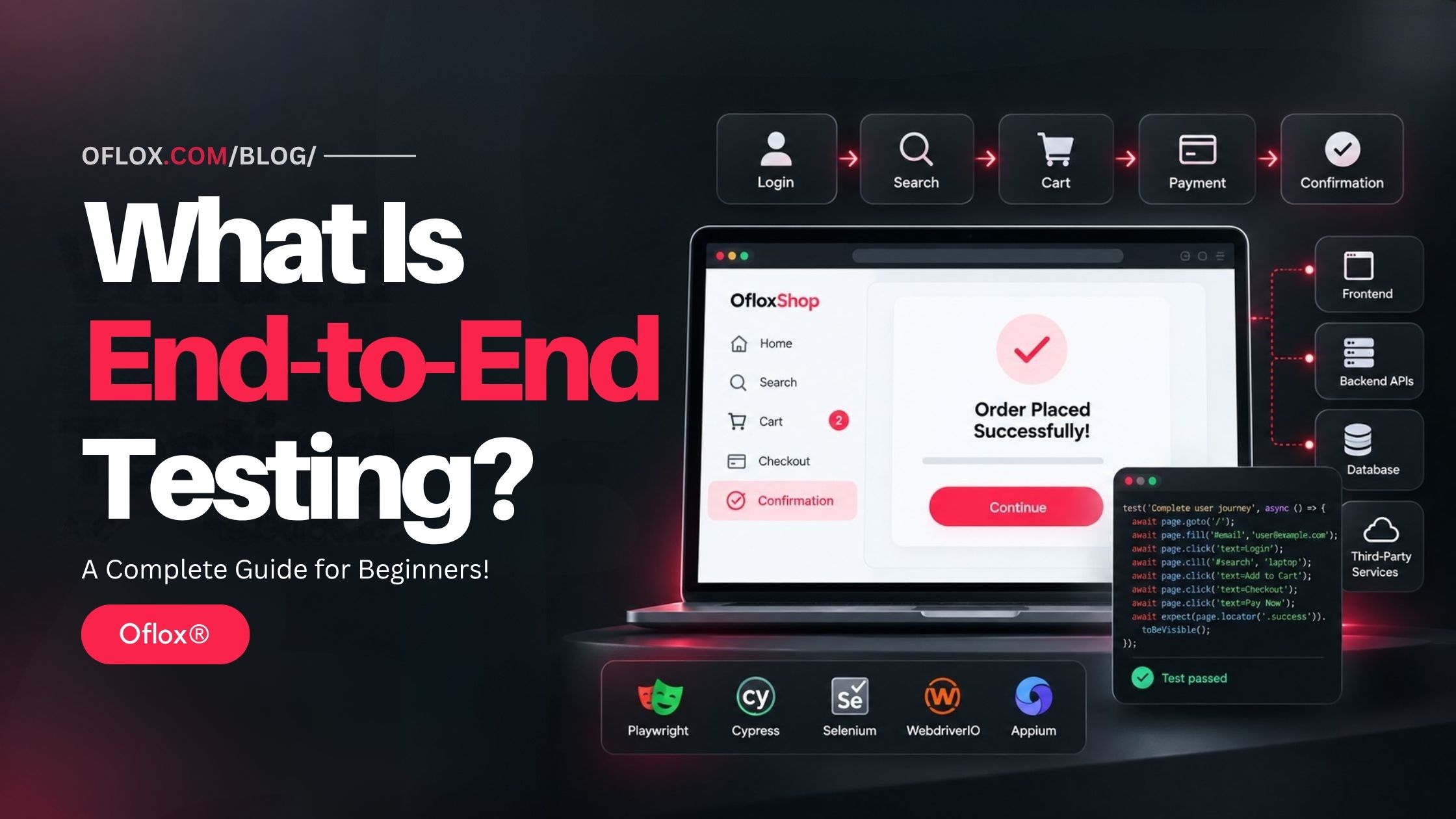
This complete guide will explain What Is End-to-End Testing, how End-to-End Testing works, why it is important, and how automated user journeys, browsers, APIs, databases, authentication systems, and third-party services work together during E2E Testing.
Modern websites and software applications are built using multiple connected components, including frontend interfaces, backend servers, APIs, databases, authentication systems, payment gateways, cloud services, and third-party integrations.
When a user performs an action on a website or application, that action may pass through several different systems before the final result is displayed. Even if each individual component works correctly, problems can still occur when these components communicate with one another.
This is where End-to-End Testing becomes important.
End-to-End Testing, also known as E2E Testing, is a software testing method used to verify a complete application workflow from the beginning of a user journey to the final expected result. It helps confirm that different components, systems, services, and integrations work together correctly in a real-world scenario.
Modern End-to-End Testing commonly uses tools such as Playwright, Cypress, Selenium, WebdriverIO, and Appium to automate user actions, verify application behaviour, detect integration problems, and test important workflows across browsers and devices.
The testing process may include actions such as opening a website, logging in, searching for content, submitting forms, adding products to a cart, completing payments, checking database updates, and verifying confirmation messages.
Whether you are a beginner, software developer, QA engineer, tester, website owner, SaaS founder, or someone interested in software quality, learning about End-to-End Testing can help you better understand test automation, application workflows, integration testing, browser testing, regression testing, and modern software quality assurance.
Let’s explore it together.
Table of Contents
What Is End-to-End Testing?
End-to-End Testing is a software testing method that verifies a complete application workflow from the user’s starting point to the final expected result while checking whether different components, systems, databases, APIs, and external services work together correctly.
It is called “end-to-end” because the test covers the complete journey instead of checking only an individual function.
Imagine an online shopping application.
A customer may:
- Open the website.
- Search for a product.
- Open the product page.
- Add the product to the cart.
- Log in.
- Enter delivery information.
- Select a payment method.
- Complete the payment.
- Receive an order confirmation.
- View the new order inside the account dashboard.
An E2E test can automate this complete workflow and verify that every connected part works as expected.
Why Is End-to-End Testing Important?
Modern applications are rarely isolated programs.
A website may depend on:
- Frontend JavaScript
- Backend servers
- Databases
- REST or GraphQL APIs
- Authentication systems
- Payment gateways
- Email services
- Cloud infrastructure
- Search engines
- Analytics systems
- Third-party APIs
- Content delivery networks
- Mobile applications
Each component may pass its own individual tests.
However, problems can still occur when these systems communicate.
For example, the payment API may successfully accept a payment, but the application database may fail to update the order status. From the customer’s perspective, the transaction has failed even though individual services may appear healthy.
End-to-End Testing helps identify such integration and workflow problems before they reach real users.
How Does End-to-End Testing Work?
End-to-End Testing normally simulates the actions that a real user would perform while interacting with an application. The exact process depends on the type of software, but a typical E2E testing workflow follows several stages.
1. Identify Critical User Journeys
The first step is deciding which workflows are important enough to test.
For an e-commerce website, critical journeys may include:
- User registration
- Login
- Product search
- Add to cart
- Checkout
- Payment
- Order confirmation
- Order tracking
For a SaaS application, important journeys may include:
- Account creation
- Subscription purchase
- Dashboard login
- Creating a project
- Inviting a team member
- Exporting a report
- Cancelling a subscription
Testing every possible action as an E2E test is usually unnecessary.
Teams should mainly focus on business-critical user journeys.
2. Prepare the Testing Environment
The application must then be available in a suitable testing environment.
This may be:
- Local development environment
- Dedicated QA environment
- Staging website
- Temporary preview deployment
- Cloud testing environment
The test environment should be close enough to production behaviour to provide meaningful results.
Test accounts, databases, API credentials and sample data may also need to be prepared.
3. Create Test Data
E2E tests usually require predictable data.
For example, a checkout test may need:
- Test customer
- Test product
- Known product price
- Delivery address
- Payment test credentials
Good test data helps make tests repeatable.
If every test depends on random or constantly changing production data, failures become difficult to understand.
4. Start the Application
The testing tool opens the application in a browser, device, simulator or other environment.
The test may begin at the homepage, login page or another predefined starting point.
5. Simulate User Actions
The automation then performs realistic actions.
These may include:
- Clicking buttons
- Entering text
- Selecting dropdown options
- Uploading files
- Navigating pages
- Scrolling
- Submitting forms
- Opening menus
- Completing checkout
Modern browser automation frameworks can interact with application interfaces in ways similar to normal users.
6. Verify Expected Results
Performing actions is only one part of testing.
The system must also verify whether the correct result happened.
For example:
- Action: User enters correct login credentials.
- Expected result: Dashboard opens.
Another example:
- Action: Customer completes checkout.
- Expected result: Order confirmation page displays the correct order number.
These checks are commonly called assertions.
7. Verify Connected Systems
Advanced E2E testing may also verify that the expected changes happened across other systems.
For example:
- Order saved in database
- Payment status updated
- Confirmation email triggered
- Inventory quantity reduced
- Analytics event recorded
This provides stronger confidence than checking the user interface alone.
8. Record Test Results
Testing frameworks can record useful debugging information such as:
- Passed tests
- Failed tests
- Screenshots
- Videos
- Browser logs
- Network requests
- Error messages
- Execution traces
These details help developers understand what caused a failure.
9. Run Tests Automatically
E2E tests are commonly integrated into a CI/CD pipeline.
For example:
Developer pushes code → application builds → automated tests run → deployment continues only when critical tests pass.This allows teams to identify major problems before releasing new software.
End-to-End Testing Example
Consider an online food ordering platform.
A realistic E2E scenario may look like this:
| Stage | User Action | Expected Result |
|---|---|---|
| 1 | Open website | Homepage loads |
| 2 | Enter location | Available restaurants appear |
| 3 | Select restaurant | Menu loads |
| 4 | Add food to cart | Cart updates |
| 5 | Log in | User authenticated |
| 6 | Enter address | Address accepted |
| 7 | Select payment | Payment screen appears |
| 8 | Complete payment | Transaction succeeds |
| 9 | Place order | Order ID generated |
| 10 | Open orders page | New order appears |
If the complete flow passes, the team gains confidence that the major components required for ordering food are working together.
Major Features of End-to-End Testing
End-to-End Testing includes several important characteristics that make it different from smaller testing methods.
- Complete Workflow Testing: E2E testing focuses on complete business workflows instead of testing only individual functions or components.
- Realistic User Behaviour: Tests simulate actions that closely match how real users interact with a website or application.
- Multiple System Validation: A single E2E test can verify interactions between the frontend, backend, databases, APIs, authentication systems, and third-party services.
- Browser Automation: Modern E2E testing tools can automatically interact with browsers, forms, buttons, links, menus, and other dynamic interface elements.
- Cross-Browser Testing: E2E tests can be executed across different browsers, browser engines, devices, and testing environments to check compatibility.
- Automated Assertions: Tests automatically verify whether the expected result appears after each important action or workflow step.
- CI/CD Integration: E2E tests can be integrated into CI/CD pipelines and run automatically when developers push code, create pull requests, or prepare deployments.
- Failure Evidence: Modern E2E testing tools can provide screenshots, videos, logs, error details, and execution traces to help developers identify and investigate test failures.
History and Evolution of End-to-End Testing
End-to-End Testing existed conceptually before modern browser automation.
Software teams traditionally performed complete system testing manually. Testers would follow written procedures, enter information, perform transactions, and compare the final result against expected behaviour.
As web applications became larger and release cycles became faster, repeatedly performing all these workflows manually became difficult.
Browser automation tools helped solve this problem.
Selenium became one of the most influential technologies in browser automation. Selenium WebDriver drives browsers using browser-specific implementations, and WebDriver is now a W3C Recommendation.
Over time, newer testing frameworks introduced easier APIs, automatic waiting, debugging interfaces, parallel execution, network tools and more developer-friendly workflows.
Modern E2E testing therefore combines traditional quality assurance concepts with automated browser control, CI/CD systems, cloud testing and increasingly AI-assisted automation.
End-to-End Testing vs Other Types of Testing
Understanding E2E Testing becomes easier when it is compared with other testing methods.
| Testing Type | Main Purpose | Scope | Typical Speed |
|---|---|---|---|
| Unit Testing | Test one function or unit | Very small | Very fast |
| Component Testing | Test one UI/software component | Small | Fast |
| Integration Testing | Test communication between components | Medium | Moderate |
| API Testing | Test API behaviour | Service level | Fast to moderate |
| End-to-End Testing | Test complete user workflow | Large | Slower |
| Acceptance Testing | Verify business requirements | Business level | Varies |
- Unit Testing vs End-to-End Testing: Unit tests may check whether a price calculation function returns the correct value.E2E testing may verify whether the customer can actually purchase the product using that calculated price.
- Integration Testing vs End-to-End Testing: Integration testing checks whether selected components correctly communicate. E2E Testing normally follows a broader user journey across the application.
- API Testing vs End-to-End Testing: API testing directly tests backend endpoints. E2E testing may interact through the frontend while indirectly involving those APIs. Both approaches are valuable. E2E testing should not replace unit, integration, or API testing. A healthy testing strategy normally uses several testing levels together.
Benefits of End-to-End Testing
End-to-End Testing provides several practical benefits for teams building websites, SaaS products, mobile applications and complex software platforms.
1. Tests Real User Journeys
E2E tests focus on what customers actually need to accomplish.
Instead of asking whether a function works independently, the test asks whether the complete task succeeds.
2. Detects Integration Problems
Many bugs happen between systems.
E2E testing can reveal issues involving:
- Frontend and backend communication
- API responses
- Authentication
- Databases
- Payment processing
- Third-party services
3. Provides Release Confidence
A passing suite of critical E2E tests gives development teams additional confidence before deploying major updates.
4. Reduces Repetitive Manual Testing
Frequently repeated workflows can be automated instead of being manually tested after every change.
5. Detects Regression Bugs
A new feature may accidentally break an existing feature.
Automated E2E regression tests can detect these problems.
6. Supports Continuous Delivery
Automated tests can run as part of build and deployment pipelines.
7. Protects Revenue-Critical Workflows
Businesses can prioritise flows that directly affect revenue, such as:
- Checkout
- Subscription payments
- Lead generation
- Account registration
- Booking systems
8. Improves Collaboration
When a test covering an important business journey fails, developers, testers and product teams can discuss the same observable workflow rather than isolated technical components.
Challenges of End-to-End Testing
Despite its benefits, E2E Testing should be implemented carefully.
1. E2E Tests Can Be Slow
A complete user journey involves many steps.
Running hundreds or thousands of full browser workflows can take considerably longer than running unit tests.
Parallel execution can reduce this problem.
For example, Playwright supports multiple worker processes and runs test files in parallel by default.
2. Tests Can Become Flaky
A flaky test sometimes passes and sometimes fails even when the application has not meaningfully changed.
Possible causes include:
- Slow networks
- Animations
- API delays
- Timing problems
- Unstable test data
- Third-party services
Modern frameworks provide features designed to reduce unnecessary timing problems. Cypress, for example, includes automatic waiting and retry behaviour for relevant queries and assertions.
3. Maintenance Can Become Expensive
If the user interface changes frequently, test selectors and workflows may require updates.
Stable locators and reusable test components can reduce maintenance.
4. External Services Can Cause Failures
A third-party payment gateway or email service may temporarily become unavailable.
Teams must decide which external systems should be used directly and which should be simulated in certain test environments.
5. Test Data Management Is Difficult
Tests can interfere with each other when they share accounts, database records or inventory.
Independent test data is usually more reliable.
6. Debugging Can Be Complex
An E2E failure may originate from the frontend, backend, database, API, network or testing environment.
Good traces, logs and screenshots are therefore extremely useful.
Popular End-to-End Testing Tools
Several modern tools can be used for E2E testing.
1. Playwright
Playwright is a browser automation and testing framework that can work with Chromium, Firefox and WebKit. Its current documentation highlights auto-waiting, web-first assertions, tracing and parallel testing, with language support including TypeScript, Python, .NET and Java.
It is particularly useful for:
- Modern web applications
- Cross-browser testing
- Parallel execution
- Network testing
- Authentication workflows
- Debugging complex browser tests
Its Trace Viewer can provide detailed information about recorded test actions when investigating failures.
2. Cypress
Cypress is another widely used testing platform for modern web development.
Its current platform supports E2E, component, API and accessibility testing, while its browser testing workflow includes features such as automatic waiting, Time Travel debugging and network traffic control.
Cypress is often attractive to teams that want a highly visual local debugging experience.
3. Selenium
Selenium remains an important browser automation ecosystem.
Selenium WebDriver can control browsers locally or remotely and is based on the W3C WebDriver standard.
It remains useful for organisations requiring:
- Broad browser automation
- Multiple programming languages
- Mature ecosystem
- Large testing infrastructures
4. WebdriverIO
WebdriverIO is a Node.js browser and mobile automation framework.
Its current documentation supports browser automation through WebDriver and WebDriver BiDi and can also integrate with Appium for mobile testing.
5. Appium
Appium focuses heavily on UI automation across mobile and other application platforms.
Its ecosystem supports automation for platforms including Android and iOS and is especially useful when the required E2E journey involves native mobile applications.
Simple End-to-End Testing Example with Playwright
Consider a login workflow.
import { test, expect } from '@playwright/test';

test('user can log in successfully', async ({ page }) => {

  await page.goto('https://example.com/login');

  await page.getByLabel('Email').fill('test@example.com');
  await page.getByLabel('Password').fill('test-password');

  await page.getByRole('button', { name: 'Login' }).click();

  await expect(page).toHaveURL(/dashboard/);
  await expect(page.getByText('Welcome')).toBeVisible();

});
This simple test performs several actions:
- Opens the login page.
- Enters an email.
- Enters a password.
- Clicks Login.
- Checks that the dashboard opens.
- Verifies that expected content is visible.
A real production E2E test may contain additional checks for APIs, permissions, session state and database changes.
Practical End-to-End Testing Examples
The following examples show how End-to-End Testing can be applied to different types of applications and business workflows.
1. E-Commerce Website
Test:
Home → Search product → Product page → Add to cart → Checkout → Payment → Order confirmation.Important checks:
- Correct product
- Correct price
- Correct shipping
- Payment success
- Order creation
2. SaaS Application
Test:
Sign up → Verify account → Select plan → Pay subscription → Open dashboard → Create first project.Important checks:
- Account creation
- Subscription status
- Payment record
- User permissions
3. Banking Application
Test:
Login → Select beneficiary → Enter transfer amount → Confirm transaction → Verify updated balance.Security, authentication and data isolation require particularly careful testing in such applications.
4. Hotel Booking Website
Test:
Search location → Select dates → Choose room → Enter guest details → Pay → Receive booking confirmation.5. Learning Management System
Test:
Student login → Open course → Watch lesson → Complete quiz → Submit answers → View score.6. Lead Generation Website
Test:
Open service page → Submit enquiry form → Validate success response → Confirm lead reaches the required system.How to Implement End-to-End Testing
A successful E2E strategy requires more than installing a testing tool.
1. Identify Business-Critical Flows
Start with the journeys that would seriously affect users if they stopped working.
Examples:
- Login
- Checkout
- Payments
- Registration
- Booking
- Lead submission
2. Keep Tests Independent
One test should ideally not depend on another test having already run.
For example, Test B should not require Test A to create its data unless that dependency is deliberately designed.
Independent tests are easier to run in parallel and debug.
3. Use Stable Locators
Avoid fragile selectors based purely on complicated CSS structures.
Prefer stable elements such as:
- Accessible roles
- Labels
- Meaningful attributes
- Dedicated test IDs when necessary
Playwright’s test generator, for example, prioritises role, text and test-ID based locators when generating tests.
4. Control Test Data
Create predictable test users, products and records.
Clean up temporary data after tests whenever appropriate.
5. Avoid Unnecessary Fixed Delays
Commands such as:
wait(5000)often create slow and unreliable suites.
Instead, wait for meaningful conditions such as:
- Element visible
- API completed
- URL changed
- Expected status displayed
6. Test Important Browsers
Choose browsers based on your actual audience and application requirements rather than blindly testing every possible configuration.
7. Capture Failure Evidence
Configure screenshots, logs and traces for failed tests.
8. Integrate Tests with CI/CD
Run important tests automatically after meaningful code changes.
9. Monitor Flaky Tests
Do not simply retry every unreliable test forever.
Retries can help expose intermittent behaviour, but the underlying reason should still be investigated.
Cypress documentation specifically notes that race conditions, APIs, network issues and resource availability can contribute to flaky tests and provides configurable test retries.
10. Regularly Review the Suite
Remove obsolete tests and update tests when business workflows change.
A smaller, reliable suite is often more valuable than a huge suite nobody trusts.
Expert Tips for Better End-to-End Testing
Following a few practical E2E testing practices can make automated tests faster, more reliable and easier to maintain.
1. Prioritise Business Risk
Do not automate every button just because automation is possible.
Prioritise workflows where failure would significantly affect customers or revenue.
2. Keep E2E Tests Focused
One test should represent one clear user objective.
For example:
- Good: Customer can purchase a product.
- Poor: Customer registers, edits profile, buys five products, requests refund and closes account in one test.
3. Use APIs for Setup When Appropriate
If a test only needs a user to exist before testing checkout, creating that user through an API may be faster than repeating the full registration UI every time.
4. Separate Test Intent from Test Setup
Reusable fixtures and helper functions can make tests much easier to understand.
5. Run Important Smoke Tests First
A short suite covering login, checkout and other critical functions can quickly detect severe problems before a longer regression suite runs.
6. Measure Test Value
Track:
- Execution time
- Failure rate
- Flakiness
- Bugs detected
- Maintenance effort
A test that constantly fails for unrelated reasons may reduce confidence rather than increase it.
Common End-to-End Testing Mistakes
Avoiding the following common mistakes can help teams build a more stable and maintainable E2E testing strategy.
- Testing Everything Through E2E: E2E testing is not the right solution for every condition. Simple business logic is usually faster and easier to verify using unit or integration tests.
- Using Hard-Coded Waiting Times: Fixed waits or sleep commands can make test suites slower and may fail when the application or testing environment responds more slowly than expected.
- Writing Fragile Selectors: Selectors based on frequently changing CSS classes, IDs, or DOM structures can easily break when the user interface is updated.
- Sharing the Same Data Between Tests: Multiple tests using the same account, record, or test data can create conflicts, especially when tests run in parallel.
- Ignoring Failed Tests: Repeatedly marking failures as “flaky” without investigating them can hide real bugs, performance problems, or unstable application behaviour.
- Depending Too Much on Third-Party Services: Making real requests to external APIs or services in every test can create unnecessary failures when those third-party systems are slow or temporarily unavailable.
- Running E2E Tests Only Before Major Releases: Running automated E2E tests regularly provides faster feedback and helps identify problems earlier in the development process.
- Creating Very Long Test Scenarios: Tests that cover too many unrelated workflows can become difficult to maintain and make it harder to identify the exact cause of a failure.
- Ignoring Accessibility and Different Environments: A successful automated click does not guarantee a good experience for every user. Testing should also consider accessibility, responsive design, mobile devices, and different browsers.
- Treating Automation as a Replacement for Human Testing: Automation is excellent for repeatable workflows, but human exploratory testing is still important for identifying usability issues, unexpected behaviour, and product experience problems.
End-to-End Testing in CI/CD
CI/CD is one of the most useful places for automated E2E tests.
A typical pipeline might look like:
Developer Commit → Build → Unit Tests → Integration Tests → Deploy Preview Environment → E2E Tests → Production DeploymentNot every E2E test needs to run after every tiny code change.
Many teams divide testing into groups.
- Smoke E2E Tests: A small set of highly important tests that verify whether critical application workflows, such as login, checkout, or registration, are working correctly. These tests are usually run frequently to detect major problems quickly.
- Regression E2E Tests: A larger collection of tests that verifies whether existing features still work correctly after code changes or new feature releases. These tests are commonly run during pull requests, staging deployments, scheduled builds, or before production releases.
- Production Monitoring Tests: Carefully designed tests that periodically verify important user journeys in the live production environment without affecting real customer data or business operations.
FAQs:)
A. End-to-End Testing is a software testing method that verifies a complete user workflow from its starting point to the final expected result while checking interactions between connected application components and services.
A. E2E means End-to-End. It refers to testing a complete application process instead of only testing an individual function or component.
A. A common example is testing an online shopping journey from product search to cart, checkout, payment and final order confirmation.
A. It can be performed manually, but modern development teams commonly automate repeatable E2E workflows using tools such as Playwright, Cypress, Selenium, WebdriverIO or Appium.
A. Integration testing normally verifies communication between selected components. End-to-End Testing covers a broader workflow and checks whether the complete system successfully fulfils a user objective.
A. They are closely related but not always identical. System testing evaluates the complete software system against requirements, while E2E testing usually focuses more specifically on realistic workflows travelling through multiple connected components.
A. Yes. Playwright provides browser automation and a full-featured test runner suitable for modern End-to-End Testing across Chromium, Firefox and WebKit.
A. Yes. Cypress supports End-to-End Testing along with other testing types including component, API and accessibility testing.
A. Yes. Selenium remains an important browser automation ecosystem, particularly where organisations need a mature cross-browser solution, language flexibility or existing Selenium infrastructure.
A. E2E tests may launch browsers, navigate pages, communicate with servers, access databases and wait for real application behaviour. Unit tests normally evaluate a much smaller section of code.
A. Common causes include timing issues, unstable test data, network delays, animations, asynchronous operations, external services and fragile element selectors.
A. Not necessarily. E2E tests are most valuable for important user workflows and integration boundaries. Smaller logic can often be tested more efficiently with unit, API or integration tests.
Conclusion:)
We hope this article has helped you understand what End-to-End Testing is, how E2E Testing works, and why it is important for modern websites, software applications, and digital platforms.
End-to-End Testing plays an important role in verifying whether a complete application workflow works correctly from the beginning of a user journey to the final expected result. It helps test how different parts of an application, such as the frontend, backend, APIs, databases, authentication systems, payment gateways, and third-party services, work together.
Popular tools such as Playwright, Cypress, Selenium, WebdriverIO, and Appium can help automate real-world user journeys, detect integration problems, identify regression bugs, and improve overall software quality.
However, End-to-End Testing is not only about automating clicks and user actions. Developers and QA teams should also understand concepts such as test data management, stable selectors, test environments, API integration, browser compatibility, CI/CD pipelines, debugging, and flaky test management to build reliable testing workflows.
Modern testing frameworks can automate many parts of the E2E testing process, but teams should still focus on business-critical user journeys, reliable test scenarios, meaningful assertions, proper test maintenance, and real-world testing conditions instead of trying to test every feature through E2E automation.
“End-to-End Testing helps ensure that every connected part of an application works together to deliver the complete user experience as expected.” — Oflox®
Read also:)
- What Is Web Push Notification? A Complete Guide for Beginners!
- What Is AI Website Testing? A Complete Beginner’s Guide!
- What Is Code Splitting? Complete Guide with Examples!
Have questions or suggestions about End-to-End Testing? Share them in the comments below and help other developers understand how E2E Testing can improve software quality, reliability, and user experience.