This complete guide will explain What Is AI Website Testing, how AI website testing works, why it is important, its key features and benefits, popular AI website testing tools, practical examples, challenges, best practices, and future trends.
Websites are an essential part of modern businesses, software products, e-commerce platforms, SaaS applications, and digital services.
As websites and web applications become more advanced, they increasingly include complex features such as user authentication, online payments, APIs, dynamic content, responsive interfaces, third-party integrations, personalised experiences, and AI-powered functionality.
Testing all these features manually can be time-consuming, expensive, and difficult to manage, especially when a website is updated frequently.
A small code change can sometimes create unexpected problems such as broken buttons, failed forms, incorrect layouts, browser compatibility issues, visual errors, or problems in important user journeys.
This is where AI Website Testing becomes important.
AI Website Testing uses artificial intelligence, automation, machine learning, visual analysis, and intelligent test techniques to help identify problems in websites and web applications more efficiently.
Instead of relying only on fixed testing scripts, AI-powered testing tools can assist with creating test cases, executing user workflows, analysing failures, detecting visual changes, maintaining tests when websites change, and identifying potential issues across different browsers and devices.
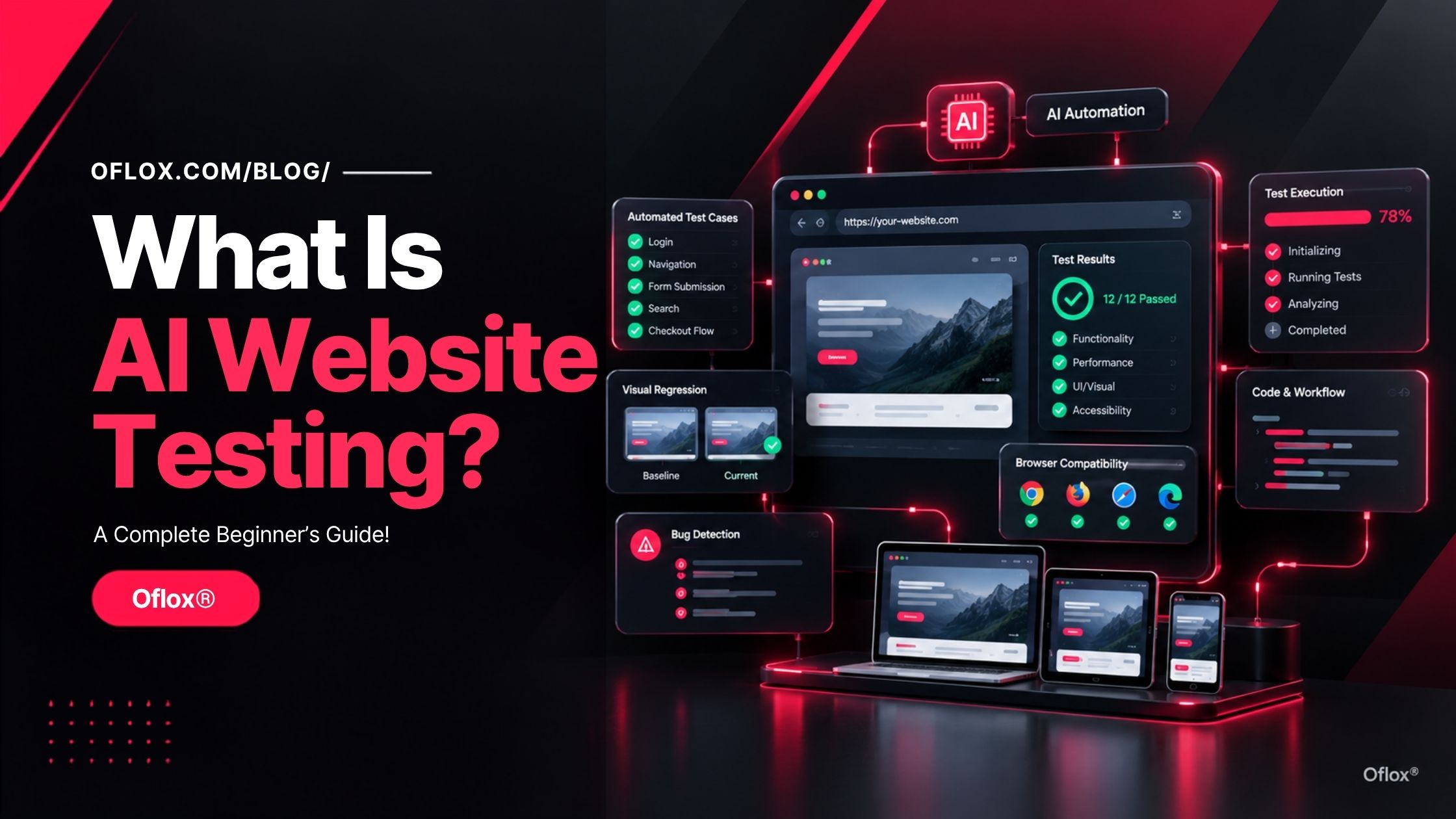
Whether you are a beginner, web developer, QA engineer, software tester, full-stack developer, startup founder, digital agency, or business owner managing a website, understanding AI Website Testing can help you improve website quality, reduce repetitive testing work, detect issues earlier, and deliver a more reliable user experience.
Let’s explore it together.
Table of Contents
What Is AI Website Testing?
AI website testing is the use of artificial intelligence and intelligent automation to test a website or web application for functional, visual, usability, compatibility, accessibility, performance-related and user-flow issues.
Traditional automated testing generally follows predefined instructions such as:
- Open a webpage.
- Enter an email address.
- Enter a password.
- Click Login.
- Check whether the dashboard appears.
AI-assisted testing can add a higher level of intelligence to this process.
For example, a testing system may be given a requirement such as:
“Verify that a new customer can register, complete the profile, add a product to the cart and successfully reach checkout.”
The platform can help turn that requirement into executable test steps, locate relevant elements, run the workflow, analyse screenshots and logs, and report whether the expected journey worked.
Modern platforms are also moving towards agentic testing, where software agents can assist with creating, executing, analysing and maintaining tests instead of simply executing fixed scripts. mabl, for example, describes agentic testing as a model in which AI can create tests from requirements, investigate failures and recover tests when applications change.
How Is AI Website Testing Different From Traditional Testing?
The biggest difference is the amount of intelligence applied to test creation, execution and analysis.
| Traditional Website Testing | AI Website Testing |
|---|---|
| Mostly predefined scripts | Can use AI-assisted or natural-language test creation |
| Test steps are usually explicit | Requirements can be converted into test flows |
| Fixed selectors may break after UI changes | Some AI systems can adapt to interface changes |
| Manual failure investigation is common | AI can analyse logs, screenshots and history |
| Visual checks may require separate tooling | Visual AI can be integrated into testing |
| Test maintenance can be time-consuming | Intelligent maintenance can reduce repetitive updates |
| Exact assertions are commonly used | Some tools support semantic or intent-based validation |
| Human performs much of the analysis | AI can assist with triage and root-cause analysis |
This does not mean AI eliminates traditional testing.
In fact, the strongest approach is generally a layered one: deterministic automated tests, AI-assisted analysis, visual validation, security controls and human review where judgement matters. Recent discussion around AI-generated software also highlights a major risk: using AI to create both code and tests can reproduce the same blind spots. Independent validation remains important.
Why Is AI Website Testing Important?
Websites today change much more frequently than many traditional software systems.
A modern e-commerce website might have:
- Thousands of product pages
- Multiple payment methods
- Personalised recommendations
- Dynamic pricing
- Login and authentication
- Promotional banners
- Multiple shipping rules
- Third-party APIs
- Mobile and desktop layouts
- Different browsers
- Search functionality
- Customer accounts
- Analytics and tracking scripts
Testing every important combination manually is expensive and difficult.
AI can help teams scale their testing efforts.
1. Faster Test Creation
AI-assisted systems can generate test steps from natural-language requirements, user stories or recorded flows. mabl, for example, supports generating tests from descriptions and Jira requirements.
2. Better Visual Validation
A functional test may report success even when a user sees a broken layout.
For example:
- A button exists technically but is hidden.
- A heading has the wrong font.
- An image overlaps text.
- A mobile menu is visually broken.
- A spacing change makes the interface difficult to use.
Visual AI is designed to identify meaningful changes in what users actually see. Applitools describes Visual AI as a way to validate web interfaces across browsers and devices while distinguishing important changes from rendering noise.
3. Continuous Regression Testing
Every code change can introduce a new regression.
AI-assisted test systems can support continuous execution within CI/CD pipelines, allowing teams to find problems before release.
History and Background of AI Website Testing
AI website testing did not appear overnight.
It developed from several stages of software quality engineering.
1. Manual Testing
Early web projects were tested heavily by humans.
A tester would open a browser and manually perform actions such as:
- Clicking links
- Submitting forms
- Testing login
- Checking browser compatibility
- Validating page layouts
- Looking for broken elements
Manual testing remains useful, especially for exploratory testing and subjective user-experience checks, but it does not scale efficiently for large applications.
2. Browser Automation
Browser automation introduced repeatable automated interactions.
Selenium is one of the most influential projects in this space. Its history begins in 2004, when Jason Huggins created an internal testing tool at ThoughtWorks. Selenium later evolved into a broad ecosystem for browser automation.
Today, Selenium WebDriver provides a standard interface for driving browsers and supports cross-browser automation.
3. Modern End-to-End Testing
Frameworks such as Cypress and Playwright made modern web testing more developer-friendly.
Playwright provides browser automation and test-generation capabilities. Its Codegen feature can record browser interactions, generate test code, and recommend locators.
Microsoft introduced Playwright for Python in 2020 as an end-to-end testing solution for modern browsers.
Cypress has also increasingly incorporated AI capabilities. Its 2026 releases include features such as AI Skills, natural-language test creation, AI-assisted assertion recommendations and tooling designed to help AI coding agents interact with test workflows.
4. AI-Assisted Testing
The next stage introduced AI into test creation, failure analysis, maintenance and visual testing.
Instead of simply asking:
“Run this script.”
teams can increasingly ask:
“Test this user journey and tell me where it fails.”
5. Agentic Testing
In 2026, the industry is increasingly discussing agentic testing.
Agentic systems aim to go further by helping:
- Understand requirements
- Create tests
- Execute workflows
- Analyse failures
- Maintain test coverage
- Recommend next actions
This is a significant shift from fixed automation toward more adaptive quality workflows.
How Does AI Website Testing Work?
Although implementations differ between tools, a typical AI website testing workflow can be understood in several stages.
1. Define the Testing Objective
First, decide what you want to verify.
For example:
“A customer should be able to purchase a product from the website using a valid payment method.”
The objective gives the testing system context.
2. Explore the Website
The testing system interacts with the website.
It may identify:
- Buttons
- Forms
- Links
- Navigation
- Input fields
- Menus
- Tables
- Modals
- Images
- Dynamic elements
AI-assisted platforms may analyse the page structure and user interface before creating or executing tests.
3. Generate Test Scenarios
The system can generate different scenarios from requirements.
For a login page:
Positive scenario
Valid username + valid password → Login successfulNegative scenarios
- Invalid username → Error
- Valid username + invalid password → Error
- Blank username → Validation message
- Blank password → Validation message
- Repeated login attempts → Appropriate behaviour
4. Execute the Tests
The automated system runs the generated or predefined workflows.
Depending on the platform, the test may run across:
- Chrome
- Firefox
- Safari
- Edge
- Desktop
- Mobile
- Different screen sizes
- Different operating systems
Modern testing platforms can execute browser combinations in parallel.
5. Analyse the Result
A simple testing system may output:
Test failed.
AI-assisted platforms can provide more context.
For example:
Checkout test failed because the “Place Order” button became unavailable after the shipping API returned an unexpected response.
Some systems can inspect screenshots, logs, prior executions, and application behaviour to classify failures and suggest next steps.
6. Compare Visual Output
The system may compare the current interface against a trusted baseline.
It can detect meaningful visual differences such as:
- Missing sections
- Layout changes
- Font changes
- Incorrect spacing
- Unexpected overlays
- Broken responsive design
Visual AI products are designed specifically for this type of validation.
7. Report and Maintain
Finally, the test results are recorded.
Advanced systems may also help maintain test coverage after UI changes instead of forcing testers to rebuild every affected test manually.
Major Features of AI Website Testing
The major features of AI website testing help teams identify website issues, automate repetitive tasks, and maintain reliable test coverage.
1. Natural-Language Test Creation
One of the most useful AI capabilities is the ability to describe a test in ordinary language.
For example:
“Open the homepage, search for wireless headphones, open the first relevant product, add it to the cart and verify the cart quantity.”
Modern platforms can translate natural-language intent into structured test actions. mabl supports natural-language test creation and requirement-based authoring.
2. AI Test Generation
AI can help create multiple test scenarios from one requirement.
A checkout requirement may generate scenarios for:
- Successful payment
- Failed payment
- Empty cart
- Invalid address
- Expired card
- Coupon failure
- Out-of-stock product
- Guest checkout
- Logged-in checkout
3. Self-Healing or Adaptive Tests
Traditional tests can fail when a locator changes.
For example:
#buy-nowmight become:
#purchase-buttonSome AI testing systems use historical element information, semantic signals or alternative locators to recover from certain interface changes.
Testim, for example, describes AI-powered Smart Locators designed to evaluate multiple attributes and adapt when elements change.
4. Visual AI Testing
Visual AI evaluates how the interface actually appears.
This helps identify problems that pure functional assertions may overlook. Applitools highlights examples such as broken layouts, missing buttons, and incorrect fonts that can pass ordinary DOM assertions.
5. Cross-Browser Testing
A website should not be considered fully tested simply because it works in one browser.
AI-assisted platforms can help execute tests across browser and device combinations. mabl supports cross-browser execution including Chrome, Firefox, Safari and Edge.
6. Failure Analysis
Rather than expecting a QA engineer to search through thousands of lines of logs, AI can summarise failure evidence.
A useful report might include:
- Failed step
- Screenshot
- Error
- Relevant network event
- Browser
- Environment
- Previous successful run
- Potential root cause
7. Accessibility Testing
AI can assist with accessibility checks, but accessibility cannot be reduced to AI alone.
WCAG 2.2 contains testable accessibility criteria and is designed to be used through a combination of automated testing and human evaluation.
Useful checks include:
- Keyboard navigation
- Focus indicators
- Colour contrast
- Form labels
- Alternative text
- Accessible names
- Heading structure
8. Continuous Testing
AI website testing can be integrated into CI/CD pipelines so that important user journeys are tested repeatedly after code changes.
This is especially valuable for websites with frequent deployments.
Benefits of AI Website Testing
AI website testing offers several benefits that can help businesses and development teams improve testing speed, accuracy, and overall website quality.
- Faster Testing Cycles: Automated systems can execute repetitive workflows much faster than humans.
- Greater Test Coverage: AI can help teams generate additional scenarios and explore more combinations.
- Reduced Maintenance Work: Adaptive test mechanisms can reduce the effort required when user interfaces change.
- Better Visual Quality: Visual AI helps identify presentation problems that functional testing may miss.
- Faster Debugging: AI-assisted failure analysis can make large test reports easier to interpret.
- Better Developer Productivity: Developers can receive faster feedback on pull requests, rather than discovering regressions after deployment.
- Improved Release Confidence: A broader and continuously executed test suite can provide stronger evidence before a release.
- Easier Testing for Non-Technical Teams: Natural-language test creation can make test authoring more accessible to QA analysts, product managers, and other team members, depending on the platform.
Challenges and Limitations of AI Website Testing
AI website testing is powerful, but it is not magic.
- AI Can Make Incorrect Assumptions: AI may misunderstand the intended business behaviour. For example, it may determine that a successful page load means checkout worked even though the business actually requires a confirmed order ID.
- False Positives: An AI system may report a change that is intentional. For instance, a promotional banner changes every day. A visual test should not automatically treat every banner change as a regression. Modern visual-testing products therefore provide mechanisms for handling dynamic content and expected visual variation.
- False Negatives: A test can also miss a real problem. A website may pass a scripted workflow but still offer a poor experience for a keyboard user.
- Test Quality Depends on Test Intent: A poorly written requirement produces a poorly defined test. AI cannot compensate completely for unclear business requirements.
- Security and Privacy Concerns: Testing environments may process Customer data, Authentication credentials, Internal URLs, API responses, and payment-related workflows. Sensitive information must be handled according to the organisation’s security policies.
- Cost: Enterprise AI testing platforms can introduce subscription, execution and infrastructure costs. Teams should compare the cost with the value of improved coverage and reduced testing effort.
- Human Review Remains Important: AI should support testers rather than become the only authority. Human reviewers are especially important for Business-critical decisions, Security-sensitive workflows, Complex user experience, Compliance, Exploratory testing, and unexpected AI behaviour.
5+ Popular AI Website Testing Tools
The right tool depends on your framework, team size, application type, and testing goals.
| Tool | Best Known For | Suitable For |
|---|---|---|
| Playwright | Browser automation and test generation | Developers and QA teams |
| Selenium | Cross-browser automation ecosystem | Large automation environments |
| Cypress | Modern web testing and AI-assisted workflows | Web development teams |
| mabl | Agentic testing and AI-powered test lifecycle | Enterprise and product teams |
| Applitools | Visual AI and visual validation | UI-heavy applications |
| Testim | AI-assisted test automation and Smart Locators | Teams seeking lower maintenance |
| BrowserStack | Cloud browser/device testing with AI-assisted capabilities | Cross-browser testing |
| Functionize | AI-driven test creation and execution | Enterprise QA teams |
- Playwright: Playwright provides automated browser testing and includes Codegen for generating tests from recorded browser interactions.
- Selenium: Selenium remains a major browser automation ecosystem based around WebDriver and supports automation across major browsers.
- Cypress: Cypress has been adding AI-focused capabilities in 2026, including natural-language test creation, AI Skills and tooling for AI-agent-assisted debugging.
- mabl: mabl positions itself as an agentic testing platform covering web, mobile, AI applications and APIs. It supports test authoring from natural language, automatic test recovery and AI-assisted failure analysis.
- Applitools: Applitools is particularly useful for visual testing. Its platform combines Visual AI with functional and cross-browser testing and supports dynamic-content handling and parallel execution.
- Testim: Testim uses AI-powered Smart Locators to make automated tests more resilient to interface changes.
- BrowserStack: BrowserStack provides AI-assisted test authoring capabilities in its low-code automation tooling, including AI-generated test steps and test data.
- Functionize: Functionize provides AI-driven capabilities for creating, executing, and analysing automated test cases.
Practical AI Website Testing Example
Consider an e-commerce website.
A customer should be able to:
- Open the website.
- Search for a product.
- Open a product page.
- Select a variant.
- Add the product to the cart.
- Open checkout.
- Enter shipping information.
- Select payment.
- Place the order.
- See an order confirmation.
A traditional test would specify each interaction explicitly.
An AI-assisted workflow could start with:
“Verify that a customer can purchase an available product as a guest using a supported payment method.”
The system can then help construct the workflow.
Example Test Cases:
| Scenario | Expected Result |
|---|---|
| Valid product purchase | Order successful |
| Product unavailable | Purchase blocked with useful message |
| Invalid address | Validation shown |
| Missing required field | User cannot continue |
| Invalid payment | Payment fails safely |
| Successful payment | Confirmation displayed |
| Mobile checkout | Layout remains usable |
| Browser compatibility | Critical workflow works across supported browsers |
Now add visual testing.
The system checks whether:
- Cart quantity is visible.
- Checkout button is accessible.
- Product information is aligned.
- Error messages are readable.
- Mobile fields are not cut off.
- Confirmation page renders correctly.
This demonstrates why modern testing is becoming multi-layered.
How to Implement AI Website Testing?
A well-planned AI website testing process helps developers and QA teams automate important tests, detect issues earlier, and improve website reliability.
1. Identify Critical User Journeys
Do not begin by testing every page.
Start with business-critical workflows such as:
- Login
- Registration
- Search
- Product purchase
- Checkout
- Lead submission
- Booking
- Subscription
- Contact forms
2. Define Expected Outcomes
Each test should answer:
What should happen?
For example:
When a valid user submits the login form, the dashboard should load and display the user account menu.
3. Choose the Testing Stack
A developer-focused team might choose Playwright or Cypress. A cross-browser testing team may combine automation with a cloud testing provider.
A UI-heavy enterprise application may benefit from visual AI.
4. Build the Initial Test Suite
Start with your most valuable journeys.
Do not attempt to automate hundreds of low-value tests on day one.
5. Add Visual Validation
Use screenshots or visual AI where interface consistency matters.
6. Add Accessibility Checks
Automate what can reasonably be automated, then complement it with human evaluation.
WCAG 2.2 should be part of the accessibility reference framework.
7. Integrate With CI/CD
Run important tests on:
- Pull requests
- Staging deployments
- Release candidates
- Scheduled intervals
8. Monitor Test Quality
Track:
- Failure rate
- Flaky tests
- Execution duration
- Coverage
- Regression detection
- False positives
- Test maintenance effort
9. Add AI Analysis Carefully
Allow AI to summarise and classify evidence, but maintain deterministic controls for release-critical decisions.
AI Website Testing for Different Types of Websites
AI website testing can support a wide range of websites by helping teams test functionality, usability, visual performance, and critical user interactions.
1. E-Commerce Websites
Focus on:
- Search
- Product pages
- Cart
- Checkout
- Coupons
- Payments
- Accounts
- Order confirmation
2. SaaS Platforms
Test:
- Registration
- Login
- User permissions
- Dashboard
- Subscription changes
- File uploads
- API workflows
- Notifications
3. WordPress Websites
Important areas include:
- Contact forms
- Search
- Navigation
- Responsive layouts
- Login
- Plugin functionality
- JavaScript errors
- Broken links
- Important templates
4. News and Content Websites
Test:
- Article rendering
- Categories
- Search
- Images
- Ads
- Related posts
- Mobile layouts
- Navigation
5. AI-Powered Websites
AI websites create an additional testing challenge because outputs may not always be identical.
Testing should focus on criteria such as:
- Safety
- Relevance
- Required content
- Response boundaries
- Guardrails
- System behaviour
- Failure handling
mabl, for example, describes intent-based assertions for AI application outputs instead of relying only on exact text matching.
Common AI Website Testing Mistakes
Avoiding common AI website testing mistakes is essential for achieving reliable results and maintaining the quality of modern websites.
- Assuming AI Means Fully Automatic QA: AI can automate many activities, but quality assurance still requires human judgement.
- Testing Only the Happy Path: The most important failures often happen during unexpected conditions. Always test negative and edge cases.
- Ignoring Visual Testing: A functionally correct website can still look broken. Functional and visual testing solve different problems.
- Creating Too Many Tests: More tests do not automatically mean better quality. Prioritise high-risk and high-value user journeys.
- Trusting Self-Healing Blindly: A self-healed test should still be reviewed. Otherwise, the system may adapt to a real defect rather than correctly identifying it.
- Feeding Sensitive Data Into AI Tools: Never casually send production credentials, confidential customer information or sensitive internal data into third-party systems.
- Ignoring Test Flakiness: A test that fails randomly becomes less trustworthy. Investigate environment instability, timing issues, network dependency, selectors and test data.
- Testing Without Business Context: A test can technically pass while the actual business requirement remains unsatisfied.
Expert Tips for Better AI Website Testing
Better AI website testing starts with clear objectives, reliable test cases, proper validation, and continuous monitoring.
- Start With Business-Critical Flows: Your test strategy should be connected to business risk. If your company makes most of its revenue through checkout, checkout deserves more coverage than a low-value informational page.
- Combine Deterministic and AI Testing: Do not replace everything with probabilistic AI. Use deterministic tests for predictable conditions and AI where intelligence adds value. A layered model is generally stronger: Traditional Automation + AI Assistance + Visual Validation + Accessibility + Human Review.
- Keep Test Data Controlled: Stable test data creates more reliable results. Use dedicated staging accounts and realistic but controlled datasets.
- Test Across Realistic Browser and Device Combinations: Do not select dozens of browser combinations simply because they are available. Use traffic and business priorities to identify what matters.
- Treat AI Results as Evidence, Not Absolute Truth: An AI-generated explanation is useful only when it is backed by actual test evidence. Screenshots, logs, network events, traces and reproducible failures remain important.
- Review Self-Healing Changes: Whenever an AI system modifies a test automatically, make sure the original business intent remains intact.
AI Website Testing vs Manual Testing
| Factor | Manual Testing | AI Website Testing |
|---|---|---|
| Speed | Lower for repetition | High for repeatable workflows |
| Scalability | Limited | High |
| Exploratory testing | Excellent | Supporting role |
| Regression testing | Time-consuming | Strong automation potential |
| Visual validation | Human perspective | Automated visual assistance |
| Test creation | Human-driven | Can be AI-assisted |
| Test maintenance | Manual | Can be partially adaptive |
| Business judgement | Excellent | Requires human oversight |
| Cost at large scale | Can become expensive | Can reduce repetitive effort |
The best organisations rarely need to choose only one.
Manual testing and AI-powered automation can complement each other.
AI Website Testing vs Traditional Automation
Traditional automation remains extremely valuable.
For example, Selenium WebDriver is still a standards-based browser automation approach, while Playwright and Cypress provide modern developer-focused testing experiences.
The key difference is that AI adds an intelligence layer around automation.
Think of it this way:
- Automation performs actions.
- AI can help decide, generate, interpret and adapt around those actions.
That distinction is important.
Is AI Website Testing Suitable for Beginners?
Yes. Beginners can start with no-code or low-code platforms that provide visual interfaces and natural-language capabilities.
However, learning the fundamentals of software testing is still important.
A beginner should understand:
- Test case
- Test scenario
- Assertion
- Regression
- Smoke testing
- Functional testing
- Non-functional testing
- Browser compatibility
- Accessibility
- Test data
- CI/CD
AI makes testing easier, but foundational knowledge makes AI testing more effective.
What Skills Are Needed for AI Website Testing?
For a QA engineer or developer, useful skills include:
- Testing Fundamentals: Understand test design, defect tracking, regression testing, and risk-based testing.
- Browser Automation: Learn at least one framework such as Playwright, Selenium or Cypress.
- Web Technologies: Basic knowledge of HTML, CSS, JavaScript, HTTP, APIs, DOM, Cookies, and Authentication.
- AI Literacy: Understand Prompts, LLM limitations, AI-generated outputs, Hallucination risk, Context, and Evaluation criteria.
- CI/CD: Learn how tests run inside automated development pipelines.
- Accessibility: Understand the basics of WCAG and inclusive web development.
Future of AI Website Testing: 2026 and Beyond
The future of website testing is moving beyond simple automation.
1. Agentic Testing
In 2026, agentic testing is emerging as an important direction.
Instead of simply executing scripts, AI agents can potentially:
- Explore applications
- Create tests
- Run tests
- Analyse failures
- Recover broken workflows
- Suggest changes
mabl’s current platform is an example of this broader direction.
2. Natural-Language Testing
Writing tests in plain English is likely to become more common.
Cypress has already introduced natural-language test capabilities and AI Skills in its 2026 releases
3. AI Testing AI-Generated Software
As AI coding tools produce more software, teams need independent verification.
This is a critical distinction.
The same AI assumptions should not necessarily generate both an application and its only validation layer. Independent automated and human review can reduce shared blind spots.
4. Visual AI Will Become More Important
Modern UI development produces highly dynamic interfaces.
Visual testing can catch problems that conventional assertions miss, making visual AI increasingly valuable for customer-facing products.
5. Testing AI-Powered Websites
AI chatbots, recommendation engines and generative interfaces introduce non-deterministic behaviour.
Future test systems will increasingly evaluate:
- Intent
- Safety
- Accuracy
- Policy compliance
- Output quality
- Robustness
rather than checking only exact strings.
6. AI Agents as Website Users
A particularly important future development is the rise of software agents that interact with websites.
Google’s 2026 guidance on optimisation for generative AI features also recognises AI agents as an emerging area, reinforcing the broader shift towards interfaces that may be consumed by both people and intelligent systems.
This creates a new testing question:
Can an AI agent successfully understand and operate your website?That may eventually become a meaningful quality metric alongside human usability.
7. More Intelligent Root-Cause Analysis
Future tools will increasingly combine:
- Logs
- Screenshots
- DOM information
- Network traces
- Release history
- Browser information
- Performance data
- Previous test results
to identify probable causes rather than simply reporting failures.
How AI Website Testing Can Support SEO and User Experience
Website testing is not an SEO substitute.
However, technical quality directly affects the experience users receive.
Testing can help identify issues such as:
- Broken navigation
- Unusable mobile layouts
- Missing content
- Broken forms
- JavaScript errors
- Visual regressions
- Accessibility problems
- Inconsistent rendering
Google continues to emphasise helpful, reliable, people-first experiences and recommends making sites useful for people rather than creating pages primarily to manipulate rankings.
Google’s 2026 guidance also notes that traditional SEO fundamentals remain important when optimising content for generative AI search experiences.
Therefore, AI website testing should be viewed as part of broader website quality management rather than an SEO shortcut.
A Simple AI Website Testing Checklist
Before releasing an important website update, check:
1. Functional
- Login works
- Forms submit correctly
- Search works
- Navigation works
- Checkout works
- Important APIs respond correctly
2. Visual
- Desktop layout works
- Mobile layout works
- Images render correctly
- Fonts load correctly
- Buttons remain visible
- No unexpected overlap exists
3. Compatibility
- Supported browsers tested
- Important devices tested
- Responsive breakpoints checked
4. Accessibility
- Keyboard navigation works
- Focus states are visible
- Form labels are present
- Contrast is adequate
- Important content is accessible
5. Regression
- Existing critical journeys still work
- Recent releases have not broken older functionality
6. Security
- Authentication behaves correctly
- Sensitive test data is controlled
- Secrets are not exposed in logs
7. AI-Specific
- AI-generated test assumptions reviewed
- AI output evaluated against clear criteria
- Guardrails tested
- Important decisions independently validated
FAQs:)
A. AI website testing means using artificial intelligence to help test a website automatically. It can assist with creating test cases, executing user journeys, analysing failures, checking visual changes and maintaining tests.
A. No. AI website testing is a form of automation enhanced with AI capabilities. Traditional automated testing can follow predefined rules, while AI-assisted systems can add natural-language generation, intelligent analysis, visual understanding or adaptive test maintenance.
A. Some modern platforms support no-code or low-code testing, while tools such as Playwright, Selenium and Cypress are commonly used by developers and technical QA teams. The exact capabilities depend on the platform.
A. No. AI can reduce repetitive work, but QA engineers still provide test strategy, business context, exploratory testing, risk assessment and human judgement.
A. Depending on the tool, it can help identify functional failures, broken workflows, visual regressions, browser compatibility problems, accessibility issues, JavaScript errors and other application problems.
A. Costs vary widely. Open-source frameworks can be used without commercial platform licensing, while enterprise platforms may charge for features, execution or infrastructure. Choose based on your testing volume and business requirements.
A. There is no universal best tool. Playwright, Selenium and Cypress are strong automation choices, while mabl, Applitools, Testim, BrowserStack and Functionize offer different AI-assisted capabilities. Tool selection should depend on application requirements, team skills and budget.
A. Yes. It can be useful for testing forms, authentication, navigation, responsive layouts, JavaScript behaviour, user journeys and important plugin-driven functionality.
A. Yes. AI-assisted testing platforms can be combined with browser and device testing environments to validate responsive behaviour across different screen sizes and devices.
A. It can assist with automated accessibility validation, but accessibility requires more than an AI scan. WCAG 2.2 is designed around testable criteria and a combination of automated and human evaluation.
A. It can be highly useful, but reliability depends on the test design, application, tool, data and validation strategy. AI-generated or AI-maintained tests should still be monitored and reviewed.
Conclusion:)
We hope this article has helped you understand what AI Website Testing is, how AI-powered website testing works, and why it is important for modern web and software development.
AI Website Testing helps businesses and development teams test websites and web applications more efficiently by combining artificial intelligence with automation. It can assist with test case generation, functional testing, visual testing, browser compatibility testing, accessibility checks, failure analysis, regression testing, and test maintenance.
However, effective AI website testing requires more than simply using an AI-powered testing tool. Teams should understand their testing objectives, critical user journeys, test data, browser environments, accessibility requirements, and possible limitations of AI-generated results.
AI can reduce repetitive testing work and help identify issues faster, but human judgement remains important for business logic, exploratory testing, usability, security, and final quality decisions.
“AI Website Testing makes software testing smarter, but the best results come when artificial intelligence and human expertise work together.” — Oflox®
Read also:)
- What Is Code Splitting? Complete Guide with Examples!
- What Is JavaScript Async? A Complete Beginner’s Guide!
- What Is Website Wireframe? A-to-Z Guide for Beginners!
Have questions or suggestions about AI Website Testing? Share them in the comments below and help others learn more about this technology.