This complete guide will explain What Is Code Splitting, how it works, why it is important, its major types, features, benefits, challenges, implementation process, popular tools, practical examples, common mistakes, expert tips, and future trends.
Modern websites and web applications often contain large amounts of JavaScript. They may include dashboards, payment gateways, analytics, interactive maps, live chat, search tools, video players, editors, and many other advanced features.
Loading the complete application code at once may appear simple, but it can make the initial page load slower. The browser must download, parse, compile, and execute a large JavaScript bundle even when the visitor needs only a small part of the application.
For users browsing on slower mobile devices or limited internet connections, this can result in delayed content, unresponsive buttons, increased data consumption, and a poor overall user experience. It may also affect website performance, engagement, conversions, and Core Web Vitals.
Code splitting provides an effective way to manage this problem by dividing a large JavaScript bundle into smaller files known as chunks.
Instead of loading the entire application at once, the browser loads only the code required for the current page or feature. Other chunks can be downloaded later when the visitor navigates to another page, opens a component, or performs a particular action.
For example, a visitor browsing the homepage of an eCommerce website does not immediately need the code used for checkout, order tracking, product reviews, or account settings. With code splitting, these features can remain in separate chunks and load only when required.
Whether you are a beginner, frontend developer, full-stack developer, website owner, blogger, SaaS founder, SEO professional, digital marketer, or development agency, understanding code splitting can help you improve website performance, reduce unnecessary JavaScript, and create faster web experiences.
Let’s explore it together.
Table of Contents
What Is Code Splitting?
Code splitting is a web performance technique that divides a large JavaScript application bundle into smaller and independently loadable chunks. Instead of downloading the entire application at the beginning, the browser loads the code needed for the current page or action and fetches additional code when required.
Suppose your web application produces a single 1.5 MB JavaScript file. A user visiting the login page may require only 200 KB of that code.
With code splitting, the login-related code can be delivered in the initial chunk, while the dashboard, reporting, billing, and account-settings code remains in separate chunks.
The purpose is not simply to create more files. Its main objective is to reduce the amount of unnecessary JavaScript that the browser must download, parse, compile, and execute during the initial page load.
Code Splitting at a Glance:
| Question | Short Answer |
|---|---|
| What is split? | JavaScript modules, routes, components, or vendor libraries |
| What is created? | Smaller output files called chunks |
| When are chunks loaded? | During startup, navigation, interaction, or prefetching |
| Who performs the splitting? | A bundler, framework, or build tool |
| What is its main purpose? | To reduce unnecessary initial JavaScript |
| What is the common mechanism? | Dynamic import() |
| Is it the same as lazy loading? | No. Splitting creates chunks, while lazy loading controls when they load |
Why Is Code Splitting Important?
Modern web applications are becoming increasingly feature-rich. A single application may include customer dashboards, payment gateways, video players, search tools, analytics reports, admin panels, and live communication features.
Loading all these features together can create an unnecessarily large JavaScript bundle.
JavaScript also has a higher processing cost than many other website resources. The browser must:
- Download the JavaScript file.
- Decompress the file.
- Parse the JavaScript.
- Compile the code.
- Execute the instructions.
- Update the user interface.
On an entry-level mobile phone, JavaScript processing can be more limiting than the internet speed itself.
A very large JavaScript bundle can negatively affect:
- Initial website loading speed
- Responsiveness during startup
- Mobile data consumption
- CPU and battery usage
- User experience
- Conversion rates
- Browser caching
- Core Web Vitals
- Performance on low-end devices
Code splitting can reduce this initial workload.
However, it is important to understand that code splitting does not automatically guarantee better Google rankings, conversions, or Core Web Vitals. It supports a faster and more usable experience only when implemented and tested properly.
A Practical Example:
Imagine a SaaS platform that contains the following areas:
- Public landing page
- User login page
- Customer dashboard
- Invoice generator
- Analytics charts
- Team settings
- Help centre
- Subscription management
If all these areas are compiled into one JavaScript file, a visitor opening the landing page may download code for analytics charts and invoice generation that they may never use.
Route-based code splitting can create separate chunks for every major area.
History and Background of Code Splitting
Early websites mainly used JavaScript for small tasks such as:
- Form validation
- Dropdown menus
- Image sliders
- Basic animations
- Pop-up boxes
Developers could include a few JavaScript files directly in the HTML without requiring complex build systems.
As web development evolved, single-page applications became popular. More presentation logic, application state, and business functionality moved into the browser.
Developers started using module systems and build tools to organise increasingly complex codebases.
Tools such as Browserify and webpack helped developers combine modules and dependencies into deployable bundles. Bundling improved dependency management and browser compatibility, but it also introduced a new problem.
The final JavaScript bundle could become extremely large.
Bundlers therefore introduced different methods for generating multiple output chunks. Earlier approaches often required complicated manual configuration.
Later, the JavaScript ecosystem moved towards ES modules and the dynamic import() syntax.
Dynamic imports provide build tools with a clear splitting point. The requested module is loaded asynchronously, and the operation returns a Promise that resolves to the module.
Modern frameworks now provide route-based and component-based code splitting with considerably less configuration.
For example:
- React provides React.lazy() and Suspense.
- Next.js supports automatic route splitting and dynamic imports.
- Angular supports lazy-loaded routes.
- Vue supports asynchronous components.
- Webpack supports dynamic imports and configurable shared chunks.
- Vite supports dynamic importing through its production build system.
Although the tools have changed, the fundamental principle remains the same:
Deliver only the code that is useful for the user’s current context.
How Does Code Splitting Work?
A modern build tool begins by reading one or more application entry points.
It then creates a dependency graph that shows which modules import and depend on other modules.
A static import normally becomes part of the initial dependency graph:
import { createChart } from './chart.js';
When this import is used, the chart.js module will normally be included in the relevant initial bundle.
A dynamic import tells the build tool that the module may be loaded separately:
const chartModule = await import('./chart.js');

chartModule.createChart();
During the production build, the tool may convert chart.js and its unique dependencies into a separate chunk.
When the relevant user action occurs, the application requests that chunk. The browser downloads and evaluates it, after which the Promise resolves with the module exports.
Step-by-Step Code-Splitting Process:
1. Source Code Is Organised into Modules
The application is divided into pages, components, utilities, services, and third-party packages.
2. The Build Tool Creates a Module Graph
The build tool checks all static imports, dynamic imports, shared dependencies, and application entry points.
3. Split Points Are Identified
Routes, dynamic imports, or manually configured rules become possible code-splitting boundaries.
4. Separate Chunks Are Generated
Feature-specific code is placed in separate chunks. Dependencies used by multiple features may be placed in shared chunks.
5. Hashed Filenames Are Created
A generated file may look like this:
analytics.a81c7.js
The hash changes when the content changes. This helps the browser cache unchanged files for longer periods.
6. The Initial Page Loads Essential Assets
The browser receives the main entry chunk and the dependencies required to display and operate the current page.
7. Additional Chunks Load When Required
A chunk may be requested when the user:
- Navigates to another route
- Opens a modal
- Clicks a button
- Starts a search
- Opens an editor
- Scrolls to a component
- Requests an export
8. The Interface Handles the Waiting Period
The application displays a loader, progress indicator, skeleton screen, or existing content while the chunk is being downloaded.
9. Performance Is Measured
Developers verify whether the new strategy reduces unnecessary code without causing network waterfalls, broken routes, or delayed interactions.
Main Types of Code Splitting
Code splitting can be implemented in multiple ways. The correct approach depends on the size and structure of the application.
1. Entry-Point Code Splitting
Entry-point splitting creates different bundles for different application starting points.
For example, a website may have separate entry files for:
- Public website
- Customer portal
- Admin panel
- Employee dashboard
This method is useful when different areas are used by completely different audiences.
One limitation is that shared dependencies may be duplicated if the bundler is not configured to extract them properly.
2. Route-Based Code Splitting
Route-based code splitting loads JavaScript according to the current URL or page.
It is generally the best starting point for large applications because routes provide natural functional boundaries.
For example:
- / loads the homepage chunk.
- /products loads the product catalogue chunk.
- /checkout loads the checkout chunk.
- /account loads the account-management chunk.
- /admin loads the admin-panel chunk.
Many modern frameworks support route-level splitting automatically or through their router configuration.
3. Component-Based Code Splitting
Component-based splitting places a large or rarely used interface component into a separate chunk.
Good candidates include:
- Rich-text editor
- Interactive map
- Advanced data chart
- Video editor
- Complex booking calendar
- Large modal
- PDF previewer
- Spreadsheet component
Developers should avoid splitting every small button, card, or icon into a separate chunk. Very small chunks can introduce more requests and runtime overhead than actual performance benefits.
4. Feature-Based Code Splitting
In feature-based splitting, the application is divided according to business capabilities.
Examples include:
- Billing
- Reporting
- Customer support
- Team management
- Product inventory
- Marketing automation
This method is useful for large product teams because the chunk boundaries can match feature ownership and application architecture.
5. Vendor Code Splitting
Vendor splitting separates application code from third-party packages.
For example, a project may generate separate chunks for:
- React
- Charting library
- Rich-text editor
- Date-processing library
- Application code
Stable vendor chunks can remain cached while frequently changing application code is updated.
However, blindly placing all dependencies into one vendor file can create another oversized bundle. A better strategy considers the size, usage, and update frequency of every dependency.
6. Conditional or On-Demand Splitting
Some modules are required only after a particular user action.
For example, a website may:
- Load a PDF library after clicking “Export PDF.”
- Load an address autocomplete service after focusing on the delivery field.
- Load a chat widget after opening customer support.
- Load a payment provider after entering the checkout process.
- Load a video editor after uploading a video.
This approach can save significant resources for visitors who never use those features.
Code Splitting vs Related Techniques
Code splitting is frequently confused with lazy loading, tree shaking, bundling, compression, and minification.
These techniques are related but perform different functions.
| Technique | What It Does | Relationship with Code Splitting |
|---|---|---|
| Lazy loading | Delays a resource until required | Controls when a split chunk is fetched |
| Tree shaking | Removes unused exported code | Reduces the content inside bundles |
| Minification | Removes unnecessary characters | Reduces file size |
| Compression | Compresses files using Brotli or Gzip | Reduces transferred network bytes |
| Bundling | Combines modules for delivery | Code splitting produces multiple bundles |
| Prefetching | Fetches likely future resources during idle time | Can make future chunks load faster |
| Preloading | Gives a resource higher loading priority | Can prioritise an important chunk |
These techniques can be used together.
A production application may use:
- Tree shaking to remove unused code
- Minification to reduce file size
- Brotli compression to reduce network transfer
- Route splitting to divide the application
- Lazy loading to delay optional code
- Prefetching to prepare the likely next route
Key Features of an Effective Code-Splitting Strategy
Here are the essential elements of a successful code-splitting strategy.
1. Clear Splitting Boundaries
Strong boundaries follow genuine user journeys, routes, or substantial features.
These are easier to understand, test, and maintain than random divisions based only on file size.
2. Shared Dependency Management
The bundler should avoid repeating React, design-system code, or other common packages across multiple chunks.
At the same time, the shared chunk should not become so large that every page must download libraries it does not use.
3. Stable Browser Caching
Content hashes allow unchanged chunks to retain the same filenames.
Therefore, updating one feature does not necessarily invalidate the entire application bundle.
4. Loading and Error States
Dynamic imports can fail because of:
- Slow or disconnected internet
- Cancelled requests
- Deleted files after deployment
- Browser extensions
- Server issues
- Content Security Policy restrictions
The application should provide a useful loading state, error message, and retry option.
5. Prefetch and Preload Control
Likely next-page chunks may be prefetched during idle time.
However, aggressive prefetching can remove the bandwidth-saving benefit of code splitting.
Prefetching should consider user intent, device conditions, and network quality.
6. Measurable Performance Results
The final objective is not to produce the highest possible number of chunks.
The real objective is to help visitors receive less unnecessary JavaScript and experience a faster and more stable application.
Benefits of Code Splitting
Here are some important advantages of implementing code splitting.
- Smaller Initial JavaScript Payload: The browser downloads only the code needed for the current page. This can be particularly valuable for large single-page applications containing several specialised features.
- Faster Parsing and Execution: Fewer initial bytes generally require less browser processing. This can improve startup responsiveness, especially on slower mobile devices.
- Better Browser Caching: When chunks use stable content hashes, updating one application feature does not require every returning visitor to download the complete JavaScript bundle again. Unchanged chunks can continue to load from the browser cache.
- Reduced Mobile Data Usage: Users do not need to download features they never open. This is important for people using mobile data plans, metered networks, or slow connections.
- Improved Application Scalability: Route-level and feature-level boundaries make it easier to control bundle growth as the application expands. Development teams can also monitor the effect of new features on individual routes.
- Better Perceived Performance: The primary page can appear sooner while optional features load afterwards. A properly designed skeleton or loading state allows visitors to understand that a particular feature is still loading without blocking the complete page.
- More Efficient Deployments: When caching and content hashing are configured properly, changing one feature may update only the related chunks. Visitors can reuse the remaining cached files.
Challenges and Limitations of Code Splitting
Below are the major challenges and limitations of code splitting.
1. Too Many Small Chunks
Over-splitting can create excessive network requests, module-runtime processing, and cache metadata.
HTTP/2 and HTTP/3 reduce some request overhead, but unlimited tiny files are still not free.
2. Network Waterfalls
A chunk may load and then discover that it requires another dependency. That dependency may request another file.
Such sequential request chains are called network waterfalls.
They can make a dynamically loaded feature slower than expected.
3. Loading-State Complexity
Every delayed component needs a suitable fallback.
If multiple sections show independent spinning loaders, the interface can appear unstable or unfinished.
Skeleton screens and carefully positioned loading boundaries usually provide a better experience.
4. Chunk Failures After Deployment
A visitor may keep an old version of a page open while a new application version is deployed.
If the new deployment removes a chunk referenced by the old page, the visitor’s next dynamic import may fail.
Possible solutions include:
- Temporarily retaining previous assets
- Using atomic deployments
- Logging chunk errors
- Offering a safe refresh
- Preserving unsaved user information
5. Duplicate Dependencies
Incorrect configuration can place the same library in multiple chunks.
This increases the overall JavaScript downloaded during a complete user session.
A bundle visualisation tool can help identify duplicate dependencies.
6. SEO Misunderstandings
Code splitting does not replace server-rendered, crawlable, and accessible content.
If essential content appears only after a fragile client-side request chain, visitors and search engines may receive an incomplete page.
Important content should remain available through reliable rendering.
7. Increased Testing Requirements
A feature may work correctly on a fast local development network but fail on slow mobile connections.
Production builds should be tested with:
- Network throttling
- CPU throttling
- Disabled cache
- Offline conditions
- Mid-range and low-end devices
- Real-user monitoring
How to Implement Code Splitting Step by Step
Follow these steps to implement code splitting effectively.
1. Create a Performance Baseline
Before changing the bundle, record:
- Initial JavaScript transfer size
- Uncompressed JavaScript size
- Main bundle size
- Long tasks
- Route-loading time
- Core Web Vitals
- Time required for the first meaningful interaction
Without a baseline, you cannot prove whether code splitting actually improved the application.
2. Analyse the Existing Bundle
Use a bundle analyser to identify:
- Large dependencies
- Duplicate packages
- Code loaded on every route
- Rarely used libraries
- Heavy charts, maps, editors, and exporters
- Modules that prevent tree shaking
- Oversized shared chunks
3. Begin with Route Boundaries
Route-level splitting generally produces meaningful chunks without excessive fragmentation.
Check what your framework already does before adding manual configuration.
4. Identify Heavy Optional Features
Good on-demand candidates are both large and unnecessary for the initial useful view.
Examples include:
- Admin editor
- Payment widget
- Spreadsheet engine
- Advanced chart
- Interactive map
- PDF generator
- Video player
- File-conversion tool
5. Add Dynamic Imports
Here is a basic JavaScript example:
const exportButton = document.querySelector('#export');

exportButton.addEventListener('click', async () => {
  const { createPdf } = await import('./pdf-export.js');

  await createPdf();
});
The PDF module will be loaded only after the visitor clicks the export button.
A production implementation should also contain a loading state and error handling.
6. Add a Useful Loading State
Display a compact loader, message, or skeleton where the delayed feature will appear.
Avoid blocking the entire screen when only one small section is loading.
7. Configure Shared Chunks Carefully
Begin with the sensible defaults provided by the framework or bundler.
Change the shared chunk configuration only when bundle analysis identifies duplication, weak caching, or an oversized common bundle.
8. Use Prefetching Selectively
A chunk can be prefetched when user intent becomes reasonably clear.
For example, you may prefetch a route when:
- Its link becomes visible
- The user hovers over its link
- The user focuses on the link
- The network is idle
- The next step is highly predictable
Do not immediately prefetch the complete application.
9. Test Failure Conditions
Simulate:
- Offline mode
- Slow internet
- Cancelled requests
- Server errors
- Deployment version mismatch
- Missing chunks
Confirm that the application can retry or request a safe refresh without losing important user data.
10. Measure Production Results
Compare the new results with your original baseline.
Measure both the initial page and subsequent route changes.
Moving the complete delay from the first page to the second interaction is not a complete performance improvement.
Practical Code-Splitting Examples
Here are a few examples showing how code splitting works in practice.
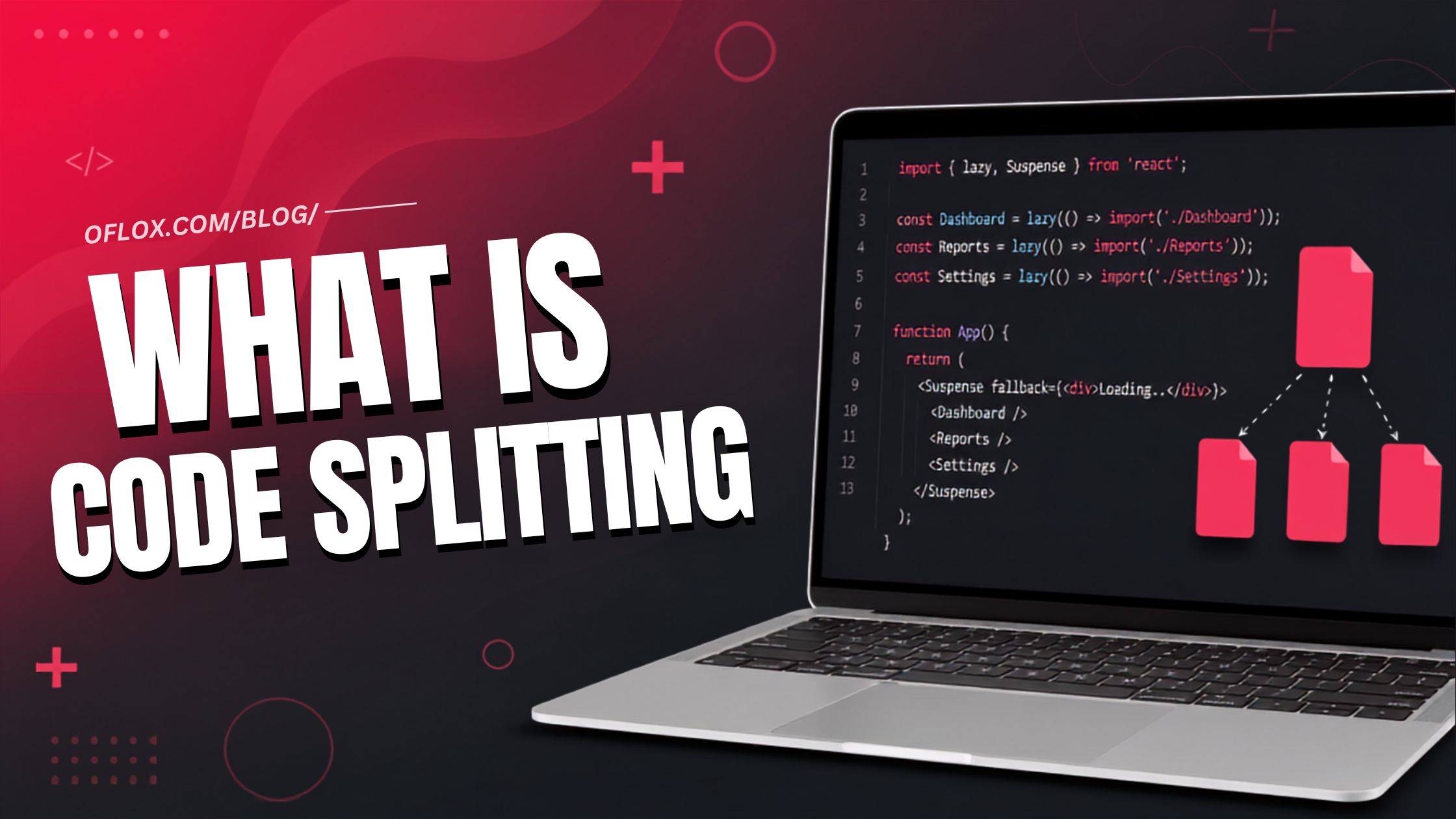
1. React.lazy and Suspense Example
import { lazy, Suspense } from 'react';

const AnalyticsPanel = lazy(() =>
  import('./AnalyticsPanel.jsx')
);

export default function Dashboard() {
  return (
    <Suspense fallback={<div>Loading analytics…</div>}>
      <AnalyticsPanel />
    </Suspense>
  );
}
React calls the loading function when the lazy component is rendered for the first time.
The imported module should normally provide the component as its default export.
2. Next.js Dynamic Import Example
'use client';

import dynamic from 'next/dynamic';

const RichTextEditor = dynamic(
  () => import('../components/RichTextEditor'),
  {
    loading: () => <p>Loading editor…</p>
  }
);

export default function ArticlePage() {
  return <RichTextEditor />;
}
Next.js also provides framework-level code splitting. Developers should check the current framework behaviour before assuming that every server and client component combination is split in the same way.
3. Conditional Library Loading
async function searchProducts(query) {
  if (!query.trim()) {
    return [];
  }

  const { default: Fuse } = await import('fuse.js');

  const index = new Fuse(products, {
    keys: ['name', 'category']
  });

  return index.search(query);
}
In this example, the search library is downloaded only when the visitor performs a meaningful search.
4. Loading a Module with Error Handling
async function openEditor() {
  const button = document.querySelector('#open-editor');

  try {
    button.disabled = true;
    button.textContent = 'Loading editor…';

    const { startEditor } = await import('./editor.js');

    startEditor();
  } catch (error) {
    console.error('Editor chunk failed to load:', error);

    button.textContent = 'Try Again';
    button.disabled = false;
  }
}
This implementation informs the user that the module is loading and provides a recovery path if the request fails.
5+ Popular Tools for Code Splitting
| Tool | Typical Role | Code-Splitting Support |
|---|---|---|
| webpack | Mature module bundler | Dynamic imports, entry points, and configurable shared chunks |
| Vite | Development server and build tool | Dynamic imports and Rollup-based production optimisation |
| Rollup | ES module bundler | Multiple entry points, dynamic imports, and manual chunks |
| esbuild | Fast bundler and transformer | Splitting for supported module output formats |
| Parcel | Low-configuration build tool | Automatic and dynamic code splitting |
| React | User-interface library | lazy() and Suspense for component loading |
| Next.js | React framework | Route splitting, dynamic imports, and bundle optimisation |
| Angular | Application framework | Lazy-loaded routes and build optimisation |
| Vue | User-interface framework | Async components and route-level dynamic imports |
Useful Bundle Analysis Tools:
1. Webpack Bundle Analyzer
It creates an interactive visual representation of the modules included in webpack bundles.
It is useful for identifying:
- Large packages
- Duplicate modules
- Oversized vendor chunks
- Unexpected dependencies
2. Source Map Explorer
Source Map Explorer analyses source maps and displays how much space every source file occupies in a generated bundle.
3. Chrome DevTools Coverage
The Coverage panel can show how much loaded JavaScript and CSS remains unused during a particular page session.
4. Lighthouse
Lighthouse can identify unused JavaScript and other performance opportunities.
However, its suggestions should be reviewed in the context of the complete application rather than followed blindly.
5. Framework-Specific Bundle Reports
Frameworks such as Next.js provide build output and optional analysis tools that help developers inspect server and client bundles.
Real-user monitoring is also important because laboratory tests cannot represent every device, network, and navigation pattern.
Real-World Applications of Code Splitting
Below are some real-world applications of code splitting.
1. E-commerce Website
An e-commerce website can load catalogue and product-page code first.
The following features can be delayed until required:
- Product review editor
- Recommendation carousel
- Payment provider
- Order tracking
- Image zoom
- Wishlist manager
2. Admin Dashboard
Dashboards often contain large charts, data grids, date libraries, and export tools.
These features can be split according to dashboard sections. Advanced reports can load only for authorised users who open them.
3. Content Website
A blog or news website should make its article text immediately available.
The following optional features can load later:
- Comments editor
- Social-sharing panel
- Interactive calculator
- Syntax highlighter
- Related-content slider
- Newsletter popup
4. Online Design Tool
The primary canvas controls may be essential.
More advanced features can be separated into chunks, including:
- Video export
- Background removal
- Templates
- Collaboration panel
- Animation library
- Premium image effects
5. Multi-Language Application
Translation files can be split by language.
A Hindi-speaking visitor does not need every German, French, Japanese, and Spanish translation file during the initial visit.
Expert Tips for Better Code Splitting
Below are some practical tips for achieving better code-splitting results.
1. Split by User Journey
Routes and meaningful features create understandable splitting boundaries.
Do not divide code only to achieve an arbitrary chunk size.
2. Optimise the Largest Optional Dependency First
Delaying one large rich-text editor may save more initial JavaScript than splitting twenty small components.
3. Keep the First Interaction Ready
Do not lazy-load the code required for the first expected interaction unless it can arrive before the user needs it.
4. Monitor Duplicate Framework Code
Inspect shared chunks after major dependency or framework updates.
5. Use Stable Content Hashes
Content hashes support long-term browser caching and reduce unnecessary repeat downloads.
6. Design Loading States in Advance
Loading and failure are normal runtime conditions for dynamically imported components.
Treat them as part of the component design.
7. Test Route Transitions
A fast homepage followed by an extremely slow dashboard still creates a poor overall experience.
8. Monitor Total JavaScript
Code splitting changes when JavaScript is delivered. It does not necessarily reduce the total amount of code downloaded during a complete session.
9. Remove Code Before Splitting It
Remove:
- Unused packages
- Duplicate utilities
- Old components
- Unnecessary polyfills
- Unused feature flags
- Dead code
It is better to eliminate unnecessary code than simply move it into another chunk.
10. Add Performance Budgets
A continuous integration workflow can warn the development team when a new change makes the initial bundle too large.
Common Code-Splitting Mistakes
Here are the most common mistakes developers make while implementing code splitting.
- Splitting Every Component: Small visual elements rarely need separate chunks. Split substantial code that has a clear loading boundary.
- Ignoring Existing Framework Features: Manual rules may conflict with automatic route splitting and optimisation. First inspect the production output your framework already generates.
- Confusing Fewer Initial Bytes with Less Total Code: If all chunks load immediately after startup, the practical benefit may be limited. Measure complete sessions as well as the first page load.
- Lazy-Loading Above-the-Fold Content: Delaying the main heading, important product information, or primary action can harm perceived performance. It may also create layout shifts.
- Overusing Prefetch: Prefetching every route can consume significant bandwidth and compete with critical resources. Use user intent and network awareness.
- Forgetting Error Handling: Dynamic import() returns a Promise, and that Promise can reject. Add logging, recovery instructions, retry functionality, or a safe-refresh option.
- Testing Only on a Developer Laptop: Fast computers and local servers can hide JavaScript parsing and network costs. Test on realistic devices and production conditions.
- Creating an Oversized Shared Chunk: Putting every third-party dependency into one vendor file can force all routes to download packages they do not use.
Code Splitting and SEO
Code splitting can support SEO indirectly by improving performance and user experience. However, it is not a direct ranking shortcut.
For a search-friendly implementation:
- Keep important content available in dependable HTML.
- Use server-side rendering or static generation where suitable.
- Do not hide essential navigation behind a delayed or failed chunk.
- Reserve space for delayed components to prevent layout shifts.
- Make internal links accessible without complicated interactions.
- Test important pages on slow connections.
- Monitor JavaScript errors.
- Use descriptive titles and headings.
- Add suitable structured data.
- Publish original and genuinely helpful content.
The strongest SEO strategy combines technical performance with helpful content, accessibility, strong internal linking, and a dependable user experience.
FAQs:)
A. Code splitting is the process of dividing a large JavaScript bundle into smaller chunks that can load separately. It reduces the amount of code required during the initial page load.
A. No. Code splitting creates separate chunks, while lazy loading delays downloading or executing a chunk until it is required. Both techniques are commonly used together.
A. It can improve initial loading performance by reducing download, parsing, and execution work. However, poor splitting boundaries, duplicate dependencies, or network waterfalls can reduce the benefit.
A. A chunk is an output file containing part of an application and sometimes its dependencies. Build tools generate chunks from routes, entry points, dynamic imports, or configuration rules.
A. Dynamic import() is a function-like syntax that loads a JavaScript module asynchronously and returns a Promise. Bundlers commonly use it as a code-splitting boundary.
A. React provides lazy() and Suspense for loading components, but a bundler or framework generates the actual chunks. React-based frameworks may also provide automatic route splitting.
A. It is useful when an application contains large routes, heavy optional features, role-specific sections, or libraries that most users do not require immediately.
A. Yes. Too many small chunks, duplicate packages, weak caching, and sequential network requests can make an application slower.
A. Start with route boundaries. Then use a bundle analyser and real usage information to identify heavy optional features. Select boundaries that follow actual user journeys.
A. Not always. A small and lightweight website may receive little benefit from the additional complexity. Developers should measure bundle size and performance before implementing it.
Conclusion:)
So, we hope you have clearly understood What Is Code Splitting, how it works, why it is important, its major types, benefits, challenges, implementation methods, popular tools, practical examples, common mistakes, expert tips, and future trends.
Code splitting is an effective web performance technique that divides a large JavaScript bundle into smaller and more manageable chunks. Instead of forcing visitors to download the complete application code at once, it allows the browser to load only the code required for the current page, feature, or user action.
When implemented properly, code splitting can reduce the initial JavaScript payload, improve loading performance, lower data consumption, support better browser caching, and provide a more responsive experience across desktop and mobile devices.
However, code splitting should be planned carefully. Creating too many small chunks, delaying essential content, duplicating dependencies, overusing prefetching, or ignoring loading errors can make an application more complicated and may even reduce performance.
Therefore, developers should begin with route-level splitting, identify heavy optional features, remove unnecessary code, analyse bundle size, provide suitable loading and error states, and measure results under real-world conditions. The objective should not be to create more chunks, but to deliver the right code to the right user at the right time.
If you are developing or managing a modern website, SaaS product, eCommerce platform, or web application, a well-planned code-splitting strategy can help you build a faster, scalable, and user-friendly digital experience.
“Code splitting is not about creating more files; it is about delivering the right code to the right user at the right time.” — Mr Rahman
Read also:)
- What Is Mera Photo AI? A Complete Guide for Beginners!
- What Is a Staging Website? A Complete Beginner’s Guide!
- What Is JavaScript Async? A Complete Beginner’s Guide!
If you have any questions, suggestions, or experience related to code splitting, please feel free to share your thoughts in the comment section below. We would be happy to hear from you.