This article provides a detailed guide to What Is JWT Authentication? It covers how JWT authentication works, what a JSON Web Token contains, and how an API verifies the token before granting access to protected resources.
If you’ve ever logged in to an online store and opened My Orders, you’ve already seen the problem JWT authentication helps solve. You sign in once, but the store’s API still needs to recognise your account every time you check an order, download an invoice, or track a delivery.
So, what is JWT authentication? It’s a way for an app to use a JSON Web Token (JWT) as a credential for later requests. After you sign in, a trusted server can issue a signed token. When the app sends that token to the API, the API verifies it and checks whether your account can access the requested information.
In this article, we’ll follow a My Orders request from login to response. Along the way, you’ll learn what’s inside a JWT, how access and refresh tokens work, and when JWT authentication makes sense for your website or API.
Let’s get started!
Table of Contents
What Is JWT Authentication?
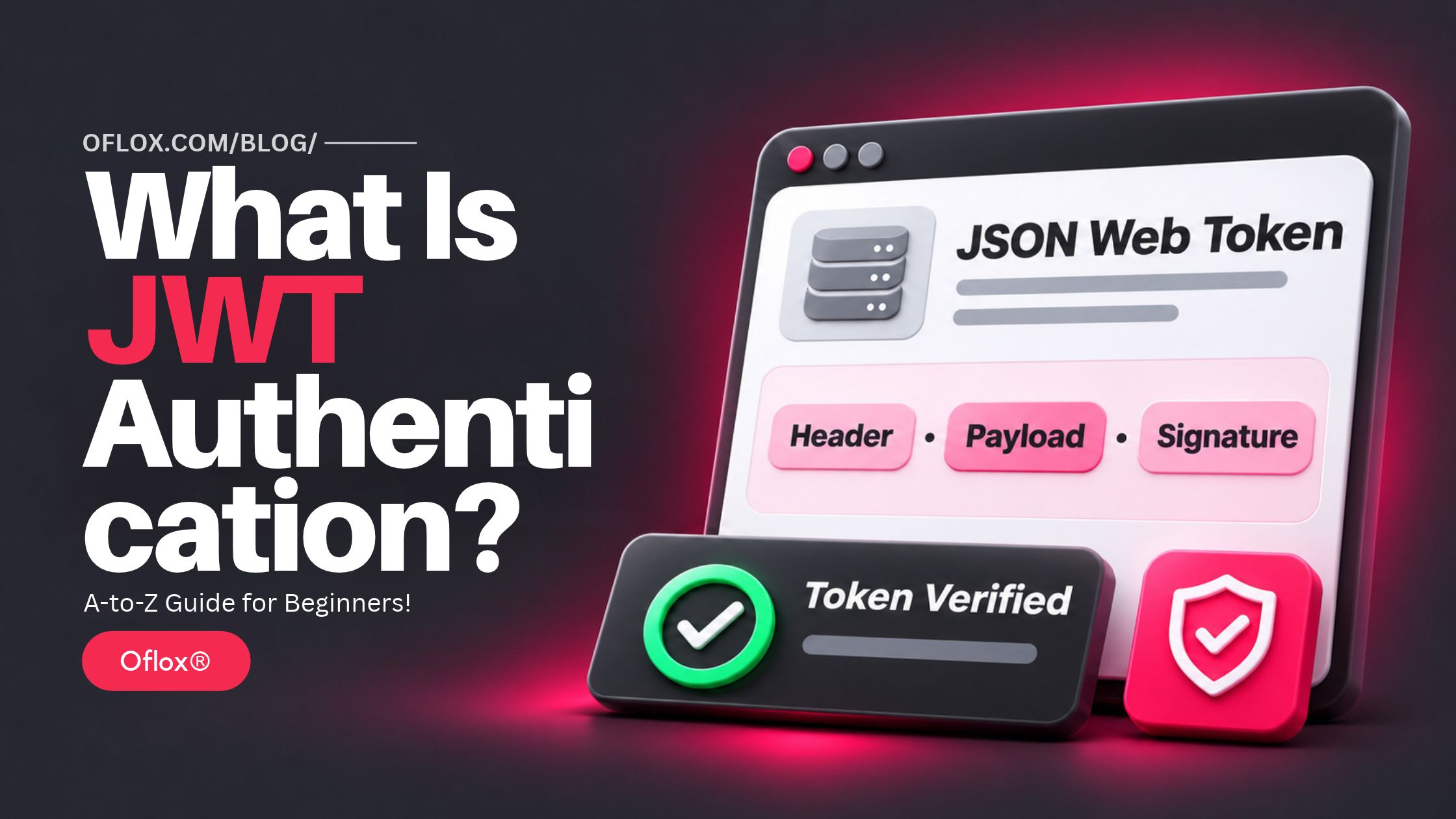
JWT authentication is a way to recognise a user or application across requests using a JSON Web Token. After sign-in, a trusted server can issue a signed JWT. The client sends it with later requests, and the API verifies its signature, issuer, audience, and expiry before checking whether the requested action is allowed.
The JWT contains claims, which are pieces of information about the token or its subject. A claim can identify the account, name the API expected to accept the token, or specify when the token expires. A signed JWT lets the API check that the information came from a trusted signer and remained intact after issuance.
The phrase JWT authentication usually describes the whole flow. Inside that flow, two separate decisions matter:
- Authentication establishes the identity of the user or application.
- Authorisation determines what that identity can access or change.
For example, the store might verify that a request represents customer user_4821. Its orders API must still check that invoice INV-1082 belongs to that customer. A valid token can establish who is making the request. The application still decides which invoice to return.
Why Is JWT Authentication Important?
A web application can receive two consecutive requests from the same person and still need credentials on both. Traditional sites often solve this using a session ID in a browser cookie. The server looks up that ID to find the logged-in account. An API can also accept a signed JWT and verify it using keys and rules it already trusts.
This becomes useful when the same backend serves several clients or services. Consider an online store with a customer website, a mobile app, an orders service, and a separate support dashboard. Customers and staff may sign in through the same identity provider, while each API accepts only tokens intended for it and applies its own permissions.
The architecture is especially useful when the team wants a central place for issuing credentials and a clear rule for each API to follow. The trade-off appears when something changes after issuance. If a customer account is suspended, for example, a locally verified token can remain valid until it expires unless the API also checks updated account or revocation information. How quickly access must change is a useful question to ask before choosing the token format.
A Brief History of JSON Web Tokens
| Year | Milestone | Why it matters |
|---|---|---|
| 2015 | The IETF published RFC 7519, defining JSON Web Tokens. | It gave applications a common format for representing claims. |
| 2020 | RFC 8725 documented JWT security best practices. | It clarified how implementations should verify algorithms, issuers, audiences, and different types of tokens. |
| 2021 | RFC 9068 defined a JWT profile for OAuth 2.0 access tokens. | It gave authorisation servers and APIs shared rules for issuing and validating JWT access tokens. |
| 2023 | RFC 9449 standardised DPoP for OAuth. | It described how to bind tokens to a client-held key so possession of the token alone is insufficient. |
| 2025 | RFC 9700 updated OAuth 2.0 security guidance. | It addressed current OAuth security practices, including replay protection for refresh tokens issued to public clients. |
These standards cover different parts of the system. RFC 7519 defines the token format. RFC 9068 describes one way to use that format for OAuth access tokens. RFC 8725 and RFC 9700 help teams make safer implementation choices.
What Are the Three Parts of a JWT?
A typical signed JWT in compact form has three dot-separated parts. The example below uses labels so you can see their order.
encoded-header.encoded-payload.signature1. Header
The header contains information about the token’s cryptographic protection. An alg field identifies the signing algorithm. A kid field can identify the key used for signing, which is helpful when the issuer has more than one key during a rotation.
The API configures which algorithms and keys it accepts. It can use kid to select a candidate key from a trusted set. The signature and claim checks still determine whether the token is valid for the request.
2. Payload
The payload contains the claims. Here’s an illustrative payload for the store’s My Orders API.
{
  "iss": "https://identity.example.com",
  "sub": "user_4821",
  "aud": "https://api.example.com/orders",
  "iat": 1795485600,
  "exp": 1795486500,
  "scope": "orders:read"
}| Claim | Meaning | How it applies here |
|---|---|---|
| iss | Issuer | The identity service expected to issue the token |
| sub | Subject | The account identifier user_4821 |
| aud | Audience | The orders API expected to accept the token |
| iat | Issued at | The time the issuer created the token |
| exp | Expiration time | The time after which the API rejects the token, subject to any configured clock tolerance |
| scope | Granted scope | Permission to request order information, subject to the API’s access rules |
You may also see nbf, which specifies when a token becomes usable, and jti, which identifies a particular token. The presence of jti alone provides an identifier. Replay detection or revocation requires the system to use that identifier as part of an additional check. The exact set of required claims depends on the token profile and your application’s policy.
3. Signature
The signature protects the encoded header and payload against undetected changes. With asymmetric signing, the issuer protects a private key and the API verifies signatures with a corresponding public key. With a shared-secret algorithm such as HS256, the signer and verifier use the same secret, so any party that holds that secret can also produce signatures. This difference matters when several services need to verify tokens.
Anyone who obtains an ordinary signed JWT can usually decode its payload. Base64url encoding makes the contents suitable for transport. Encryption provides confidentiality. Keep passwords, payment details, and other sensitive information out of a readable payload.
How Does JWT Authentication Work?
Here’s how JWT authentication works step by step, from the moment a user signs in to when the API verifies the token and checks what the user can access.
1. The user signs in
A customer enters their sign-in details or uses an identity provider. The authentication system checks the credentials and completes any additional verification the account requires. Once that succeeds, the application can establish a session or obtain an access token, depending on the design.
2. The issuer creates a token for the API
The trusted issuer creates an access token for the orders API. It records the subject, audience, expiry, and granted permissions. It signs the JWT so the orders API can verify its origin and integrity.
A token intended for the orders API can have an audience specific to that API. If the same application also talks to a payments API, the payments API should validate its own expected audience. An orders token should fail that check when it has been issued exclusively for the orders API.
3. The client sends the access token
When the customer opens My Orders, the client calls the API over HTTPS. In a bearer-token setup, the request carries the access token in the Authorization header. The angle-bracketed value in this example represents the full access token.
GET /orders HTTP/1.1
Host: api.example.com
Authorization: Bearer <access_token>
A bearer token acts like a credential. Whoever possesses a usable copy can generally present it until it expires or the system rejects it for another reason. Treat the full token as sensitive in logs, error reports, support tickets, and screenshots.
4. The API validates the token
The API uses a JWT library or its framework’s authentication middleware. It checks the signature with a trusted key and verifies the claims required by its policy. In this example, it expects the configured identity service, the orders audience, a valid expiry, and the appropriate token type for the chosen profile. If the issuer uses signing-key rotation, the API needs a way to obtain and refresh its trusted keys.
5. The API applies business permissions
The API checks orders:read and queries for orders belonging to user_4821. For a request to /orders/ORD-1082, it also checks the requested order’s owner. This is where the application enforces the difference between view your own orders and view any order.
For an OAuth bearer-token API, these are typical outcomes
| Request condition | Typical API response |
|---|---|
| Token is valid and the customer can view the resource | 200 OK |
| Bearer credential is missing, invalid, or expired | 401 Unauthorized |
| Token is valid but lacks the required scope | 403 Forbidden |
JWT Authentication Example for a Web App
Consider what happens when a customer opens their orders on Monday morning. The first request returns successfully. They leave the page open and click View Invoice an hour later. By then, their access token has expired.
If the application has a valid refresh mechanism, it can request a new access token and retry the invoice request. If the session can no longer be refreshed, the app can prompt the customer to sign in again and return them to the invoice afterward. This lets the access token expire regularly while the customer’s sign-in can continue according to the application’s session policy.
Consider a different situation. A support employee’s export permission is removed just after a token is issued. The token may still contain the previous permission. If an order export must reflect the change immediately, the API can perform a fresh permission check when the employee clicks Export. Routine requests and sensitive operations can therefore use different checks within the same application.
This example also helps when choosing a lifetime. The important questions are how long an issued credential should remain usable, how quickly permission changes must take effect, and what the app should do if renewal fails. Those answers can differ across a shopping app, a staff dashboard, and a payments API.
Access Tokens, Refresh Tokens, and ID Tokens
The term JWT describes a format. Access tokens, refresh tokens, and ID tokens serve different purposes. When a provider issues several of them during sign-in, the application needs to know which component receives each one.
| Token | Main purpose | Where it goes |
|---|---|---|
| Access token | Grants access to a protected API within its permissions | To the resource API |
| Refresh token | Lets an eligible client request a new access token | To the authorisation server’s token endpoint |
| ID token | Gives an OpenID Connect client information about the completed authentication | To the client application that requested sign-in |
Access tokens can be JWTs or opaque strings. In the opaque case, the token value typically acts as a reference that the API or its infrastructure can resolve through the authorisation system. Refresh tokens can also be opaque. OpenID Connect defines its ID token as a JWT. An orders API should validate a token intended for API access using its access-token rules.
For OAuth public clients that receive refresh tokens, RFC 9700 requires replay detection through sender-constrained refresh tokens or refresh-token rotation. Rotation issues a new refresh token during renewal and retires the previous one. The authorisation server can use later reuse of the retired token as a signal that a credential may have been copied.
Main Features & Benefits of JWT Authentication
Here are the main features of JWT authentication and how they help apps and APIs verify requests, share claims, and limit where and for how long a token can be used.
- Local verification can reduce network calls: An API with a trusted key and the necessary validation rules can verify a JWT locally. This can remove a call to a central session store or token introspection endpoint for each token check. The orders API may still need to query its database for the customer’s orders and any permissions that must be current.
- Claims give services a common set of information: An issuer can send a consistent account identifier, audience, and set of scopes. A gateway can use the audience to enforce which tokens it accepts, while the orders service can use the subject to find the customer’s records. This gives teams a shared set of fields while leaving each service responsible for its own business rules.
- Public-key verification can separate signing from verification: With asymmetric signing, the identity provider keeps the private key. APIs use public keys to verify tokens and can obtain updated keys through a trusted JSON Web Key Set (JWKS) endpoint. For an engineering team operating several services, this means fewer components need access to signing material.
- Expiry & audience help limit where a credential can be used: An expiration time gives an access token a defined lifetime. An audience gives it an intended recipient. Used together with narrow scopes, these claims let an application distinguish a customer’s ability to read orders from a staff application’s ability to manage refunds. The API must enforce those distinctions for the claims to have an effect.
Challenges of JWT Authentication
| Challenge | What it means in practice | Design response |
|---|---|---|
| Credential theft | A copied bearer token may remain usable while valid. | Use HTTPS, restrict where tokens appear, and choose a limited access-token lifetime. |
| Early revocation | An API that only validates a signature and claims may continue to accept an issued token. | Add a revocation or session check where the product requires immediate cut-off. |
| Stale permissions | A role or scope at issuance may differ from current account permissions. | Check current permissions for actions that require immediate enforcement. |
| Large token size | Adding many roles, groups, and profile fields makes tokens larger. | Carry the claims the receiving API needs and account for request-header limits. |
| Signing-key rotation | Issuers and APIs may change keys at different times. | Plan the overlap, key-cache behaviour, and retirement policy before rotating. |
Browser storage deserves separate attention. JavaScript-readable storage exposes credentials to script running in the application’s origin. An HttpOnly cookie limits JavaScript access to the stored value, but the browser can still send that cookie automatically.
Cookie-based designs should set Secure and an appropriate SameSite policy and account for cross-site request forgery (CSRF). One option for a browser application is a backend-for-frontend that keeps API tokens on the server while the browser holds an appropriately protected session cookie.
JWT Authentication vs Session-Based Authentication
| Decision | Signed JWT access token | Server-side session |
|---|---|---|
| What the client sends | A signed token, commonly in a bearer header for an API | A session identifier, commonly in a cookie for a website |
| Where login or access information lives | Selected claims travel in the token | The server stores session details against the identifier |
| How the server validates the request | Verifies the token and applies the trusted issuer, audience, and claim rules | Looks up the session and checks whether it remains valid |
| How immediate logout can work | Use a server-side check or other revocation mechanism where immediate invalidation is required | Invalidate the server-side session and clear the client cookie |
| Where it often fits | Independently deployed APIs, multiple client types, and service boundaries | Websites and dashboards where central session control simplifies the design |
A cookie is a way to store and send a credential. A JWT is a format for representing claims. A browser can carry either a session ID or a JWT in a cookie, and a website can use both approaches in different parts of the same system. For example, its browser can use a session cookie while its backend presents an access token to a separate orders service.
Where Is JWT Authentication Used?
Here are some common use cases for JWT authentication, from letting customers view their orders in a mobile app to giving backend services access to protected APIs.
- E-commerce websites and mobile apps. Different clients can call the same orders API using tokens issued for that API. Record-level ownership checks keep each customer’s order history separate.
- Multi-tenant SaaS dashboards. A token can identify a user and carry relevant tenant context. The backend should enforce tenant membership and limit every query to the appropriate organisation.
- Microservices and API gateways. Services can verify tokens issued for their own audience and decide which operations they accept. Passing the same credential through every service can blur those boundaries.
- Service-to-service communication. A reporting worker can obtain credentials associated with its own identity and receive read access to a reports API. Its permissions can reflect the job it performs.
- Single sign-on with OpenID Connect. An application uses the ID token to handle the authentication result. It uses an access token intended for a protected API when it needs to make API requests.
5+ Helpful Tools for JWT Authentication
Here are some helpful tools for creating and verifying JWTs, inspecting token claims during development, and adding JWT authentication to your web app or API.
| Tool | Where it fits | What you can use it for |
|---|---|---|
| jose | JavaScript and TypeScript applications | Sign and verify JWTs and work with JSON Web Keys and remote JWKS. |
| PyJWT | Python applications and APIs | Encode and verify JWTs with explicitly configured validation rules. |
| Spring Security Resource Server | Java and Spring APIs | Configure JWT bearer-token validation against a trusted issuer and its verification keys. |
| OWASP Session Management Cheat Sheet | Web application design and code review | Review cookie attributes, browser storage choices, and session lifecycle controls. |
| A local JWT inspector | Development and troubleshooting | Decode a dummy token locally to inspect its claims. Use application validation to establish whether a token is trustworthy. |
| golang-jwt/jwt | Go applications and APIs | Sign and verify JWTs, and validate claims such as issuer, audience, and expiry. |
For a FastAPI project, you might pair a Python JWT library with a framework dependency that validates incoming credentials. Keep the rules for creating a token, accepting a token, and allowing access to a record clear enough that another developer can test them independently.
JWT Authentication Best Practices & Common Mistakes
Here are some practical ways to handle JWT validation, storage, expiry, and logout, along with common mistakes to avoid when building a web app or API.
- Configure trusted values before a request arrives: Set the allowed signing algorithms, trusted issuer, expected audience, accepted token type where required, and required claims in application configuration. Use a maintained library to verify incoming tokens. When the same issuer produces multiple types of JWTs, give each token type its own validation rules so your API consistently accepts the credentials intended for it.
- Keep tokens small, and permissions narrow: Put identifiers and essential access claims in the payload. If displaying My Orders only requires an account identifier and a read scope, the token can stay focused on that purpose. Fetch data such as the customer’s shipping address through authorised application logic when it’s actually needed. This protects privacy and reduces the amount of stale information travelling with each request.
- Design logout, renewal, and permission changes together: Write down what the product expects when someone signs out, resets a password, changes teams, or reports a device stolen. Logout might clear a browser session and revoke future refresh access. If an issued access token must stop working immediately, include an API-side enforcement mechanism. Document how browser and mobile clients recover when a session can no longer be renewed.
- Protect credentials while making errors diagnosable: Log useful categories such as expired_token, unexpected_audience, or unknown_key, along with a request ID. Configure redaction for authentication headers and sensitive cookie values in server logs, proxy logs, and error monitoring. A support engineer should be able to tell why a request failed without asking the customer to paste a live token into a ticket.
- Test the states your users will experience: A practical test matrix covers successful sign-in, expiry during use, failed renewal, a token issued for another API, changes in account permissions, and signing-key rollover. Add a test that confirms a signed-in customer can retrieve only their own invoice. Include these cases at the API boundary, where the application’s decision is visible in the response.
FAQs:)
A. A typical signed JWT has a readable payload. Its signature protects integrity and helps prove who signed it. If the use case requires token-level confidentiality, an encrypted JWT uses JSON Web Encryption (JWE). HTTPS separately protects the connection while the token is in transit.
A. JWT describes how a token is formatted. Bearer describes how it can be used. A bearer credential can be presented by whoever holds it, and its value can be a JWT or an opaque string. OAuth also supports designs that bind tokens to the sender’s key
A. JWT is a format for carrying claims. OAuth 2.0 is an authorisation framework for obtaining and using access tokens. OAuth can use JWT access tokens, and RFC 9068 defines one profile for that arrangement. OpenID Connect adds an authentication layer and defines the ID token.
A. Choose storage as part of the application’s security design. Where feasible, a backend-for-frontend can hold API tokens on the server and give the browser a protected session cookie. In a cookie-based setup, account for CSRF as well as the cookie settings. Long-lived credentials in JavaScript-readable browser storage can be exposed if malicious script runs in the origin.
A. The application can clear its local session and revoke renewal credentials where supported. An already-issued access token can remain usable until expiry if the API verifies it locally and has no way to learn that the session ended. Immediate cut-off requires an enforcement mechanism the API can consult or apply.
A. Choose a lifetime based on how much access the token grants, how quickly you need to respond to theft or account changes, and how renewal works. A token used to export customer data may warrant a shorter exposure window or an additional current permission check than a token used to read routine order updates.
Conclusion:)
Understanding what JWT authentication is helps you decide how your website, app, or API should recognise users after they sign in. A signed JWT gives the API a way to verify who issued the token, which service it was intended for, and whether it has expired. The API then applies its own rules to decide what the user can access.
Start with one practical task. If you’re building an online store, test the My Orders flow with two customer accounts. Confirm that each customer can see their own orders and that the API blocks requests for another customer’s invoice. Then test what happens when the access token expires or the customer signs out. These checks help you catch problems that a successful login alone would miss.
At Oflox®, we approach custom software and AI development by defining who needs access, what they can do, and when that access should end. For an online store, that means checking that customers can retrieve their own orders and that the application handles expired tokens, logout, and permission changes as intended.
“A valid token tells your API who is making the request. Your access rules decide which records they can see.” — Mr Rahman, Oflox®
Read also:)
- What Is Load Testing? A-to-Z Guide for Beginners!
- What Is Reinforcement Learning in AI? A Step-by-Step Guide!
- What Is FastAPI in Python? A-to-Z Guide for Beginners!
Have you used JWT authentication in a website, app, or API? Share how you handled token expiry and logout in the comments below.