This article provides a detailed guide to What Is PG Management Software? how it works, its essential features, and how to choose the right solution for your paying guest accommodation business.
Running a PG involves much more than providing a room and collecting monthly rent.
You need to maintain tenant records, track vacant beds, manage security deposits, record expenses, resolve complaints, and answer payment-related questions. When these activities are spread across notebooks, spreadsheets, and WhatsApp conversations, managing the property becomes difficult.
Consider a common situation: one tenant has paid half the rent, another is changing rooms, and a third is leaving next week. Meanwhile, someone calls to ask whether a double-sharing bed is available.
Without organised records, even simple questions take time to answer.
All-in-one PG management software brings these everyday activities into one digital system. It helps owners understand who is staying at their property, what money is outstanding, and which rooms or beds are available.
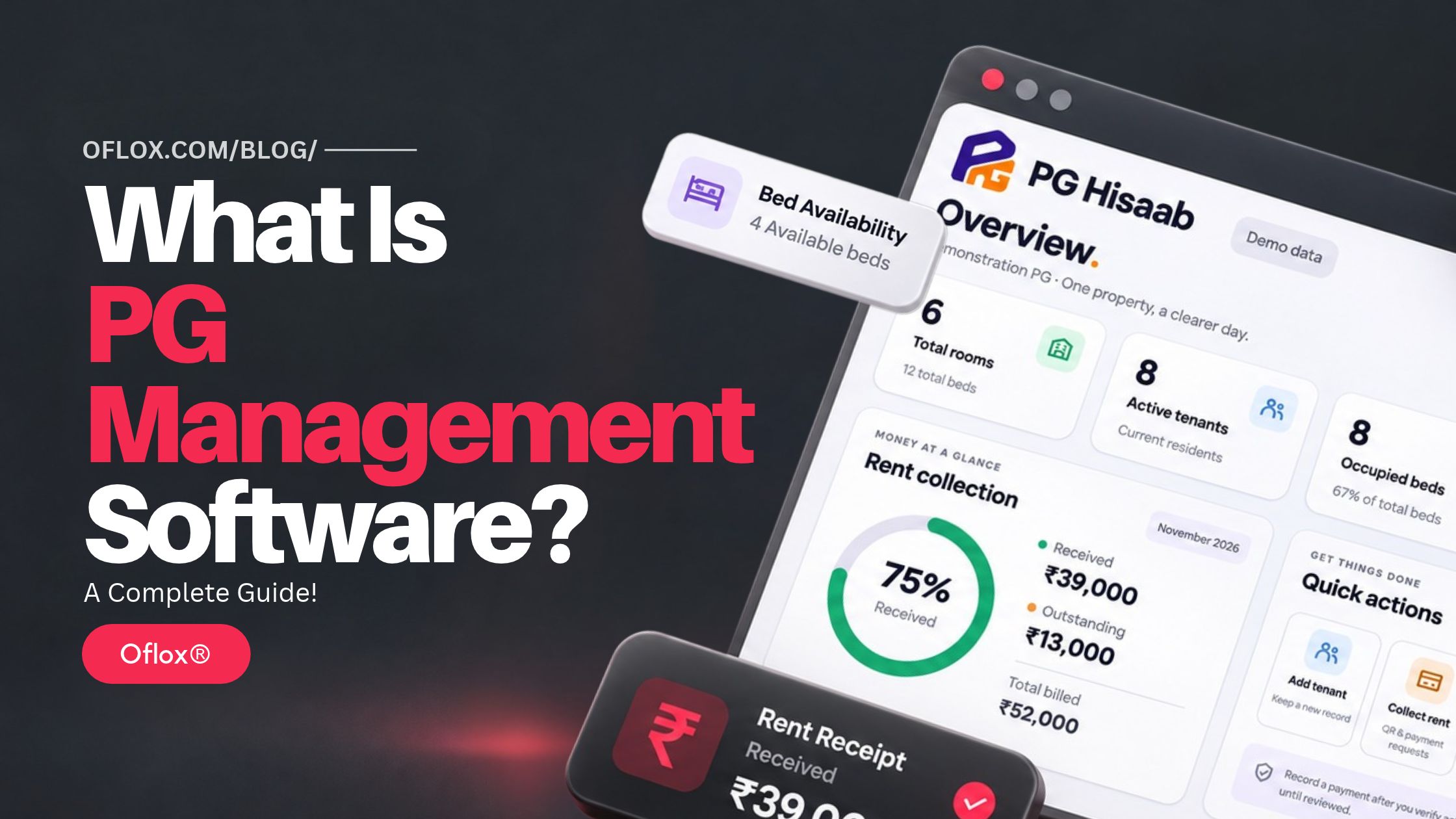
In this guide, we will explore its meaning, benefits, features, implementation process, practical examples, and future possibilities.
We will also discuss PG Hisaab, a software brand being developed for Indian PG owners.
Table of Contents
What Is PG Management Software?
PG management software is a digital application that helps paying guest accommodation owners manage tenants, rooms, beds, rent, deposits, payments, receipts, expenses, and daily property operations from one system. Depending on the product, it may also include reminders, complaint tracking, reports, staff permissions, and online payment integrations.
Here, PG means paying guest accommodation.
A PG generally provides accommodation to students, working professionals, or other residents for an agreed payment. Meals, electricity, housekeeping, internet, and other services may be included or charged separately.
PG software connects the information involved in running that accommodation.
For example, an owner can open a tenant’s record and check:
- Their assigned room and bed.
- Monthly rent and due date.
- Security deposit recorded.
- Payments received.
- Outstanding balance.
- Joining date and planned departure.
The exact capabilities vary by provider and subscription plan.
Is PG Software the Same as Hostel Management Software?
The terms often overlap, but the intended workflows can differ.
PG software usually focuses on accommodation operations and recurring collections. Hostel software may include additional institutional requirements, such as student attendance, wardens, visitor records, or mess administration.
A product can serve both markets if its features match the property’s needs.
The important question is: Can this software handle how your accommodation actually operates?
How PG Management Has Evolved
Many PG businesses begin with a physical register. The owner writes down names, rent amounts, joining dates, and payments. As the business grows, spreadsheets help organise calculations and monthly records.
Mobile messaging then becomes part of the process. Residents send payment screenshots, owners share reminders, and staff coordinate maintenance through groups.
These methods remain useful, but information becomes scattered.
A spreadsheet may show that rent is unpaid while a payment screenshot sits in someone else’s phone. A room may appear vacant in a register even though a new resident has already moved in.
Specialised PG management systems address this fragmentation by connecting records. Instead of maintaining separate lists for accommodation, billing, and collections, the software links a resident to a bed, a bill, and a payment history.
This is the practical shift: from storing information in multiple places to managing related activities together.
Why Is PG Management Software Important?
The importance of PG software becomes clearer when you examine the questions an owner needs to answer every day.
- Who Still Needs to Pay: A pending-rent report can help owners identify outstanding amounts without checking every resident individually. However, the report remains useful only when payments and adjustments are recorded accurately.
- Which Beds Are Available: A property may have ten rooms but several different sharing arrangements. Room-level information alone may not show whether a specific bed is free. Bed-level tracking makes availability easier to understand.
- How Much Money Was Actually Collected: Rent billed and money received are different figures. A PG might bill ₹2,00,000 during a month but collect only ₹1,75,000. Software can help show the difference when billing and payment records are maintained separately.
- What Needs Attention Today: An owner may need to follow up on overdue rent, respond to a maintenance request, or prepare for a tenant’s departure. A useful dashboard makes these actions visible.
- Can Someone Else Handle Routine Work? When records exist only in the owner’s memory, delegation becomes difficult. Shared systems with suitable permissions allow staff to handle assigned tasks while keeping responsibilities clearer.
How Does PG Management Software Work?
Most PG software follows a connected workflow: set up the property, add residents, record charges, track payments, and review reports.
1. Add Your Property Details
Start by entering the PG name, address, contact information, and basic operating details.
Depending on the software, you may also configure:
- Receipt branding.
- Rent due dates.
- Payment instructions.
- Deposit policies.
- Staff accounts.
- Financial reporting periods.
Check whether the subscription supports one property or multiple locations.
2. Create Rooms and Beds
Enter each room and its capacity.
For example:
| Room | Sharing type | Total beds | Occupied beds | Vacant beds |
|---|---|---|---|---|
| 101 | Single sharing | 1 | 1 | 0 |
| 102 | Double sharing | 2 | 1 | 1 |
| 103 | Triple sharing | 3 | 2 | 1 |
| 104 | Double sharing | 2 | 0 | 2 |
| Total | — | 8 | 4 | 4 |
This structure helps prevent confusion between an available room and an available bed.
Some systems also distinguish reserved beds, beds under maintenance, and residents serving notice.
3. Add Tenant Information
Create a resident profile and assign the appropriate bed. Useful fields include contact details, joining date, emergency contact, agreed rent, billing cycle, and deposit information.
Collect information needed for a defined operational purpose, and restrict access to sensitive records.
4. Configure Rent and Additional Charges
Set the resident’s rent and any applicable services. Examples include meals, electricity, parking, laundry, or other agreed charges.
Check whether the software supports your billing method. A calendar-month system may work differently from billing based on each resident’s joining date.
5. Record or Generate Bills
Depending on the product, monthly bills may be generated automatically or created manually.
A good billing record should explain what the resident owes and why. It should distinguish current charges, previous dues, credits, and adjustments.
6. Record and Verify Payments
Enter the amount, payment date, payment method, and reference number. Some systems support integrated payment confirmation. Others require manual verification.
A UPI QR code helps residents initiate payment; automatic reconciliation requires an appropriate integration.
A screenshot alone should not be treated as confirmed receipt of funds.
7. Issue Receipts and Review Balances
After verifying payment, record it against the appropriate bill and generate a receipt where supported.
The remaining balance should reflect partial payments accurately. Owners can then review collections, outstanding rent, occupancy, and expenses through available reports.
Essential Features of PG Management Software
A useful feature list should reflect actual operating needs.
1. Tenant Management
Tenant management keeps resident details and accommodation history together. Look for support for joining dates, contact information, room allocation, agreed rent, deposit records, and departure details.
A searchable profile saves time when a resident asks about an earlier payment or billing adjustment.
2. Room and Bed Management
PG accommodation frequently operates at bed level. Software should help you identify which beds are occupied, available, reserved, or temporarily unavailable.
Room transfers should preserve the resident’s history rather than creating unexplained duplicate records.
3. Rent and Dues Tracking
A useful rent ledger shows:
- Amount billed.
- Amount paid.
- Credits or adjustments.
- Remaining balance.
- Due date.
For example, if monthly rent is ₹7,500 and the resident pays ₹5,000, the system should show ₹2,500 outstanding.
4. Security Deposit Records
Deposits should be identifiable separately from rent. Owners need to know how much was received, what adjustments were agreed, and what amount was refunded.
A deposit record should explain the movement of money rather than showing only a final figure.
5. Payment Receipts
Receipts create a clear acknowledgement of recorded payments. Useful details include the property name, resident name, amount, payment date, receipt number, and the bill or period covered.
Check whether receipts can be downloaded, printed, or shared.
6. Expense Tracking
PG expenses can include electricity, groceries, maintenance, housekeeping, salaries, internet, and supplies. Category-wise records help owners understand where money is going.
However, an expense dashboard should not automatically be treated as complete business accounting.
7. Complaints and Maintenance Requests
A complaint system can record the issue, assigned person, status, and resolution.
This creates a clearer process for recurring problems such as plumbing faults, internet interruptions, or cleaning requests.
8. Reports and Exports
Reports should answer useful questions. Which residents have outstanding dues? How many beds are occupied? What expenses were recorded this month?
Export options are equally important because owners may need records for review, accounting, or migration.
9. Staff Permissions
Staff should have access appropriate to their responsibilities. A caretaker may need occupancy and maintenance information, while the owner needs financial reports and account settings.
Separate accounts also improve accountability.
10. Mobile Access and Data Protection
Test common tasks on a phone, including adding a tenant and recording a payment. Also ask about access controls, backups, account recovery, data exports, and recovery procedures.
Security depends on implementation and operating practices, not simply the presence of a “secure” badge.
Register vs Excel vs PG Management Software
Each method can suit a different stage of business.
| Factor | Physical register | Excel or spreadsheets | PG management software |
|---|---|---|---|
| Initial setup | Simple | Requires sheet structure | Requires property configuration |
| Calculations | Manual | Formula-based | Built into supported workflows |
| Tenant search | Page-by-page | Search and filters | Linked profiles |
| Bed availability | Manually updated | Custom tracking | Dedicated tracking where supported |
| Partial payments | Manual calculation | Formula or manual entry | Ledger support varies |
| Multiple users | Difficult | Sharing controls vary | Roles may be available |
| Receipts | Handwritten or separate | Templates required | Built in where supported |
| Reporting | Manual compilation | Custom formulas and charts | Available reports |
| Data portability | Physical copies | Common file formats | Check export options |
| Ongoing cost | Stationery and time | Tool and maintenance costs | Subscription and possible extras |
A spreadsheet can remain practical for a small operation with straightforward requirements.
Software becomes more valuable when coordination, recurring billing, and record consistency become difficult.
Benefits of Using PG Management Software
Here are the key benefits of using PG management software to keep your property operations organised and efficient.
- Better Visibility of Outstanding Rent: An organised ledger helps owners focus follow-ups on the correct residents and amounts. It also reduces the likelihood of asking someone to pay again when their payment has already been recorded.
- Clearer Accommodation Availability: Bed-level records help staff answer enquiries more confidently. Before promising availability, they can check whether the bed is vacant, reserved, or under maintenance.
- Less Repeated Administrative Work: Connected records reduce the need to copy the same information across multiple documents. Actual time savings depend on the software, data quality, and how consistently staff use it.
- More Transparent Communication: A resident’s bill and payment history can explain an outstanding balance more clearly than a verbal calculation. This is particularly helpful when rent, electricity, and previous dues are combined.
- Better Management Continuity: When authorised staff can access current records, routine work depends less on one individual. The owner can review activity and resolve exceptions.
- More Useful Operational Decisions: Occupancy, collections, and expense information can support decisions about staffing, maintenance, and room allocation. Software provides evidence for decisions; owners still need to interpret that evidence carefully.
Practical Examples of PG Software in Action
The following examples are illustrative, rather than customer case studies.
- A Student PG in Dehradun: An owner manages 30 beds and records payments in a notebook. During examinations, several residents pay on different dates. Some pay in full, while others make partial payments. With an updated tenant ledger, the owner can see each outstanding amount without recalculating the entire month. The benefit comes from maintaining reliable records.
- A Working Professionals’ PG: A resident joins on the 16th, pays a deposit, and moves to a higher-priced room the next month. Suitable software can help preserve the joining date, original deposit, transfer history, and revised rent. Before subscribing, the owner should test how the product handles this exact sequence.
- A Property With Frequent Maintenance Requests: Residents report issues through calls and messages. A request tracker gives each issue a status and responsible person. The owner can then check unresolved work without searching several conversations.
- An Owner Reviewing Operations Remotely: An owner is away from the property while a caretaker handles arrivals and collections. A shared system can provide visibility into recorded activity. Its usefulness still depends on timely updates and appropriate permissions.
PG Hisaab: An Option for Indian PG Owners
PG Hisaab is a PG management software brand focused on helping Indian accommodation owners organise their property operations.
Based on the product information supplied for this article, its scope includes tenant management, rooms and beds, rent tracking, payment records, receipts, expenses, complaints, and reports. Additional capabilities and access depend on the selected plan and current release.
Brand positioning: PG Hisaab is being positioned as “India’s #1 PG Management Software.” This is a promotional brand claim, rather than an independently verified market ranking.
The product’s appeal should ultimately come from how effectively it handles everyday owner tasks.
1. Why Consider PG Hisaab?
For an owner exploring the best PG management software for their property, PG Hisaab is an option to evaluate for:
- Keeping tenant and accommodation details together.
- Checking pending rent.
- Recording collections and issuing receipts.
- Reviewing room and bed availability.
- Organising everyday expenses and requests.
The strongest evaluation is a practical demonstration using your own operating scenarios.
2. What Should You Check Before Choosing a Plan?
Ask the provider to demonstrate:
- Adding a tenant and assigning a bed.
- Recording a partial payment.
- Showing the remaining balance.
- Generating a receipt.
- Moving a tenant between rooms.
- Recording departure and deposit settlement.
- Exporting useful reports.
Also confirm current pricing, capacity limits, support arrangements, and feature availability directly with PG Hisaab. Its public website could not be independently accessed during this article’s research.
Explore the product: Visit PG Hisaab.
How to Choose the Best PG Management Software
The best choice depends on your property, staff, budget, and operating rules.
- Write Down Your Main Problems: Start with specific difficulties. For example: “We cannot reliably identify partial payments,” or “Our caretaker and owner maintain different availability lists.” These problems provide a better buying checklist than a long list of impressive features.
- Check Capacity and Subscription Limits: Confirm whether limits apply to rooms, beds, tenants, active residents, staff accounts, or properties. Ask what happens when you exceed the limit and whether historical residents count towards it.
- Test Difficult Billing Scenarios: A simple demonstration may hide important limitations. Test mid-month joining, partial payments, advance rent, room transfers, previous dues, and refunds. Use the scenarios your property actually encounters.
- Understand Payment Functionality: Ask whether payments are entered manually, confirmed through a gateway, or reconciled against bank records. Also check settlement arrangements and transaction charges where relevant.
- Review Data Export and Support: Request a sample export. Check whether it includes understandable tenant records, bills, payments, and balances. Support should also be practical: ask which channels are available and how billing problems are handled.
- Compare the Total Cost: Subscription price is only one part of the decision. Consider setup, migration, messaging, payment processing, additional users, and training. A low-cost plan becomes expensive if staff must maintain several parallel systems to complete routine work.
Challenges and Practical Solutions
Moving to software requires more than creating an account.
| Challenge | Why it happens | Practical solution |
|---|---|---|
| Incorrect opening dues | Old records conflict | Reconcile balances before importing |
| Staff continue using notebooks | Workflow is unfamiliar | Train around common daily tasks |
| Duplicate tenant profiles | Multiple people enter records | Define a consistent entry process |
| Payments appear unpaid | Entries are delayed | Set a daily verification routine |
| Reports look inaccurate | Categories or dates are wrong | Review source entries and definitions |
| Internet interruptions | Online access is unavailable | Establish an approved fallback process |
| Unclear feature access | Plan assumptions were not checked | Confirm inclusions before payment |
Avoid importing uncertain information as though it were verified. Where historical records are incomplete, document the uncertainty and resolve it with supporting records.
How to Implement PG Management Software?
Here is a step-by-step process to introduce PG management software into your business and get started smoothly.
- Clean Existing Records: Prepare a current list of residents, rooms, beds, rent agreements, deposits, and outstanding amounts. Remove duplicates and clarify differences between registers and spreadsheets.
- Choose a Clear Start Date: Select a date from which the new system becomes the main operational record. This makes it easier to distinguish historical balances from new activity.
- Reconcile Opening Balances: Check each resident’s dues and deposit record. An incorrect opening balance can make every later report misleading.
- Configure and Test: Set up rooms, billing rules, payment methods, and staff permissions. Run sample transactions before entering all live activity.
- Train the People Using It: Teach staff how to perform their actual responsibilities. Short demonstrations of tenant entry, payment recording, and complaint updates are more useful than an unfocused tour of every menu.
- Review the First Billing Cycle: Compare bills, collections, receipts, and outstanding balances. Resolve differences promptly, then establish a regular review routine.
5+ Useful Tools Alongside PG Software
A PG management platform may form the operational centre, while other tools serve specific purposes.
| Tool category | Purpose |
|---|---|
| Spreadsheet application | Data preparation and independent checks |
| Accounting software | Broader bookkeeping and financial reporting |
| Business messaging | Resident communication and follow-ups |
| Document storage | Controlled storage of relevant documents |
| Payment gateway or bank tools | Payment processing and verification |
| Public property website | Accommodation information and enquiries |
| Receipt or agreement templates | Consistent documents where appropriate |
Keep responsibilities clear. For example, decide which system holds the authoritative tenant balance. Maintaining conflicting balances in several tools creates confusion.
Expert Tips and Common Mistakes
Choosing the right software is only the beginning—these tips can help you use it effectively and avoid everyday errors.
1. Expert Tips
- Define each important number: Staff should understand the difference between rent billed, cash collected, outstanding dues, and deposits held.
- Review exceptions regularly: Unusual adjustments, duplicate payments, and unexplained credits deserve attention.
- Keep departure records complete: Record the move-out date, final charges, agreed deductions, and refunds.
- Use individual staff accounts: This makes responsibilities clearer and avoids unnecessary password sharing.
- Test exports early: You should understand your data before you need to move or audit it.
2. Common Mistakes to Avoid
- Choosing software only because it has the lowest price.
- Assuming every advertised feature is included in every plan.
- Recording payment screenshots without verification.
- Mixing deposits with rent collections.
- Deleting old records to correct mistakes.
- Giving every staff member full access.
- Treating a basic income-minus-expense figure as complete profit.
- Expecting software to compensate for inconsistent data entry.
A reliable process matters as much as the product.
FAQs:)
A. It is software that helps PG owners organise residents, rooms, beds, rent, payments, receipts, expenses, and related daily work.
A. It can help independent PG owners, wardens, hostel operators, and accommodation managers whose requirements match the product’s features.
A. Yes, especially when billing or coordination has become difficult. However, a simple spreadsheet may remain sufficient for a very small operation.
A. Some products provide payment integrations or collection workflows. Others only record payments. Confirm the exact functionality with the provider.
A. No. A QR code helps initiate a payment. Receipt of funds must be verified manually or through a reliable integration
A. Many products support deposit records, but adjustment and refund workflows vary. Test the complete process before choosing.
A. PG Hisaab is being developed around Indian PG management needs. Evaluate its current features, plan limits, support, and billing workflows against your property’s requirements.
A. The best software is the one that handles your real workflows reliably, provides understandable records, fits your budget, and allows useful data exports.
Conclusion:)
Understanding what PG management software is starts with understanding the daily work of running accommodation.
Owners need accurate tenant records, clear bed availability, reliable payment histories, and a practical way to manage requests and expenses.
A suitable system brings these activities together and makes important information easier to find. Its results depend on accurate setup, consistent updates, and regular review.
PG Hisaab is an option for Indian PG owners exploring a more organised digital workflow. Review its current offering and test realistic situations before selecting a plan.
At Oflox®, our practical advice is simple: choose software that makes everyday work clearer for both the owner and the resident.
“Good PG management starts with clear records: who is staying, what is due, and what needs attention.” — Mr Rahman, Oflox®
Read also:)
- 5+ Best Looker Studio Alternatives: A-to-Z Guide for Beginners!
- How a Payment Gateway Works? A Complete Guide for Beginners!
- How to Create a Taxi Booking App? A Step-by-Step Guide!
Are you managing your PG through a register, Excel, or dedicated software? Share your biggest management challenge in the comments below.