This complete guide will explain What Is Mera Photo AI, how Mera Photo AI works, why it is important, its features, benefits, limitations, supported AI tools, practical uses, common mistakes, real-world examples, and future trends.
Mera Photo AI is an AI photography prompt discovery platform where users can explore attractive AI-generated images, access their complete prompts, customise the instructions, and use them with compatible AI image-generation tools.
Instead of forcing users to write complicated photo prompts from scratch, Mera Photo AI provides visually organised, copy-ready prompts covering important details such as facial identity, pose, outfit, background, lighting, camera angle, composition, aspect ratio, and image quality.
This simple approach makes AI photo creation easier. It saves creative planning time, helps beginners understand prompt structure, introduces users to new photography concepts, and provides professionals with a faster starting point for creating portraits, social media visuals, product images, advertisements, and branded content.
However, Mera Photo AI prompts must be used carefully. Copying a prompt does not guarantee that every AI tool will generate the exact sample image. The final result can change depending on the selected AI model, reference photo, settings, aspect ratio, prompt customisation, and the tool’s current capabilities.
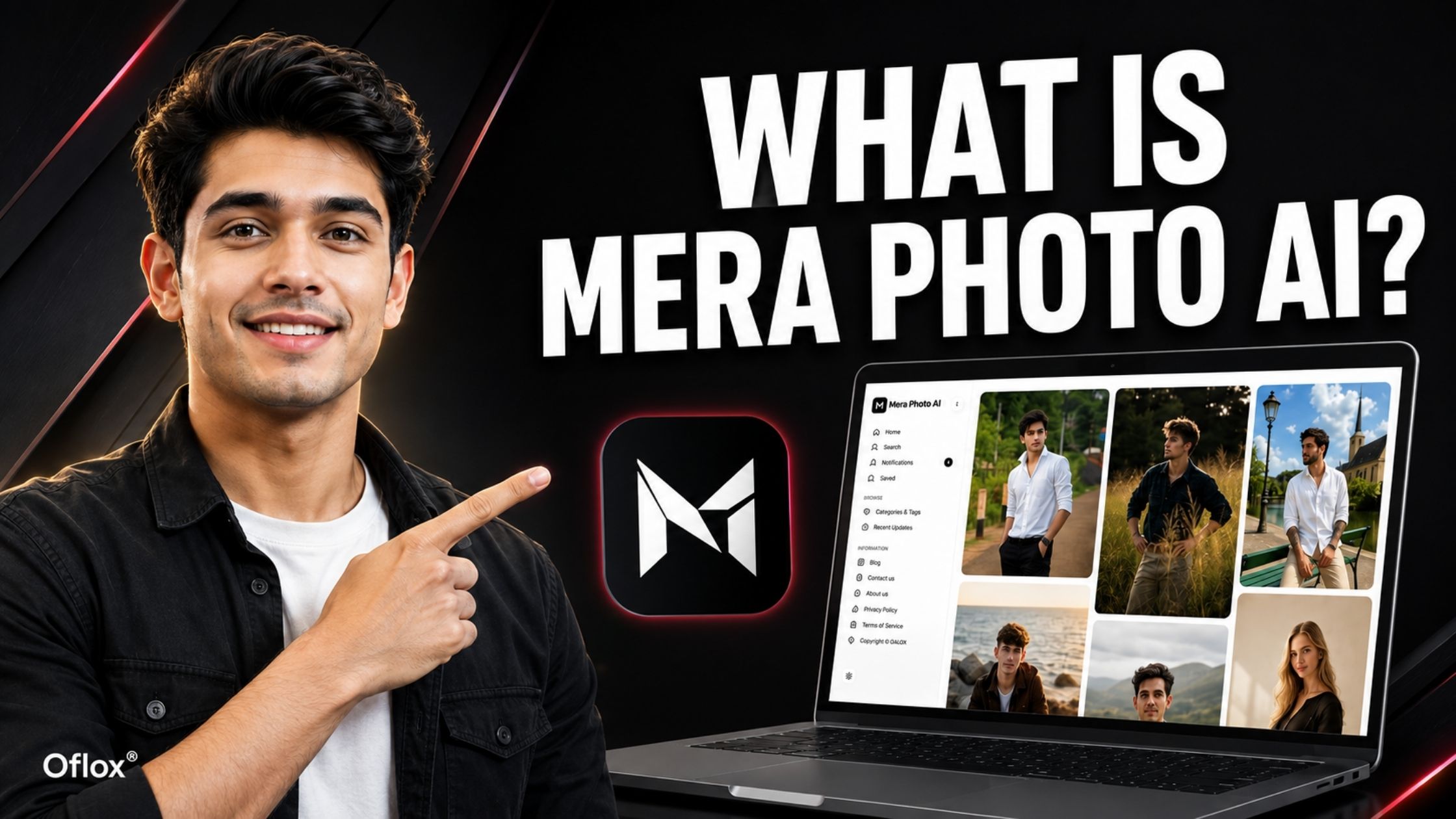
Whether you are a beginner, content creator, photographer, blogger, SEO professional, digital marketer, designer, agency owner, e-commerce seller, or business owner, understanding Mera Photo AI can help you discover better visual ideas and create professional AI photos more efficiently.
Let’s explore it together.
Table of Contents
What Is Mera Photo AI?
Mera Photo AI is a visual-first AI photography prompt discovery platform where users can browse AI-generated images, view the complete prompts behind them, and copy those prompts for use with compatible AI image tools.
The platform is designed for beginners, creators, photographers, designers, marketers, bloggers, agencies, business owners, and anyone interested in AI-generated visual content.
Its core idea is simple:
Discover an image you like, copy its prompt, customise the details, and create your own AI visual.
Mera Photo AI is not itself presented as a replacement for every AI image generator. It acts primarily as a prompt discovery and creative inspiration platform. Users find a suitable idea on MeraPhoto.ai and then use its prompt with an appropriate third-party AI image-generation platform.
This distinction is important. Mera Photo AI helps answer the question, “What should I create, and how should I describe it?” The compatible AI generation tool handles the actual image generation.
Mera Photo AI at a Glance:
| Detail | Information |
|---|---|
| Platform name | Mera Photo AI |
| Website | meraphoto.ai |
| Platform type | AI photography prompt discovery platform |
| Main purpose | Discover, copy, customise, and use AI photo prompts |
| Experience | Visual-first prompt browsing |
| Public login | Not required for browsing and copying available prompts |
| Prompt access | Free access to available copy-ready prompts |
| Primary users | Beginners, creators, photographers, designers, marketers, bloggers, and businesses |
| Common content | Portraits, fashion, couples, festivals, products, food, social media visuals, illustrations, and wallpapers |
| Supported workflow | Discover → Copy → Customise → Generate → Refine |
| Brand tagline | Discover. Copy. Create. |
Why Is Mera Photo AI Important?
AI image tools have become more capable, but good output still depends heavily on clear creative direction. A tool cannot automatically understand every visual detail present in a user’s mind.
For example, the instruction “make my photo professional” leaves many unanswered questions:
- What should the person wear?
- Should the image look corporate, creative, or casual?
- What type of background is required?
- Should the lighting be bright, soft, dramatic, or natural?
- Which camera angle and framing should be used?
- Should the person smile or maintain a serious expression?
- What facial details must remain unchanged?
- Is the image intended for LinkedIn, Instagram, a website, or an advertisement?
A complete prompt reduces ambiguity and provides clearer direction to the AI model. Mera Photo AI therefore helps close the gap between having an idea and expressing it effectively to an AI tool.
- It Makes Prompting Easier for Beginners: Beginners may not know terms such as depth of field, three-quarter framing, rim lighting, or eye-level composition. By connecting prompts to visible results, Mera Photo AI shows how clothing, pose, lighting, camera direction, and background instructions work together.
- It Saves Creative Planning Time: Writing a detailed prompt can take several attempts. A structured platform places visual inspiration and usable prompt text together, reducing unnecessary searching and trial and error.
- It Helps Users Discover New Ideas: People usually search only for concepts they already know. A visual feed can introduce them to fresh poses, locations, outfits, lighting styles, colour treatments, and photography themes they may not have considered.
- It Supports Professional Workflows: Digital marketers, agencies, bloggers, and business owners require a continuous supply of visual ideas. A curated prompt library can help them plan campaign concepts, social media creatives, blog graphics, product scenes, and personal-branding visuals more efficiently.
Background and Evolution of Mera Photo AI
The need for platforms such as Mera Photo AI grew with the rapid adoption of generative AI image tools.
Early AI image prompt were often short and experimental. As models improved, creators began specifying photography styles, compositions, colour grades, reference images, restrictions, and aspect ratios.
At the same time, social media created a strong demand for trending AI portraits and photo transformations. Users wanted to recreate popular visual concepts but often found only a finished image—not the complete instruction required to produce a similar style.
Mera Photo AI was created around this practical problem.
Its approach connects three elements in one experience:
- Visual inspiration: Users first see a possible creative outcome.
- Complete prompt direction: They can open and copy the detailed instruction.
- Practical reuse: They can customise that prompt and take it to a compatible image tool.
The platform describes itself as India-built and focuses on making AI photography prompting easier, faster, and more accessible. Its growing library includes ideas for both personal creativity and professional content creation.
It reflects a broader shift from random experimentation towards organised prompt discovery, reusable workflows, and responsible creation.
How Does Mera Photo AI Work?
Mera Photo AI follows a straightforward discovery-to-creation workflow.
1. Visit MeraPhoto.ai
Open the Mera Photo AI website on a desktop or mobile browser. The public experience is designed to let visitors explore available content without creating a public account.
2. Discover an Inspiring Image
Browse the visual feed or explore available categories, tags, recent updates, and search options. Look at the example images and select a concept close to the result you want.
You may search for ideas such as:
- Professional profile pictures
- Stylish portraits for boys
- Elegant portraits for girls
- Couple photography
- Traditional Indian outfits
- Wedding and pre-wedding scenes
- Festival images
- Cinematic photography
- Product visuals
- Food photography
- Social media content
- Wallpapers and illustrations
3. Open the Prompt Page
Select an image to access its dedicated prompt page. A detailed page may include the title, example visual, complete prompt, compatible-tool information, related details, and engagement signals.
Read the entire prompt before copying it. Some prompts require a reference image, while others can work from text alone.
4. Check Prompt Requirements
Identify what the prompt expects. It may require:
- No reference image
- One clear portrait photograph
- A couple photograph
- A group image
- A product reference
- A pet photograph
- A landscape image
- More than one reference image
Also check the recommended orientation, aspect ratio, visual style, and compatible AI tools wherever that information is available.
5. Copy the Complete Prompt
Use the copy option to copy the prompt. Mera Photo AI provides access to available prompts without a fixed public copying limit.
Do not paste the prompt blindly. First understand what it is asking the image tool to create.
6. Customise Important Details
Edit the prompt according to your needs. You can change:
- Gender or number of subjects
- Outfit and colour
- Pose and expression
- Background and location
- Lighting and time of day
- Camera angle and framing
- Image orientation
- Photography mood
- Accessories
- Cultural or regional details
- Elements to include or avoid
If the prompt uses an uploaded photograph as an identity reference, retain the identity-preservation instructions unless you intentionally want a new fictional subject.
7. Choose a Compatible AI Tool
Paste the customised prompt into a suitable image-generation platform. Compatibility may vary across tools such as ChatGPT or GPT Image, Google Gemini, Midjourney, Adobe Firefly, Microsoft Copilot, FLUX, Stable Diffusion, Leonardo AI, Ideogram, Grok, and others.
Third-party tools have their own plans, limits, safety policies, features, and regional availability. A compatibility label is helpful guidance, not a guarantee that every tool will interpret the prompt identically.
8. Upload a Suitable Reference Image
When required, upload a clear photograph that you own or have permission to use.
For better identity consistency, use an image with:
- A clearly visible face
- Natural lighting
- Minimal filters
- Good resolution
- No heavy blur
- No obstruction over the eyes or face
- A suitable angle for the requested result
9. Generate and Review the Result
Generate the image and inspect the complete output—not only the face.
Check the hands, fingers, body proportions, clothing, text, jewellery, reflections, background objects, shadows, identity, and intended aspect ratio.
10. Refine One Issue at a Time
If the image is close but not perfect, do not rewrite everything immediately. Give a focused correction, such as:
- Preserve the original facial structure more accurately.
- Correct the right hand while keeping everything else unchanged.
- Make the background less crowded.
- Change the outfit colour to dark blue.
- Keep the same pose and improve natural skin texture.
Focused iteration usually provides a clearer direction than changing several unrelated elements together.
Key Features of Mera Photo AI
Mera Photo AI is built around prompt discovery rather than a plain text directory. The following features shape its user experience.
- Visual-First Prompt Discovery: Users can view a sample image before selecting its prompt. The visual communicates the expected style, mood, composition, and possible output more effectively than a text-only list.
- Complete Copy-Ready Prompts: The platform provides structured prompts covering important details such as subject, facial identity, clothing, pose, background, lighting, camera angle, composition, realism, image quality, aspect ratio, and unwanted elements.
- Original and Editorially Reviewed Content: Mera Photo AI selects and reviews prompts for clarity, creativity, relevance, and practical usefulness, making them easier for users to understand and customise.
- Free Prompt Access: Visitors can browse and copy available prompts for free without a fixed public copying limit. However, third-party AI image tools may have separate subscriptions, credits, or usage restrictions.
- No Public Login Requirement: Users can browse and copy available prompts without creating a public account, reducing friction for first-time visitors.
- Categories, Tags, and Search: Organised categories, tags, recent updates, and search options help users quickly find prompts matching their requirements.
- AI Tool Compatibility Labels: Compatibility information helps users identify suitable AI image-generation tools. Users should still test and optimise prompts because every model can interpret the same instruction differently.
- Save and Favourite Options: Users can save useful prompts for content planning, campaign research, mood-board creation, and future projects. Browser-based saves should not be treated as the only permanent record.
- Related Prompt Recommendations: Related suggestions help visitors discover similar ideas with alternative outfits, backgrounds, poses, compositions, or lighting styles.
- Engagement Signals: Indicators such as views, likes, copies, and saves can highlight popular prompts. However, users should select prompts based on project suitability rather than popularity alone.
- Educational Blog Content: The platform publishes practical guides covering AI photo prompt, prompt categories, tool-specific workflows, common mistakes, limitations, and responsible AI use.
- Mobile-Friendly Discovery: Its mobile-friendly experience enables users to browse, save, and copy prompts conveniently while using smartphones, social media platforms, and AI applications.
Major Benefits of Using Mera Photo AI
- Faster Creative Work: Complete prompts provide users with a strong starting point, allowing them to spend more time refining and improving the final concept.
- Better Prompt Structure: Users learn that an effective AI prompt works like a structured creative brief rather than a random collection of stylish keywords.
- Easier Learning Through Examples: Connecting a sample image with its complete prompt helps beginners understand how different instructions influence the generated output.
- Wider Creative Exploration: The visual feed introduces users to editorial, cinematic, traditional, professional, seasonal, and conceptual photography styles.
- Useful for Personal and Business Needs: The platform supports personal portraits as well as professional content planning, marketing visuals, product images, and social media creatives.
- Reduced Blank-Page Difficulty: Copy-ready prompts remove the pressure of writing complex instructions from scratch.
- Accessible Experience: Free browsing, easy prompt copying, and no public account requirement allow users to begin experimenting quickly.
Who Should Use Mera Photo AI?
| User | Practical Use |
|---|---|
| Beginners | Learn how detailed AI photo prompts are structured |
| Content creators | Discover concepts for posts, reels, thumbnails, and profile images |
| Digital marketers | Plan campaign creatives, ad concepts, and social visuals |
| Photographers | Explore poses, compositions, lighting, and styling references |
| Graphic designers | Find starting points for posters, banners, and branded artwork |
| Bloggers | Develop ideas for featured images and promotional graphics |
| Agencies | Speed up visual ideation for different client industries |
| Business owners | Create concepts for products, teams, social media, and promotions |
| E-commerce sellers | Explore product-scene and catalogue-style image directions |
| Everyday users | Create festival images, couple portraits, wallpapers, and personal photos |
Real-World Examples of Mera Photo AI
The following examples show how the platform may fit into actual creative workflows.
- LinkedIn Profile Picture: A job seeker who needs a professional LinkedIn portrait can select a suitable headshot prompt, customise it with a navy blazer and light-grey background, upload a clear reference photo, and generate multiple versions.
- Instagram Fashion Portrait: A content creator can choose a detailed street-fashion prompt containing instructions for the outfit, location, pose, sunlight, camera lens, and colour treatment. The prompt can then be customised in a 4:5 aspect ratio for Instagram.
- Festival Campaign: A small business can use a Diwali-themed prompt to explore traditional clothing, festive lighting, decorative backgrounds, and suitable compositions. The marketer can customise the prompt with the company’s brand colours before publishing the final visual.
- Product Visual: An online seller can select a product-photography prompt for a perfume bottle containing directions for the surface, lighting, reflections, background, shadows, and commercial composition. The generic object can be replaced with the actual product reference, followed by a careful review of its label and packaging accuracy.
Challenges and Limitations of Mera Photo AI
Mera Photo AI makes prompt discovery easier, but users should understand what it cannot guarantee.
- Identical Output Is Not Guaranteed: Copying a prompt may not produce the exact sample image. Results can vary depending on the selected tool, model version, reference image, generation settings, subscription level, region, safety rules, and random variation.
- Facial Identity May Change: Even detailed identity-preservation instructions cannot guarantee a perfectly unchanged face. AI models may alter the person’s skin tone, age, hairstyle, expression, facial shape, or distinctive features.
- Different Tools Interpret Prompts Differently: A prompt created for one AI model may need adjustments for another. Some tools understand conversational instructions, while others work better with parameters, negative prompts, or shorter structured commands.
- Reference Quality Affects Results: Blurry, dark, filtered, compressed, heavily cropped, or low-resolution reference photos can reduce facial accuracy and overall image quality.
- AI Images Can Contain Errors: Generated images may contain distorted hands, unreadable text, incorrect reflections, inconsistent accessories, unrealistic shadows, duplicated objects, or unusual background elements.
- Third-Party Costs and Limits Still Apply: Mera Photo AI may offer free access to its available prompts, but external AI image-generation tools can have separate pricing, credits, quotas, age restrictions, and regional limitations.
- Rights and Consent Remain the User’s Responsibility: Users must have permission to upload reference images and the necessary rights to publish or commercially use the final output. Consent, copyright, privacy, trademark, and advertising compliance should always be verified separately.
AI Tools You Can Use With Mera Photo AI Prompts
Prompts discovered on Mera Photo AI may be adapted for several popular platforms.
| AI Tool | Common Strength | Possible Prompt Adjustment |
|---|---|---|
| ChatGPT/GPT Image | Conversational creation and editing | Use clear natural-language instructions and focused revisions |
| Google Gemini | Reference-based creation and conversational edits | Clearly identify the uploaded image and details to preserve |
| Midjourney | Stylised, cinematic, and artistic visuals | Adapt syntax, parameters, and aspect-ratio commands |
| Adobe Firefly | Design and commercial creative workflows | Check supported controls and usage conditions |
| Microsoft Copilot | Accessible text-to-image creation | Keep the prompt focused and visually descriptive |
| FLUX | Detailed and realistic generation workflows | Adjust model-specific settings where available |
| Stable Diffusion | Flexible local or hosted workflows | Add suitable negative prompts, checkpoints, and parameters |
| Leonardo AI | Creative assets and configurable generation | Match model, preset, dimensions, and guidance settings |
| Ideogram | Visuals involving composition and typography | Always verify generated text manually |
| Grok | Conversational image creation where available | Use precise instructions and review current limits |
Tool capabilities change frequently. Users should review the current documentation, policies, and commercial terms of the selected platform.
Expert Tips for Better Results
- Start With the Closest Visual Concept: Select a prompt whose example already resembles your intended pose, composition, and mood. Fewer major changes usually produce a more focused result.
- Keep Identity Instructions Clear: When using a reference photograph, clearly mention the facial details that must remain recognisable, including facial structure, skin tone, eyes, nose, lips, jawline, hairstyle, natural age, and distinctive features.
- Specify the Intended Platform: Select the aspect ratio according to where you plan to publish the image:
- 1:1 for square posts and profile images
- 4:5 for Instagram portrait posts
- 9:16 for stories, reels, and mobile wallpapers
- 16:9 for YouTube thumbnails, presentations, and wide banners
- 3:2 or 4:3 for general photography layouts
- Use Photography Language Only When Helpful: Camera and lens terminology can improve creative direction, but unnecessary technical keywords may create conflicts. Only include terms that support the intended result.
- Protect Space for Text: When creating advertisements, blog banners, or thumbnails, request clean negative space for the headline. Generated typography should always be checked and corrected manually.
- Refine in Small Steps: Correct the most important problem first and then move to the next issue. This makes every revision easier to control and evaluate.
- Maintain a Prompt Version Record: Save the original prompt, customised version, AI model name, aspect ratio, settings, and successful revisions to create a reusable workflow.
- Review the Entire Image at Full Size: Small previews can hide problems involving hands, text, clothing, textures, reflections, or background elements. Inspect the final image at its intended publishing size.
Common Mera Photo AI Mistakes
- Copying Without Customising: A copied prompt is only a starting point. Change the subject, clothing, colours, platform, and purpose according to your requirements.
- Ignoring Required Inputs: Identity-based prompts require a suitable reference image, while product prompts may require a clear product photograph.
- Uploading Someone Else’s Photograph: Using another person’s image without permission can create privacy, consent, and impersonation concerns.
- Expecting the Exact Sample Image: A sample image represents a possible outcome. It is not a fixed template or guarantee of identical results.
- Using the Wrong Aspect Ratio: A square image may not fit a reel cover, banner, wallpaper, or vertical social post. Select the correct dimensions before generating it.
- Adding Conflicting Styles: Combining unrelated styles such as minimal commercial, dark horror, vintage pastel, and neon cyberpunk can produce inconsistent results.
- Forgetting Commercial Checks: Before using an image commercially, verify the AI tool’s terms, intellectual-property risks, logos, claims, consent requirements, and platform policies.
- Treating AI Output as Final: AI-generated content always requires human review. Users remain responsible for its quality, accuracy, ethics, and suitability.
FAQs:)
A. Mera Photo AI is an India-built AI photography prompt discovery platform where users can explore example images, view complete prompts, copy them, customise the details, and use them with compatible AI image-generation tools.
A. The platform is available at MeraPhoto.ai. Users should check the domain carefully before browsing or copying prompts.
A. Mera Photo AI primarily works as a visual prompt discovery and education platform. Users generally copy a prompt from the website and use it with a compatible third-party AI image-generation tool.
A. Users can browse and copy available prompts on Mera Photo AI for free without a fixed public copying limit. External image-generation tools may separately charge fees or apply usage limits.
A. No public account is required to browse and copy available prompts. Some saved preferences may depend on the user’s browser or device.
A. The platform covers ideas such as personal portraits, professional headshots, fashion, traditional outfits, couples, weddings, festivals, products, food, illustrations, wallpapers, social media content, and marketing visuals.
A. Prompts may be adapted for tools such as ChatGPT or GPT Image, Google Gemini, Midjourney, Adobe Firefly, Microsoft Copilot, FLUX, Stable Diffusion, Leonardo AI, Ideogram, Grok, and others. Results and compatibility vary by model.
A. A prompt can request identity preservation, but no prompt can guarantee an exact face. Output depends on the AI model, reference quality, settings, pose, lighting, safety rules, and random variation.
A. Commercial use depends on the chosen AI tool’s current terms, the rights attached to uploaded references, the generated content, applicable law, and the intended use. Review all relevant conditions before publication.
A. AI tools can interpret the same prompt differently. Model version, reference photo, settings, prompt changes, aspect ratio, and random generation can all affect the result.
A. Review the selected tool’s privacy and data-use policies first. Upload only suitable images you own or have permission to use, and avoid highly sensitive photographs unless you fully understand how the service handles them.
A. Choose a prompt close to your intended output, use a clear reference photo, customise important details, select the correct ratio, generate multiple versions, and refine one issue at a time.
Conclusion:)
Mera Photo AI provides a simple and practical way to discover professional AI photography prompts without writing every instruction from scratch. Its visual-first interface allows users to explore sample images, access complete prompts, customise important details, and use them with compatible AI image-generation tools.
From personal portraits and professional headshots to festival images, product photography, social media visuals, and marketing creatives, the platform can support different personal and professional requirements. Features such as free prompt access, organised categories, search options, compatibility labels, saved prompts, and related recommendations make prompt discovery faster and easier.
However, users should remember that a prompt cannot guarantee an identical result, perfect facial identity, error-free output, or automatic commercial rights. The quality of the final image depends on the selected AI tool, reference photograph, prompt customisation, settings, and careful human review.
Read also:)
- How to Create AI Images for Free: A-to-Z Guide for Beginners!
- 25+ Best Tools for Photo Editing: A-to-Z Guide for Beginners!
- 5+ Best Photo Face Swap Online Free (No App, No Watermark)
I hope you found this article on What Is Mera Photo AI helpful. If you have any questions or suggestions related to MeraPhoto.ai, please feel free to share them in the comment section below.
Mera Photo AI — Discover. Copy. Create.