This complete guide will explain What Is JavaScript Async, how asynchronous JavaScript works, why it is important, and how callbacks, Promises, async/await, and the event loop manage asynchronous operations.
JavaScript is one of the most important programming languages used for developing interactive websites, mobile applications, browser extensions, server-side platforms, and modern software solutions.
As websites and applications become more advanced, they frequently need to fetch information from servers, communicate with APIs, process payments, upload files, access databases, and perform other operations that may take time to complete.
If JavaScript waited for every operation before executing the next task, the complete application could become slow or temporarily unresponsive.
This is where JavaScript Async becomes important.
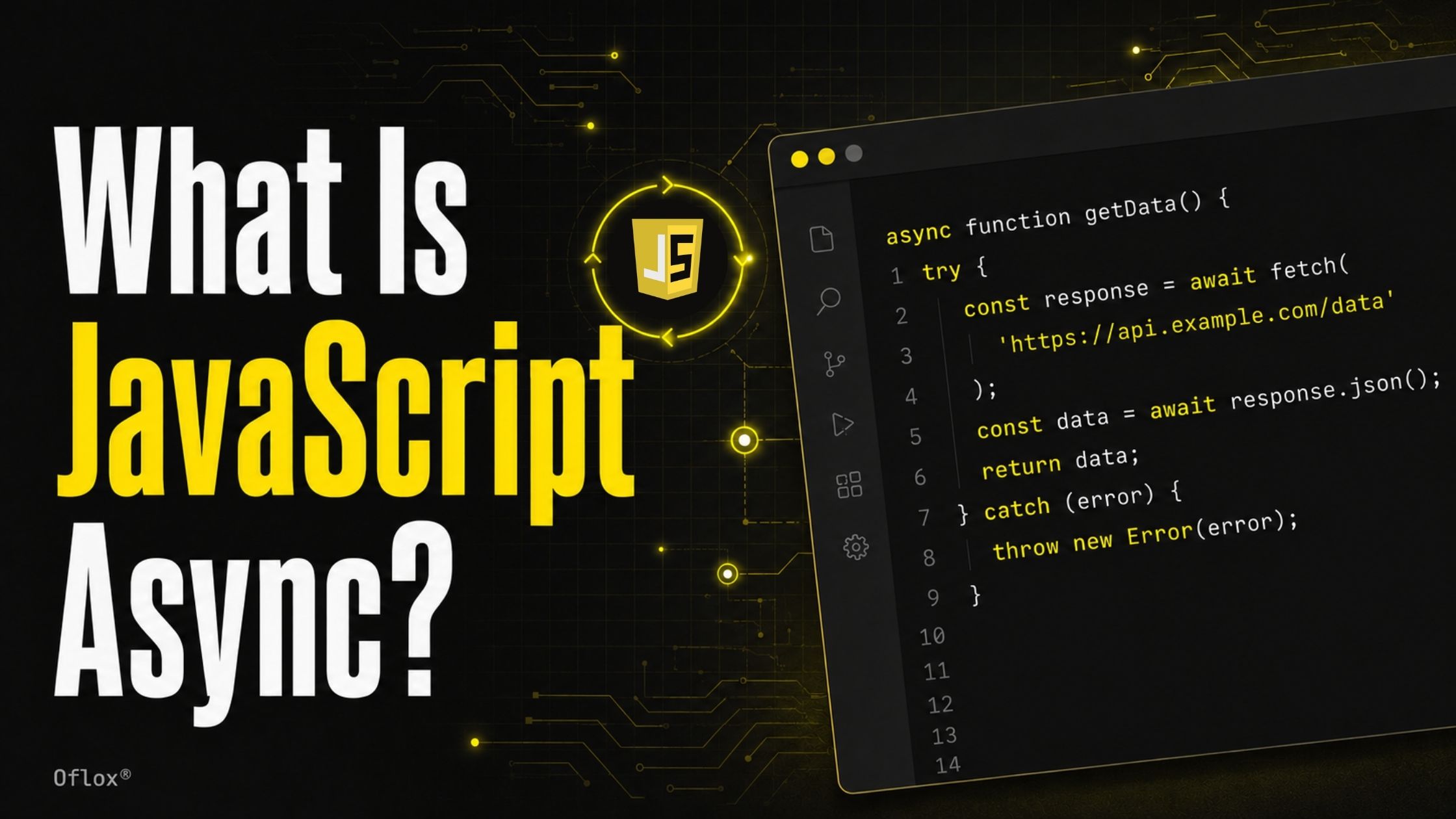
JavaScript Async allows time-consuming operations to run without unnecessarily blocking the rest of the application. While an API request, timer, file upload, or database operation is being processed, JavaScript can continue handling user interactions and executing other available tasks.
It is commonly implemented using callbacks, Promises, and the async and await keywords. These features help developers write responsive, efficient, and easy-to-manage applications.
Whether you are a beginner, frontend developer, backend developer, full-stack professional, or business owner managing a software project, understanding JavaScript Async can help you build faster, more responsive, and user-friendly applications.
Let’s explore it together.
Table of Contents
What Is JavaScript Async?
JavaScript async refers to the asynchronous programming features and techniques that allow JavaScript to start a time-consuming task without blocking the execution of other code.
Instead of waiting for an operation to finish, JavaScript can continue executing the remaining program. When the operation is completed, its result is handled through a callback, Promise, event, or an async/await function.
Common asynchronous operations include:
- Fetching data from an API
- Waiting for a timer
- Reading a file
- Uploading an image
- Accessing a database
- Requesting a user’s location
- Processing a payment
- Loading content dynamically
- Sending an email
- Waiting for user input
The async keyword is also a specific JavaScript feature. When it is placed before a function, that function automatically returns a Promise.
Example:
async function getMessage() {
  return "Hello from JavaScript";
}
Although the function returns a normal string, JavaScript automatically wraps it inside a resolved Promise.
It behaves like this:
function getMessage() {
  return Promise.resolve("Hello from JavaScript");
}
You can access the returned value using .then():
getMessage().then(function (message) {
  console.log(message);
});
Or you can use await inside another async function:
async function showMessage() {
  const message = await getMessage();
  console.log(message);
}

showMessage();
Therefore, JavaScript async can refer to both:
- The general concept of asynchronous JavaScript programming.
- The specific async keyword used with functions and await.
Synchronous vs Asynchronous JavaScript
To understand JavaScript async properly, you first need to understand the difference between synchronous and asynchronous execution.
1. Synchronous JavaScript
In synchronous programming, statements run one after another in their written order. Each operation must finish before the next operation can start.
Example:
console.log("First");
console.log("Second");
console.log("Third");
Output:
First
Second
Third
This process is predictable because each line is completed in sequence.
However, a problem can occur if one operation takes a long time.
console.log("Starting task");

// Imagine a very slow operation here.

console.log("Task completed");
If the slow operation blocks the main thread, the application may become temporarily unresponsive.
2. Asynchronous JavaScript
In asynchronous programming, JavaScript can start an operation and continue executing other code without waiting for the operation to finish.
Example:
console.log("First");

setTimeout(function () {
  console.log("Second");
}, 2000);

console.log("Third");
Output:
First
Third
Second
The timer is started, but JavaScript does not stop for two seconds. It continues to execute the next statement. When the timer finishes, its callback is scheduled for execution.
3. Synchronous vs Asynchronous JavaScript Comparison
| Factor | Synchronous JavaScript | Asynchronous JavaScript |
|---|---|---|
| Execution | One task at a time in sequence | Long-running tasks can complete later |
| Waiting | The next operation waits | Other code can continue |
| User experience | May become unresponsive during heavy blocking | Usually remains responsive |
| Complexity | Easier to understand | Requires careful flow and error handling |
| Common use | Calculations and simple logic | APIs, timers, files and databases |
| Main techniques | Normal functions and statements | Callbacks, Promises and async/await |
| Result order | Usually follows written order | Completion order may vary |
Why Is JavaScript Async Important?
Modern applications regularly communicate with browsers, servers, databases, cloud platforms, third-party APIs, and user devices. These operations do not always return results immediately.
If JavaScript waited synchronously for every external operation, applications would feel slow and unresponsive.
JavaScript async is important because it helps developers:
- Keep webpages interactive
- Load data without reloading the page
- Process network requests efficiently
- Manage multiple independent operations
- Improve perceived application speed
- Build real-time application experiences
- Create scalable server-side applications
- Handle unpredictable response times
- Reduce unnecessary blocking
- Improve the overall user experience
For example, an e-commerce website may need to load product details, prices, customer reviews, recommendations, and stock information.
These resources may come from different APIs. Asynchronous programming allows the website to request this information without completely freezing the interface.
History and Background of Asynchronous JavaScript
JavaScript was created in 1995 to add interactive behaviour to webpages. Early websites used it mainly for form validation, alerts, animations, and small interface changes.
As websites became more advanced, developers needed a way to communicate with servers without refreshing the entire page.
1. Callbacks and Browser Events
Early asynchronous JavaScript depended heavily on callback functions. Developers passed a function that would be executed when an operation was completed.
Browser events such as clicks, form submissions, timers, and network responses naturally followed this callback-based model.
2. AJAX Development
AJAX, meaning Asynchronous JavaScript and XML, became popular during the early 2000s. It allowed webpages to send and receive server data in the background.
Despite its name, AJAX applications later started using JSON more commonly than XML.
AJAX helped developers create:
- Live search suggestions
- Dynamic forms
- Interactive maps
- Email interfaces
- Infinite scrolling
- Content updates without full page reloads
3. The Problem of Callback Hell
As applications became more complicated, multiple nested callbacks made code difficult to read and maintain.
This structure became known as callback hell or the pyramid of doom.
Example:
getUser(function (user) {
  getOrders(user.id, function (orders) {
    getPayment(orders[0].id, function (payment) {
      sendReceipt(payment, function (result) {
        console.log(result);
      });
    });
  });
});
The logic moves further to the right with every dependent operation. Error handling also becomes difficult.
4. Introduction of Promises
Promises provided a cleaner way to represent the future result of an asynchronous operation.
Promises became a standard part of JavaScript with ECMAScript 2015, commonly known as ES6.
Developers could now write chained operations:
getUser()
  .then(function (user) {
    return getOrders(user.id);
  })
  .then(function (orders) {
    return getPayment(orders[0].id);
  })
  .then(function (payment) {
    return sendReceipt(payment);
  })
  .catch(function (error) {
    console.error(error);
  });
5. Async and Await
The async and await keywords were standardised in ECMAScript 2017.
They allowed developers to write Promise-based asynchronous code in a style that looks similar to synchronous programming.
async function completeOrder() {
  try {
    const user = await getUser();
    const orders = await getOrders(user.id);
    const payment = await getPayment(orders[0].id);
    const result = await sendReceipt(payment);

    console.log(result);
  } catch (error) {
    console.error(error);
  }
}
This syntax is now one of the most popular ways to handle asynchronous logic in modern JavaScript.
How Does Asynchronous JavaScript Work?
JavaScript is generally described as a single-threaded programming language because one JavaScript execution thread normally handles one main task at a time.
However, browsers and server environments provide additional capabilities for handling timers, network requests, file operations, and events.
The asynchronous model depends on several components working together.
1. Call Stack
The call stack keeps track of the functions currently being executed.
When a function is called, it is added to the stack. When the function finishes, it is removed.
function greet() {
  console.log("Hello");
}

greet();
The greet() function enters the call stack, executes, and then leaves the stack.
2. Runtime APIs
The browser provides Web APIs for features such as:
- setTimeout()
- fetch()
- DOM events
- Geolocation
- File access
- Notifications
- Web storage
In Node.js, the runtime provides APIs for:
- File-system operations
- Network connections
- Database communication
- Timers
- Process management
These runtime features can handle certain operations outside the main JavaScript call stack.
3. Task Queue
When some asynchronous operations finish, their callbacks are placed in a task queue, also called a callback queue or macrotask queue.
Timer callbacks and many browser events commonly use this queue.
4. Microtask Queue
Promise handlers are normally placed in the microtask queue.
This includes functions registered using:
- .then ()
- .catch()
- .finally()
- Resumption after await
- queueMicrotask()
Microtasks generally receive priority over the next regular task once the current call stack becomes empty.
5. Event Loop
The event loop continuously checks whether the call stack is empty.
When it is empty, the event loop allows queued work to move into execution. Microtasks are processed before the next regular task.
Consider this example:
console.log("Start");

setTimeout(function () {
  console.log("Timer");
}, 0);

Promise.resolve().then(function () {
  console.log("Promise");
});

console.log("End");
Output:
Start
End
Promise
Timer
The Promise handler runs before the timer callback because Promise reactions use the microtask queue, which is processed before the next regular task.
How JavaScript Async Execution Process
A typical asynchronous JavaScript operation works through the following process:
1. JavaScript Starts Executing
The JavaScript engine reads and executes the program.
Synchronous statements enter the call stack and run one by one.
2. An Asynchronous Operation Is Started
The program encounters an asynchronous operation such as:
fetch("https://api.example.com/products");The request is started through the runtime’s network capabilities.
3. JavaScript Continues Running
The program does not wait for the network response. It continues executing other available code.
4. The External Operation Completes
The server eventually returns a response, or the asynchronous operation fails.
5. A Callback or Promise Reaction Is Scheduled
The related Promise handler or continuation is placed in the appropriate queue.
6. The Event Loop Checks the Call Stack
The event loop waits until the current synchronous work has finished and the call stack is empty.
7. Queued Code Is Executed
The Promise handler, callback, or async function continuation enters the call stack and processes the result.
8. The Application Updates
The application may display data, show an error, update its internal state, or start another operation.
The overall flow can be understood as:
JavaScript Code → Start Async Operation → Continue Other Work → Operation Completes → Queue Result Handler → Event Loop → Execute Handler → Update ApplicationUnderstanding Callback Functions
A callback is a function passed to another function so that it can be executed later.
Example:
function processUser(name, callback) {
  console.log("Processing " + name);
  callback();
}

processUser("Rahul", function () {
  console.log("Processing completed");
});
Callbacks are not always asynchronous. A function can execute a callback immediately or later.
An asynchronous callback example is:
setTimeout(function () {
  console.log("Displayed after two seconds");
}, 2000);| Benefits of Callbacks | Limitations of Callbacks |
| Simple for small operations | Deep nesting can create callback hell |
| Commonly used in event handling | Error handling becomes fragmented |
| Supported across JavaScript environments | Code flow may become difficult to follow |
| Useful when an API is callback-based | Reuse and testing can become harder |
| Multiple dependent operations create complexity |
Callbacks remain important, especially for browser events:
document.querySelector("#submitButton")
  .addEventListener("click", function () {
    console.log("Button clicked");
  });
However, Promise-based approaches are generally preferred for complex asynchronous workflows.
Understanding JavaScript Promises
A Promise is an object that represents the eventual completion or failure of an asynchronous operation.
A Promise has three main states:
| Promise state | Meaning |
|---|---|
| Pending | The operation has not completed yet |
| Fulfilled | The operation completed successfully |
| Rejected | The operation failed |
Once a Promise is fulfilled or rejected, it becomes settled. Its state cannot be changed again.
1. Creating a Promise
const orderPromise = new Promise(function (resolve, reject) {
  const paymentSuccessful = true;

  if (paymentSuccessful) {
    resolve("Order confirmed");
  } else {
    reject(new Error("Payment failed"));
  }
});
2. Handling a Promise
orderPromise
  .then(function (message) {
    console.log(message);
  })
  .catch(function (error) {
    console.error(error.message);
  })
  .finally(function () {
    console.log("Payment process finished");
  });
The methods serve different purposes:
- .then() handles a fulfilled Promise.
- .catch() handles a rejected Promise.
- .finally() runs after settlement, regardless of success or failure.
3. Promise Chaining
Promise methods return new Promises, allowing multiple operations to be connected.
fetch("/api/user")
  .then(function (response) {
    if (!response.ok) {
      throw new Error("Unable to load user");
    }

    return response.json();
  })
  .then(function (user) {
    return fetch("/api/orders/" + user.id);
  })
  .then(function (response) {
    if (!response.ok) {
      throw new Error("Unable to load orders");
    }

    return response.json();
  })
  .then(function (orders) {
    console.log(orders);
  })
  .catch(function (error) {
    console.error(error);
  });
Returning a Promise from each .then() is important because it preserves the chain.
What Are Async and Await in JavaScript?
The async and await keywords provide a cleaner syntax for working with Promises.
1. The Async Keyword
Adding async before a function declaration makes that function return a Promise.
async function getStatus() {
  return "Active";
}
This function returns a fulfilled Promise containing “Active”.
If an async function throws an error, it returns a rejected Promise.
async function getStatus() {
  throw new Error("Status unavailable");
}
2. The Await Keyword
The await keyword pauses the execution of the surrounding async function until a Promise is settled.
async function loadProducts() {
  const response = await fetch("/api/products");
  const products = await response.json();

  console.log(products);
}
This pause affects only the async function’s continuation. It does not synchronously freeze the complete JavaScript environment.
While the function is waiting, JavaScript can continue processing other tasks and events.
3. Async/Await With Error Handling
Use try…catch to manage errors:
async function loadProducts() {
  try {
    const response = await fetch("/api/products");

    if (!response.ok) {
      throw new Error("Server returned " + response.status);
    }

    const products = await response.json();
    console.log(products);
  } catch (error) {
    console.error("Product loading failed:", error.message);
  }
}
A finally block can perform cleanup:
async function submitForm() {
  showLoader();

  try {
    await sendFormData();
    showSuccessMessage();
  } catch (error) {
    showErrorMessage(error.message);
  } finally {
    hideLoader();
  }
}
Types of Async Functions in JavaScript
The async keyword can be used with different function styles.
1. Async Function Declaration
async function loadData() {
  return "Data loaded";
}
2. Async Function Expression
const loadData = async function () {
  return "Data loaded";
};
3. Async Arrow Function
const loadData = async () => {
  return "Data loaded";
};
4. Async Method Inside an Object
const productService = {
  async getProducts() {
    const response = await fetch("/api/products");
    return response.json();
  }
};
5. Async Method Inside a Class
class UserService {
  async getUser(userId) {
    const response = await fetch("/api/users/" + userId);
    return response.json();
  }
}
These forms follow the same Promise-based behaviour.
Major Features of JavaScript Async
JavaScript async programming provides several useful features for modern application development.
1. Non-Blocking Behaviour
Async operations can wait for external results without blocking the entire main execution flow.
2. Promise-Based Results
Async functions always return Promises, which provide standard methods for handling success, failure, and completion.
3. Readable Syntax
Async and await make complex workflows easier to read compared with deeply nested callbacks.
4. Structured Error Handling
Developers can use familiar try…catch…finally statements.
5. Sequential Execution
When one task depends on another, developers can await them in sequence.
const user = await getUser();
const orders = await getOrders(user.id);
6. Concurrent Execution
Independent operations can be started together.
const [products, categories] = await Promise.all([
  getProducts(),
  getCategories()
]);
7. Integration With Web APIs
Async programming works naturally with Fetch, storage, databases, service workers, streams, and other modern platform capabilities.
8. Reusable Asynchronous Functions
Async logic can be organised into modular service functions that are easier to test and maintain.
Sequential vs Concurrent Async Operations
One of the most important performance decisions is whether asynchronous operations should run sequentially or concurrently.
1. Sequential Execution
Use sequential execution when one result is required before the next task can begin.
const user = await createUser();
const account = await createAccount(user.id);
const welcomeEmail = await sendWelcomeEmail(account.email);
Each operation depends on the previous result.
2. Concurrent Execution
Independent operations should often start together:
const productsPromise = getProducts();
const categoriesPromise = getCategories();
const offersPromise = getOffers();

const [products, categories, offers] = await Promise.all([
  productsPromise,
  categoriesPromise,
  offersPromise
]);
This can be faster than awaiting each request separately.
Incorrectly serialising independent operations:
const products = await getProducts();
const categories = await getCategories();
const offers = await getOffers();
If each request takes one second, the sequential version may take around three seconds, while concurrent execution may finish closer to the slowest individual request.
Actual timing depends on network conditions, server behaviour, browser limits, and other factors.
Important Promise Utility Methods
JavaScript provides several methods for coordinating multiple Promises.
| Method | Behaviour | Suitable use |
|---|---|---|
| Promise.all() | Fulfils when all fulfil; rejects when one rejects | All results are required |
| Promise.allSettled() | Waits for every Promise, regardless of failure | Partial success is acceptable |
| Promise.race() | Settles with the first settled Promise | Competing operations or simple timeout patterns |
| Promise.any() | Fulfils with the first fulfilled Promise | Multiple alternative sources |
| Promise.resolve() | Creates or normalises a fulfilled Promise | Converting a value into Promise form |
| Promise.reject() | Creates a rejected Promise | Testing and explicit failure |
1. Promise.all()
const [user, orders] = await Promise.all([
  getUser(),
  getOrders()
]);
If either operation rejects, Promise.all() rejects.
2. Promise.allSettled()
const results = await Promise.allSettled([
  uploadImageOne(),
  uploadImageTwo(),
  uploadImageThree()
]);

results.forEach(function (result) {
  if (result.status === "fulfilled") {
    console.log("Uploaded:", result.value);
  } else {
    console.error("Failed:", result.reason);
  }
});
This is useful when one failed operation should not cancel the processing of other results.
3. Promise.any()
const fastestSuccessfulResult = await Promise.any([
  fetchFromServerOne(),
  fetchFromServerTwo(),
  fetchFromServerThree()
]);
It returns the first successfully fulfilled result. If every Promise rejects, it rejects with an AggregateError.
Benefits of Asynchronous JavaScript
Asynchronous programming provides significant advantages for web and software development.
- Better User Experience: The interface can remain interactive while the application waits for data, permissions, timers, or server responses.
- Faster Perceived Performance: Users can see available content first while less important information loads later.
- Efficient Network Communication: Applications can send requests and process responses without full page reloads.
- Improved Application Responsiveness: Buttons, navigation, animations, and form interactions can continue while background work is in progress.
- Better Resource Utilisation: JavaScript can perform useful work instead of idly waiting for an external operation.
- Support for Real-Time Features: Async programming supports Chat applications, Live notifications, Collaborative tools, Real-time dashboards, Location tracking, streaming updates, and Online games.
- Cleaner Code With Async/Await: Async and await make Promise-based workflows more readable and maintainable.
- Scalable Server Applications: Node.js uses an event-driven, non-blocking model that is useful for many network-heavy applications.
Challenges and Limitations of JavaScript Async
Asynchronous JavaScript is powerful, but it introduces important challenges.
- Unpredictable Completion Order: Operations may finish in a different order from the one in which they started.
- Difficult Debugging: Async stack traces, delayed callbacks, race conditions, and rejected Promises can make debugging harder.
- Race Conditions: A race condition occurs when the application’s result depends on which operation finishes first. For example, a user searches for “laptop” and immediately changes the search to “phone.” If the laptop request finishes later, it may incorrectly replace the phone results.
- Error Handling Complexity: Errors must be handled at the correct Promise or async function level.
- Accidental Sequential Execution: Developers may unnecessarily await independent requests one by one, reducing performance.
- Unhandled Promise Rejections: A rejected Promise without appropriate handling can cause warnings, incomplete workflows, or application failures.
- Cancellation Requirements: Promises do not automatically provide universal cancellation. APIs such as Fetch can use AbortController.
- Main-Thread CPU Limitations: Async programming does not automatically make CPU-heavy JavaScript faster. A large calculation or infinite loop can still block the main thread. Web Workers, Worker Threads, background services, or workload restructuring may be required.
Real-World Examples of JavaScript Async
JavaScript async is used in almost every modern web application. Here are some practical examples.
1. Loading Products From an API
async function loadProducts() {
  const container = document.querySelector("#products");

  try {
    container.textContent = "Loading products...";

    const response = await fetch("/api/products");

    if (!response.ok) {
      throw new Error("Unable to load products");
    }

    const products = await response.json();

    container.innerHTML = products
      .map(function (product) {
        return `<article>
          <h3>${product.name}</h3>
          <p>₹${product.price}</p>
        </article>`;
      })
      .join("");
  } catch (error) {
    container.textContent = error.message;
  }
}
In a production application, dynamic data should also be escaped or rendered safely to prevent injection vulnerabilities.
2. Submitting a Contact Form
async function submitContactForm(formData) {
  const response = await fetch("/api/contact", {
    method: "POST",
    headers: {
      "Content-Type": "application/json"
    },
    body: JSON.stringify(formData)
  });

  if (!response.ok) {
    throw new Error("Form submission failed");
  }

  return response.json();
}
3. Adding a Delay
function delay(milliseconds) {
  return new Promise(function (resolve) {
    setTimeout(resolve, milliseconds);
  });
}

async function showSteps() {
  console.log("Step 1");
  await delay(1000);

  console.log("Step 2");
  await delay(1000);

  console.log("Step 3");
}
4. Uploading Multiple Files
async function uploadFiles(files) {
  const uploadPromises = Array.from(files).map(function (file) {
    return uploadSingleFile(file);
  });

  return Promise.allSettled(uploadPromises);
}
5. Processing a Payment
A payment workflow may contain several dependent async operations:
async function completePayment(order) {
  try {
    const paymentIntent = await createPaymentIntent(order);
    const payment = await confirmPayment(paymentIntent);
    const invoice = await generateInvoice(payment);
    await sendInvoiceEmail(invoice);

    return {
      success: true,
      invoice
    };
  } catch (error) {
    return {
      success: false,
      message: error.message
    };
  }
}
In real payment systems, the backend must independently verify transaction status, use idempotency controls, validate amounts, and never trust the browser alone.
6. Search With Request Cancellation
let searchController;

async function searchProducts(query) {
  if (searchController) {
    searchController.abort();
  }

  searchController = new AbortController();

  try {
    const response = await fetch(
      "/api/search?q=" + encodeURIComponent(query),
      { signal: searchController.signal }
    );

    if (!response.ok) {
      throw new Error("Search request failed");
    }

    return await response.json();
  } catch (error) {
    if (error.name === "AbortError") {
      return null;
    }

    throw error;
  }
}
Cancelling the previous request helps prevent outdated results from replacing the latest search results.
How to Use JavaScript Async Correctly
A reliable async workflow can be built through the following steps.
1. Identify the Asynchronous Operation
Determine which operations involve waiting, such as API calls, timers, files, databases, or user permissions.
2. Check the Returned Value
Find out whether the API returns a Promise, requires a callback, produces an event, or supports streams.
3. Create a Clear Async Function
Give the function one understandable responsibility.
async function getCustomer(customerId) {
  // Fetch and return one customer.
}
4. Validate the Response
A completed network request is not always successful.
if (!response.ok) {
  throw new Error("Request failed with status " + response.status);
}
Fetch does not normally reject merely because an HTTP response has a status such as 404 or 500. Developers should inspect response.ok or response.status.
5. Handle Errors
Use try…catch, .catch(), or a higher-level error boundary.
6. Decide Between Sequential and Concurrent Execution
Run dependent operations in sequence and independent operations concurrently when safe.
7. Provide Loading Feedback
Show loaders, progress indicators, skeleton screens, or status messages where appropriate.
8. Prevent Duplicate Actions
Disable a payment or submission button while its operation is active.
9. Add Cancellation or Timeout Behaviour
Allow outdated or unnecessary work to stop when the API supports cancellation.
10. Test Success and Failure Cases
Test slow responses, unavailable networks, invalid JSON, server errors, cancellation, repeated clicks, and partial failure.
5+ Tools for Working With JavaScript Async
Developers can use various tools to write, inspect, test, and improve asynchronous JavaScript.
1. Browser Developer Tools
Chrome, Firefox, Edge, and Safari developer tools can help inspect:
- Network requests
- Response status codes
- Request timing
- Console errors
- Async stack traces
- Performance timelines
- Event listeners
- Source breakpoints
2. Node.js Debugger
The Node.js debugging environment helps developers inspect server-side async functions, Promise failures, network logic, and file operations.
3. Visual Studio Code
VS Code provides breakpoints, automatic completion, type checking, integrated debugging, and extensions for JavaScript development.
4. ESLint
ESLint can detect suspicious Promise handling, missing awaits, inconsistent returns, and other code-quality problems when suitable rules and plugins are configured.
5. TypeScript
TypeScript can make async return types and data structures clearer.
async function getUser(): Promise<User> {
  // Return a Promise containing a User.
}
6. Testing Tools
Tools such as Jest, Vitest, Playwright, Cypress, and Node’s built-in test runner can test asynchronous workflows.
The best choice depends on the project’s runtime, framework, team, and testing requirements.
7. API Testing Tools
Postman, Insomnia, Bruno, cURL, and browser network tools can help test the APIs used by async JavaScript.
Expert Tips for JavaScript Async Developers
The following practices can make async code safer and easier to maintain.
1. Keep Async Functions Focused
Avoid putting an entire application workflow into one massive async function. Divide it into smaller functions with clear responsibilities.
2. Return Awaited Results Properly
If another function needs the Promise, return it:
function getProducts() {
  return fetch("/api/products");
}
3. Avoid Mixing Styles Without a Reason
Do not combine callbacks, .then(), and await unnecessarily in the same workflow. Select the clearest approach for that section.
4. Use Promise.all() Carefully
Use it only when operations are independent and you need every result.
5. Preserve Original Error Information
Add useful context without removing the original cause.
try {
  return await loadInvoice();
} catch (error) {
  throw new Error("Unable to load invoice", {
    cause: error
  });
}
Support for error causes should be considered according to the project’s runtime targets.
6. Protect Against Stale Results
For live search, filters, and changing selections, cancel previous requests or verify that a response still belongs to the current request.
7. Avoid Silent Catch Blocks
This hides real problems:
try {
  await saveData();
} catch (error) {
  // Nothing happens.
}
Log, report, recover, or communicate the failure appropriately.
8. Use Finally for Cleanup
Loading indicators, disabled buttons, temporary locks, and open resources should be cleaned up whether the operation succeeds or fails.
9. Monitor Async Operations
Production applications should track failed requests, slow endpoints, retries, and unexpected Promise rejections.
10. Add Retries Selectively
Retries may help with temporary network failures, but they should not be applied blindly. Use limits, delays, exponential backoff, and jitter where suitable.
Avoid automatically retrying sensitive operations such as payments unless the system uses safe idempotency controls.
Common JavaScript Async Mistakes
Even experienced developers can make async programming mistakes.
1. Forgetting to Await a Promise
const user = getUser();
console.log(user.name);
Here, user may be a Promise rather than the actual user object.
Correct version:
const user = await getUser();
console.log(user.name);
2. Forgetting That Async Functions Return Promises
async function getNumber() {
  return 10;
}

console.log(getNumber());
The output is a Promise, not directly the number 10.
3. Using Await Outside a Supported Context
await is generally used inside an async function. Modern JavaScript modules may also support top-level await, but compatibility and module-loading implications should be considered.
4. Not Checking Fetch Responses
const response = await fetch("/api/data");
const data = await response.json();
This does not explicitly handle HTTP failure status codes.
Better version:
const response = await fetch("/api/data");

if (!response.ok) {
  throw new Error("Request failed");
}

const data = await response.json();
5. Serialising Independent Requests
const profile = await getProfile();
const notifications = await getNotifications();
If they are independent:
const [profile, notifications] = await Promise.all([
  getProfile(),
  getNotifications()
]);
6. Using Async With forEach Incorrectly
This pattern does not wait for every async callback:
items.forEach(async function (item) {
  await processItem(item);
});
For sequential processing, use:
for (const item of items) {
  await processItem(item);
}
For concurrent processing, use:
await Promise.all(
  items.map(function (item) {
    return processItem(item);
  })
);
For a large number of items, unrestricted concurrency may overload an API or server. Use controlled concurrency where required.
7. Creating a Promise Unnecessarily
This is often called the Promise constructor anti-pattern:
return new Promise(function (resolve, reject) {
  fetch("/api/data")
    .then(resolve)
    .catch(reject);
});
The existing Promise can usually be returned directly:
return fetch("/api/data");8. Missing Error Handling
If no layer handles a rejected Promise, the failure may become an unhandled rejection.
9. Assuming Async Means Multi-Threaded
Async operations improve waiting behaviour, but CPU-heavy JavaScript can still block the main thread.
10. Using Async in a Promise Constructor
The Promise constructor expects a synchronous executor. Making the executor async can produce confusing error behaviour.
Avoid:
new Promise(async function (resolve, reject) {
  const data = await getData();
  resolve(data);
});
Prefer an async function directly:
async function loadData() {
  return await getData();
}
Or simply return the Promise if no additional logic is needed.
11. Ignoring Cancellation
An abandoned page, changed search query, or closed component may no longer need the old request.
12. Updating an Unavailable Interface
An async operation might complete after a component has been removed or the user has navigated elsewhere. The application should verify that the update is still relevant.
JavaScript Async Security Considerations
Async code also requires careful security practices.
- Validate External Data: Never assume API data is safe or correctly structured. Validate data before using it.
- Prevent Duplicate Transactions: Users may click a payment button repeatedly while waiting. Disable duplicate submission and use server-side idempotency.
- Avoid Exposing Secrets: API keys, database passwords, and private tokens must not be included in frontend JavaScript.
- Escape Dynamic Content: Do not insert untrusted server data into
innerHTMLwithout proper sanitisation or safe rendering. - Handle Authentication Expiry: An async request may return an unauthorised response if a session or access token has expired.
- Use HTTPS: Sensitive API communication should use encrypted HTTPS connections.
- Apply Server-Side Verification: Frontend validation improves user experience, but the server must independently validate permissions, amounts, ownership, file types, and business rules.
FAQs:)
A. Async means asynchronous. It describes operations that can start now and complete later without blocking all other JavaScript activity. The async keyword also marks a function that always returns a Promise.
A. An async function is a function declared using the async keyword. It automatically returns a Promise and allows the use of await inside its body.
A. await pauses the continuation of an async function until a Promise settles. If the Promise fulfils, await produces its value. If it rejects, await throws the rejection reason.
A. Await pauses the surrounding async function’s continuation, but it does not synchronously block the entire JavaScript runtime. Other eligible tasks can continue while the function waits.
A. JavaScript execution is generally single-threaded in its main context, but its runtime environment provides asynchronous APIs, queues, and an event loop. Workers can also run JavaScript in separate execution contexts.
A. A Promise is an object representing the future completion or failure of an asynchronous operation. It can be pending, fulfilled, or rejected.
A. Promises are the underlying mechanism. Async and await provide cleaner syntax for creating and consuming Promise-based operations.
A. Async/await is often easier to read for sequential workflows. Promise chaining can still be useful for transformations, composition, and smaller pipelines. Both approaches work with Promises.
A. Yes. An async function does not need to contain await. It will still return a Promise.
A. Await is normally used inside an async function. It can also be used at the top level of supported JavaScript modules.
A. Use try…catch, or handle the Promise returned by the async function with .catch().
A. Callback hell is a deeply nested callback structure that makes asynchronous code difficult to read, debug, and maintain.
A. The event loop coordinates the execution of queued callbacks and Promise continuations when the JavaScript call stack is ready.
A. Promise reactions use the microtask queue, while timer callbacks generally use a regular task queue. After the current stack finishes, microtasks are processed before the next regular task.
A. Async/await itself does not automatically make code faster. Performance can improve when waiting operations are managed efficiently and independent operations are run concurrently.
A. No. Use it when operations are independent and all results are required. Consider failure behaviour, rate limits, resource usage, and whether partial results are acceptable.
Conclusion:)
We hope this article has helped you understand what JavaScript Async is, how asynchronous JavaScript works, and why it is important for modern web and software development.
JavaScript Async allows an application to perform time-consuming operations—such as API requests, timers, database queries, file uploads, and payment processing—without unnecessarily blocking other tasks. Callbacks introduced the basic asynchronous approach, Promises improved its structure, and async/await made Promise-based code cleaner and easier to understand.
However, writing effective asynchronous code requires more than knowing its syntax. Developers should also understand the event loop, task and microtask queues, error handling, concurrency, cancellation, race conditions, and the difference between sequential and parallel operations.
“JavaScript Async keeps an application moving forward, even when some operations need more time to finish.” — Oflox®
Read also:)
- What Is Full Stack Web Development: A-to-Z Guide for Beginners!
- What Is Lazy Loading? A Complete Guide to Faster Websites!
- What Is Browser Caching? A Complete Guide for Beginners!
If you have any questions, experiences, or suggestions related to JavaScript Async, please feel free to share them in the comment section below. Your feedback can help other readers understand this important JavaScript concept more effectively.