This complete guide will explain What Is JavaScript Engine, how a JavaScript engine works, why it is important, and how parsing, bytecode, interpretation, JIT compilation, memory management, and garbage collection help execute JavaScript code efficiently.
JavaScript is one of the most important programming languages used for developing interactive websites, mobile applications, browser-based tools, server-side platforms, and modern software solutions.
Whenever developers write JavaScript code, a computer cannot directly understand and execute that high-level code in the same form. The code first needs to be analysed, processed, converted into suitable instructions, and executed by the system.
This is where a JavaScript Engine becomes important.
A JavaScript Engine is a software component responsible for reading, parsing, executing, and optimising JavaScript code. It works behind the scenes whenever JavaScript runs inside a web browser, server environment, or another supported platform.
Modern JavaScript engines use technologies such as interpreters, bytecode, Just-in-Time (JIT) compilation, runtime optimisation, memory management, and garbage collection to improve execution speed and overall application performance.
Popular JavaScript engines include V8, SpiderMonkey, and JavaScriptCore. These engines are used by major browsers and runtime environments to execute JavaScript efficiently while supporting modern ECMAScript features.
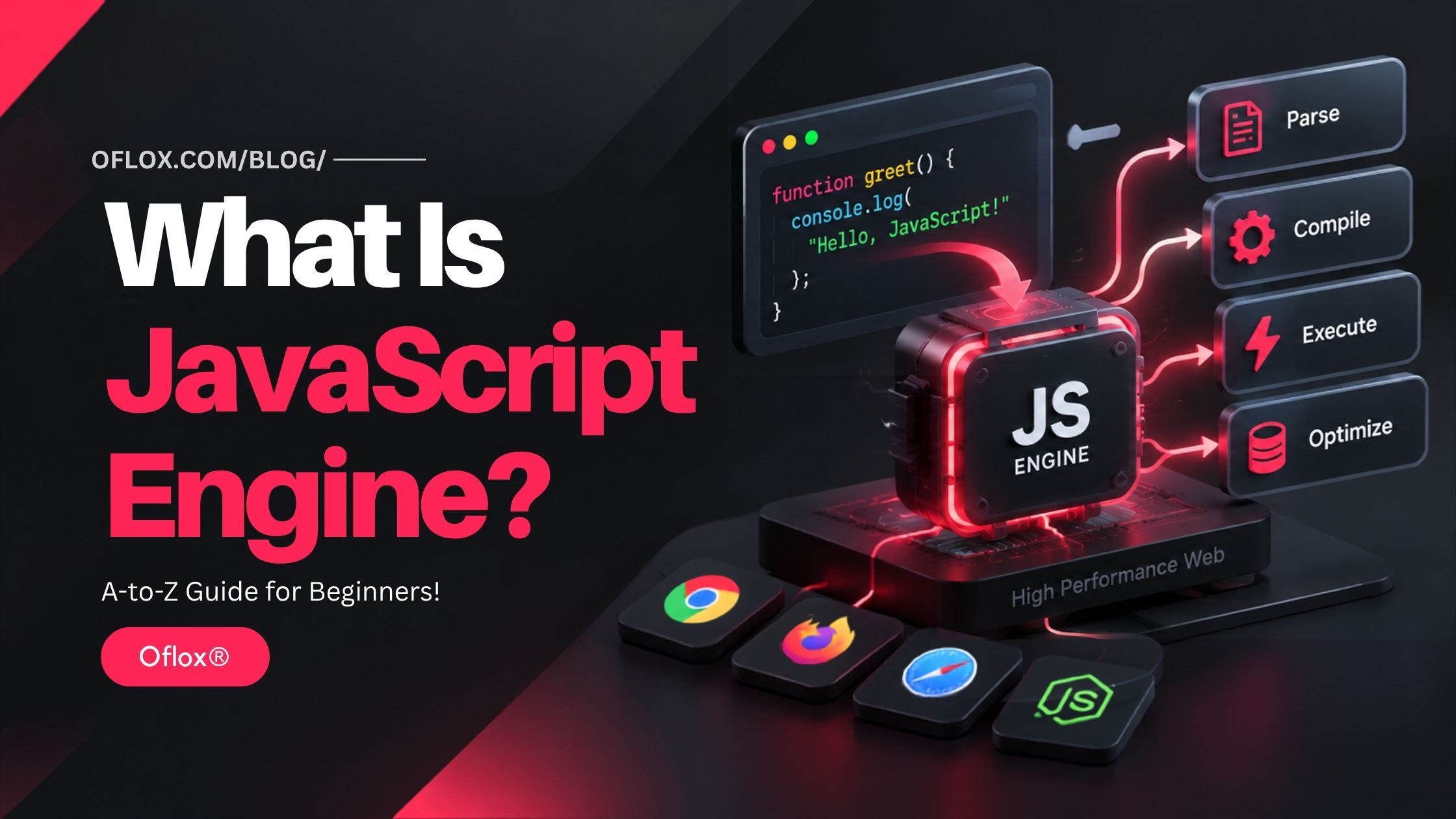
Whether you are a beginner, frontend developer, backend developer, full-stack professional, or someone interested in understanding how JavaScript works behind the scenes, learning about JavaScript Engines can help you better understand code execution, performance, memory management, and modern JavaScript development.
Let’s explore it together.
Table of Contents
What Is JavaScript Engine?
A JavaScript Engine is a software program that reads, interprets or compiles, and executes JavaScript code.
In simple words, it acts as a bridge between the JavaScript source code written by a developer and the low-level operations that can be performed by the computer.
Modern engines normally perform several operations, including:
- Reading JavaScript source code
- Checking its syntax
- Parsing the source into an internal representation
- Creating bytecode or another intermediate form
- Executing the code
- Monitoring frequently executed code
- Optimising important sections
- Producing native machine code when useful
- Managing objects and memory
- Reclaiming unused memory through garbage collection
The JavaScript engine implements the ECMAScript language, while the browser, Node.js, or another host environment provides additional platform features.
MDN explains this distinction clearly: the JavaScript engine implements and executes ECMAScript, while the host environment provides outside capabilities such as browser APIs or server functionality.
For example:
const total = 50 + 20;
console.log(total);
The JavaScript engine is responsible for understanding and executing JavaScript operations such as creating total and performing the addition.
However, APIs such as the DOM, browser events, networking, and timers are generally provided by the surrounding host environment rather than being part of the JavaScript language engine itself.
JavaScript Engine vs JavaScript Runtime
One of the most common beginner mistakes is considering a JavaScript engine and a JavaScript runtime the same thing.
They are related, but they are not identical.
| JavaScript Engine | JavaScript Runtime |
|---|---|
| Executes JavaScript code | Provides the complete environment for running JavaScript |
| Implements ECMAScript | Includes the engine plus platform APIs |
| Handles parsing and execution | May provide timers, networking, file access, events, etc. |
| Example: V8 | Example: Node.js |
| Example: SpiderMonkey | Example: Firefox browser environment |
For example, V8 is a JavaScript engine, while Node.js is a JavaScript runtime that uses V8.
Similarly, the engine inside a browser handles JavaScript execution, while the browser provides other APIs required for interacting with web pages.
Understanding this difference becomes very useful when learning topics such as asynchronous JavaScript, event loops, browser APIs, Node.js, Web Workers, and application performance.
Why Is a JavaScript Engine Important?
Without a JavaScript engine, JavaScript source code cannot perform useful computation on a device.
The engine is responsible for turning human-readable JavaScript into executable operations while trying to maintain good speed, memory efficiency, compatibility, and security.
1. Executes JavaScript Code
The most basic responsibility of the engine is executing JavaScript.
Code such as:
function multiply(a, b) {
    return a * b;
}

console.log(multiply(5, 10));
must eventually be translated into operations the underlying system can perform.
2. Improves Application Performance
Modern JavaScript applications can contain thousands or even millions of lines of JavaScript.
Engines therefore monitor execution behaviour and optimise frequently executed code.
Code that runs repeatedly may receive more expensive optimisation because improving that code can provide a larger overall performance benefit.
3. Manages Memory
JavaScript automatically manages much of its memory.
When objects are created, memory needs to be allocated.
When those objects are no longer reachable or required, unused memory can eventually be reclaimed by the engine’s garbage collector.
4. Enables JavaScript Across Platforms
JavaScript is no longer restricted to ordinary browser pages.
Engines allow JavaScript to be used in:
- Web browsers
- Backend servers
- Desktop applications
- Mobile development environments
- Command-line tools
- Embedded environments
- Developer tools
- Cloud and edge systems
For example, V8 is used by Chrome and Node.js and can also be embedded into other C++ applications.
5. Implements Language Standards
JavaScript continues to evolve through ECMAScript.
The current annual standard is ECMAScript 2026, the 17th edition of ECMA-262, published in June 2026. JavaScript engines implement the language behaviour defined by this standard and its evolving specification.
History of JavaScript Engines
Understanding the history of JavaScript engines helps explain why modern engines have become so sophisticated.
1. The Beginning of JavaScript
JavaScript was created by Brendan Eich at Netscape and first appeared in Netscape Navigator during the early years of the commercial web.
The first JavaScript engine was SpiderMonkey, which remains part of Mozilla’s JavaScript ecosystem today. MDN identifies SpiderMonkey as the first JavaScript engine and notes that it is currently used by Firefox and other projects.
Early JavaScript applications were relatively simple.
Developers mainly used the language for:
- Form validation
- Button interactions
- Basic page effects
- Popup windows
- Small browser scripts
Performance demands were therefore much lower than they are today.
2. The Growth of Web Applications
As websites became more interactive, JavaScript workloads increased.
Applications started handling:
- Dynamic page updates
- Complex interfaces
- AJAX requests
- Animations
- Real-time communication
- Large datasets
- Browser-based productivity software
Simple execution techniques were no longer sufficient.
Browser vendors therefore started developing more advanced optimisation systems.
3. V8 Changed JavaScript Performance
Google launched the open-source V8 project alongside Chrome on September 2, 2008.
V8 placed strong emphasis on JavaScript execution performance and later became the engine used by Node.js, helping JavaScript expand much further into server-side development.
V8’s architecture has changed significantly over the years.
Its modern execution model evolved to use technologies including the Ignition interpreter and advanced optimisation infrastructure rather than its older Full-codegen and Crankshaft pipeline.
Today, competition among JavaScript engines continues to improve startup time, peak execution speed, memory usage, standards support, security, and power efficiency.
How Does a JavaScript Engine Work?
A modern JavaScript engine does not simply translate every line directly into machine code in one fixed step.
Its internal process varies by engine, but the general workflow can be understood through several stages.
A simplified flow looks like this:
JavaScript Source Code → Parsing → Internal Representation → Bytecode/Initial Execution → Runtime Profiling → Optimisation → Machine Code → ExecutionLet us understand these stages one by one.
1. JavaScript Source Code Is Loaded
Suppose a browser receives the following JavaScript:
function add(a, b) {
    return a + b;
}

const result = add(10, 20);
console.log(result);
The engine first receives the JavaScript source.
Before executing it, the engine needs to understand the structure and meaning of the program.
2. Lexical Analysis
The source is broken into meaningful units called tokens.
For example:
const price = 500;may conceptually be broken into tokens representing:
- const
- price
- =
- 500
- ;
This process makes it easier for the parser to understand the structure of the program.
3. Parsing
The parser examines the tokens according to JavaScript grammar.
It determines whether the code follows valid syntax.
For example:
const price = ;contains invalid syntax.
The parser detects this problem before normal execution proceeds.
4. Internal Representation Is Created
The engine converts the parsed code into an internal structure that represents the program.
A commonly discussed concept is an Abstract Syntax Tree (AST).
For:
const total = 10 + 20;the internal structure represents ideas such as:
- Variable declaration
- Variable name: total
- Addition operation
- Number: 10
- Number: 20
The exact internal design differs between engines, but the basic purpose is similar: convert raw text into a structured representation that the engine can process efficiently.
5. Bytecode or Initial Executable Form Is Produced
Many modern engines use an intermediate execution stage.
For example, V8 includes the Ignition interpreter, which works with V8’s bytecode representation.
JavaScriptCore also uses bytecode as an important part of its execution pipeline. Its architecture includes multiple execution tiers designed to balance startup cost with higher long-term performance.
Bytecode sits conceptually between high-level JavaScript and low-level native instructions.
This allows code to begin running without requiring every part of a large application to undergo expensive optimisation first.
6. The Code Is Executed
The engine starts executing the program.
During execution, it can also collect useful information.
For example, consider:
function calculateTax(price) {
    return price * 0.18;
}

for (let i = 0; i < 100000; i++) {
    calculateTax(1000);
}
The calculateTax() function is executed many times.
The engine may identify it as frequently used or hot code.
This makes it a strong candidate for additional optimisation.
7. Runtime Profiling
JavaScript is dynamically typed.
For example:
function add(a, b) {
    return a + b;
}

add(10, 20);
add(40, 50);
Here, the engine observes numeric values repeatedly.
It may use this runtime information to generate more specialised execution paths.
This concept is important because JavaScript engines often optimise based on observed behaviour rather than only static source code.
8. JIT Compilation and Optimisation
JIT stands for Just-in-Time compilation.
Instead of compiling the complete application into heavily optimised machine code before execution, a JIT system can optimise useful parts during runtime.
Different engines use different strategies.
Mozilla’s SpiderMonkey documentation explains that frequently executed scripts can move through JIT tiers, with later tiers spending more compilation effort to achieve better execution performance. Its current architecture includes baseline execution and the higher-level Warp optimisation system.
JavaScriptCore similarly uses multiple tiers including LLInt, Baseline JIT, DFG, and FTL.
The general idea is simple:
Cold Code → Fast StartupHot Code → More OptimisationThis helps engines balance startup speed and peak performance.
9. Optimised Machine Code Runs
After optimisation, suitable sections can run as native machine code designed for the processor architecture.
That can significantly improve performance for computationally important code.
Modern engines support multiple CPU architectures, so the actual generated instructions depend on the system being used.
10. Deoptimisation May Occur
Optimisation is often based on assumptions.
Suppose a function repeatedly receives numbers:
function add(a, b) {
    return a + b;
}

add(10, 20);
add(30, 40);
add(50, 60);
Later, the program calls:
add("Hello ", "World");The behaviour has changed.
An optimisation based on earlier runtime patterns may no longer be suitable.
The engine may therefore fall back to a more general execution path. This process is commonly known as deoptimisation.
Deoptimisation is normal and is one reason developers should avoid obsessively attempting to manipulate engine internals without real profiling evidence.
Main Components of a JavaScript Engine
Although implementations differ, several concepts are commonly associated with modern JavaScript execution.
| Component | Main Purpose |
|---|---|
| Lexer/Tokenizer | Breaks source code into tokens |
| Parser | Understands program syntax |
| Internal Representation | Represents program structure |
| Interpreter | Executes an intermediate form |
| JIT Compiler | Generates specialised machine code |
| Optimiser | Improves frequently executed code |
| Call Stack | Tracks active execution contexts |
| Heap | Stores objects and dynamically allocated data |
| Garbage Collector | Reclaims unused memory |
1. Parser
The parser checks whether JavaScript follows the language grammar and transforms the source into structures the engine can work with.
Without successful parsing, invalid JavaScript cannot proceed through ordinary execution.
2. Interpreter
An interpreter allows code to begin executing relatively quickly.
This is particularly useful because much JavaScript downloaded by a page may run only a small number of times.
Spending large amounts of CPU time optimising every function before it is known to be important could waste resources.
3. JIT Compiler
The JIT compiler focuses more effort on code where optimisation is likely to be worthwhile.
A hot loop or frequently called function may therefore receive more optimisation than rarely executed initialization logic.
4. Call Stack
The call stack keeps track of currently executing functions and execution contexts.
Consider:
function first() {
    second();
}

function second() {
    third();
}

function third() {
    console.log("Done");
}

first();
Conceptually, calls are pushed onto the stack as functions execute and removed as they return.
MDN describes the execution context stack as a last-in-first-out structure used for transferring control when functions are entered and exited.
5. Heap Memory
Objects and dynamically allocated information are generally stored in an area of memory commonly described as the heap.
For example:
const user = {
    name: "Rahul",
    city: "Delhi"
};
The engine needs memory to maintain this object and its associated data.
6. Garbage Collector
Developers normally do not manually free JavaScript objects.
Instead, garbage collection identifies memory that is no longer required and makes it available for reuse.
This automatic management greatly simplifies development, although applications can still create memory problems by unintentionally retaining references to unnecessary objects.
Most Popular JavaScript Engines
Several JavaScript engines are actively used today.
1. V8
V8 is Google’s open-source JavaScript and WebAssembly engine.
It is used in:
- Google Chrome
- Chromium-based environments
- Node.js
- Various embedded applications
V8 compiles and executes JavaScript, allocates memory for objects, and performs garbage collection.
Its architecture includes technologies such as Ignition and multiple optimisation mechanisms.
2. SpiderMonkey
SpiderMonkey is Mozilla’s JavaScript and WebAssembly engine.
It powers Firefox and is also used in other projects.
Its optimisation architecture includes baseline execution, inline-cache mechanisms, baseline compilation, and Warp optimisation for frequently executed code.
SpiderMonkey is especially important historically because it was the first JavaScript engine.
3. JavaScriptCore
JavaScriptCore, commonly abbreviated as JSC, is WebKit’s JavaScript engine.
It is strongly associated with Safari and other WebKit environments.
Its documented architecture includes:
- Lexer
- Parser
- LLInt
- Baseline JIT
- DFG JIT
- FTL JIT
These multiple tiers allow JavaScriptCore to balance quick execution with deeper optimisation for frequently executed code.
4. Other and Historical Engines
The JavaScript-engine ecosystem has included several additional implementations.
Examples include:
- Chakra/ChakraCore
- Older Opera engines
- Embedded JavaScript engines
- LibJS
Some engines remain active while others are mainly important historically.
For ordinary web developers, V8, SpiderMonkey, and JavaScriptCore remain the most important engines to understand.
JavaScript Engine vs Browser
A JavaScript engine is only one part of a web browser.
A browser may contain components responsible for:
- HTML parsing
- CSS processing
- Layout
- Painting
- Networking
- Storage
- Security
- User input
- Rendering
- JavaScript execution
The JavaScript engine handles the language itself.
The surrounding browser provides Web APIs such as:
document.querySelector()
fetch()
setTimeout()
localStorage
This distinction also explains why some JavaScript can work in a browser but not automatically in Node.js.
For example:
document.querySelector("#button");depends on the browser DOM.
The ECMAScript language itself does not define the browser DOM.
JavaScript Engine and the Event Loop
Another common misconception is that the JavaScript engine alone provides every part of asynchronous execution.
JavaScript execution and the host environment work together.
The runtime typically coordinates concepts such as:
- Call stack
- Tasks
- Microtasks
- Promises
- Timers
- Events
- I/O operations
MDN describes JavaScript’s execution model in terms of agents containing a stack, heap, and job queue, while host environments provide additional mechanisms for external operations. Jobs follow run-to-completion behaviour before another job is processed.
This architecture allows code such as:
console.log("Start");

setTimeout(() => {
    console.log("Timer completed");
}, 1000);

console.log("End");
to avoid stopping all useful work while the timer is waiting.
The timer itself is a host capability, while JavaScript later executes the callback when it becomes eligible to run.
Major Features of Modern JavaScript Engines
Modern JavaScript engines provide many advanced capabilities.
- Fast Parsing: Engines are designed to process large JavaScript applications efficiently.
- Tiered Execution: Different execution tiers allow engines to balance startup speed and maximum performance.
- JIT Compilation: Frequently executed code can be compiled into efficient machine instructions.
- Runtime Profiling: The engine can observe real execution behaviour before performing expensive optimisations.
- Automatic Memory Management: Garbage collection reduces the need for manual memory handling.
- ECMAScript Compatibility: Modern engines continuously implement evolving language standards.
- WebAssembly Support: Major engines increasingly operate alongside WebAssembly. For example, V8 officially supports both JavaScript and WebAssembly, while SpiderMonkey also describes itself as a JavaScript and WebAssembly implementation.
- Cross-Platform Execution: JavaScript engines support multiple operating systems and processor architectures.
Benefits of JavaScript Engines
The following benefits explain why JavaScript engines are essential for modern web and software applications.
1. High Performance
Modern engines make JavaScript much faster than the simple interpreted-language image many beginners have in mind.
Tiered compilation and runtime optimisation help computationally important code execute efficiently.
2. Quick Startup
Engines do not necessarily perform maximum optimisation on every function immediately.
Less expensive execution methods can be used first so an application can start quickly.
3. Automatic Memory Management
Developers can concentrate more on application logic rather than manually allocating and freeing every piece of memory.
4. Portability
Developers can write JavaScript that runs across many environments implementing the same language standard.
5. Continuous Improvements
Browser and runtime vendors regularly improve:
- Startup time
- Compilation
- Garbage collection
- CPU efficiency
- Memory usage
- Security
- Standards support
These improvements can make existing JavaScript applications faster without developers rewriting every part of their code.
Challenges and Limitations of JavaScript Engines
JavaScript engines are powerful, but they still face technical challenges.
1. Dynamic Typing
JavaScript values can change types dynamically.
Example:
let value = 100;
value = "One Hundred";
This flexibility is convenient for developers but makes aggressive low-level optimisation more complicated.
2. Deoptimisation
If observed runtime assumptions stop being valid, previously optimised code may need to fall back to a more general path.
3. Memory Pressure
Large applications may create huge numbers of objects.
Poor memory behaviour can increase garbage-collection work and overall resource usage.
4. Long-Running JavaScript
A long synchronous task can block useful work on the main browser thread.
For example:
for (let i = 0; i < 10000000000; i++) {
    // heavy operation
}
This can hurt responsiveness.
MDN recommends keeping jobs short where possible because a long-running job can prevent the browser from responding to user interaction.
5. Security
JavaScript engines process code from millions of websites, making security extremely important.
Engine developers continuously work on sandboxing, memory safety, exploit mitigation, and safer optimisation behaviour.
Practical JavaScript Engine Example
Consider:
function square(number) {
    return number * number;
}

for (let i = 0; i < 100000; i++) {
    square(i);
}
A simplified conceptual workflow is:
- The source code is loaded.
- The engine tokenises and parses it.
- An internal representation is created.
- Initial executable code or bytecode is generated.
- The loop begins running.
- square() is called repeatedly.
- Runtime information is collected.
- The function may be classified as hot.
- An optimisation tier may compile a specialised version.
- Later calls can use the faster optimised path.
Remember that exact thresholds and implementation details vary between engines and versions.
How to Improve JavaScript Performance
Developers usually do not need to manually control the engine.
Instead, write predictable, maintainable, efficient JavaScript and measure actual bottlenecks.
- Reduce Unnecessary Work: Avoid repeating expensive operations when the result can be reused. Instead of repeatedly querying or calculating the same value, store it when appropriate.
- Avoid Huge Synchronous Tasks: Break expensive work into smaller operations or move appropriate workloads away from the main thread. Web Workers can be useful for certain CPU-heavy browser tasks.
- Reduce Unnecessary Object Creation: Creating temporary objects inside extremely hot loops can increase allocation and garbage-collection pressure. Optimise only where measurement shows that it matters.
- Use Efficient Data Structures: Choose arrays, objects, maps, sets, typed arrays, or other structures according to your actual requirement.
- Load Less JavaScript: JavaScript that users never need still needs to be downloaded, parsed, and potentially compiled. Use techniques such as Code splitting, Lazy loading, Tree shaking, Dynamic imports, Smaller dependencies when appropriate.
Tools for Understanding JavaScript Performance
Several tools can help developers study execution behaviour.
1. Chrome DevTools
Chrome DevTools can help inspect:
- CPU usage
- JavaScript execution time
- Long tasks
- Function performance
- Memory
- Network behaviour
- Rendering activity
The Performance panel is usually more useful than guessing what the engine might be doing.
2. Firefox Developer Tools and Profiler
Firefox provides performance tooling that can help developers study JavaScript execution and browser activity.
3. Safari Web Inspector
Safari developers can use Web Inspector to examine performance on WebKit-based environments.
4. Node.js Profiling Tools
Node.js developers can use built-in diagnostic and profiling capabilities to identify CPU-heavy functions, memory issues, and application bottlenecks.
5. Performance API
Browser applications can measure selected operations with APIs such as:
performance.mark("start");

// operation

performance.mark("end");
performance.measure("task", "start", "end");
Simple measurements can often reveal more useful information than assumptions about engine optimisation.
Common JavaScript Engine Mistakes
Understanding common misconceptions can save developers a lot of confusion.
1. Thinking JavaScript Is Only Interpreted
Modern engines combine several techniques including interpretation and JIT compilation.
2. Thinking V8 Is JavaScript
V8 is an implementation of JavaScript/ECMAScript, not the language itself.
3. Thinking Node.js and V8 Are the Same
Node.js is a runtime environment that uses V8.
4. Assuming Browser APIs Are Part of JavaScript
Features such as the DOM are supplied by browser environments.
5. Optimising Without Profiling
Developers sometimes rewrite clean code based on outdated assumptions about what V8 or another engine may optimise.
Measure first.
6. Ignoring Other Engines
Code tested only in one Chromium environment may behave differently when browser APIs or compatibility—not necessarily core JavaScript semantics—vary elsewhere.
Test important applications across relevant browsers.
7. Treating Engine Internals as Permanent
Compiler architecture changes.
An optimisation trick based on one engine version may become irrelevant later.
Write good JavaScript first and treat engine-specific micro-optimisation as a specialised activity.
Expert Tips for Better JavaScript Performance
If you want your JavaScript applications to perform better across different engines, follow these practical tips:
- Profile before optimising: Find the actual bottleneck instead of guessing.
- Keep functions simple where practical: Readable code is easier to debug and optimise.
- Avoid blocking the main thread: Break expensive tasks into manageable units.
- Reduce unnecessary JavaScript: Every unnecessary script adds potential download, parsing, compilation, and execution cost.
- Watch memory usage: Remove unused references, listeners, large caches, and abandoned DOM structures when necessary.
- Test realistic workloads: Tiny synthetic benchmarks may not represent real application behaviour.
- Test multiple browsers: Chrome, Firefox, and Safari use different engines.
- Prefer standards-based JavaScript: Avoid relying unnecessarily on engine-specific behaviour.
- Keep dependencies updated: Modern libraries may include important compatibility and performance improvements.
- Optimise user experience, not benchmark scores: Faster loading, smoother interactions, and responsive interfaces matter more than winning a microbenchmark.
FAQs:)
A. A JavaScript engine is software that reads and executes JavaScript code. Modern engines also parse code, create internal representations, optimise frequently executed sections, manage memory, and may compile suitable code into native machine instructions.
A. V8 is one of the most widely used JavaScript engines because it powers Google Chrome and is also embedded in Node.js. SpiderMonkey and JavaScriptCore are also major engines used by Firefox and WebKit/Safari respectively.
A. Google Chrome uses the V8 JavaScript engine.
A. Mozilla Firefox uses SpiderMonkey.
A. Safari uses JavaScriptCore, which is part of the WebKit project.
A. Yes. Node.js uses Google’s V8 JavaScript engine to execute JavaScript.
A. Modern JavaScript execution commonly involves both interpretation and compilation techniques. Engines can begin with a relatively fast initial execution path and later use JIT compilation to optimise frequently executed code.
A. JIT, or Just-in-Time compilation, means compiling suitable code during program execution. Modern engines can use runtime information to optimise frequently executed code into more efficient machine instructions.
A. Bytecode is an intermediate representation used by some JavaScript engines. It is lower-level than JavaScript source code but generally more portable and easier to produce quickly than fully optimised native machine code.
A. Garbage collection is the automatic process of identifying memory that is no longer needed by a program and making that memory available for future use.
A. The complete event-loop system depends on the runtime and host environment. The engine executes JavaScript, while browsers, Node.js, and other hosts provide additional scheduling and asynchronous capabilities.
A. No. V8 is the JavaScript engine used inside Chrome. Chrome contains many other systems responsible for rendering, networking, security, storage, UI, and browser functionality.
A. Yes. JavaScript can run outside browsers through environments such as Node.js and other systems that embed a JavaScript engine.
Conclusion:)
We hope this article has helped you understand what a JavaScript Engine is, how JavaScript engines work, and why they are important for modern web and software development.
A JavaScript Engine plays an important role in executing JavaScript code efficiently. It handles processes such as parsing, bytecode generation, interpretation, Just-in-Time (JIT) compilation, runtime optimization, memory management, and garbage collection to help websites and applications run smoothly.
Popular JavaScript engines such as V8, SpiderMonkey, and JavaScriptCore use different internal architectures, but their main purpose is similar—to execute JavaScript code efficiently while supporting modern ECMAScript standards.
However, understanding a JavaScript Engine is not only about learning its internal components. Developers should also understand concepts such as the call stack, memory heap, execution context, garbage collection, asynchronous JavaScript, and performance profiling to build faster and more reliable applications.
Modern JavaScript engines can automatically perform many advanced optimizations, but developers should still focus on clean code, efficient application logic, proper memory usage, and real-world performance testing instead of depending only on engine-level optimization.
“A JavaScript Engine works behind the scenes, but understanding how it executes code can help developers build faster and more efficient applications.” — Oflox®
Read also:)
- What Is AI Website Testing? A Complete Beginner’s Guide!
- What Is Code Splitting? Complete Guide with Examples!
- What Is JavaScript Async? A Complete Beginner’s Guide!
Have questions or suggestions about JavaScript Engines? Share them in the comments below and help other developers understand how JavaScript works behind the scenes.