This complete guide will explain What Is Full Stack Web Development, how it works, why it is important, its main components, popular technology stacks, benefits, challenges, tools, real-world examples, common mistakes, and future trends.
In today’s digital world, websites and web applications have become more advanced, interactive, and feature-rich than ever before.
A modern web application is not limited to an attractive design. It may include user registration, secure login, online payments, databases, dashboards, APIs, real-time notifications, cloud storage, and many other important features.
To build such a complete web application, developers need to work on both the visible interface and the technical system operating behind it. This complete development process is known as full stack web development.
A full stack developer understands how the front end communicates with the back end, how the server processes user requests, how information is stored in a database, and how the finished application is deployed securely on the internet.
Whether you are a student, beginner, web developer, freelancer, startup founder, business owner, or technology professional, understanding full stack web development can help you learn how complete websites and web applications are planned, developed, tested, and launched.
Let’s explore it together.
Table of Contents
What Is Full Stack Web Development?
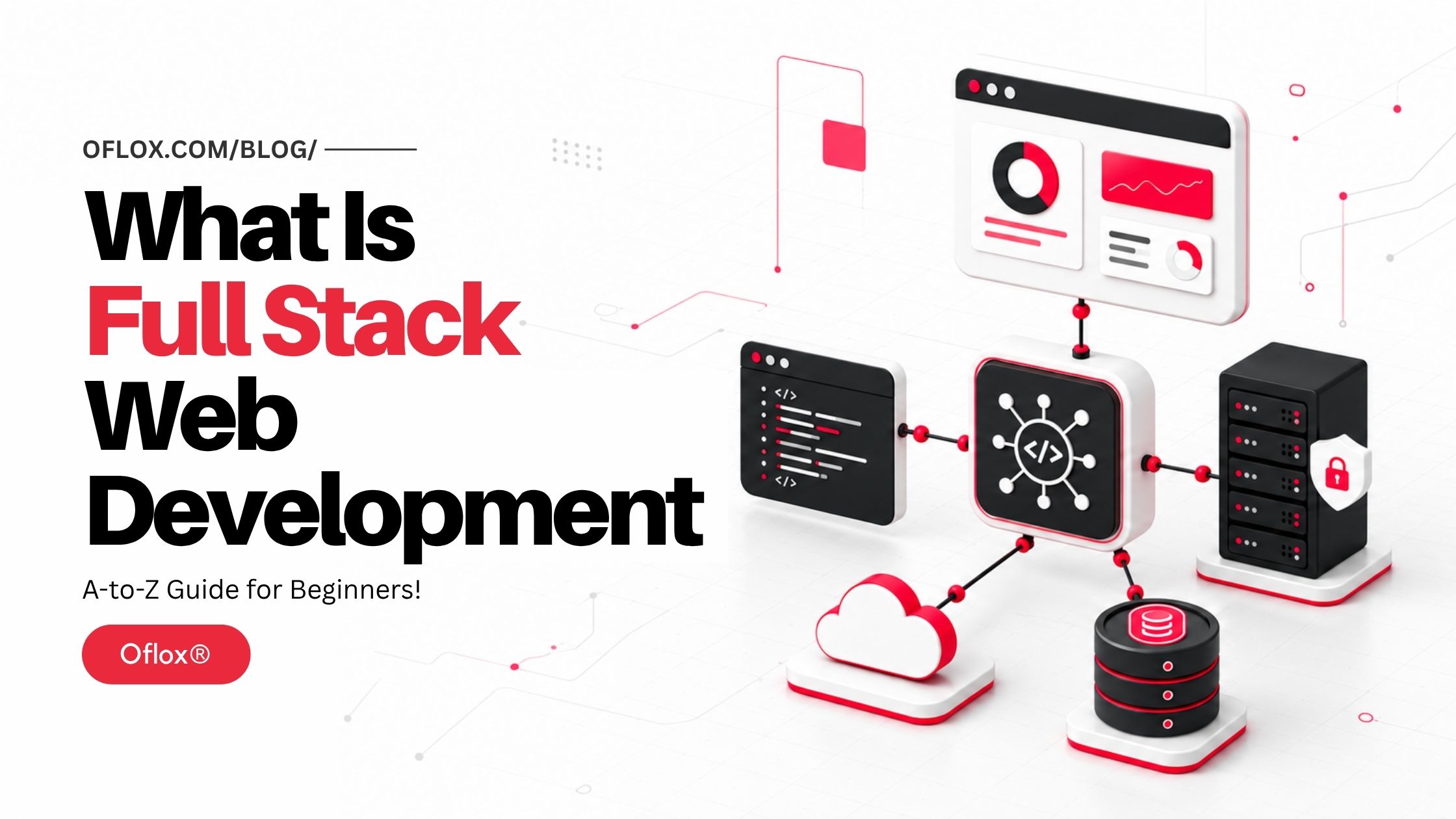
Full stack web development is the process of building and managing both the front-end and back-end parts of a website or web application, along with its database, APIs, deployment environment, security, and supporting infrastructure.
The term “stack” refers to the collection of technologies used together to create an application.
A typical web-development stack contains:
- Front-end technologies
- Back-end programming language
- Server-side framework
- Database
- Web server
- APIs and third-party integrations
- Version-control system
- Testing tools
- Deployment or cloud platform
- Monitoring and security tools
The front end is the visible and interactive part of an application. It includes layouts, menus, forms, buttons, dashboards, animations, and everything else users interact with through a browser.
The back end works behind the interface. It receives requests, validates information, performs calculations, manages authentication, executes business logic, communicates with databases, and sends responses to the front end.
The database stores information such as customer accounts, products, orders, payments, blog posts, messages, and application settings.
A full stack developer works across these connected layers.
For example, while developing an e-commerce checkout feature, the developer may:
- Create the checkout interface.
- Validate the customer’s input.
- send the order information to the server.
- Verify product availability.
- Calculate tax and shipping charges.
- Connect the application with a payment gateway.
- Save the order in a database.
- Display an order-confirmation page.
- Send an email or WhatsApp notification.
- Monitor errors after deployment.
This complete responsibility is what makes the work “full stack.”
Understanding the Main Layers of Full Stack Development
Full stack development becomes easier to understand when we divide it into separate layers.
| Layer | Main Purpose | Common Technologies |
|---|---|---|
| Front end | Creates the interface users see and operate | HTML, CSS, JavaScript, React, Vue, Angular |
| Back end | Processes requests and business logic | Node.js, PHP, Python, Java, C#, Ruby, Go |
| Database | Stores and retrieves application data | MySQL, PostgreSQL, MongoDB, SQLite, Redis |
| API layer | Connects the interface, server and external services | REST, GraphQL, WebSockets, webhooks |
| Infrastructure | Runs and delivers the application | Apache, Nginx, Docker, AWS, Azure, Google Cloud |
| Development operations | Automates testing, deployment and monitoring | Git, GitHub Actions, CI/CD, logging tools |
| Security | Protects users, systems and information | HTTPS, authentication, encryption, access control |
1. Front-End Development
Front-end development, also known as client-side development, deals with everything that appears inside the user’s browser.
Its three fundamental technologies are:
- HTML: Defines the structure and meaning of content.
- CSS: Controls colours, layouts, spacing, typography and responsive design.
- JavaScript: Adds behaviour, interactions, validation and dynamic updates.
Modern front-end applications may also use frameworks and libraries such as React, Angular, Vue, Svelte, Next.js or Nuxt.
A front-end developer normally handles:
- Page layouts
- Navigation menus
- Forms
- Buttons and interactions
- Responsive design
- Accessibility
- Browser compatibility
- Client-side validation
- Loading states
- Error messages
- Front-end performance
- API integration
Front-end code should make the application usable, accessible, fast and visually consistent.
2. Back-End Development
Back-end development, or server-side development, handles operations that users normally cannot see.
According to MDN’s server-side development documentation, server-side frameworks commonly provide features for sessions, authentication, database access, templates and other operations required by dynamic websites.
The back end may perform tasks such as:
- Registering users
- Signing users in
- Resetting passwords
- Checking permissions
- Processing orders
- Calculating prices
- Managing subscriptions
- Uploading files
- Sending notifications
- Connecting payment services
- Generating reports
- Serving API responses
Popular back-end languages and platforms include:
- JavaScript or TypeScript with Node.js
- PHP
- Python
- Java
- C#
- Ruby
- Go
- Rust
Node.js, for example, allows JavaScript to run outside the browser and can be used for servers, web applications and command-line tools.
3. Database Development
A database provides organised and persistent storage for application information. Without a database, most applications would lose their information whenever the server restarted.
Databases are generally divided into two major groups.
1. Relational databases
Relational databases store information in structured tables with rows, columns and relationships.
Examples include:
- MySQL
- PostgreSQL
- MariaDB
- Microsoft SQL Server
- Oracle Database
- SQLite
They are suitable for applications requiring clearly defined relationships and reliable transactions, such as billing systems, banking applications, order-management software and customer portals.
2. NoSQL databases
NoSQL databases support flexible data structures and different storage models.
Examples include:
- MongoDB
- Firebase Firestore
- DynamoDB
- Cassandra
- Redis
They can be useful for rapidly changing data, caching, real-time applications, large-scale distributed systems and document-oriented information.
A full stack developer should understand how to:
- Design data structures
- Create and update records
- Write queries
- Define relationships
- Add indexes
- Validate data
- Manage database migrations
- Create backups
- Control database access
- prevent SQL injection and data leakage
4. API Development
An Application Programming Interface, or API, allows different software components to communicate.
For example, when a user opens a product page, the front end may request product information from a back-end API. The server retrieves the required information from the database and returns it as JSON.
APIs may also connect an application with external platforms such as:
- Payment gateways
- Email services
- SMS providers
- Maps
- Social networks
- Accounting software
- Shipping partners
- Artificial intelligence models
- Customer relationship management platforms
Common API styles and communication methods include REST, GraphQL, WebSockets and webhooks.
5. Hosting, Deployment and DevOps
A web application becomes useful to customers only after it is deployed to a server or cloud platform.
Deployment may include:
- Preparing the production server
- Configuring environment variables
- Connecting the production database
- Setting up a domain name
- Installing an SSL certificate
- Building front-end assets
- Running database migrations
- Configuring web servers
- Automating deployments
- Monitoring performance
- Backing up critical data
- Planning rollback procedures
Full stack developers are not always dedicated DevOps engineers, but they should understand how their applications move from a local computer to a secure production environment.
How Does Full Stack Web Development Work?
A full stack application works through communication between the browser, server, database and supporting services.
Consider a user signing in to an online billing application.
- The browser displays the login form: The front end uses HTML, CSS, and JavaScript to display email and password fields.
- The user submits the form: JavaScript may first check whether the required fields have been completed and whether the email follows a valid format. Client-side validation improves usability, but it must never replace server-side validation.
- The front end sends an API request: The browser sends the login details to a secure server endpoint using HTTPS.
- The server validates the request: The back end checks the data type, format, size and other security rules. It should reject missing, malformed or suspicious information.
- The database is queried: The server finds the relevant user account using the supplied email address.
- The password is verified: The server compares the submitted password with a securely hashed password. Plain-text passwords should never be stored.
- Authentication is created: If the information is correct, the application creates a secure session or issues an access token.
- The server returns a response: The response may include basic account information and confirmation that authentication succeeded.
- The dashboard is displayed: The front end receives the response and takes the user to the authorised dashboard.
- Activity is logged and monitored: The application may record the successful login, device information or unusual activity for security and troubleshooting.
This process may happen within a few hundred milliseconds, but it involves several parts of the complete technology stack.
A Brief History of Full Stack Web Development
The responsibilities of web developers have changed significantly since the early years of the internet.
- Static websites in the 1990s: Early websites were mainly collections of static HTML documents. Pages offered information but had limited interactivity. Developers commonly wrote HTML manually and uploaded files to a web server.
- Dynamic websites and server-side programming: Technologies such as CGI, PHP, ASP, Java Servlets and database-backed content-management systems made websites dynamic. Businesses could create member accounts, discussion forums, product catalogues and administrative dashboards.
- Growth of CSS and JavaScript: CSS separated visual presentation from HTML structure, while JavaScript enabled richer interactions inside browsers. Developers increasingly specialised in either interface development or server-side programming.
- Web 2.0 and asynchronous applications: AJAX allowed pages to communicate with servers without reloading the entire document. Applications started feeling more interactive and responsive. Platforms such as Gmail demonstrated that browsers could support sophisticated application-like experiences.
- Rise of modern frameworks: Front-end frameworks and libraries such as Angular, React and Vue made it easier to develop complex interfaces from reusable components. Back-end frameworks such as Laravel, Django, Ruby on Rails, Express and Spring simplified routing, authentication, database access and application architecture.
- JavaScript across the stack: The introduction of Node.js enabled developers to use JavaScript on servers as well as in browsers. This contributed to the popularity of JavaScript-based full stack combinations such as MEAN, MERN and MEVN.
- Cloud-native and API-first applications: Cloud services, managed databases, containers, serverless computing and automated deployment changed how teams build and operate software. Modern full stack development now covers much more than writing browser and server code. Developers may also work with cloud infrastructure, testing pipelines, analytics, observability, security, and AI services.
Why Is Full Stack Web Development Important?
Full stack web development is important because most modern features extend across several technical layers.
A simple “Add to Cart” button may require:
- A front-end button and quantity selector
- Product and price validation
- Inventory verification
- Cart storage
- Tax calculations
- User-session management
- Error handling
- Analytics tracking
- Automated tests
If each layer is developed without understanding the others, integration problems can occur.
A full stack perspective helps a developer understand the complete feature instead of viewing every component in isolation.
It is particularly useful for:
- Startups building minimum viable products
- Agencies developing client websites
- Freelancers delivering complete projects
- Small development teams
- Software-as-a-Service products
- Internal business tools
- E-commerce applications
- Rapid prototypes
- Technical founders
- Developers moving into leadership roles
Major Features of Full Stack Web Development
The following capabilities define a strong full stack development approach.
- End-to-end application development: A full stack developer can follow a feature from interface design to database storage and production deployment.
- Cross-layer debugging: The developer can investigate whether a failure originates in the browser, network request, server logic, database query or third-party integration.
- API integration: Full stack developers can create internal APIs and connect applications to external services.
- Database management: They understand data modelling, queries, indexes, relationships, validation and migrations.
- Authentication and authorisation: They can implement login systems and control which users are permitted to perform particular actions. Authentication confirms identity. Authorisation determines access.
- Responsive interface development: A full stack application should work properly on mobile phones, tablets, laptops and desktops.
- Version control: Developers use Git and platforms such as GitHub, GitLab or Bitbucket to track modifications, collaborate and review code.
- Testing and quality assurance: The stack may include unit tests, integration tests, API tests and end-to-end tests.
- Deployment and monitoring: The developer understands how to publish the application, manage configuration, review logs and respond to production failures.
Front-End vs Back-End vs Full Stack Development
| Area | Front-End Developer | Back-End Developer | Full Stack Developer |
|---|---|---|---|
| Main focus | User interface | Server and application logic | Complete application |
| Browser technologies | Advanced | Basic to intermediate | Intermediate to advanced |
| Server programming | Limited | Advanced | Working or advanced knowledge |
| Database skills | Basic | Advanced | Working or advanced knowledge |
| API work | Consumes APIs | Creates APIs | Creates and consumes APIs |
| Deployment | May assist | Often involved | Usually understands full deployment |
| User experience | Strong focus | Limited focus | Balanced understanding |
| Infrastructure | Limited | Moderate to advanced | Practical working knowledge |
These roles are not rigid.
In a small company, one developer may handle the complete application. In a large organisation, multiple specialists may work on a single layer. A full stack engineer may still specialise deeply in one area while retaining broad knowledge of the remaining stack.
5+ Popular Full Stack Technology Stacks
A technology stack should be selected according to the application’s requirements, team experience, hosting environment, security needs and long-term maintenance—not only according to popularity.
1. MERN Stack
MERN stands for:
- MongoDB
- Express
- React
- Node.js
It is popular because JavaScript or TypeScript can be used across much of the application.
2. MEAN Stack
MEAN includes:
- MongoDB
- Express
- Angular
- Node.js
Angular offers a structured framework suitable for complex front-end applications.
3. MEVN Stack
MEVN replaces Angular or React with Vue:
- MongoDB
- Express
- Vue
- Node.js
4. LAMP Stack
LAMP traditionally refers to:
- Linux
- Apache
- MySQL
- PHP
It remains widely useful for content websites, business portals, WordPress projects, e-commerce systems and applications deployed on shared hosting.
5. Python Full Stack
A common Python stack may include:
- React, Vue or server-rendered templates
- Django, Flask or FastAPI
- PostgreSQL or MySQL
- Nginx
- Docker or a cloud platform
6. Java Full Stack
A Java-based application may use:
- React or Angular
- Spring Boot
- PostgreSQL, MySQL or Oracle
- Maven or Gradle
- Docker and cloud infrastructure
7. Microsoft Full Stack
A Microsoft-oriented stack may include:
- React, Angular or Blazor
- ASP.NET Core
- C#
- SQL Server
- Microsoft Azure
8. Modern Meta-framework Stack
A modern application may use:
- Next.js, Nuxt or SvelteKit
- TypeScript
- PostgreSQL
- An ORM such as Prisma
- Managed authentication
- Serverless or edge deployment
- Object storage
- Automated CI/CD
The 2025 Stack Overflow Developer Survey also shows continued developer interest in combinations involving Node.js, React, Next.js and Vue. However, survey popularity should be treated as one input—not as a universal recommendation.
Essential Tools Used by Full Stack Developers
| Category | Common Tools |
|---|---|
| Code editor | Visual Studio Code, IntelliJ IDEA, WebStorm, PhpStorm |
| Front-end | HTML, CSS, JavaScript, TypeScript, React, Angular, Vue |
| Styling | Sass, Tailwind CSS, Bootstrap, CSS Modules |
| Back-end | Node.js, PHP, Python, Java, C#, Go |
| Frameworks | Express, Laravel, Django, Spring Boot, ASP.NET Core |
| Databases | MySQL, PostgreSQL, MongoDB, Redis, SQLite |
| API testing | Postman, Insomnia, Bruno, cURL |
| Version control | Git, GitHub, GitLab, Bitbucket |
| Containers | Docker, Docker Compose |
| Testing | Jest, Vitest, PHPUnit, Pytest, Playwright, Cypress |
| Web servers | Apache, Nginx |
| Cloud platforms | AWS, Azure, Google Cloud, Cloudflare |
| Design collaboration | Figma |
| Monitoring | OpenTelemetry, Grafana, Sentry, cloud monitoring tools |
A beginner does not need to learn all these tools simultaneously.
It is better to learn one reliable stack properly and then expand according to real project requirements.
What is a Full Stack Web Development Process
A full stack web development process involves several connected stages, from understanding project requirements and designing the interface to developing the back end, managing databases, testing, and deployment.
1. Understand the business requirement
Start by identifying:
- Who will use the application?
- What problem will it solve?
- Which features are essential?
- What information will be stored?
- Which user roles are required?
- Are payments or external integrations needed?
- What are the privacy and security risks?
- How much traffic is expected?
Unclear requirements usually lead to unnecessary features, delays and expensive redevelopment.
2. Plan the user journey
Map how users will complete important actions.
For an e-commerce website, the flow may be:
Product discovery → Product page → Add to cart → Checkout → Payment → Order confirmationThis reveals the pages, data and server actions required.
3. Select the technology stack
Evaluate:
- Team experience
- Application complexity
- Hosting limitations
- Community and documentation
- Performance requirements
- Security requirements
- Scalability
- Maintenance cost
- Availability of developers
- Long-term support
The newest framework is not automatically the best choice.
4. Design the database
Identify major entities and relationships.
An online store may require:
- Users
- Products
- Categories
- Product images
- Inventory
- Carts
- Orders
- Order items
- Payments
- Addresses
- Coupons
- Reviews
Database planning reduces duplication and inconsistent information.
5. Design the interface
Create wireframes or mockups for important screens.
Pay attention to:
- Content hierarchy
- Navigation
- Form labels
- Mobile responsiveness
- Colour contrast
- Keyboard accessibility
- Loading indicators
- Empty states
- Error states
- Confirmation messages
6. Develop the back-end architecture
Create:
- Routes
- Controllers or handlers
- Services
- Validation rules
- Database models
- Authentication
- Authorisation
- Error handling
- Logging
- API documentation
Keep business logic organised instead of placing everything inside route files or user-interface components.
7. Develop the front end
Convert the approved interface into reusable components and connect it to real application data.
The front end should correctly handle:
- Successful responses
- Invalid input
- Empty results
- Slow networks
- Expired sessions
- Server failures
- Permission failures
8. Integrate external services
Connect payment, email, messaging, maps, storage or analytics services through secure APIs.
API credentials should be stored in protected environment variables, not exposed inside browser code or public repositories.
9. Test the complete application
Testing should cover:
- Individual functions
- API endpoints
- Database operations
- Authentication
- User permissions
- Form validation
- Payment flows
- Mobile responsiveness
- Browser compatibility
- Accessibility
- Performance
- Security
- Backup and recovery
10. Deploy the application
Prepare the production environment, connect the domain, enable HTTPS, apply database migrations and verify configuration.
Use a controlled deployment process with a backup and rollback plan.
11. Monitor and improve
Development does not end after launch.
Monitor:
- Errors
- Slow queries
- Failed payments
- Server resources
- Security events
- User behaviour
- Core Web Vitals
- API failures
- Conversion rates
- Backup status
Real usage will reveal issues that were not visible during local testing.
Benefits of Full Stack Web Development
Full stack web development offers several benefits by bringing front-end, back-end, database, API, and deployment knowledge together within a complete development approach.
- Faster feature development: A developer who understands the entire application can make coordinated changes without waiting for every small cross-layer dependency.
- Better technical communication: Full stack knowledge helps developers communicate with designers, database engineers, security teams, DevOps professionals and business stakeholders.
- Efficient prototyping: Startups can quickly test an idea by developing its interface, API and data model as one connected prototype.
- Better debugging: Full stack developers can trace information throughout the system and locate the actual source of a problem.
- Greater flexibility: They can contribute to different parts of a project according to current priorities.
- Strong career opportunities: Full stack skills are valuable in startups, agencies, product companies, enterprises and freelance work.
- Better architectural understanding: Working across layers teaches developers how local technical decisions affect performance, security, maintainability and user experience elsewhere.
- Cost efficiency for smaller projects: A capable full stack developer may manage a small application without requiring separate specialists for every layer.
However, complex or high-risk applications may still need dedicated security, database, infrastructure and user-experience experts.
Challenges and Limitations of Full Stack Development
Although full stack development offers many advantages, it also comes with several challenges and limitations that developers and businesses should understand.
- Large learning scope: Front-end tools, back-end frameworks, databases, cloud services and security practices continue to evolve. Learning everything at once can overwhelm beginners.
- Risk of shallow knowledge: A developer may know many technologies at a basic level without developing deep expertise in any one area. A useful approach is often described as T-shaped knowledge: broad understanding across the stack with deep expertise in one or two areas.
- Context switching: Moving repeatedly between design, browser code, server logic and database queries can reduce concentration.
- Security responsibility: A small error in authentication, input validation, file uploads or access control can expose sensitive information.
- Maintenance pressure: Full stack developers may become responsible for too many systems, especially in small teams without clear ownership.
- Rapid technology changes: Frameworks, build tools and hosting models change frequently. Developers must distinguish lasting fundamentals from short-lived trends.
- Scaling complexity: A stack that works well for a small application may require redesign when traffic, data volume or organisational complexity increases.
- Unrealistic employer expectations: Some job descriptions expect one person to perform front-end development, back-end development, DevOps, UI design, cybersecurity, data engineering and mobile development. Full stack should mean cross-functional capability—not unlimited responsibility.
Real-World Examples of Full Stack Web Development
From e-commerce websites and billing software to social media platforms, full stack development supports a wide range of modern web applications.
1. E-commerce website
The front end displays products, filters, reviews and cart controls. The back end handles pricing, stock, coupons, orders and payment verification.
The database stores customers, products, inventory and transaction records. External services may provide payments, delivery tracking, email and analytics.
2. Online learning platform
Students can create accounts, purchase courses, watch lessons, complete quizzes and download certificates. Administrators can publish content and monitor student progress.
The complete stack handles video delivery, authentication, course access, payments, progress tracking and reporting.
3. Appointment-booking application
A patient selects a doctor and available time slot.
The server checks availability and prevents double booking. The database stores the appointment, while an external service sends reminders.
4. SaaS billing software
The front end provides invoice forms and business dashboards. The server calculates taxes, creates invoice numbers and applies account permissions.
The database stores customers, products, tax settings and invoices. A PDF service may generate downloadable documents.
5. Social media application
Users create profiles, publish posts, follow accounts and receive notifications.
This requires media storage, feed logic, databases, APIs, content moderation, real-time updates and scalable infrastructure.
How to Become a Full Stack Web Developer
If you want to build complete websites and web applications, follow these important steps to become a full stack web developer.
1. Learn web fundamentals
Start with:
- HTML
- CSS
- JavaScript
- Responsive design
- Accessibility
- HTTP
- Browser developer tools
- Git fundamentals
Do not rush into frameworks before understanding the platform.
2. Learn one front-end approach
Learn how to:
- Build reusable interfaces
- Manage application state
- Handle forms
- Fetch API data
- Manage routing
- Display loading and error states
- Optimise performance
You may begin with vanilla JavaScript and then choose React, Vue, Angular or another suitable framework.
3. Learn server-side development
Select one language and framework.
Understand:
- Routing
- Middleware
- Validation
- Sessions
- Cookies
- Authentication
- Authorisation
- File handling
- Error handling
- Logging
- Security fundamentals
4. Learn databases and SQL
Even if you plan to use a NoSQL database, SQL teaches valuable concepts about structured data, relationships and querying.
Practise schemas, joins, constraints, transactions, indexes and migrations.
5. Build APIs
Create REST APIs for practical resources such as users, products, tasks or invoices.
Learn appropriate HTTP methods and status codes. Web servers respond to requests using codes such as 200 OK, 403 Forbidden and 404 Not Found, as explained in the MDN client-server overview.
6. Learn testing
Write tests for critical business rules and user journeys.
Start with important flows rather than trying to chase meaningless test-coverage numbers.
7. Learn basic deployment
Deploy a real project with:
- A custom domain
- HTTPS
- Production environment variables
- A managed database
- Logging
- Backups
- Automated deployment
8. Build a practical portfolio
Strong portfolio projects may include:
- E-commerce application
- Expense tracker
- Job portal
- Appointment system
- Customer relationship manager
- Billing application
- Learning-management system
- Content-management system
A working application with authentication, validation, database integration, testing and deployment provides stronger evidence than a visually attractive landing page alone.
Expert Tips for Full Stack Developers
The following expert tips can help full stack developers write better code, build secure applications, and manage projects more efficiently.
- Master concepts before collecting frameworks: HTTP, data modelling, browser behaviour, security and debugging remain useful even when individual tools change.
- Keep the architecture simple: Do not introduce microservices, message queues or complex infrastructure unless the application genuinely requires them. A well-organised modular monolith is often appropriate for an early-stage product.
- Validate information on the server: Browser-side validation can be bypassed. Every important rule must also be enforced by the server.
- Design for failure: Networks become slow, APIs fail, sessions expire and payments remain pending. Give users clear and recoverable states.
- Use established security features: Prefer mature authentication libraries, framework protections and trusted payment integrations instead of inventing security-sensitive systems.
- Measure before optimising: Use profiling, performance reports and database analysis to identify actual bottlenecks.
- Check browser compatibility: The Web Platform Baseline provides clear information about whether browser features are ready for practical use. It is more reliable than guessing based on one browser.
- Maintain documentation: Document installation, environment variables, API endpoints, data structures, deployment steps and recovery procedures.
- Review dependencies regularly: Remove unused packages and update necessary dependencies after testing. Every dependency introduces maintenance and supply-chain considerations.
- Develop one area deeply: Broad capability is valuable, but deeper expertise distinguishes a capable full stack developer from someone who has only completed surface-level tutorials.
Common Full Stack Development Mistakes
Understanding common full stack development mistakes can help you write cleaner code, avoid security risks, and build more reliable web applications.
- Learning too many technologies together: Jumping between several languages and frameworks prevents beginners from completing meaningful projects. Choose one stack and build with it.
- Copying code without understanding it: Copied code can introduce security vulnerabilities, outdated patterns and hidden dependencies. Understand what the code does before using it.
- Ignoring accessibility: A website should support keyboard navigation, semantic HTML, readable contrast, meaningful labels and assistive technologies.
- Storing passwords incorrectly: Never store passwords as plain text. Use an established password-hashing method and secure authentication practices.
- Exposing secret keys: Private API keys and database credentials must not be placed in browser code or committed to public repositories.
- Trusting client-side input: Attackers can modify requests. Validate, sanitise and authorise operations on the server.
- Mixing all responsibilities: Placing interface code, database queries and business rules in one large file makes the application difficult to test and maintain.
- Ignoring database indexes: An application may work during development but become slow as the database grows.
- Skipping error handling: Generic crashes and blank screens create poor user experiences and make production issues difficult to diagnose.
- Deploying without backups: A deployment, migration or human mistake can damage production information. Test backup restoration—not only backup creation.
- Using unnecessary microservices: Microservices add network communication, deployment, monitoring, security and data-consistency challenges. They should solve a clear organisational or scaling requirement.
- Depending completely on AI-generated code: AI can accelerate development, but generated code may contain incorrect assumptions, insecure patterns or nonexistent APIs. Developers must review, test and understand it.
FAQs:)
A. A full stack developer is a professional who can work on multiple layers of a web application, including the browser interface, server logic, database and deployment environment.
A. HTML, CSS and JavaScript are the foundation of front-end development. For the back end, you can choose JavaScript, PHP, Python, Java, C#, Ruby, Go or another suitable language. SQL is also highly valuable.
A. It can feel difficult because it covers many topics. A structured learning path and consistent project practice make it manageable. Beginners should learn one layer at a time.
A. Yes. Practical knowledge, problem-solving ability, a strong portfolio and real project experience can help you enter the profession. A degree may be beneficial for some employers but is not the only path.
A. The timeline depends on your background, study hours and project practice. Many learners can understand the basics within six to twelve months, but professional competence develops through continued real-world work.
A. There is no universally best stack. JavaScript-based stacks are popular because JavaScript can be used in the browser and on the server. PHP with MySQL and Laravel is practical for many business projects, while Python with Django is known for clear structure and strong built-in capabilities.
A. WordPress development can involve full stack work when a developer creates front-end interfaces, writes PHP, works with MySQL, builds plugins or themes, connects APIs and manages hosting.
A. A full stack developer does not need to be a professional UI/UX designer, but should understand usability, responsive layouts, accessibility and common interface principles.
A. Full stack development often includes basic deployment, environment configuration and monitoring. Advanced cloud architecture and infrastructure automation may be handled by dedicated DevOps or platform engineers.
A. Yes. AI can generate and explain code, but applications still require architecture, requirement analysis, security, integration, testing, deployment and human accountability. AI changes the workflow; it does not remove the need for engineering judgement.
A. Yes, particularly for prototypes and small products. As security, traffic, compliance and complexity increase, collaboration with specialists becomes increasingly valuable.
A. A full stack developer is generally focused on multiple layers of web applications. Software engineering is a broader field that can include web, mobile, desktop, embedded, distributed and other software systems.
A. Yes. It allows freelancers to deliver complete business websites, portals, dashboards, e-commerce applications and custom software. Clear project scope and maintenance terms remain important.
A. Begin with a task manager or expense tracker, then build a project with authentication, roles, database operations and external API integration. Deploy every serious portfolio project.
Conclusion:)
Full stack web development is the complete process of building both the user-facing and server-side components of a website or web application. It covers front-end development, back-end programming, databases, APIs, security, testing, deployment, and maintenance.
A full stack developer understands how these different layers communicate to create a secure, functional, and user-friendly digital product. This broad knowledge allows developers to build complete applications, solve technical problems across multiple layers, and collaborate effectively with specialised teams.
However, becoming a successful full stack developer does not mean learning every available programming language or framework. The best approach is to understand the fundamentals, select one suitable technology stack, build practical projects, and continuously improve your skills through real-world experience.
As technologies such as artificial intelligence, cloud computing, serverless architecture, and edge computing continue to evolve, full stack development will remain an important and valuable career path and beyond.
“A full stack developer does not simply connect technologies; they connect every technical decision with the real problem a product must solve.” — Mr Rahman
Read also:)
- What Is Lazy Loading? A Complete Guide to Faster Websites!
- What Is Browser Caching? A Complete Guide for Beginners!
- What Is Domain Migration? A-to-Z Guide for Beginners!
I hope you found this complete guide on what full stack web development is helpful. If you have any questions or want to share your experience, feel free to comment below.