This article provides a complete guide on What Is SIP Trunking, including its meaning, importance, history, working process, key components, types, features, benefits, challenges, implementation process, popular providers, real-world applications, expert tips, common mistakes, frequently asked questions, and future trends.
SIP Trunking enables businesses to make and receive phone calls over the internet instead of relying on traditional PSTN or PRI telephone lines. By using the Session Initiation Protocol (SIP), it connects an organization’s IP PBX or Cloud PBX to the public telephone network through a secure internet connection. This allows companies to simplify their communication infrastructure, reduce telecom costs, and support advanced services such as HD voice, video conferencing, instant messaging, and Unified Communications.
Today, SIP Trunking is widely used across startups, SMEs, large enterprises, contact centers, healthcare organizations, financial institutions, educational institutions, government agencies, and multinational corporations. It empowers businesses to support remote and hybrid work environments, integrate with CRM and helpdesk platforms, improve customer service, and easily scale communication systems as their operations grow. With the rapid adoption of cloud computing, Artificial Intelligence (AI), automation, and next-generation business communication platforms, SIP Trunking has become a critical technology for modern enterprises.
As organizations continue moving toward cloud-first communication strategies and AI-powered collaboration, SIP Trunking is playing a vital role in building secure, scalable, and future-ready business communication networks. Whether it’s enabling seamless global connectivity, improving call quality, or reducing operational expenses, this technology is transforming the way businesses communicate in the digital era.
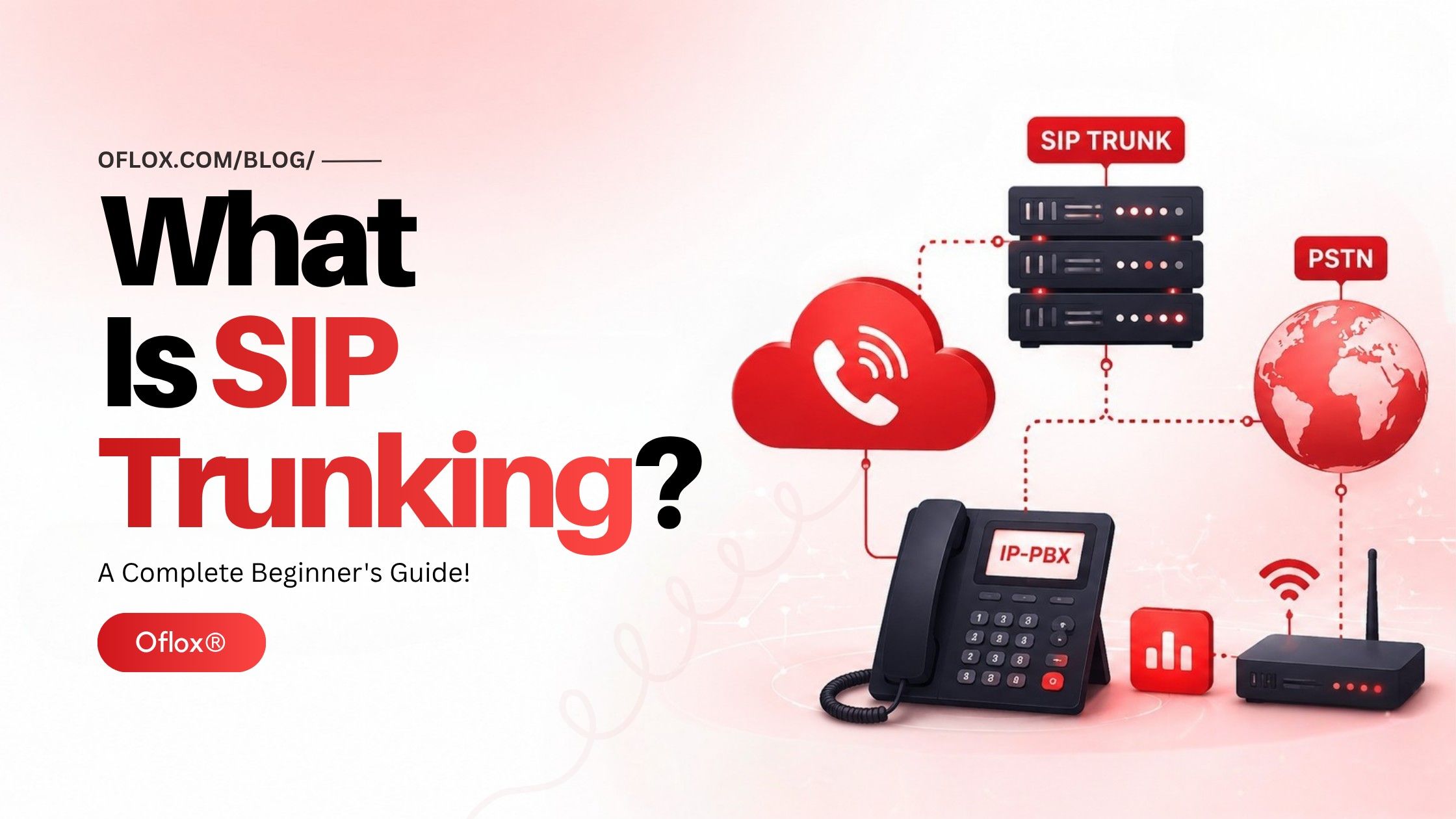
Whether you’re a business owner, IT administrator, network engineer, developer, telecom professional, or simply curious about modern business communication technologies, this beginner-friendly guide will help you understand SIP Trunking from the ground up.
Let’s explore it together.
Table of Contents
What Is SIP Trunking?
SIP Trunking is a communication technology that uses the Session Initiation Protocol (SIP) to connect a business phone system (IP PBX or Cloud PBX) to the traditional telephone network over an internet connection instead of physical telephone lines.
Simply put, SIP Trunking acts as a virtual telephone line that allows organizations to make and receive voice calls using the internet.
Instead of installing multiple PRI circuits or analog lines, businesses purchase SIP channels from a SIP Trunk provider. These channels carry voice, video, messaging, and other multimedia communications securely over IP networks.
Because everything operates digitally, organizations gain better scalability, lower operational costs, faster deployment, easier maintenance, and support for advanced communication features.
Simple Definition:
SIP Trunking is a virtual phone line that enables businesses to connect their PBX phone system to the public telephone network through the internet using the Session Initiation Protocol (SIP).
What Does SIP Stand For?
SIP stands for:
Session Initiation ProtocolIt is an application-layer signaling protocol responsible for:
- Establishing communication sessions
- Managing voice calls
- Controlling multimedia sessions
- Ending communication sessions
- Transferring calls
- Handling conferencing
- Managing presence information
SIP itself does not carry voice.
Instead:
- SIP establishes the connection.
- RTP (Real-Time Transport Protocol) carries the actual audio.
- IP networks transport the data.
- Codec compresses voice packets.
What Is a SIP Trunk?
A SIP Trunk is a virtual communication channel connecting an organization’s PBX with a SIP service provider.
Think of it like this:
Traditional Telephone System
Telephone Line → PBX → Employee PhonesModern SIP System
Internet → SIP Trunk → IP PBX → IP PhonesUnlike physical copper wires, SIP trunks operate entirely over internet connectivity.
One SIP trunk may support multiple simultaneous calls depending on the purchased channels.
Why Is SIP Trunking Important?
As businesses continue embracing digital transformation, communication systems must become more flexible, scalable, and cost-efficient. SIP Trunking has emerged as one of the most important technologies for modern enterprise telephony because it replaces outdated phone lines with internet-based communication while delivering higher reliability and advanced features.
Instead of managing expensive PRI circuits, organizations can use a single internet connection to handle voice calls, video conferencing, instant messaging, and collaboration tools. This not only simplifies infrastructure but also reduces operational costs and improves productivity.
SIP Trunking also enables remote work, multi-office connectivity, cloud integration, and disaster recovery—capabilities that have become essential for businesses in 2026 and beyond.
Major Reasons SIP Trunking Is Important:
| Importance | Description |
|---|---|
| Cost Reduction | Eliminates expensive telephone circuits and lowers call charges. |
| Business Scalability | Easily add or remove channels without new hardware. |
| High Flexibility | Supports office, remote, and hybrid work environments. |
| Better Call Quality | HD voice with low latency when configured properly. |
| Cloud Integration | Works seamlessly with Cloud PBX and UC platforms. |
| Global Reach | Obtain virtual numbers from multiple countries. |
| Business Continuity | Automatic failover keeps communication running during outages. |
| Centralized Management | Manage all communication from a single platform. |
| Faster Deployment | New numbers and channels can often be activated within hours. |
| Future-Ready Technology | Supports AI, automation, and next-generation business communications. |
History and Evolution of SIP Trunking
The evolution of business telephony reflects the shift from analog communication to intelligent, internet-based communication.
1. Analog Telephone Era (Before 1990)
Businesses relied on:
- Copper telephone lines
- Analog PBX systems
- Limited extensions
- High maintenance costs
- Expensive international calls
Every new employee often required an additional physical telephone line.
2. Digital PBX Era (1990–2000)
Organizations gradually adopted:
- Digital PBX systems
- ISDN
- PRI circuits
- Better voice quality
- Improved call routing
Although digital, businesses still depended on physical telecom infrastructure.
3. Birth of SIP (Late 1990s)
The Internet Engineering Task Force (IETF) introduced the Session Initiation Protocol (SIP) to establish multimedia communication sessions over IP networks.
This innovation paved the way for internet-based voice communication.
4. VoIP Revolution (2000–2015)
Voice over IP (VoIP) gained widespread adoption.
Businesses started replacing traditional phone lines with:
- Internet calling
- IP PBX systems
- Hosted phone systems
- Cloud communications
This period marked the rise of SIP Trunking as a practical alternative to PRI circuits.
5. Cloud Communications Era (2015–2025)
Cloud technology transformed enterprise communication through:
- Cloud PBX
- Unified Communications
- Video meetings
- CRM integration
- AI-powered call analytics
- Remote workforce support
SIP Trunking became a core communication infrastructure.
6. AI-Driven Communication (2026 and Beyond)
Modern SIP Trunking now integrates with:
- AI voice assistants
- Speech analytics
- Intelligent IVR
- Real-time transcription
- Voice Biometrics
- Unified Communications platforms
- Contact Center as a Service (CCaaS)
- Omnichannel customer support
Today, SIP Trunking is no longer just a replacement for phone lines—it is a foundational technology for modern digital communication ecosystems.
How Does SIP Trunking Work?
Every business call passes through a series of intelligent steps, from initiating the connection to securely transmitting voice data and ending the session in just a few milliseconds.
1. User Initiates a Call
An employee dials a phone number using:
- IP Phone
- Softphone
- Mobile App
- Desk Phone
- Unified Communication Platform
The call request is sent to the organization’s IP PBX.
2. IP PBX Creates SIP Request
The PBX generates a SIP signaling message containing:
- Caller identity
- Destination number
- Session information
- Codec preferences
- Authentication details
3. SIP Trunk Provider Receives the Request
The SIP provider verifies:
- Account authentication
- Available SIP channels
- Routing policies
- Security settings
If everything is valid, the call proceeds.
4. Session Is Established
Using SIP signaling, the communication session is created between both endpoints.
At this stage:
- Ringing begins
- Call negotiation occurs
- Codec selection is finalized
- Voice path is established
5. Voice Packets Travel Over the Internet
Once connected:
- Voice converts into digital packets.
- RTP carries the audio stream.
- Packets travel through the internet.
- Network optimization maintains call quality.
6. Public Telephone Network Connection (If Required)
If the destination is a traditional phone number, the SIP provider routes the call to the Public Switched Telephone Network (PSTN), ensuring compatibility with landlines and mobile phones.
7. Call Ends
When either party hangs up:
- SIP sends a termination request.
- The session closes.
- Resources are released.
- Call logs and analytics are generated.
Main Components of a SIP Trunking System
A SIP Trunking solution consists of several interconnected components that work together to deliver secure, reliable, and high-quality voice communication.
| Component | Purpose |
|---|---|
| IP PBX | Manages business phone extensions and call routing. |
| SIP Trunk Provider | Connects the PBX to the public telephone network over IP. |
| Internet Connection | Carries SIP signaling and voice traffic. |
| SIP Protocol | Establishes, manages, and terminates communication sessions. |
| RTP (Real-Time Transport Protocol) | Transports the actual voice packets during a call. |
| Codec | Compresses and decompresses audio for efficient transmission. |
| Session Border Controller (SBC) | Secures SIP traffic, manages sessions, and protects against attacks. |
| IP Phones / Softphones | Devices or applications used by employees to make and receive calls. |
| Router / Firewall | Prioritizes voice traffic and safeguards the network. |
| PSTN Gateway (if needed) | Bridges SIP calls to traditional telephone networks when required. |
Key Features of SIP Trunking
Each feature is designed to improve business communication, simplify management, and support the growing demands of digital workplaces.
1. Virtual Phone Lines
Unlike traditional telephone systems that require physical copper lines, SIP Trunking uses virtual channels over the internet.
This means businesses can add or remove communication channels without installing new hardware or cables.
2. Multiple Simultaneous Calls
A single SIP trunk can support multiple concurrent calls, depending on the number of channels purchased.
For example:
| SIP Channels | Simultaneous Calls |
|---|---|
| 5 | 5 Calls |
| 20 | 20 Calls |
| 100 | 100 Calls |
| Unlimited (Cloud Plans) | Based on the Provider |
This is especially useful for customer support teams, sales departments, and contact centers.
3. HD Voice Quality
Modern SIP providers support HD Voice codecs such as:
- G.722
- Opus
- G.711
- G.729
These codecs deliver crystal-clear audio, making conversations more natural and professional.
4. Business Scalability
One of SIP Trunking’s biggest strengths is scalability.
Businesses can:
- Add new users instantly
- Increase call capacity
- Open new branches
- Expand internationally
- Support seasonal demand
without changing the existing infrastructure.
5. Geographic Number Support
Companies can purchase local phone numbers from different cities or countries while operating from a single office.
Example:
- Delhi Office → Delhi Number
- Mumbai Customers → Mumbai Number
- Dubai Clients → UAE Number
- USA Customers → US Number
This creates a local presence and improves customer trust.
6. Disaster Recovery
If the primary office experiences an outage:
- Calls automatically redirect
- Employees continue working remotely
- Business operations remain uninterrupted
This ensures excellent business continuity.
7. CRM Integration
Modern SIP systems integrate with:
- Salesforce
- HubSpot
- Zoho CRM
- Microsoft Dynamics
- Freshsales
This enables:
- Automatic customer identification
- Call pop-ups
- Call logging
- Activity tracking
- Faster customer service
8. AI & Automation Support
Many SIP providers now include:
- AI Voice Bots
- Intelligent IVR
- Speech Analytics
- Call Transcription
- Voice Biometrics
- Sentiment Analysis
These features help improve customer experience while reducing manual work.
9. Centralized Management Dashboard
Administrators can easily manage:
- Extensions
- Call routing
- Call recordings
- Analytics
- User permissions
- Billing
- Reports
All from one web-based dashboard.
10. Secure Communication
Enterprise-grade SIP providers offer:
- TLS Encryption
- SRTP Encryption
- SBC Protection
- Fraud Detection
- IP Whitelisting
- Multi-factor Authentication
- DDoS Protection
These security measures safeguard business communications from unauthorized access and cyber threats.
Types of SIP Trunking
Different organizations have different communication needs. SIP Trunking is available in multiple deployment models to suit businesses of all sizes.
1. On-Premises SIP Trunking
In this model:
- PBX remains inside the office
- SIP provider connects via the internet
- Organization manages its own hardware
Best For:
- Large enterprises
- Banks
- Government organizations
- Businesses with dedicated IT teams
2. Cloud SIP Trunking
Everything is hosted in the cloud.
Businesses simply connect through:
- Internet
- IP Phones
- Softphones
- Mobile Apps
Best For:
- Startups
- SMEs
- Remote teams
- Growing companies
3. Hybrid SIP Trunking
A combination of:
- On-premise PBX
- Cloud communication services
This offers greater flexibility while preserving existing investments.
4. Hosted SIP Trunking
The provider manages:
- Infrastructure
- Maintenance
- Security
- Updates
- Monitoring
Businesses focus only on communication.
Benefits of SIP Trunking
Organizations worldwide are replacing traditional phone systems because SIP Trunking delivers measurable business advantages.
| Benefit | Explanation |
|---|---|
| Lower Communication Costs | Reduces monthly phone expenses and long-distance charges. |
| Easy Scalability | Add or remove channels instantly as business needs change. |
| Better Voice Quality | HD audio improves customer and employee conversations. |
| Remote Work Support | Employees can make and receive office calls from anywhere. |
| Improved Reliability | Automatic failover minimizes communication downtime. |
| Faster Deployment | New phone numbers and channels can be activated quickly. |
| Unified Communications | Integrates voice, video, messaging, and collaboration tools. |
| Simplified Infrastructure | Eliminates the need for multiple physical phone lines. |
| Global Business Presence | Use local numbers in different regions without opening offices. |
| Better Customer Experience | Intelligent routing and CRM integration speed up responses. |
SIP Trunking vs Traditional PRI
| Feature | SIP Trunking | PRI |
|---|---|---|
| Connection Type | Internet | Physical Circuit |
| Installation | Fast | Slow |
| Scalability | Very Easy | Limited |
| Monthly Cost | Lower | Higher |
| Remote Work | Fully Supported | Limited |
| Hardware Requirement | Minimal | High |
| Maintenance | Easy | Complex |
| Call Capacity | Flexible | Fixed (23/30 Channels) |
| International Calls | Cost Effective | Expensive |
| Future Ready | Yes | Becoming Obsolete |
How to Implement SIP Trunking
Deploying SIP Trunking is generally straightforward when planned correctly.
1. Assess Business Requirements
Determine:
- Number of employees
- Expected call volume
- Branch locations
- Internet bandwidth
- Existing PBX compatibility
2. Choose a SIP Provider
Evaluate providers based on:
- Reliability
- Pricing
- Support
- SLA
- Security
- Coverage
- Scalability
- Regulatory compliance
3. Verify Internet Connectivity
Since SIP Trunking relies on IP networks, ensure:
- Stable broadband or leased line
- Low latency
- Minimal packet loss
- Sufficient upload and download speeds
- QoS (Quality of Service) support
4. Configure the PBX
Configure:
- SIP credentials
- Authentication
- Codec settings
- Dial plans
- Call routing
- Emergency numbers
5. Configure Security
Enable:
- Firewall rules
- Session Border Controller (SBC)
- TLS
- SRTP
- Strong passwords
- IP restrictions
6. Test the System
Perform tests for:
- Incoming calls
- Outgoing calls
- Call transfers
- Voicemail
- Conference calls
- Failover scenarios
- Audio quality
7. Go Live
Once testing is complete:
- Train employees
- Monitor performance
- Review analytics
- Optimize routing
- Regularly update configurations
10+ Popular SIP Trunking Providers
The market offers numerous SIP providers catering to businesses of different sizes and industries.
| Provider | Best For |
|---|---|
| Twilio | Developers & APIs |
| Telnyx | Programmable Voice |
| Plivo | Cloud Communications |
| Vonage Business | SMEs |
| RingCentral | Unified Communications |
| 8×8 | Global Enterprises |
| Zoom Phone | Hybrid Work |
| Cisco Webex Calling | Large Organizations |
| Microsoft Teams Direct Routing | Microsoft Ecosystem |
| Oflox Cloud Telephony | Growing Indian Businesses |
Essential Tools Used with SIP Trunking
A complete SIP Trunking deployment often includes several supporting technologies.
| Tool | Purpose |
|---|---|
| IP PBX | Business call management |
| Session Border Controller (SBC) | Security and session management |
| Softphone | Computer-based calling |
| IP Phone | Desk communication |
| VoIP Gateway | Connect legacy devices |
| SIP Analyzer | Troubleshooting SIP traffic |
| QoS Monitoring Tool | Network optimization |
| Call Recording System | Compliance and training |
| CRM Platform | Customer relationship management |
| Unified Communications Platform | Voice, video, chat, collaboration |
Industry-Wise Applications of SIP Trunking
SIP Trunking is widely used across industries to improve communication efficiency, reduce operational costs, and enhance customer experiences.
1. Customer Support Centers
Support teams use SIP Trunking to:
- Handle high call volumes
- Enable IVR systems
- Route calls intelligently
- Record conversations
- Integrate with CRM platforms
Example:
A customer calls a support number, navigates through an IVR, and is automatically connected to the most suitable support agent based on the issue.2. Healthcare
Hospitals and clinics rely on SIP Trunking for:
- Appointment scheduling
- Emergency communication
- Internal staff coordination
- Patient helplines
- Telemedicine services
Example:
A patient books an appointment over the phone, and the call details are automatically linked to the hospital management system.3. Banking & Financial Services
Financial institutions use SIP Trunking to:
- Secure customer interactions
- Verify caller identities
- Support IVR banking
- Enable voice authentication
- Maintain compliance
Example:
A customer calls the bank, verifies identity through voice biometrics, and securely completes a balance inquiry.4. E-commerce
Online businesses use SIP Trunking to:
- Handle order inquiries
- Process returns
- Manage delivery updates
- Provide multilingual customer support
Example:
A shopper calls regarding an order, and the support agent instantly sees purchase details through CRM integration.5. Education
Educational institutions use SIP Trunking for:
- Admission inquiries
- Parent communication
- Student support
- Online learning assistance
- Administrative coordination
Example:
Prospective students call the admissions office, and the system routes them to counselors based on the selected course.6. Hospitality
Hotels use SIP Trunking to manage:
- Reservation inquiries
- Room service requests
- Guest support
- Internal communication
Example:
A guest calls the front desk, and the request is automatically directed to housekeeping or room service based on the menu selection.7. Manufacturing
Manufacturing companies use SIP Trunking for:
- Supplier communication
- Plant coordination
- Logistics management
- Emergency response
Example:
Production teams across multiple factory locations communicate using a centralized business phone system without relying on traditional telephone lines.8. Government & Public Services
Government departments use SIP Trunking for:
- Citizen helplines
- Emergency services
- Department coordination
- Public information systems
Example:
Citizens contact a government helpline, and the system efficiently routes calls to the appropriate department.Real-World Examples of SIP Trunking
The following examples demonstrate its practical applications across various industries and business use cases.
- Multi-Branch Retail Chain: A retail company with stores across India uses SIP Trunking to connect all branches through one centralized phone system, reducing telecom costs and improving internal communication.
- International IT Company: An IT firm provides local phone numbers in the USA, UK, UAE, and India while operating from a single headquarters using SIP Trunking.
- Cloud Contact Center: A customer support company handles thousands of daily calls through SIP Trunking, enabling intelligent call routing, analytics, and remote agent support.
- Healthcare Network: A group of hospitals connects multiple locations using SIP Trunking, allowing patients to access a unified appointment and support system.
- Startup with Remote Employees: A growing SaaS startup equips employees with softphones connected to a cloud PBX via SIP Trunking, enabling professional business calls from anywhere without physical office phone lines.
Challenges of SIP Trunking
Identifying potential risks early allows organizations to improve reliability, maintain call quality, and minimize communication disruptions.
1. Internet Dependency
Since SIP Trunking operates over the internet, poor connectivity can affect call quality.
Possible issues include:
- High latency
- Packet loss
- Network congestion
- Jitter
- Temporary outages
Solution:
- Use a business-grade broadband or leased line.
- Configure Quality of Service (QoS).
- Keep a backup internet connection.
2. Security Risks
Without proper protection, SIP systems may be exposed to:
- SIP registration attacks
- Toll fraud
- DDoS attacks
- Call hijacking
- Unauthorized access
- Eavesdropping
Solution:
- Deploy a Session Border Controller (SBC).
- Enable TLS and SRTP encryption.
- Use strong authentication and IP restrictions.
- Monitor call logs regularly.
3. Legacy PBX Compatibility
Older PBX systems may not support SIP natively.
Solution:
- Upgrade to an IP PBX.
- Use a VoIP gateway or SIP adapter.
- Consider migrating to a Cloud PBX.
4. Bandwidth Limitations
Insufficient bandwidth can lead to poor voice quality during multiple simultaneous calls.
Solution:
- Estimate expected call volume.
- Reserve bandwidth for voice traffic.
- Prioritize VoIP packets using QoS.
5. Configuration Complexity
Incorrect SIP settings can cause:
- Failed registrations
- One-way audio
- Dropped calls
- Routing issues
Solution:
- Follow vendor documentation.
- Test thoroughly before deployment.
- Work with experienced network engineers.
6. Regulatory Compliance
Different countries have regulations for:
- Emergency calling
- Number portability
- Data privacy
- Lawful interception
Solution:
Choose providers that comply with local telecom regulations.
Best Practices for Implementing SIP Trunking
Following proven best practices helps businesses maximize performance, reliability, and security.
- Use a High-Speed Internet Connection: A stable and low-latency connection is the foundation of excellent voice quality.
- Enable Quality of Service (QoS): Prioritize voice traffic over general internet traffic to reduce latency and packet loss.
- Deploy a Session Border Controller (SBC): An SBC acts as the first line of defense by securing SIP sessions, preventing fraud, managing traffic, and protecting against attacks.
- Use Strong Encryption: Always enable TLS for SIP signaling, and SRTP for voice encryption.
- Monitor Network Performance: Regularly monitor Latency, Packet loss, MOS (Mean Opinion Score), Call completion rates, and Jitter.
- Keep Firmware Updated: Update PBX software, IP phones, Routers, Firewalls, and SBC firmware to receive the latest security patches and performance improvements.
- Train Employees: Educate users about Softphone usage, Secure login practices, call transfer procedures, and report suspicious activity.
Expert Tips for Successfully Using SIP Trunking
Businesses can achieve the best results by following these practical recommendations.
- Select a provider with a strong Service Level Agreement (SLA).
- Plan for future growth when purchasing SIP channels.
- Use redundant internet connections for high availability.
- Integrate SIP Trunking with CRM and helpdesk software.
- Monitor call analytics regularly to identify trends and issues.
- Test disaster recovery and failover scenarios periodically.
- Keep emergency contact routing up to date.
- Use HD-compatible IP phones and modern codecs.
- Review security logs to detect unusual activity.
- Conduct periodic audits of user accounts and permissions.
Common Mistakes to Avoid
Many organizations face avoidable issues because of poor planning or configuration.
- Choosing a SIP provider based only on the lowest price.
- Ignoring internet bandwidth requirements.
- Not enabling QoS for voice traffic.
- Using weak SIP passwords.
- Leaving SIP ports exposed to the public internet.
- Skipping call quality testing before going live.
- Not configuring backup internet connectivity.
- Ignoring software and firmware updates.
- Failing to train employees on the new phone system.
- Not monitoring call performance after deployment.
FAQs:)
A. SIP Trunking is a virtual phone service that allows businesses to make and receive telephone calls over the internet instead of using traditional phone lines.
A. No. VoIP is the broader technology for transmitting voice over IP networks, while SIP Trunking is a specific method of connecting business phone systems to the public telephone network using the Session Initiation Protocol.
A. Most deployments use an IP PBX or Cloud PBX. Legacy PBX systems may require a VoIP gateway or SIP adapter.
A. Yes. Employees can use softphones or IP phones from home or any location with a secure internet connection.
A. Yes, when implemented with TLS, SRTP, Session Border Controllers (SBCs), firewalls, and strong authentication practices.
A. It depends on the number of SIP channels purchased and the available internet bandwidth. Providers typically allow businesses to scale channels as needed.
A. Yes. It often lowers installation costs, line rental fees, and long-distance calling expenses while simplifying infrastructure.
A. Yes. SIP supports multimedia sessions, including voice, video, conferencing, and instant messaging, when supported by compatible systems.
A. The exact requirement depends on the number of simultaneous calls, codecs used, and network conditions. Businesses should ensure sufficient bandwidth and configure QoS for optimal performance.
A. Absolutely. SIP Trunking is available in scalable plans, making it a cost-effective solution for startups, SMEs, and large enterprises alike.
Conclusion:)
SIP Trunking has revolutionized business communication by replacing traditional telephone lines with a flexible, internet-based solution that is more cost-effective, scalable, and future-ready. Whether you’re a startup looking to reduce communication costs or a large enterprise managing thousands of daily calls, SIP Trunking provides the reliability, security, and flexibility needed for modern business operations.
With features like HD voice quality, cloud integration, remote work support, intelligent call routing, AI-powered communication, and seamless CRM connectivity, SIP Trunking is no longer just an alternative to traditional telephony—it has become the foundation of digital business communication.
As organizations continue embracing cloud technologies and AI-driven collaboration, adopting SIP Trunking today can help improve customer experience, simplify communication infrastructure, and prepare your business for the future.
“SIP Trunking is no longer just a replacement for traditional phone lines—it’s the digital backbone of modern business communication, enabling secure, scalable, and intelligent connectivity across every workplace.” — Mr Rahman, Founder of Oflox®
Read also:)
- What Is Unified Communications? A Complete Guide for Beginners!
- What Is Cloud Telephony? A Complete Beginner’s Guide!
- What Is Voice Biometrics? A Complete Beginner’s Guide!
Have you implemented SIP Trunking in your business, or are you planning to upgrade from a traditional phone system? Share your experience, questions, or insights in the comments below—we’d love to hear from you and help you build a smarter business communication system.