This article provides a complete guide on What Is Unified Communications, including its meaning, importance, history, working process, architecture, deployment models, key features, benefits, challenges, popular tools, real-world applications, expert tips, common mistakes, frequently asked questions, and future trends.
In today’s digital workplace, businesses communicate through multiple channels such as phone calls, emails, video meetings, instant messaging, file sharing, and collaboration platforms. Managing these communication tools separately often leads to missed messages, slower decision-making, reduced productivity, and a fragmented employee experience. As organizations embrace remote work, hybrid teams, and cloud technologies, the need for a smarter and more connected communication system has become more important than ever.
This is where Unified Communications (UC) transforms modern business communication.
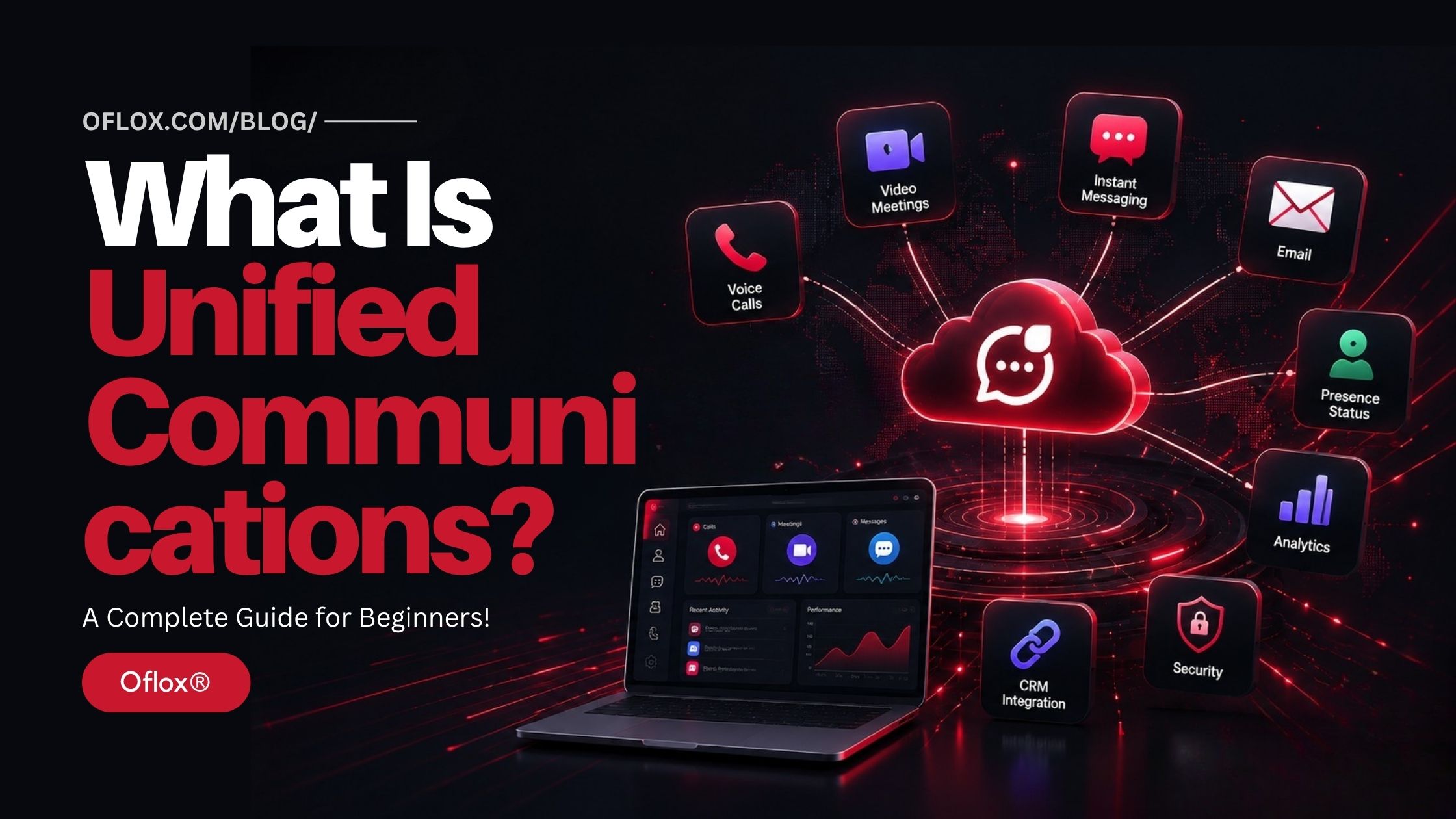
Unified Communications brings together voice calls, video conferencing, instant messaging, email, file sharing, presence status, collaboration tools, and business applications into a single centralized platform. Instead of switching between multiple apps, employees can communicate, collaborate, and share information seamlessly from one interface, making teamwork faster, simpler, and more efficient.
Today, Unified Communications is widely used across healthcare, banking, education, retail, manufacturing, government, IT, and customer support industries. It enables organizations to improve internal collaboration, deliver better customer experiences, support remote and hybrid workforces, and reduce communication costs while increasing operational efficiency. With the rapid advancement of Cloud Computing, Artificial Intelligence (AI), 5G networks, automation, and Unified Communications as a Service (UCaaS), modern UC platforms have become more intelligent, scalable, and secure than ever before.
As businesses continue their digital transformation journey, Unified Communications is becoming the foundation of modern workplace collaboration. Whether it’s enabling a sales team to close deals faster, helping customer support agents respond more efficiently, or allowing global teams to collaborate in real time, UC is redefining how organizations connect and communicate.
Whether you’re a student, IT professional, business owner, startup founder, customer support manager, or simply curious about modern communication technologies, this beginner-friendly guide will help you understand Unified Communications from the ground up.
Let’s explore it together.
Table of Contents
What Is Unified Communications?
Unified Communications (UC) is a business communication system that combines multiple communication tools—including voice calling, video conferencing, instant messaging, email, presence information, file sharing, collaboration, voicemail, and mobile communication—into a single integrated platform.
Instead of using separate applications for every communication task, users access everything from one centralized solution.
In simple words,
Unified Communications allows people to communicate anytime, anywhere, using any device through one integrated platform.
Why Is Unified Communications Important?
Today’s businesses face several communication challenges:
- Employees work remotely
- Teams use multiple apps
- Customers expect instant responses
- Information gets scattered
- Meetings happen across different locations
- Businesses require secure communication
Unified Communications solves these challenges by creating one unified communication ecosystem.
| Without UC: | With UC: |
| Too many apps | One platform |
| Communication delays | Faster communication |
| Missed customer calls | Better teamwork |
| Low productivity | Higher productivity |
| Poor collaboration | Improved customer satisfaction |
History of Unified Communications
Business communication has evolved significantly over the past few decades.
| Year | Development |
|---|---|
| 1980s | Traditional PBX telephone systems |
| 1990s | Business email becomes common |
| Early 2000s | VoIP technology emerges |
| 2005–2012 | Video conferencing gains popularity |
| 2012–2018 | Cloud-based collaboration tools expand |
| 2020 | Remote work accelerates UC adoption |
| 2022–2026 | AI-powered Unified Communications become mainstream |
Initially, organizations used different software for every communication channel.
Today, Unified Communications integrates everything into one intelligent ecosystem.
Major Reasons Unified Communications Is Important
Businesses today need faster, smarter, and more connected communication than ever before. Unified Communications helps organizations simplify collaboration, improve productivity, and deliver better customer experiences through one centralized communication platform.
Some major reasons include:
- Faster communication
- Better employee collaboration
- Improved customer experience
- Remote work support
- Higher productivity
- Lower operational costs
- Secure communication
- Centralized management
- Business continuity
- AI-powered automation
Traditional Communication vs Unified Communications
| Traditional Communication | Unified Communications |
|---|---|
| Multiple applications | One integrated platform |
| Separate phone systems | Cloud communication |
| Limited collaboration | Real-time collaboration |
| Difficult remote work | Remote-first communication |
| High maintenance | Easy management |
| Slow response | Faster response |
| Multiple logins | Single interface |
| Poor integration | Connected ecosystem |
Core Components of Unified Communications
A Unified Communications platform generally includes:
- Voice Calling: Internet-based business calling using VoIP technology.
- Video Conferencing: High-quality online meetings.
- Instant Messaging: Real-time business chat.
- Presence Management: Shows employee availability.
- Email Integration: Centralized email management.
- File Sharing: Secure document collaboration.
- Screen Sharing: Presentation and troubleshooting support.
- Mobile Applications: Access from smartphones and tablets.
- Collaboration Workspace: Shared project communication.
- Contact Center Integration: Connect customer support with communication channels.
Types of Unified Communications
Different organizations choose different UC deployment models depending on their business requirements.
1. On-Premise Unified Communications
Installed inside the company infrastructure.
Best for:
- Government
- Large enterprises
- Highly regulated industries
| Advantages: | Disadvantages: |
| Full control | High infrastructure cost |
| High customization | Maintenance responsibility |
2. Cloud Unified Communications (UCaaS)
Hosted by a cloud provider.
Most popular in 2026.
Advantages:
- Lower cost
- Quick deployment
- Automatic updates
- Easy scalability
3. Hybrid Unified Communications
Combination of on-premise and cloud communication.
Best for organizations transitioning to cloud infrastructure.
4. Industry-Specific Unified Communications
Customized for industries such as:
- Healthcare
- Banking
- Education
- Retail
- Manufacturing
- Government
- Logistics
Unified Communications Architecture
A modern UC platform consists of several integrated layers:
- User Devices
- Internet / Network
- Unified Communications Platform
- Voice Services
- Video Services
- Messaging Services
- Collaboration Tools
- AI Services
- CRM Integration
- Analytics Dashboard
- Security Layer
- Cloud Infrastructure
Each component works together to provide seamless communication.
Step-by-Step Working Process of Unified Communications
Understanding how Unified Communications works makes it easier to see how multiple communication channels come together into one seamless business communication platform.
1. User Opens the UC Platform
An employee logs into the Unified Communications application using a desktop, web browser, or mobile app.
The dashboard displays:
- Voice calls
- Messages
- Contacts
- Meetings
- Calendar
- File sharing
- Team collaboration
- Notifications
Everything is available from one interface.
2. Presence Status Is Updated
The platform automatically checks the employee’s availability.
Examples:
- Available
- Busy
- In Meeting
- Away
- Offline
- Do Not Disturb
This helps colleagues know the best time to communicate.
3. Communication Begins
The user can start communication using multiple channels such as:
- Voice call
- Video meeting
- Instant message
- Group chat
- File sharing
All communication starts from the same application.
4. Intelligent Call Routing
If someone places a business call, the UC platform identifies:
- Employee availability
- Department
- Skills
- Business rules
- Customer history
The system automatically routes the call to the right person.
5. Real-Time Collaboration
During communication, employees can:
- Share screens
- Edit documents
- Transfer files
- Invite new participants
- Record meetings
- Create tasks
- Collaborate on projects
This reduces communication delays.
6. Business Application Integration
Unified Communications integrates with various business tools, including:
- CRM software
- ERP systems
- Helpdesk software
- Project management platforms
- HR software
- Email platforms
- Marketing automation tools
Employees no longer need to switch between different applications.
7. AI Improves Communication
Modern UC platforms include Artificial Intelligence that can:
- Transcribe meetings
- Summarize discussions
- Remove background noise
- Translate conversations
- Suggest replies
- Detect customer sentiment
- Generate meeting notes
AI makes communication faster and smarter.
8. Analytics Dashboard
Administrators receive detailed reports such as:
- Call volume
- Meeting duration
- Employee activity
- Response time
- Customer satisfaction
- Communication quality
- Missed calls
- Productivity metrics
These insights help improve business performance.
Major Features of Unified Communications
Modern Unified Communications platforms offer much more than business calling. Some of the most important features include:
1. Voice Calling (VoIP)
Internet-based business calling with HD voice quality.
Features include:
- Caller ID
- Call transfer
- Call forwarding
- Call recording
- Conference calling
- Voicemail
2. Video Conferencing
High-quality online meetings with features such as:
- HD video
- Screen sharing
- Meeting recording
- Virtual backgrounds
- Whiteboard collaboration
- Webinar support
3. Instant Messaging
Employees can quickly communicate through:
- One-to-one chats
- Group messaging
- Team channels
- Media sharing
- Emoji support
- Read receipts
4. Presence Management
Users can instantly see whether colleagues are:
- Available
- Busy
- Away
- Offline
- On a call
This reduces unnecessary interruptions.
5. File Sharing
Employees securely exchange:
- Documents
- Images
- Videos
- PDFs
- Presentations
- Project files
6. Team Collaboration
Departments can create dedicated workspaces for:
- Projects
- Teams
- Clients
- Campaigns
- Product development
Everything stays organized.
7. Mobile Communication
Users stay connected from:
- Android phones
- iPhones
- Tablets
- Laptops
- Web browsers
Communication continues from anywhere.
8. Calendar Integration
Employees can:
- Schedule meetings
- Receive reminders
- Check availability
- Send invitations
without leaving the UC platform.
9. AI Meeting Assistant
Modern AI assistants can:
- Record meetings
- Generate summaries
- Highlight action items
- Create transcripts
- Identify speakers
This saves valuable time.
10. Security Features
Enterprise-grade security includes:
- Multi-Factor Authentication (MFA)
- Encryption
- Secure login
- Access control
- Audit logs
- Compliance support
Benefits of Unified Communications
Businesses of every size benefit from Unified Communications.
- Better Team Collaboration: Employees communicate instantly regardless of their location. This leads to faster decision-making.
- Increased Productivity: Instead of switching between multiple applications, users work from one centralized platform. This saves significant time.
- Lower Communication Costs: Cloud-based VoIP significantly reduces Telephone bills, Hardware costs, Maintenance expenses, and International calling charges.
- Improved Customer Experience: Customers receive Faster responses, Better support, Less waiting time, and Personalized communication.
- Supports Remote & Hybrid Work: Employees can work efficiently from Home, Office, Client locations, and while traveling. without losing communication.
- Easy Scalability: Businesses can easily Add users, Create departments, Expand locations, and Upgrade features. without replacing the entire infrastructure.
- Better Business Continuity: Cloud-based systems continue operating even if one office experiences Internet failure, Power outage, and Natural disaster. Communication remains available.
- Centralized Communication: Everything is managed from one platform, including Calls, Meetings, Messages, Contacts, Analytics, and Files.
- Higher Employee Satisfaction: Employees enjoy Flexible working, Easy collaboration, Better communication, and Less frustration.
- Faster Decision Making: Since everyone communicates in real time, projects move much faster.
Challenges of Unified Communications
Although Unified Communications offers many advantages, organizations should also understand its challenges.
- Internet Dependency: Cloud-based UC requires a reliable internet connection. Poor connectivity affects Voice quality, Video meetings, and Messaging.
- Security Risks: Without proper security Data breaches, Unauthorized access, and Phishing attacks can occur.
- Initial Migration Complexity: Moving from legacy communication systems requires Planning, Testing, User training, and Data migration.
- Employee Resistance: Some employees may hesitate to adopt a new communication platform. Training becomes essential.
- Integration Challenges: Older business software may not integrate easily with modern UC platforms.
- Vendor Dependency: Organizations relying entirely on one provider should evaluate Service reliability, Support quality, Pricing, and Future scalability.
Unified Communications vs Collaboration Tools
| Feature | Unified Communications | Collaboration Tools |
|---|---|---|
| Voice Calling | Yes | Limited |
| Video Meetings | Yes | Yes |
| Instant Messaging | Yes | Yes |
| Business Phone System | Yes | No |
| Call Routing | Yes | No |
| Voicemail | Yes | No |
| CRM Integration | Yes | Limited |
| Contact Center | Yes | Rare |
| Team Collaboration | Yes | Yes |
| Centralized Communication | Yes | Partial |
Unified Communications vs Traditional PBX
| Traditional PBX | Unified Communications |
|---|---|
| Hardware-based | Cloud-enabled |
| Voice only | Multi-channel |
| Office limited | Anywhere access |
| High maintenance | Easy management |
| Limited scalability | Highly scalable |
| Expensive upgrades | Automatic updates |
| Basic calling | AI-powered collaboration |
Who Should Use Unified Communications?
Unified Communications is suitable for almost every industry.
1. Small Businesses
- Lower communication costs
- Professional business phone system
- Easy collaboration
2. Large Enterprises
- Global communication
- Department collaboration
- Centralized management
3. Healthcare
- Appointment coordination
- Secure doctor communication
- Telemedicine support
4. Educational Institutions
- Online classes
- Faculty meetings
- Student communication
5. Retail Businesses
- Customer support
- Store coordination
- Sales communication
6. Banking & Finance
- Secure internal communication
- Customer service
- Compliance support
7. Manufacturing
- Factory communication
- Supply chain coordination
- Maintenance alerts
8. Government Organizations
- Secure communication
- Department collaboration
- Emergency coordination
How to Implement Unified Communications
Successfully implementing Unified Communications requires careful planning. Follow these steps:
1. Analyze Business Communication Needs
Identify:
- Current communication tools
- Pain points
- Employee requirements
- Customer expectations
2. Define Objectives
Examples include:
- Improve collaboration
- Reduce costs
- Support remote work
- Increase productivity
3. Choose the Right Deployment Model
Select:
- On-Premise UC
- Cloud UC (UCaaS)
- Hybrid UC
based on your business needs.
4. Select a Reliable UC Provider
Compare providers based on:
- Features
- Security
- Scalability
- Support
- Pricing
- Integrations
5. Upgrade Network Infrastructure
Ensure:
- High-speed internet
- QoS (Quality of Service)
- Stable Wi-Fi
- Network security
6. Integrate Existing Business Applications
Connect the UC platform with:
- CRM
- ERP
- Helpdesk
- HR software
- Productivity tools
7. Train Employees
Provide hands-on training covering:
- Calling
- Meetings
- Messaging
- File sharing
- Security best practices
8. Monitor Performance
Regularly review:
- Call quality
- User adoption
- System performance
- Analytics
- Customer feedback
Continuous optimization ensures long-term success.
Best Unified Communications Tools in 2026
There are many Unified Communications platforms available today. The right choice depends on your business size, budget, security requirements, and integration needs.
| Tool | Best For | Key Features |
|---|---|---|
| Microsoft Teams | Enterprises | Chat, meetings, calling, Microsoft 365 integration |
| Zoom Workplace | Hybrid Work | Video meetings, phone system, AI Companion |
| Cisco Webex | Large Organizations | Meetings, calling, AI assistant, enterprise security |
| RingCentral | SMB & Enterprises | UCaaS, cloud phone, messaging, video |
| Google Workspace | Small Businesses | Gmail, Meet, Chat, Drive integration |
| 8×8 XCaaS | Global Businesses | Voice, contact center, analytics |
| Dialpad AI | AI-first Companies | AI transcription, voice intelligence |
| GoTo Connect | Growing Businesses | Business phone, meetings, messaging |
| Vonage Business | Customer Communication | APIs, voice, messaging, integrations |
| Oflox Cloud Communication Solutions* | Growing Indian Businesses | Cloud telephony, IVR, CRM integration, business communication workflows |
Example based on Oflox® business communication offerings.
Industry-Wise Applications of Unified Communications
Every industry benefits differently from Unified Communications.
1. Healthcare
Hospitals use UC for:
- Doctor consultations
- Telemedicine
- Appointment scheduling
- Internal staff communication
- Emergency coordination
Example:
A patient books an appointment online.The UC platform automatically:
- Sends confirmation SMS
- Notifies the doctor
- Updates the receptionist
- Creates reminders
- Stores the communication history
2. Education
Schools and universities use UC for:
- Online classes
- Faculty meetings
- Parent communication
- Student collaboration
- Administrative announcements
3. Banking
Banks use Unified Communications for:
- Customer support
- Secure employee communication
- Video KYC
- Branch coordination
- Fraud management
4. Retail
Retail companies improve:
- Store communication
- Customer service
- Sales coordination
- Inventory discussions
- Vendor communication
5. Manufacturing
Manufacturers use UC for:
- Factory communication
- Supply chain updates
- Maintenance alerts
- Warehouse coordination
- Vendor meetings
6. IT Companies
Technology companies rely heavily on UC for:
- Remote work
- Daily standups
- Development collaboration
- Client meetings
- Product launches
7. Government
Government departments use Unified Communications to improve:
- Department collaboration
- Emergency response
- Citizen services
- Secure communication
Real-World Examples of Unified Communications
1. Customer Support Center
A customer calls the company’s business number.
The UC platform automatically:
- Answers through IVR
- Identifies the customer
- Routes the call
- Displays CRM details
- Records the conversation
- Creates a support ticket
Support becomes faster and more personalized.
2. Sales Team
A salesperson receives:
- Customer inquiry
- CRM notification
- Video meeting invitation
- Product documents
All from one application.
The deal closes faster.
3. Remote Employee
An employee working from home can:
- Attend meetings
- Make office calls
- Share files
- Chat with colleagues
- Access company contacts
without visiting the office.
4. Hospital Communication
Emergency staff receive instant alerts while:
- Doctors join video consultations
- Nurses receive updates
- Laboratory reports are shared
- Patient records remain synchronized
Everything happens within one communication platform.
5. Multi-Branch Company
Head Office communicates instantly with:
- Regional offices
- Branch managers
- Sales teams
- Customer support
- Field employees
using one centralized communication platform.
Unified Communications Use Cases
Some of the most common use cases include:
- Business calling
- Internal messaging
- Video conferencing
- Remote workforce management
- Customer support
- Contact centers
- Sales collaboration
- Project management
- Virtual training
- Emergency communication
- Executive meetings
- Branch communication
Unified Communications Best Practices
Implementing UC successfully requires more than installing software.
Follow these best practices:
- Choose Cloud-Based Infrastructure: Cloud solutions provide better scalability and lower maintenance costs.
- Prioritize Security: Always enable Multi-Factor Authentication, Encryption, Strong passwords, Access control, and Regular security audits.
- Train Employees: Employees should understand Communication etiquette, Platform features, Security practices, and Collaboration workflows.
- Integrate Business Applications: Connect your UC platform with CRM, ERP, Helpdesk, HR systems, and Marketing software. This eliminates repetitive manual work.
- Monitor Analytics: Track Call quality, Adoption rate, Meeting effectiveness, Response time, and customer satisfaction. Continuous monitoring helps optimize communication.
Expert Tips for Successfully Implementing Unified Communications
Organizations that achieve the best results usually follow these recommendations:
- Start with a pilot deployment before rolling out company-wide.
- Standardize communication policies across all departments.
- Choose a scalable cloud platform that supports future growth.
- Integrate CRM and helpdesk systems from day one.
- Regularly update communication software to receive new security features.
- Provide continuous employee training instead of one-time onboarding.
- Monitor communication analytics to identify bottlenecks.
- Use AI-powered meeting summaries to save employee time.
- Optimize network bandwidth for high-quality voice and video.
- Collect employee feedback regularly to improve adoption.
Common Mistakes to Avoid
Many organizations fail to achieve the full value of Unified Communications because of avoidable mistakes.
Avoid these common errors:
- Choosing a platform based only on price.
- Ignoring internet bandwidth requirements.
- Skipping employee training.
- Not integrating existing business software.
- Weak security configuration.
- Using too many disconnected communication tools.
- Ignoring mobile users.
- Not backing up communication data.
- Failing to monitor system performance.
- Delaying software updates and security patches.
FAQs:)
A. Unified Communications is an integrated platform that combines voice calls, video meetings, messaging, collaboration, email, file sharing, and business communication tools into one centralized system.
A. No. VoIP is internet-based calling technology, while Unified Communications includes VoIP along with messaging, meetings, collaboration, presence, file sharing, AI, and other communication tools.
A. UCaaS stands for Unified Communications as a Service. It is a cloud-based Unified Communications solution managed by a service provider.
A. Yes. Cloud-based UC platforms are affordable, easy to deploy, and highly scalable, making them ideal for startups and small businesses.
A. Absolutely. Employees can access calls, meetings, messaging, and collaboration tools from anywhere using laptops, tablets, or smartphones.
A. Modern UC platforms include enterprise-grade security features such as: Encryption, MFA, Secure authentication, Compliance support, Access managemen, and Audit logs.
A. Almost every industry uses UC, including: Healthcare, Education, Banking, Retail, Manufacturing, Government, Logistics, IT, Hospitality, Customer support.
A. Yes. Most modern UC platforms integrate with popular CRM solutions, enabling features like click-to-call, customer history, screen pop-ups, and automated call logging.
Conclusion:)
Unified Communications has become much more than a business communication tool—it is the foundation of modern workplace collaboration. By bringing voice calls, video conferencing, instant messaging, email, file sharing, and collaboration tools together into one centralized platform, it helps organizations simplify communication, improve productivity, reduce operational costs, and deliver exceptional customer experiences.
As businesses continue adopting cloud computing, artificial intelligence (AI), hybrid work models, and digital transformation strategies, Unified Communications will play an even more significant role in connecting employees, customers, and business processes. Modern UC platforms are becoming smarter with AI-powered meeting assistants, real-time analytics, intelligent call routing, automation, and seamless integration with CRM and business applications, enabling organizations to work faster and more efficiently than ever before.
Whether you’re a startup looking for an affordable communication solution, a growing business aiming to improve team collaboration, or a large enterprise planning digital transformation, investing in the right Unified Communications platform can help you build a more connected, agile, and future-ready workplace.
Businesses that embrace Unified Communications today won’t just improve communication—they’ll create a stronger foundation for innovation, collaboration, and long-term growth in the digital era.
“Unified Communications isn’t just about connecting devices—it’s about connecting people, ideas, and businesses without barriers.” — Mr Rahman
Read also:)
- What Is Cloud Telephony? A Complete Beginner’s Guide!
- What Is Voice Biometrics? A Complete Beginner’s Guide!
- How to Get Toll Free Number in India: A Step-by-Step Guide!
Have you ever used a Unified Communications platform in your business or workplace? Share your experience, favorite UC tool, or any questions in the comments below—we’d love to hear from you!